Creating a user
Download
Focus Mode
Font Size
Scenarios
After creating user pools and custom attributes, you can create users.
Steps
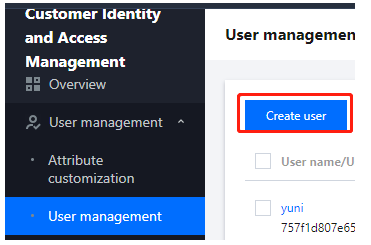
1. Log in to the Customer Identity and Access Management console and select User management -> User management in the left navigation pane.
2. On the User management page, click Create user.
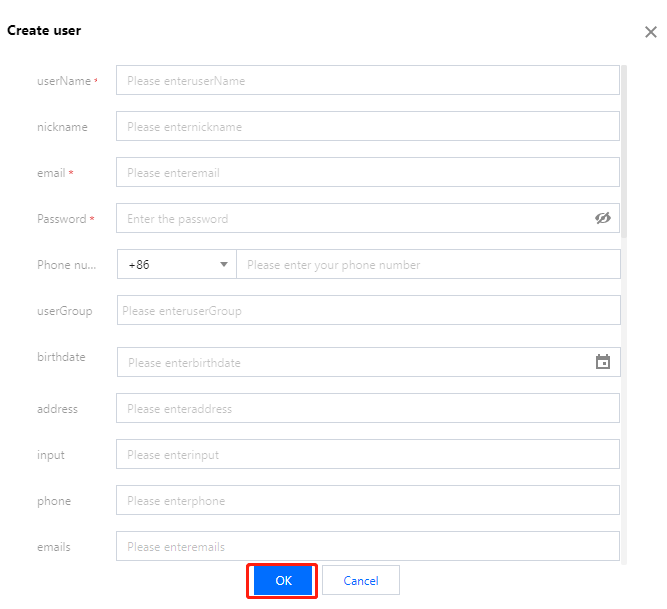
3. In the Create user window displayed, fill in the basic information and click OK to add the user.
Note:
By default, the new user is in the disabled state. The status of the user changes to enabled after the user logs in.
Help and Support
Was this page helpful?
You can also Contact sales or Submit a Ticket for help.
Help us improve! Rate your documentation experience in 5 mins.
Feedback