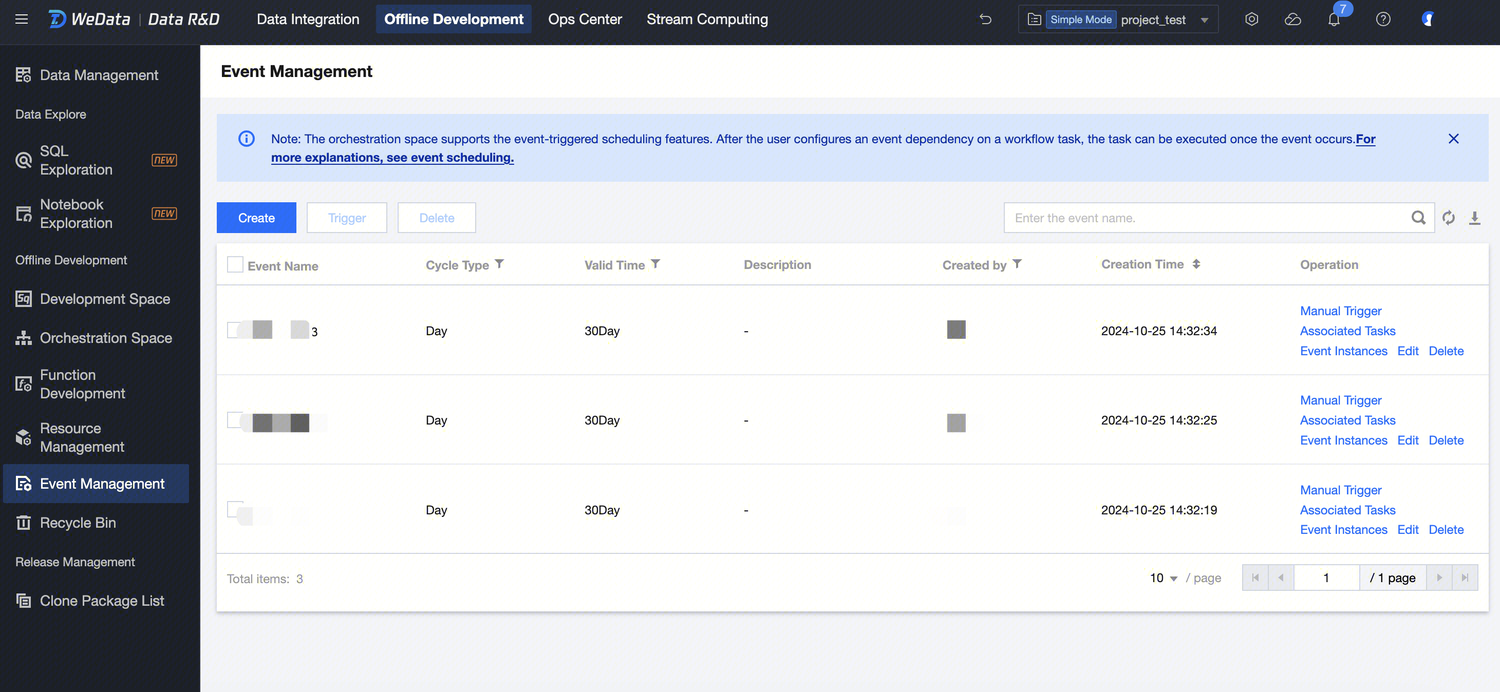
The Orchestration Space supports the Event-Triggered Scheduling feature. After configuring the event dependency in a workflow task, the task will wait for the event to trigger before execution.
Event: A message defined by the user based on business needs, used to trigger the execution of task instances. One event can support multiple task instances being triggered.
Event Trigger: The task scheduling system runs task instances through external events, such as external scheduling systems, file events, etc.
Event Trigger Process
Data Development supports the Event-Triggered Scheduling feature, suitable for scenarios where a task depends on an event to execute. It consists of the trigger program, trigger event, and listening task. First, an event needs to be triggered based on business definition under the project. Then, write a trigger program to send the event. The task will run once it listens to the event.
3. Select the corresponding project and click to enter the Data Development module.
4. In the left menu, click Event Management.
Create Event
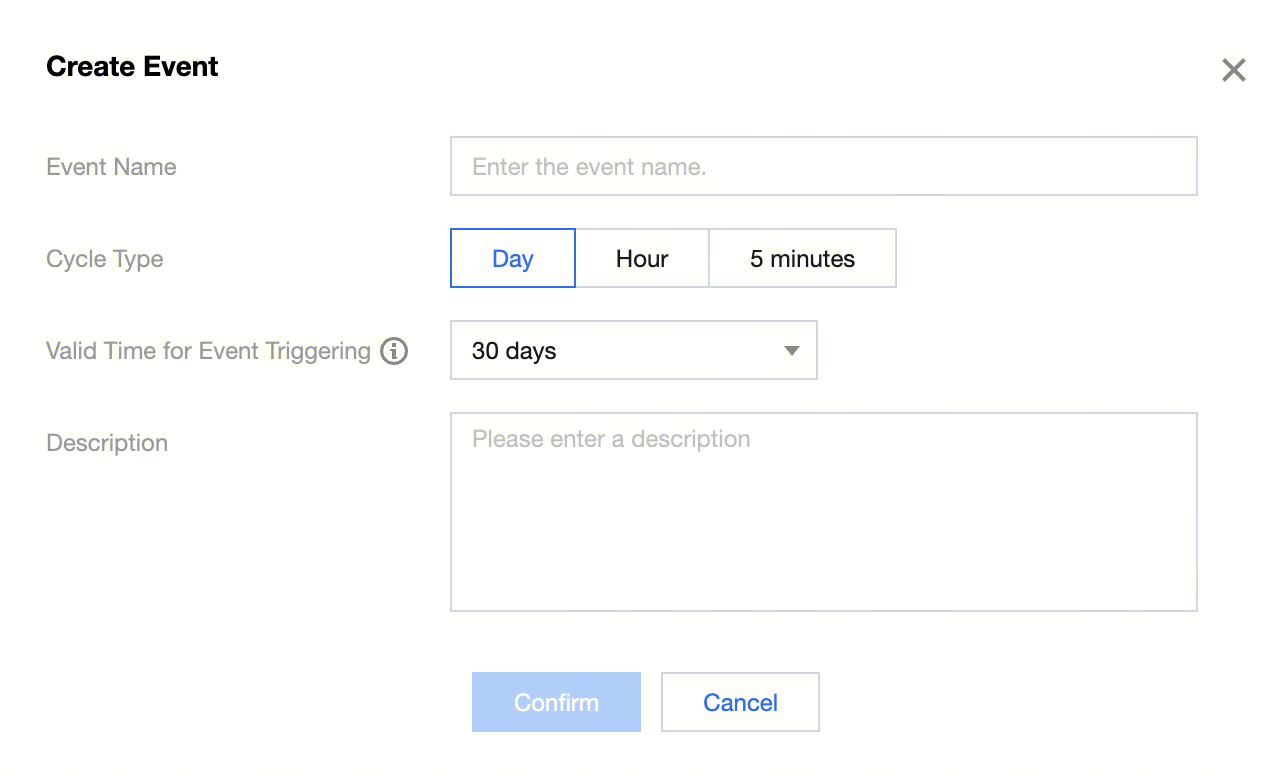
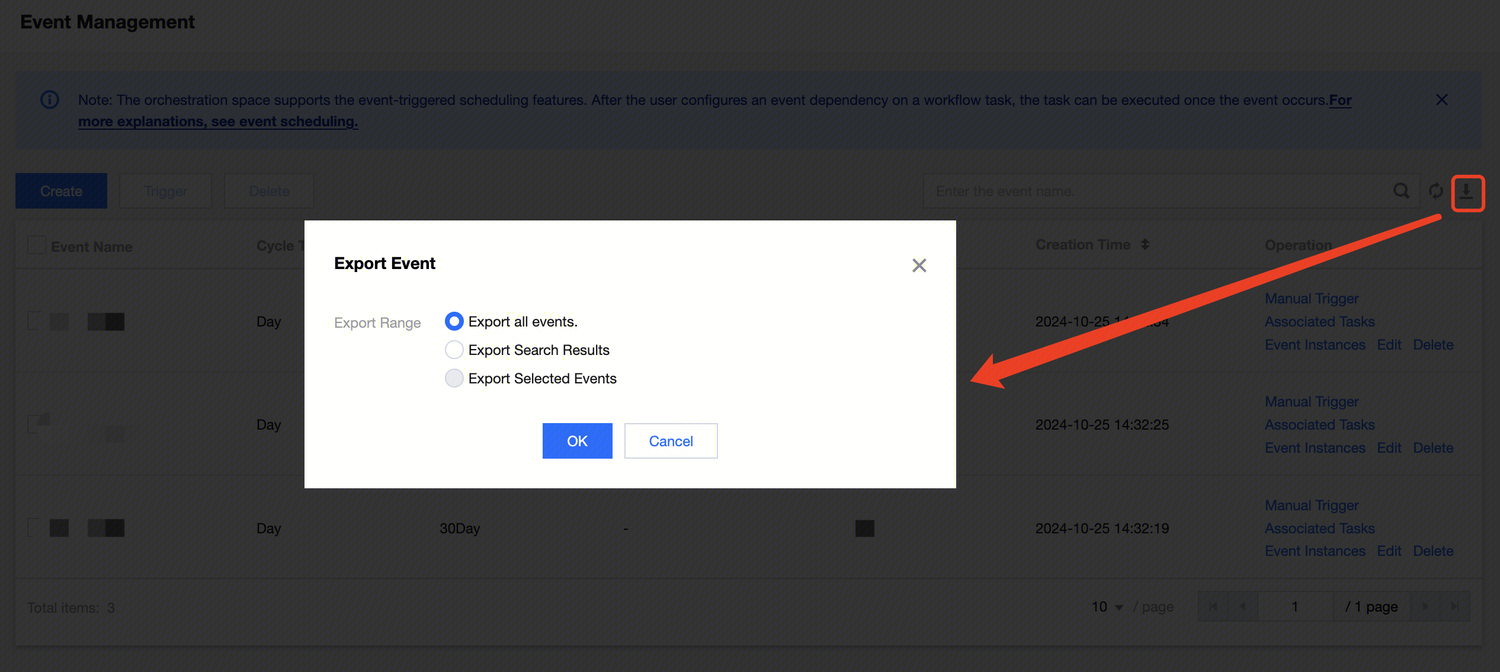
1. The Event Management Page allows creating events by either new creation or import. After clicking the top-left New button, configure the event information in the pop-up window.
2. Enter the Create Event interface. The configuration items include Event Name, Cycle Type, Trigger Valid Time, and Description information.
Configuration information:
Information
Description(Optional)
Event Name
Messages based on user business requirements Definition are used to trigger task instance execution. An event can support triggering multiple task instances to run. An event can support triggering multiple task instances to run.
Cycle Type
Corresponding to the cycle type of the listening event. The event instance and task instance can only be triggered when the planned scheduling time is the same. The cycle type of the event corresponds to the cycle type of the task as follows:
minutes > minutes (corresponding time format: yyyyMMddHHmm)
hour > hour (corresponding time format: yyyyMMddHH)
days > days, weekly, monthly, yearly (corresponding time format: yyyyMMdd)
Valid Time for Event Triggering
The maximum survival time of the event, it will be automatically destroyed when expired.
Event operation
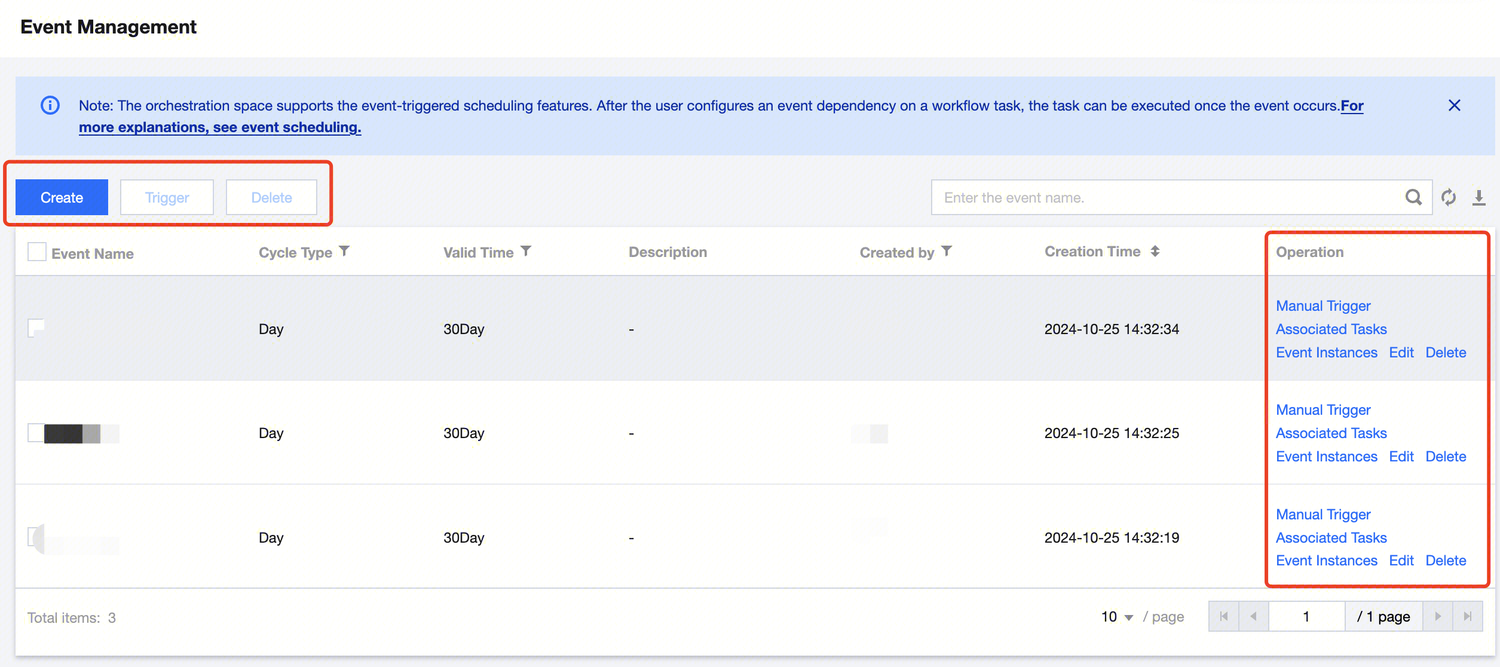
After the event is created, it can be managed through various operation features.
Feature information:
Information
Description(Optional)
Create
Listen for Event Creation.
Trigger
Select the created listening event from the checkbox list. If the corresponding listening event is associated with task scheduling, the bulk event triggering feature can be used to trigger the events.
Delete
Select the events in the list to delete them.
Edit
You can modify the effective time and description of the event trigger.