WeData provides users with custom metadata collection task feature. Admin must collect metadata from data source before visualization management. Collection granularity to database. Each database can only create one collection task. Collection tasks run and refresh metadata information periodically based on configuration. It simultaneously supports manual run, task editing and other management operations.
Supported Data Source Types
Currently supports the following data source types for metadata collection:
Information
Type
Big Data
Hive
HBase
DLC
ClickHouse
TCHouse-C
Iceberg
Greenplum
Doris
StarRocks
TCHouse-D
EMR StarRocks
GaussDB
TCHouse-X
Relational Database
MySQL
Tencent Cloud MySQL
PostgreSQL
Oracle
SQL Server
TCHouse-P
TDSQL-PostgreSQL
Dameng DM
OceanBase
TDSQL MySQL
NoSQL
CTSDB influxDB
Collection Task Configuration
Configuring a Collection Task
1. Enter the Metadata Collection interface, click Create Collection Task, and select the data source type.
2. Configure collection task detail information: basic information, collection scope and business attributes.
Each collection task can be bound to only one data source under the WeData project. A data source cannot be repeatedly bound to collection tasks.
Information
Details
Task name
Collection task name, required, may start with a letter or Chinese character, and may include letters, Chinese characters, digits, hyphens (-), and underscores (_).
Description(Optional)
Description (Optional)
Data Source
Select a project, assign the data source to the associated project, and bind the data source management permission to the project. Then select the data source name corresponding to the collection task, which can be viewed in the project management module.
Database
Each database can only correspond to one collection task. Databases that have already been collected cannot be selected.
Data Tables
Tables to be collected
Task Owner
The responsible person can view, stop, start, view logs, view details, rerun, and modify task information for the task.
data warehouse layering
Select the corresponding data warehouse layering
Asset Catalog
Select the asset catalog belonging to
Tag APIs
Tagging a data table
3. Configure a collection plan
Configure the metadata collection task's running period, specific date, and time, etc.
Collection cycle: The current version supports 10-minute, hourly, daily, weekly, monthly, and one-time collection tasks.
Collection date: Configure the collection date according to the collection cycle.
Run now: After configuration, the collection task will trigger a collection once immediately upon completion.
Running configuration: Support selecting execution resources or creating new ones. Once configured, you can click "Test" to test connectivity.
Collection Task List
The Task List provides all gather task information under the current user, including task name, collection object, technical type, associated project, task owner, creator, etc. It also provides operations such as viewing harvest task details, logs, edit, delete, and transfer.
Information
Details
Task name
Collection Task Name
Supported Data Source Type
Supported Data Source Type
Data Source
Data source of the collection task
Collected database
Collection database of the collection task
Task Owner
The account name of the current task owner
Created by
Account name for creating a collection task
Creation time.
Time of creating a collection task
Collection plan
Execution cycle of collection task
Running status
Task running status
Recent Execution Time
Last run time information (YYYY-MM-DD)
Operation
Provides operations including view harvest task details, logs, edit, delete and transfer.
Running a Collection Task
Manually run one-time/periodic tasks. Tasks not in execution status support manual run.
Editing a Collection Task
Projects, data sources, update methods, deletion methods, and collection plans can be edited when not in execution state. Homogeneous data sources support modification, and collection tasks collect data based on the latest binding.
Deleting a Collection Task
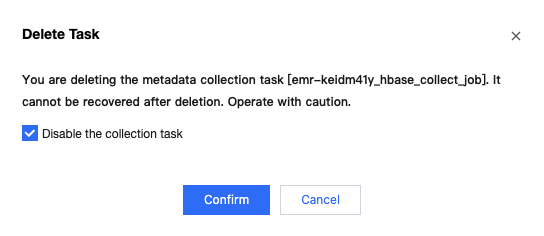
After the collection task is deleted, data collection for the data source will stop.
Transferring a Collection Task
In the task list, you can transfer a collection task to another task owner. The original owner will no longer have management permissions for the task.