This document describes how to implement IP address access control on the Kong Cloud Native API Gateway using the Kong IP Restriction plugin, covering the following two scenarios:
Configuring an IP address allowlist/blocklist for access control
Configuring a CIDR allowlist/blocklist for access control
Scenario 1: Configuring an IP Address Allowlist/Blocklist for Access Control
An IP address blocklist is used as an example to describe how to deny access from an IP address or some IP addresses. The allowlist configuration is similar.
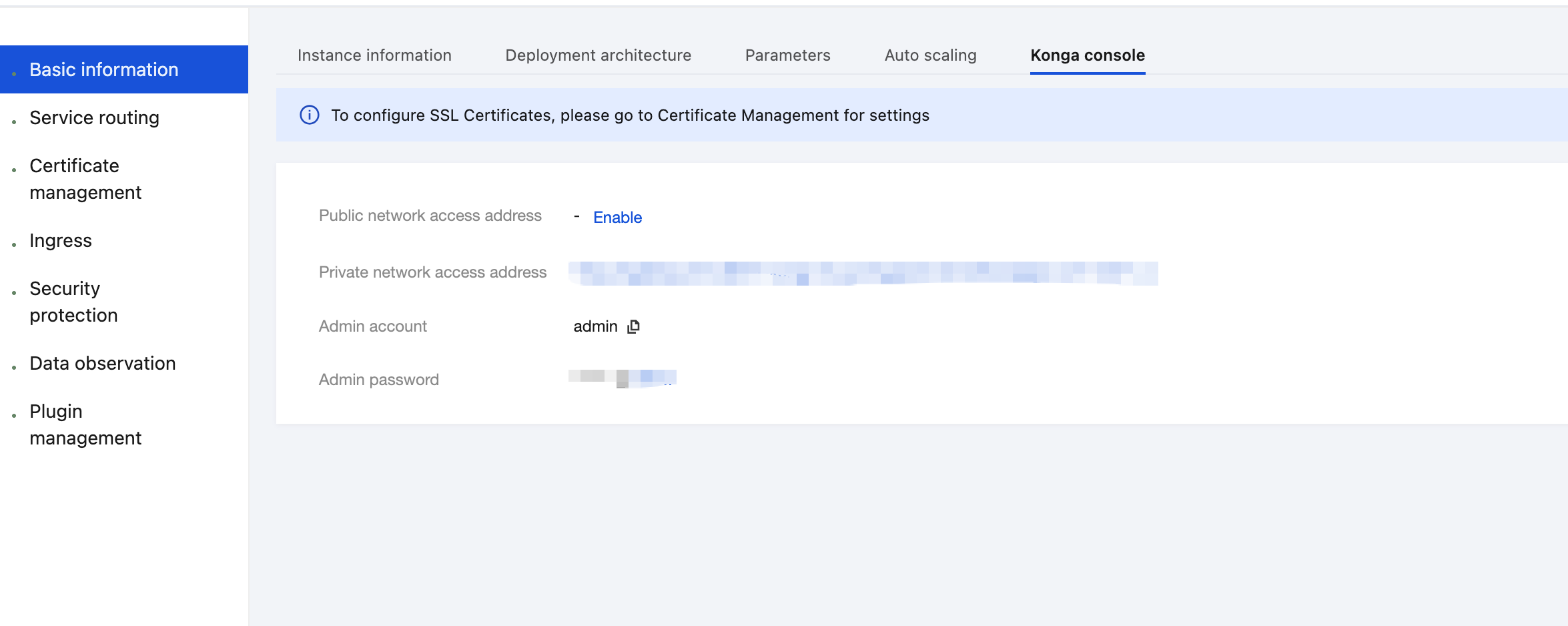
1. Log in to the Tencent Service Framework (TSF) console, go to the details page of the Cloud Native API Gateway instance for which the IP Restriction plugin needs to be configured, and view the Konga console login method on the Konga Console tab page.
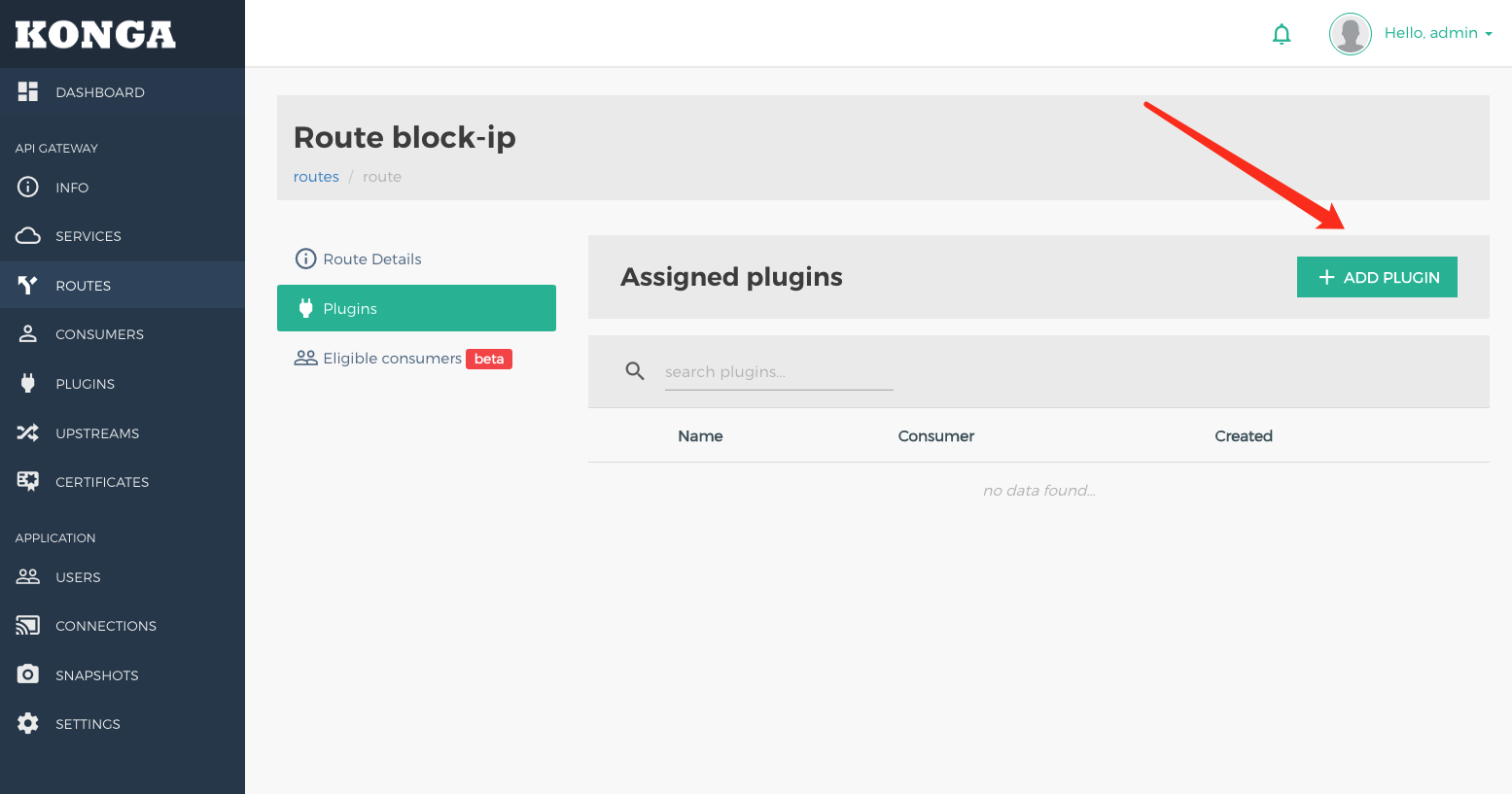
2. Log in to the Konga console, go to the details page of the route for which IP address restriction needs to be configured, and click ADD PLUGIN.
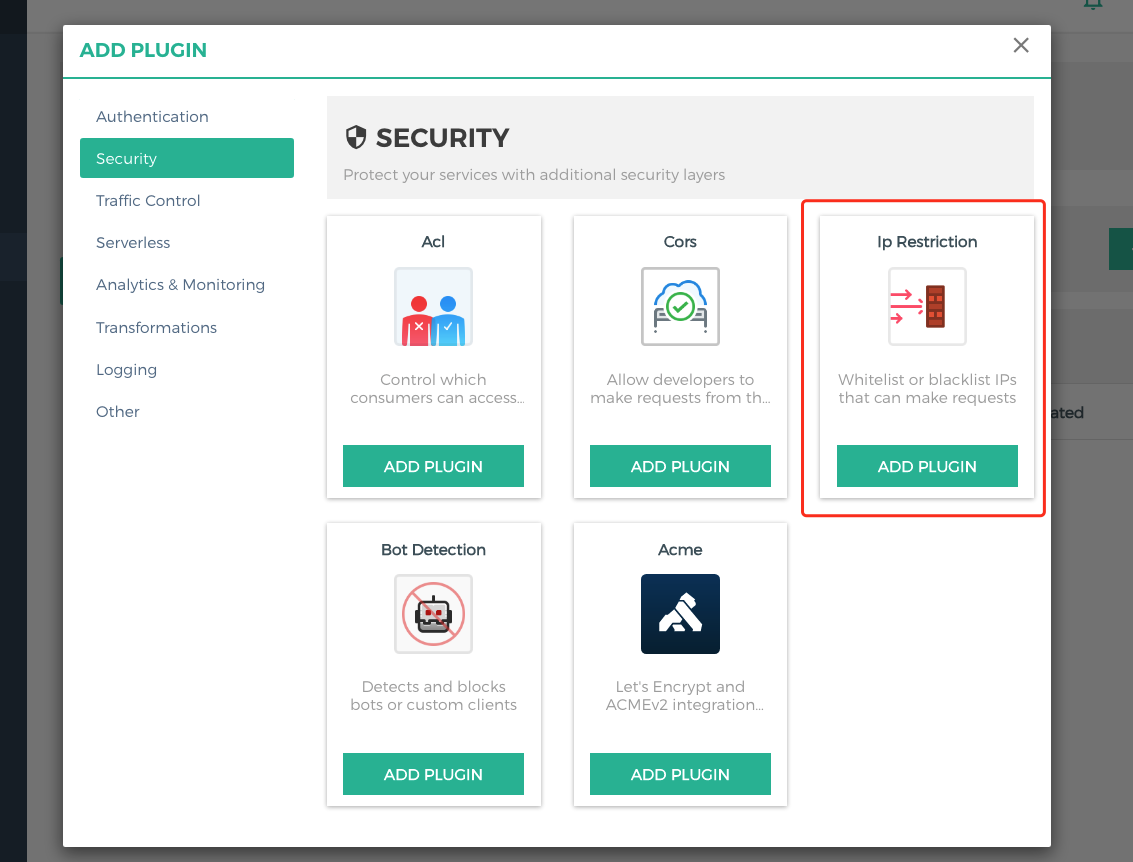
3. Select IP Restriction under the Security group in the plugin marketplace, and click ADD PLUGIN.
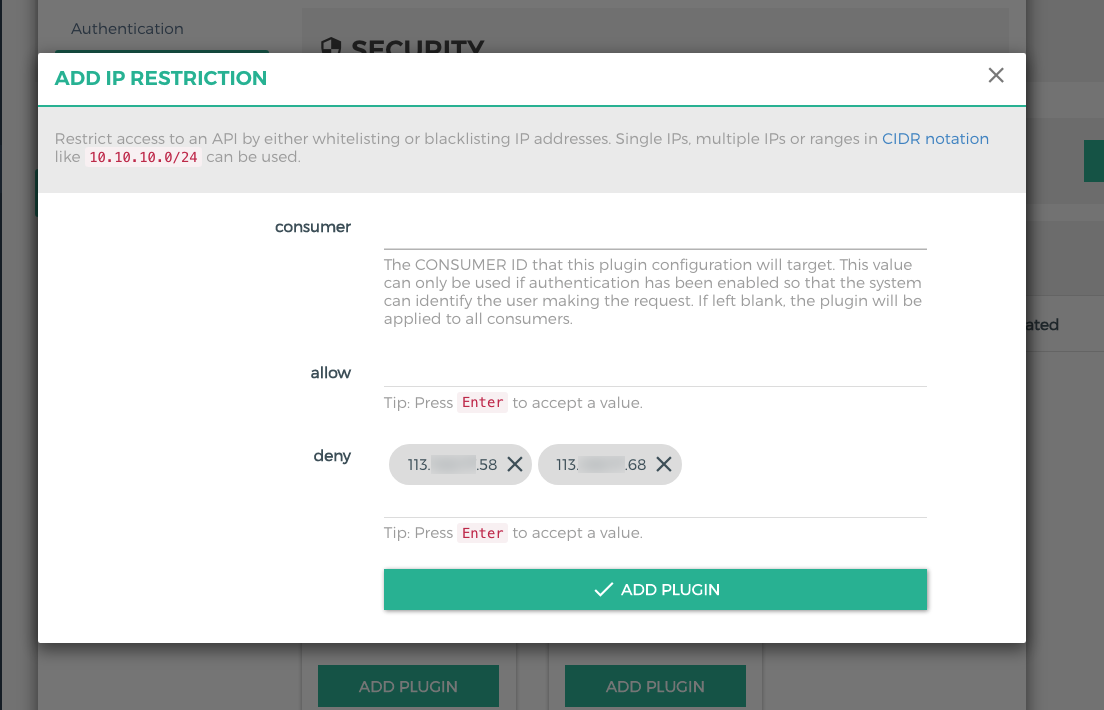
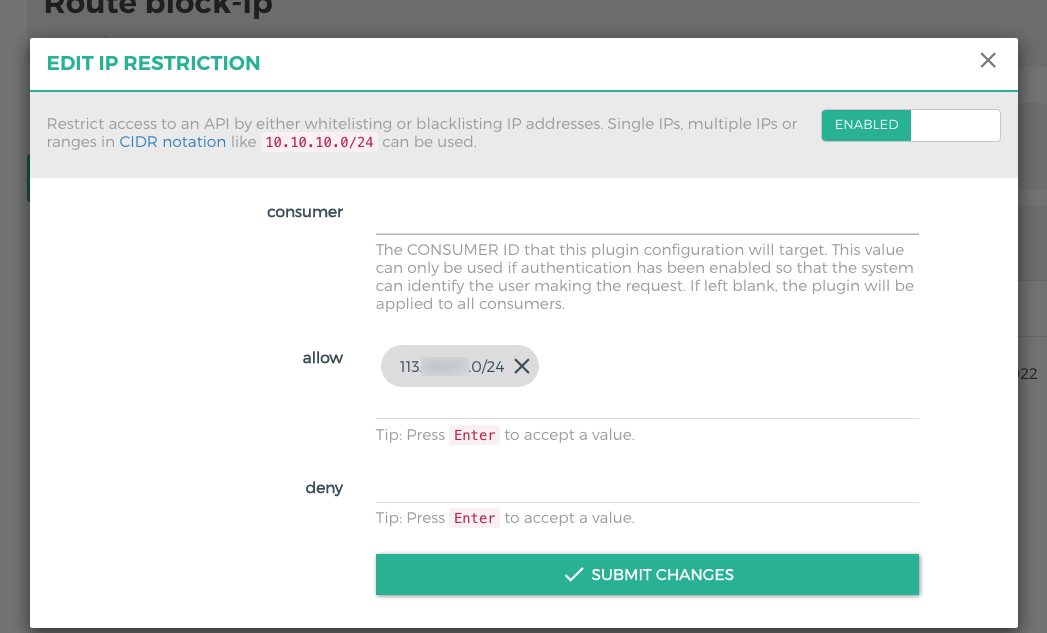
4. In the plugin configuration, enter the IP address to be restricted, press Enter, and save.
allow: Enter the IP address allowed to access. Enter multiple IP addresses if multiple IP addresses are allowed to access.
deny: Enter the IP address denied to access. Enter multiple IP addresses if multiple IP addresses are denied to access.
consumer: Enter the ID of the consumer that requires application access control. If it is left blank, the IP address access control applies to all consumers.
Note
At least one of allow and deny needs to be configured.
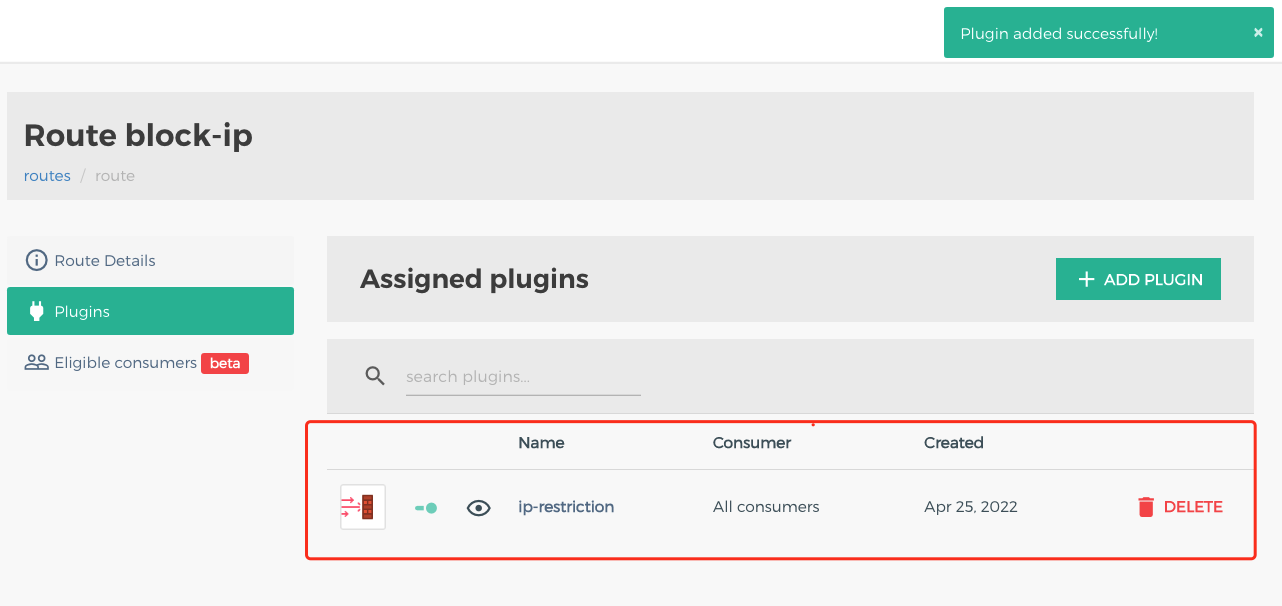
5. Return to the route page, and confirm the plugins that are bound to and created for this route.
6. Initiate an API request. The access request from the IP address is restricted.
HTTP/1.1 403 Forbidden
Connection: keep-alive
Content-Length: 48
Content-Type: application/json;charset=utf-8
Date: Mon, 25 Apr 2022 02:57:32 GMT
X-Kong-Response-Latency: 1
{
"message":"Your IP address is not allowed"
}
Scenario 2: Configuring a CIDR Allowlist/Blocklist for Access Control
A CIDR allowlist is used as an example to describe how to allow access requests from an IP range. The blocklist configuration is similar.
1. Go to the details page of the route for which IP address restriction needs to be configured, and click ADD PLUGIN.
2. In the plugin configuration, enter the following configuration, press Enter, and save.
allow: Enter the CIDR that is allowed to access.
deny: Enter the CIDR that is denied to access.
consumer: Enter the ID of the consumer that requires application access control. If it is left blank, the IP address access control applies to all consumers.
Note
At least one of allow and deny needs to be configured.
3. Initiate an API request with an IP address not in the CIDR. The request is denied.
HTTP/1.1 403 Forbidden
Date: Mon, 25 Apr 2022 03:06:58 GMT
Content-Type: application/json;charset=utf-8
Connection: keep-alive
Content-Length: 48
X-Kong-Response-Latency: 14
{
"message":"Your IP address is not allowed"
}
Must-Knows
When both allow and deny are applied to an IP address at the same time, the IP address is denied to access.