Using the Bot Detection Plugin to Deny Crawler Requests
Scenarios
This document describes how to block crawler access by using the Kong Bot Detection plugin on a cloud native API gateway.
The Bot Detection plugin identifies and blocks crawler requests by inspecting the User Agent field in HTTP requests to recognize the user agent software information. This plugin includes some basic validation rules for request verification. You can refer to the Crawler Example to define crawler requests.
Prerequisites
A Cloud Native API Gateway instance is purchased. For details, see <1>Creating a Gateway Instance
Backend services and routes are configured.
Plugin Configuration
Field Name | Field Description |
allow | List of allowed user agents that are defined using a regular expression. |
deny | List of denied user agents that are defined using a regular expression. |
Operation Steps
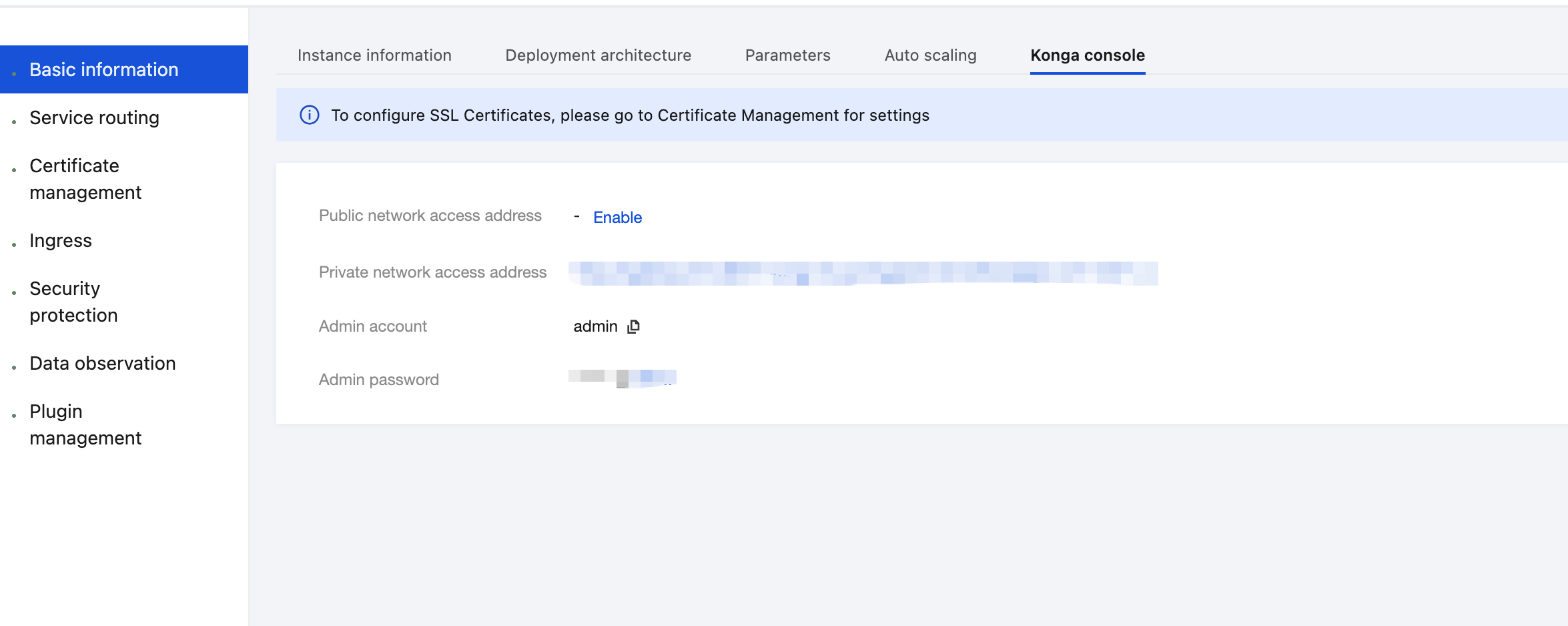
1. Log in to the Tencent Service Framework (TSF) console, go to the details page of the Cloud Native API Gateway instance for which the Bot Detection plugin needs to be configured, and view the Konga console login method on the Konga Console tab page.
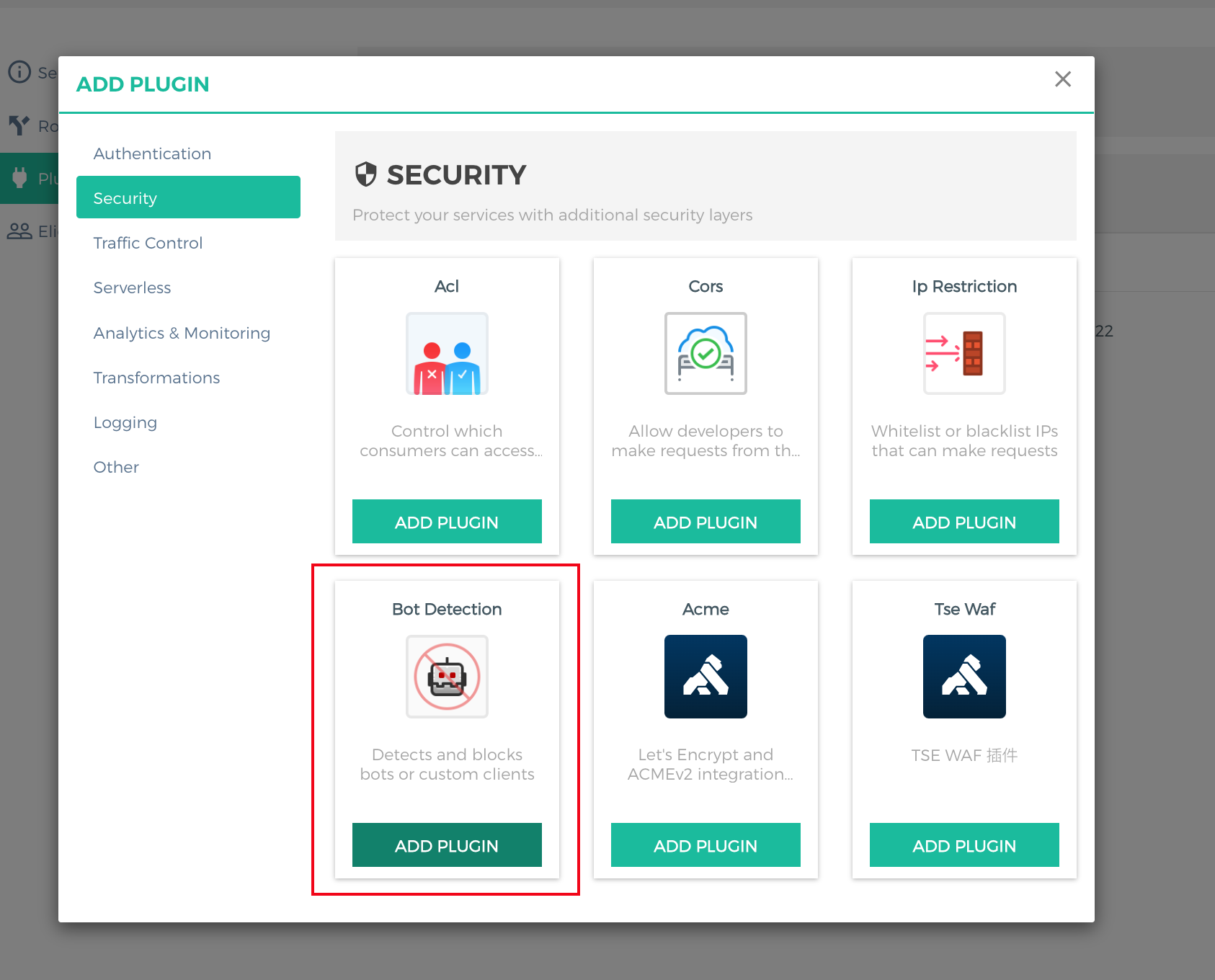
2. Log in to the Konga console, go to the details page of the route for which anti-crawler needs to be configured, click ADD PLUGIN, select Bot Detection under the Security group in the plugin marketplace, and click ADD PLUGIN.
3. In the plugin configuration, use a regular expression to enter the proxy information that needs to be restricted. For example, to block crawler requests from Firefox, configure
[".*Firefox.*"] in the deny field and press Enter.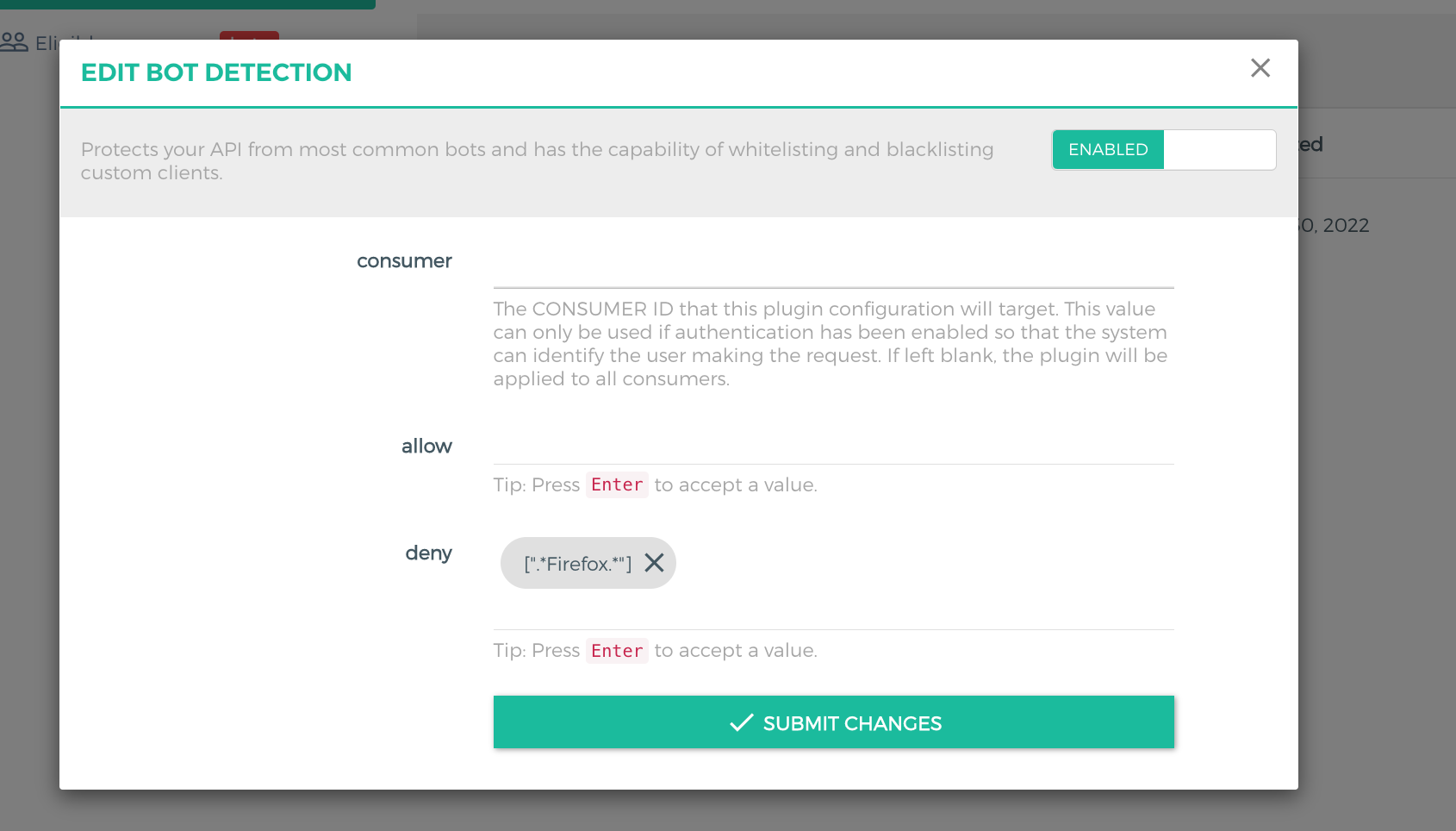
4. Use the Firefox browser to initiate an API request. The request is denied because the request header contains
User-Agent:Mozilla/5.0 (Macintosh; Intel Mac OS X 10.15; rv:106.0) Gecko/20100101 Firefox/106.0.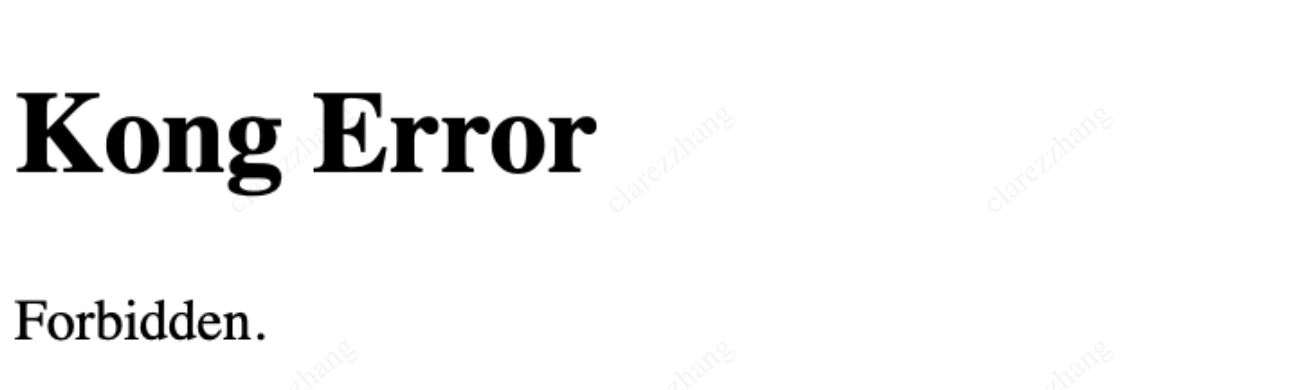
Reference
Help and Support
Was this page helpful?
You can also Contact sales or Submit a Ticket for help.
Help us improve! Rate your documentation experience in 5 mins.
Feedback