Viewing Logs
Scenarios
This document describes how to use the running logs of the Service Governance Center. Users can use the running logs of nodes to understand the operational status of nodes, locate problems, and assist in the application development and operations of clusters.
Operation Steps
1. Log in to TSF console, select Polaris (North Star) in the left sidebar to go to the engine instance list page.
2. On the engine instance list page, click the "ID" of the target instance to go to the Basic Information page.
3. Click Running logs in the top tabs.
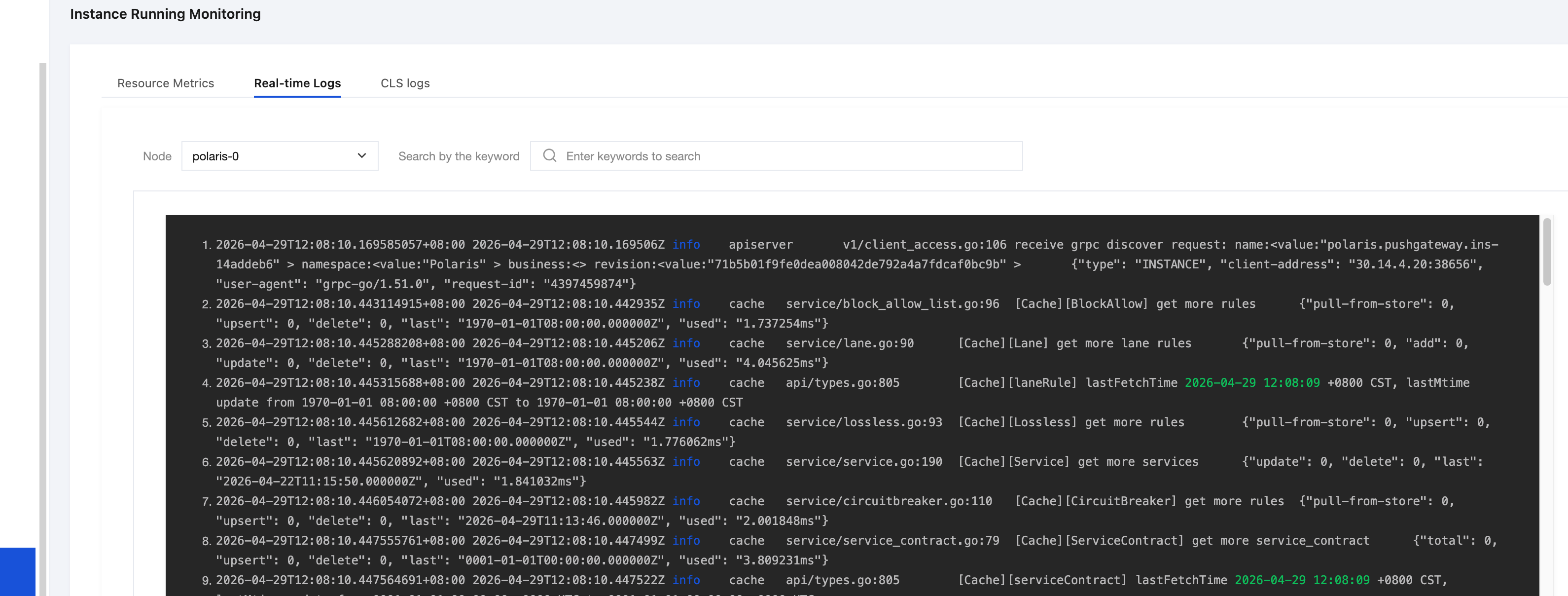
4. Real-time logs
4.1 After selecting a node, you can view the running logs of that node.
4.2 On the log page, you can enter keywords in the search box to query related logs. For example: enter "info" to search. Note that log search is case-sensitive.
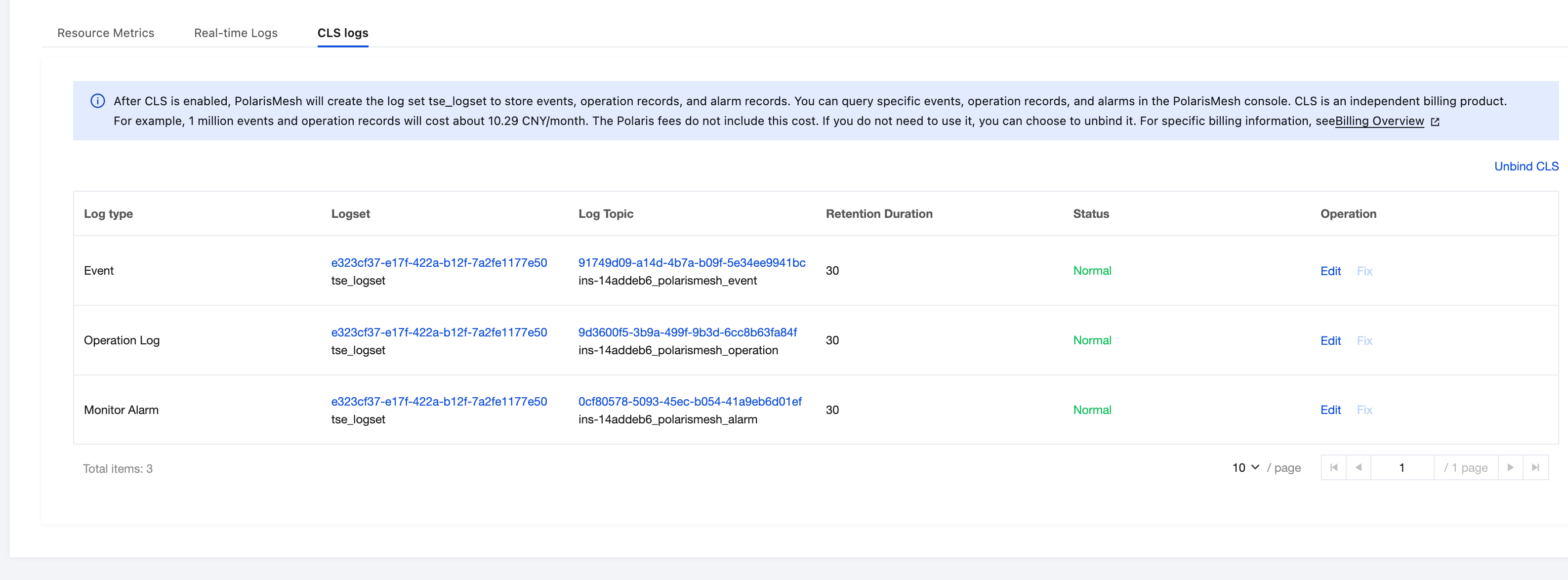
5. CLS logs
PolarisMesh persistent logs, Event Center data, operation records, and alarm data are stored in CLS. You can view them after enabling the CLS log service.
Help and Support
Was this page helpful?
You can also Contact sales or Submit a Ticket for help.
Help us improve! Rate your documentation experience in 5 mins.
Feedback