Metadata Center
Scenarios
This document describes developing Java applications locally, accessing Polaris via Apache Dubbo, and implementing a metadata center.
Prerequisite
Before development, please ensure you have downloaded and installed Java and Maven.
Operation Steps
Step 1: Importing Dependencies
Note:
The metadata center only supports Apache Dubbo 3.x.
Please select the appropriate dubbo-polaris-java version based on the Apache Dubbo version.
<dependency><groupId>com.tencent.polaris</groupId><artifactId>dubbo-metadatareport-polaris</artifactId></dependency>
Step 2: Add Polaris Configuration File
Set the metadata center address in your Dubbo configuration file:
# Polaris metadata center IP addressdubbo.metadata-report.address=polaris://${replace with the Polaris service address}:8091# Reports application-level metadata.dubbo.application.metadata-type=remote
Step 3: Start the Application
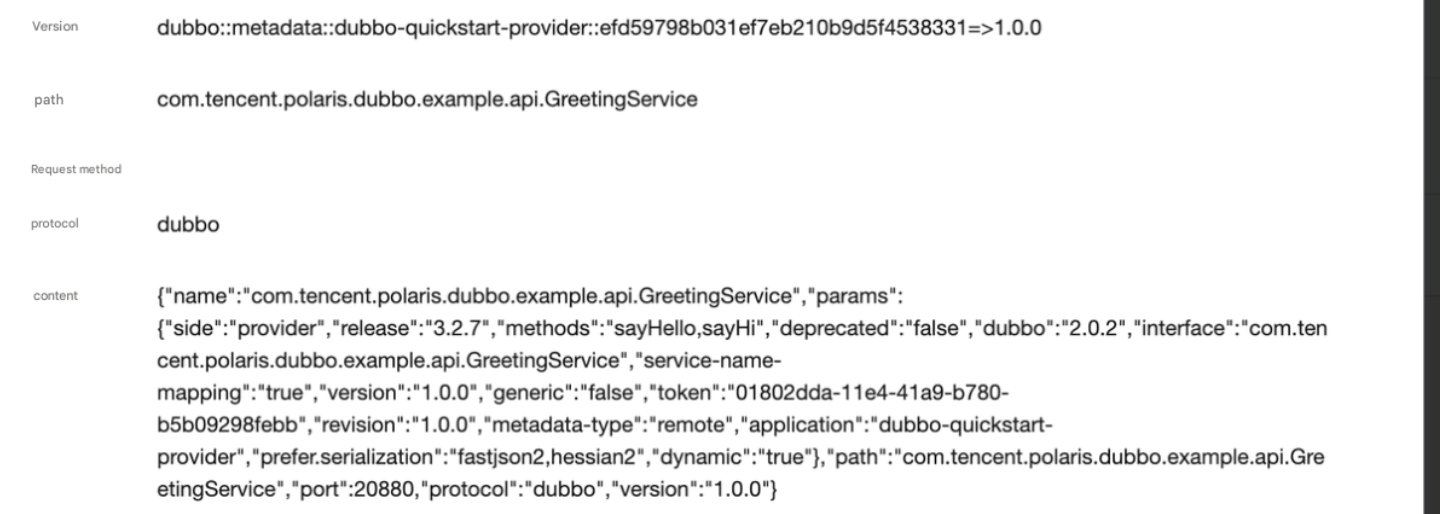
After the application successfully starts, go to the console to view the service metadata information, as shown in the figure below:

Click the Details button of an interface to view its address discovery metadata.
Help and Support
Was this page helpful?
You can also Contact sales or Submit a Ticket for help.
Help us improve! Rate your documentation experience in 5 mins.
Feedback