This document will introduce how to customize the user interface of TUILiveKit. We provide three solutions for you to choose from: interface fine-tuning plan, custom part UI solution, and full UI customization solution.
Option 1: Interface Fine-Tuning Plan
Directly modify the UI source code we provide to adjust the user interface of TUILiveKit. The interface source code of TUILiveKit is located in the Flutter folder on GitHub.
Replace Icons
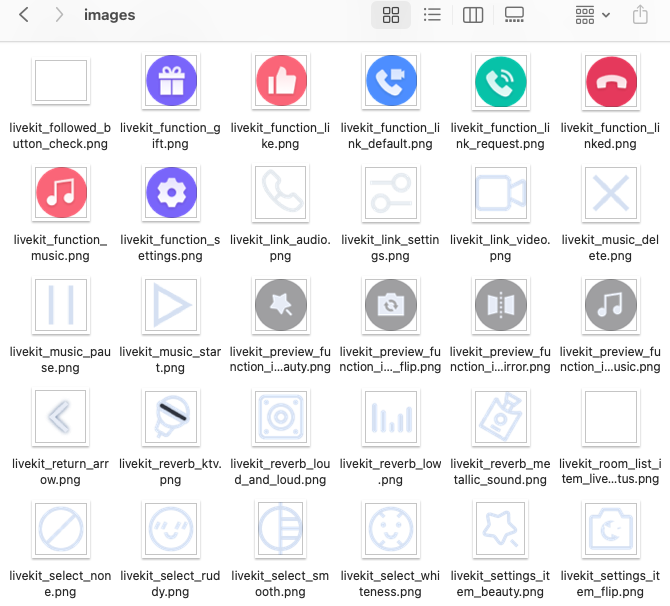
You can directly replace the icons under the TUILiveKit/Flutter/livekit/assets/images folder to ensure the icon color and style remain consistent throughout the entire App. Please keep the icon file names unchanged during replacement.
Replace Copy
You can modify the string content of the TUILiveKit interface by modifying the livekit_en.arb and livekit_zh.arb files under the TUILiveKit/Flutter/livekit/lib/common/language/i10n/ directory.
// After modifying the strings, you need to execute the following command in the current feature directory to make it take effect.
flutter gen-l10n
Option 2: Custom Part UI Solution
The UI of TUILiveKit is mainly divided into two parts: common UI components and non-public UI components. You can modify the files to adapt to your own UI style. Here is the introduction to the UI in our code:
│ ├── anchor_dashboard_widget.dart // Implementation of displaying the broadcaster dashboard view after the anchor ends the live stream
│ └── audience_dashboard_widget.dart // Implementation of displaying the audience dashboard view after the anchor ends the live stream
├── live_info // Directory of live room information panel
│ ├── live_info_detail_widget.dart // After the live room information panel is clicked, the live room information detail page board pops up
│ └── live_info_widget.dart // View implementation of the live room information panel
├── music // Directory for implementing the music panel feature
│ ├── service // Service layer directory for music settings panel
│ ├── music_service.dart // Detailed implementation of the music panel service layer, encapsulating APIs related to music playback
│ ├── store // Data layer directory for music settings panel
│ ├── music_state_factory.dart // Factory class implementation for generating data layer data of music settings panel
│ └── music_state.dart // Specific encapsulation class for music settings panel data
│ └── widget // View layer directory for music settings panel
│ └── music_panel_widget.dart // View specific implementation of music settings panel
├── preview // View directory for live room information editing area in the anchor's broadcast preview page
│ ├── live_cover_select_widget.dart // View for selecting live cover in the live room information editing area
│ └── live_info_edit_widget.dart // View implementation of the live room information editing area
└── room_list // Implementation directory of the live room list component
├── service // Service layer directory of the live room list component
└── room_list_service.dart // Detailed implementation of the service layer for the live room list component, encapsulating APIs related to the live room list
├── store // Data layer directory of the live room list component
└── room_list_state.dart // Specific encapsulation class for the data of the live room list component
└── widget // View layer directory of the live room list component
└── room_list_widget.dart // Implementation of the live room list view in the live room list component
├── anchor // View layer directory of the anchor side
│ ├── common // View layer preview interface of the anchor side and common view directory for live interface
│ ├── settings_panel_widget.dart // Implementation of the settings panel
└── video_params_panel_widget.dart // Panel for selecting ultra-high-definition, high-definition, and standard-definition
│ ├── live_streaming // View directory for live streaming publishing status
│ ├── link // View directory for audience mic connection related
│ ├── anchor_link_mic_manage_panel_widget.dart // Link Management Panel, supports logic such as granting or rejecting audience mic connection
│ └── apply_link_mic_float_widget.dart // Floating view prompting mic connection when an audience applies for it
│ ├── anchor_living_function_widget.dart // View for the bottom feature area during live streaming
│ └── anchor_living_widget.dart // Overall layout view during live streaming
│ ├── preview // View directory for live preview status
│ ├── anchor_preview_function_widget.dart // View for the bottom feature area during live preview
│ └── anchor_preview_widget.dart // Overall layout view for live preview
│ ├── video // View directory for broadcaster's streaming feed
│ └── anchor_video_widget.dart // Implementation of the broadcaster's streaming feed view
│ └── anchor_widget.dart // Overall layout view for broadcaster's streaming
├── audience // Audience view layer directory
│ ├── live_streaming // View directory for audience streaming
│ ├── link // View directory for audience mic connection related
│ ├── select_link_mic_type_panel_widget.dart // Floating view for selecting audio or video mic connection when audience requests mic connection
video_link_settings_panel_widget.dart // Parameter settings panel view during video communication
│ ├── audience_function_widget.dart // View of the feature area at the bottom of the audience streaming page
│ ├── audience_living_widget.dart // Layout view of the sub-component for the audience streaming page
│ └── audience_waiting_pass_widget.dart // Animated view prompting the host's uniform response when an audience applies for mic connection
│ ├── video // Directory for audience-side streaming video view
│ ├── audience_video_widget.dart // Implementation of the audience-side streaming video view
│ └── link_request_place_holder_widget.dart.// User window placeholder when an audience applies for mic connection
│ └── audience_widget.dart // Overall layout view for audience streaming
└── video // Directory for camera-captured video view
├── nine_grid_layout.dart // Nine-grid view layout for co-broadcasting users
├── video_item_widget.dart // Encapsulated view of a video stream
└── video_widget_factory.dart // Factory class for generating VideoView
Solution Three: Full UI Customization Solution
The overall functionality of TUILiveKit is implemented based on RTC Room Engine SDK. You can fully implement your own UI interface based on RTC Room Engine SDK. Details are available in RTC RoomEngine.