tencent cloud

TencentDB for DBbrain

Release Notes and Announcements
Release Notes
Announcements
Product Introduction
Overview
Features
Strengths
Use Cases
Feature List
Region List
Purchase Guide
Operation Guide
Cloud Access Management
Self-Built Database Access
Instance Overview
Instance Management
Monitoring and Alarms
Health Report and Kill Session Report Management
MySQL/TDSQL-C for MySQL Performance Optimization
TDSQL for MySQL/MariaDB Performance Optimization
Distributed cache database (Distributed Cache) diagnostic optimization
MongoDB Performance Optimization
Full-Link Analysis
Practical Tutorial
Fixing High CPU Utilization on MySQL Instance
Fixing Lock Conflict on MySQL Instance
How to Address High CPU Utilization Issues in Distributed Cache Instances
Fixing High CPU Utilization in MongoDB Instance
Fixing Short Node Oplog Retention Period in MongoDB Instance
API Documentation
History
Introduction
Introduction
API Category
Making API Requests
Session Killing APIs
Exception Detection APIs
Other APIs
Redis related APIs
Health Report Email Sending APIs
Space Analysis APIs
Slow Log Analysis APIs
Security Audit APIs
Database Audit APIs
Data Types
Error Codes
DBbrain APIs 2019-10-16
FAQs
Self-Built Database Issues
MySQL Performance
Product
Service Level Agreement
Glossary
Contact Us

Database Account Authorization Related

PDF
Mode fokus
Ukuran font
Terakhir diperbarui: 2025-07-23 17:44:59

On the Database Instance Authorization page, you fill in the root account password, but it shows that access failed?

The failure prompt is as follows:
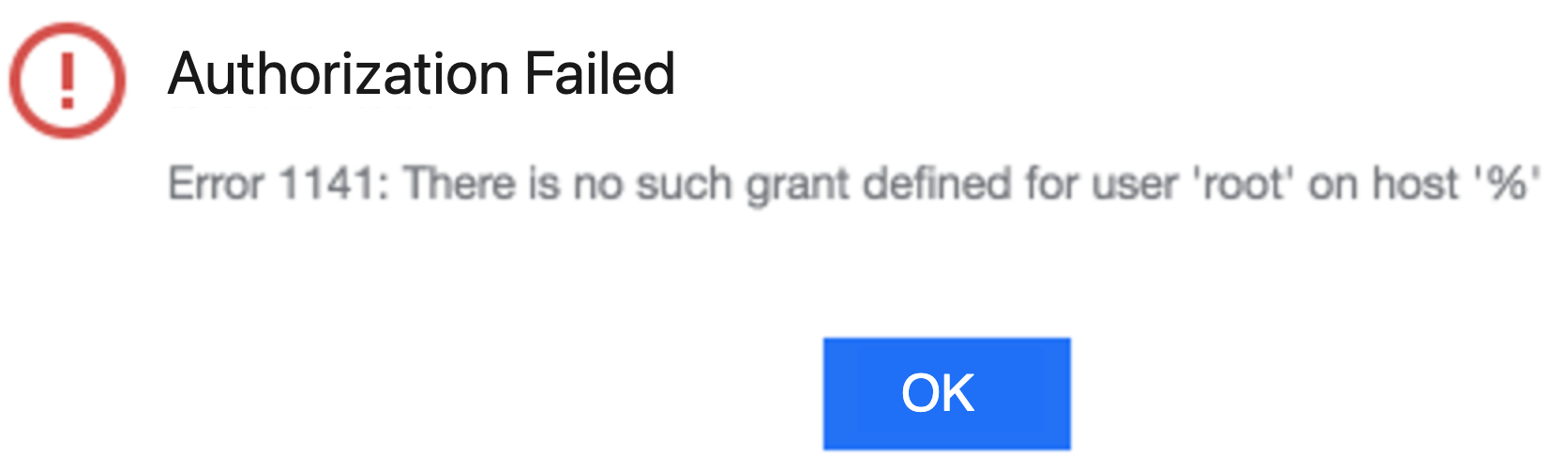
Ensure the root account's host configuration allows remote log-in. You can manually execute the following command on the database instance to modify the host:
update user set host = '%' where user = 'root';
flush privileges;

You use an existing account for authorization, but a permission error is prompted?

You can manually grant the necessary permissions as prompted or click Generate Authorization Command. Copy the authorization command and execute it manually using the root account on the database instances. If the username is test, copy and execute the following authorization command:
GRANT PROCESS, REPLICATION SLAVE, REPLICATION CLIENT ON *.* TO 'test'@'%';
GRANT SHOW DATABASES, SHOW VIEW, RELOAD, SELECT on *.* TO 'test'@'%';
FLUSH PRIVILEGES;

Bantuan dan Dukungan

Apakah halaman ini membantu?

masukan