Sign Up As a Second-Level Reseller
Download
Mode fokus
Ukuran font
Account Registration
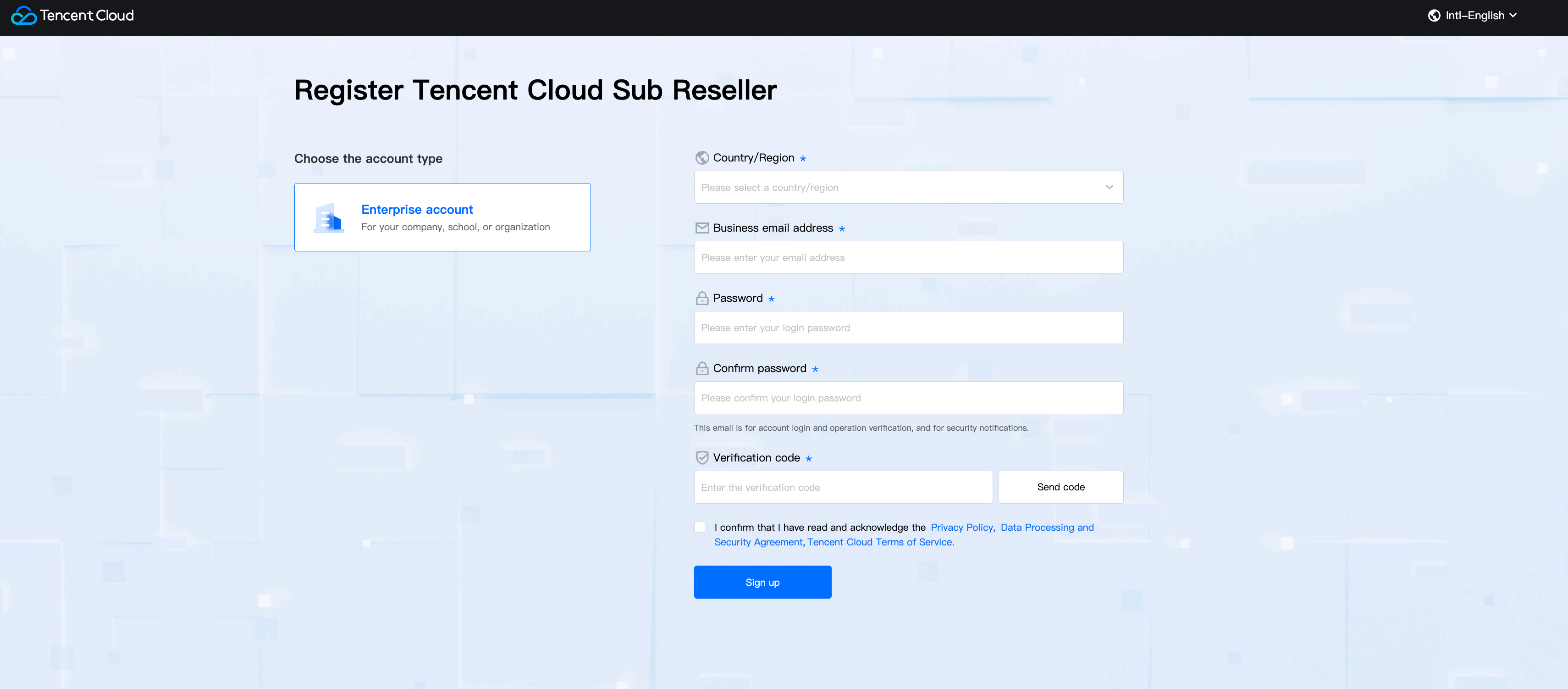
1. Click the invitation link of the distributor (for invitation operations, see Invite and Review Second-Level Reseller), enter the registration page, and fill in the registration information.
Note:
Note: To register as a second-level reseller, you must enter via an invitation link.
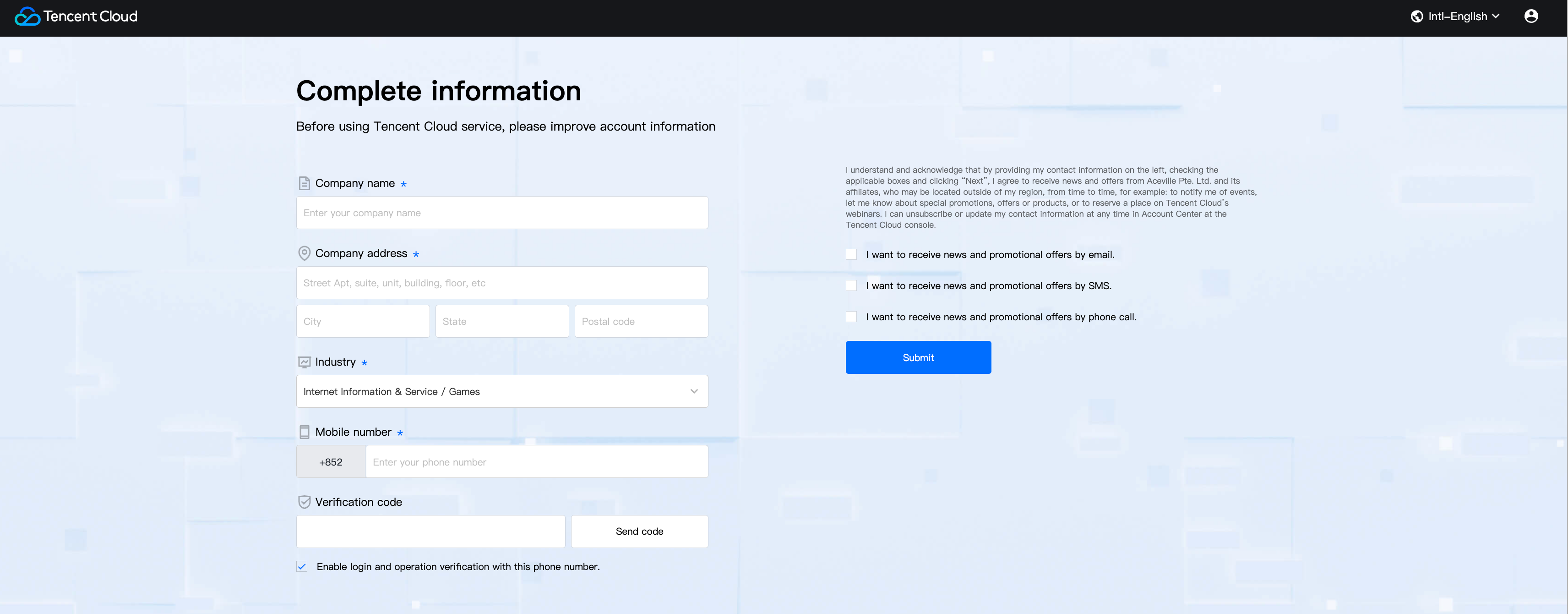
2. Complete account information, fill in enterprise name, address, phone numbers, then go to next step after submission.
Enterprise Identity Verification and Qualification Review
1. First, Enter your enterprise information for verification, such as the business license, which issued by a government agency to allow companies to conduct businesses within the government's geographic jurisdiction. After completing this, continue to fill in the qualification information on the page.
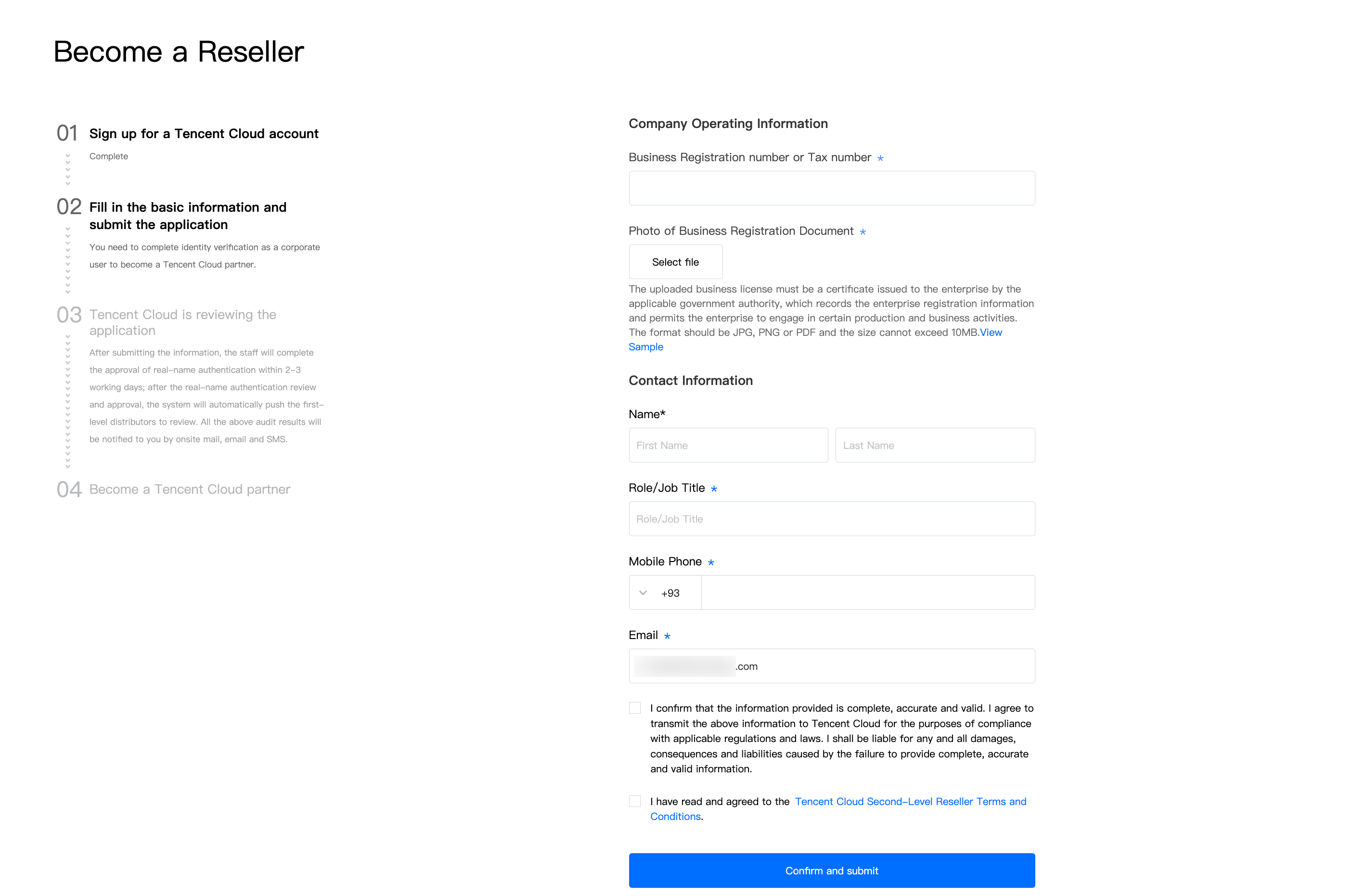
2. After submitting enterprise information and qualification information, the system will push enterprise identity verification and qualification review. Enterprise identity verification usually takes 2-3 business days, and the review result will be notified via email, SMS, and Message Center.
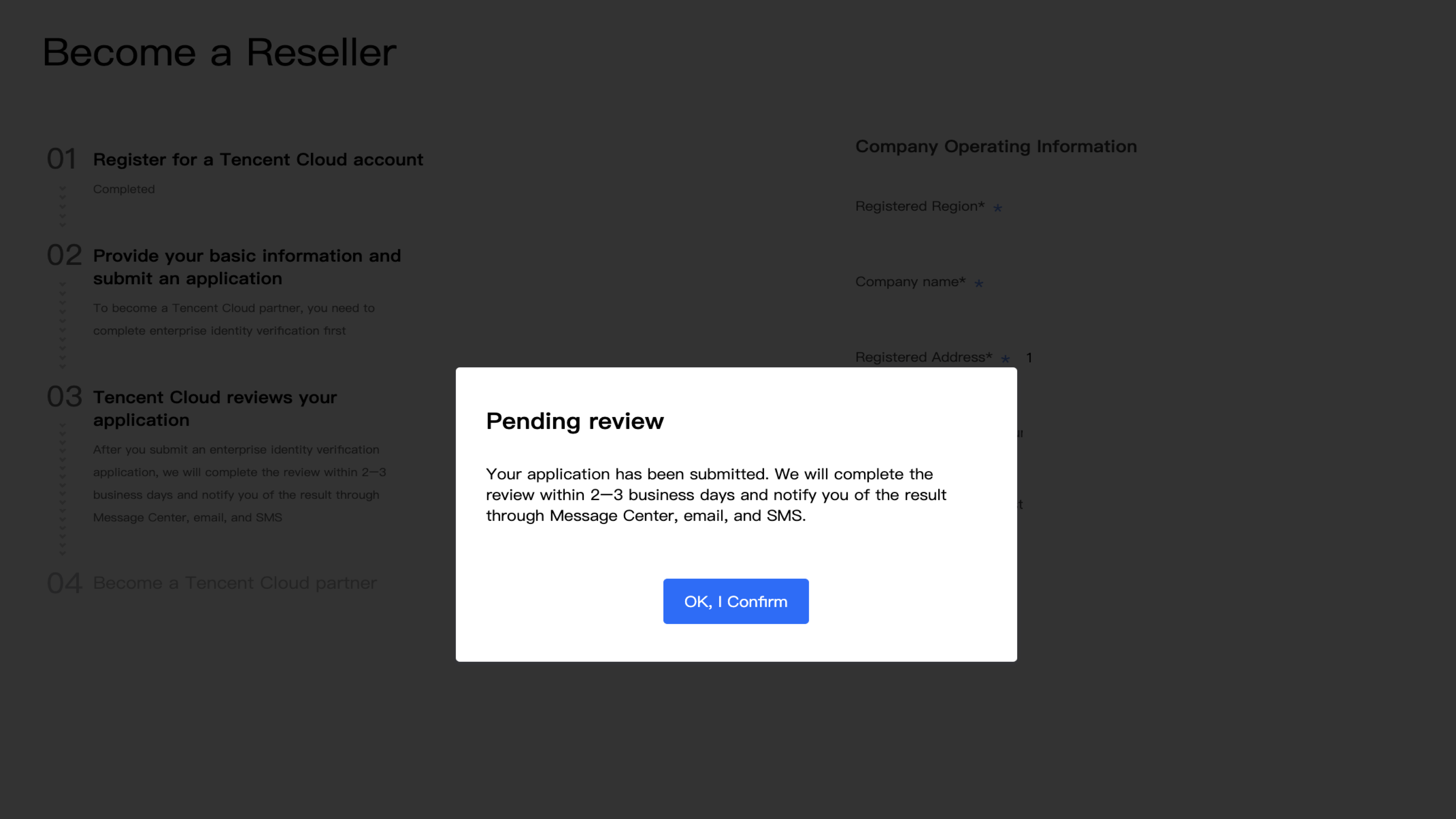
3. After enterprise identity verification is completed, you can contact distributor for qualification review. The review result will be notified via email, SMS, and Message Center.
Note:
You can track the review progress on this page. After the real-name review is passed, "Procedure-3" will update from "Tencent Cloud Review application" to "The Reseller is reviewing the application".
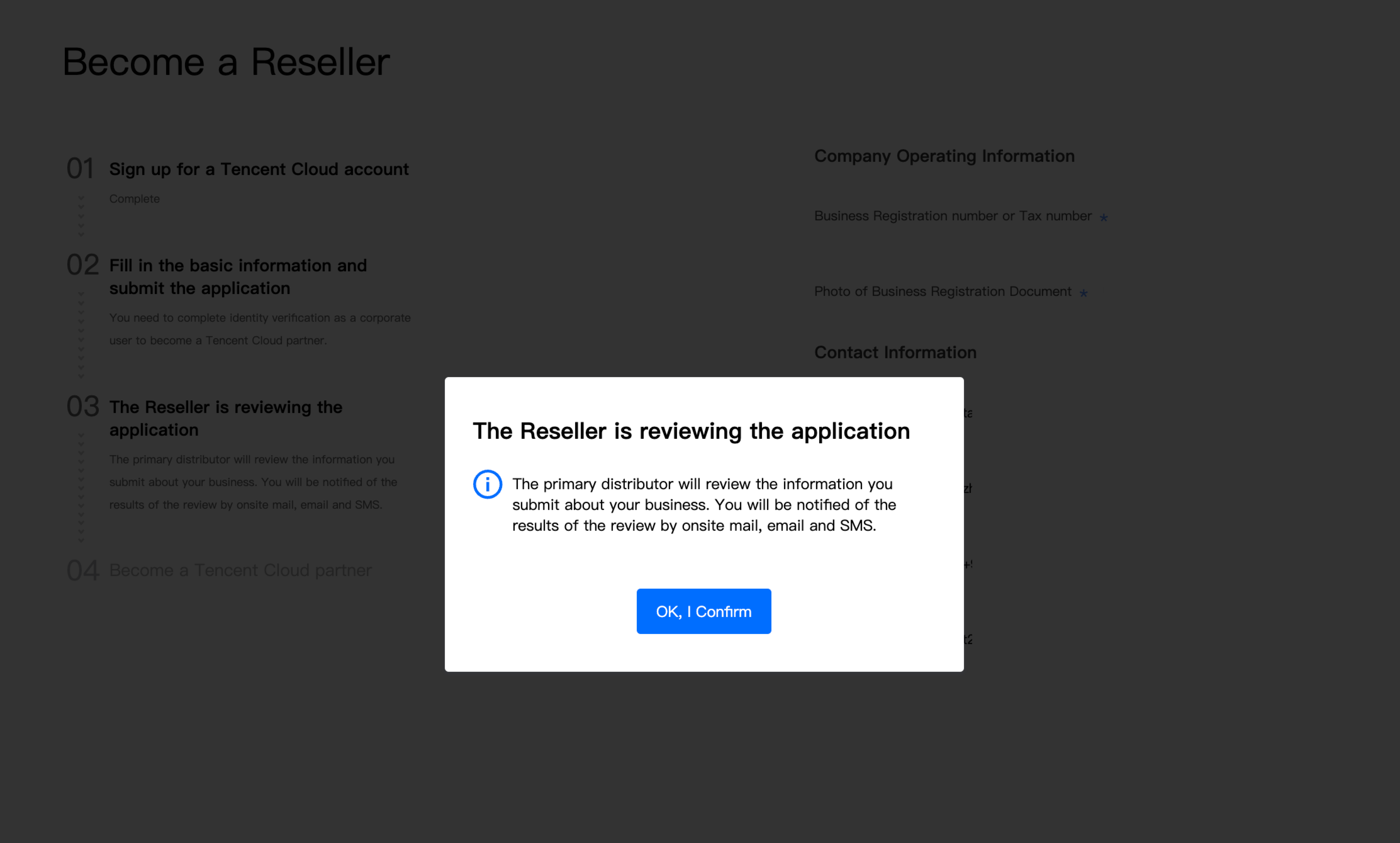
4. After both the identity audit and distributor review are passed, you can log in to the Partner Center console.
Bantuan dan Dukungan
Apakah halaman ini membantu?
Anda juga dapat Menghubungi Penjualan atau Mengirimkan Tiket untuk meminta bantuan.
masukan