Register As a Distributor or Reseller
Download
Mode fokus
Ukuran font
Tencent Cloud Account Registration
1. Enter Tencent Cloud Official Website - Partner Introduction Page, and click Join Now on the page.

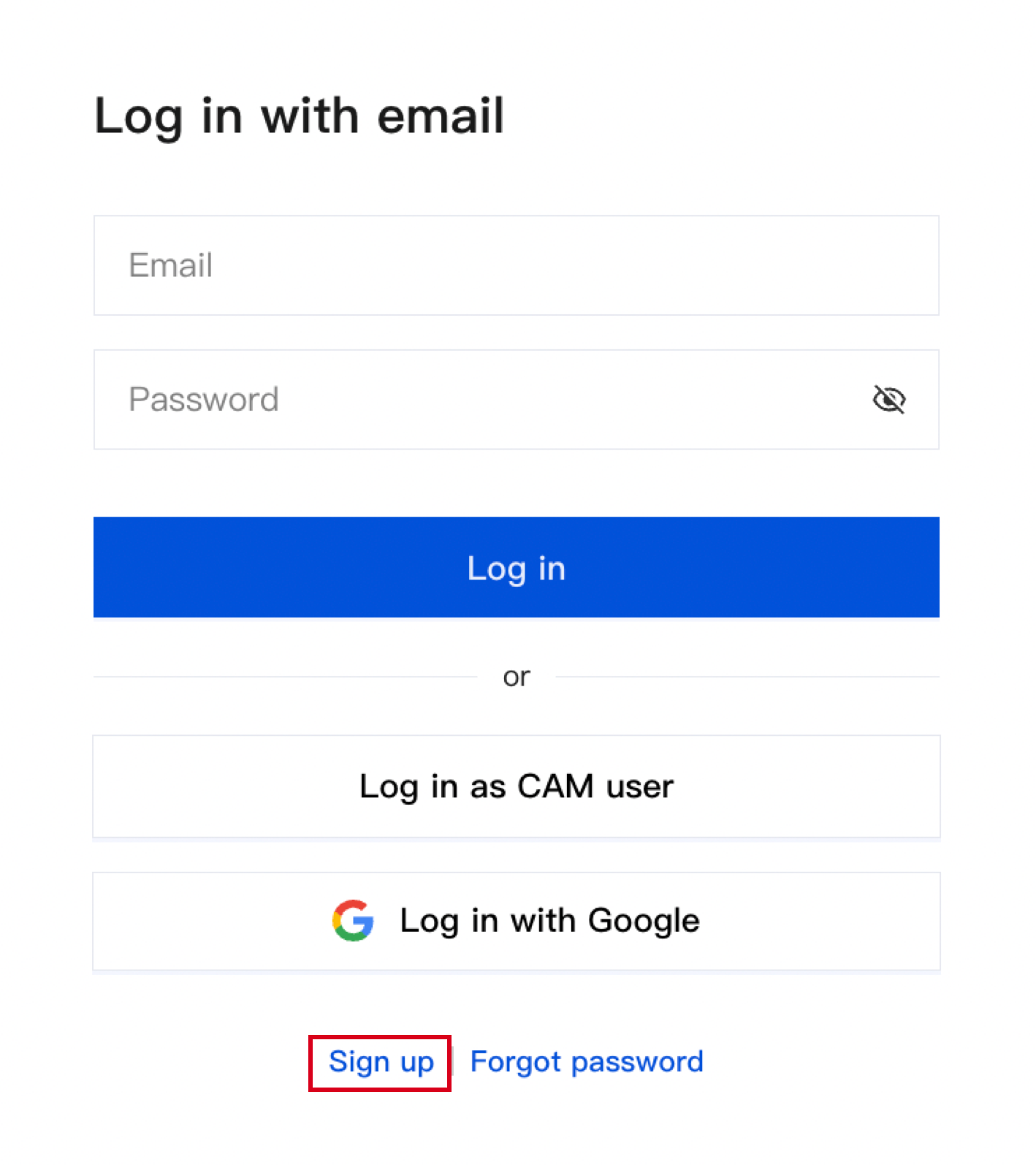
2. Enter the login/registration page and click Register Now on the page.
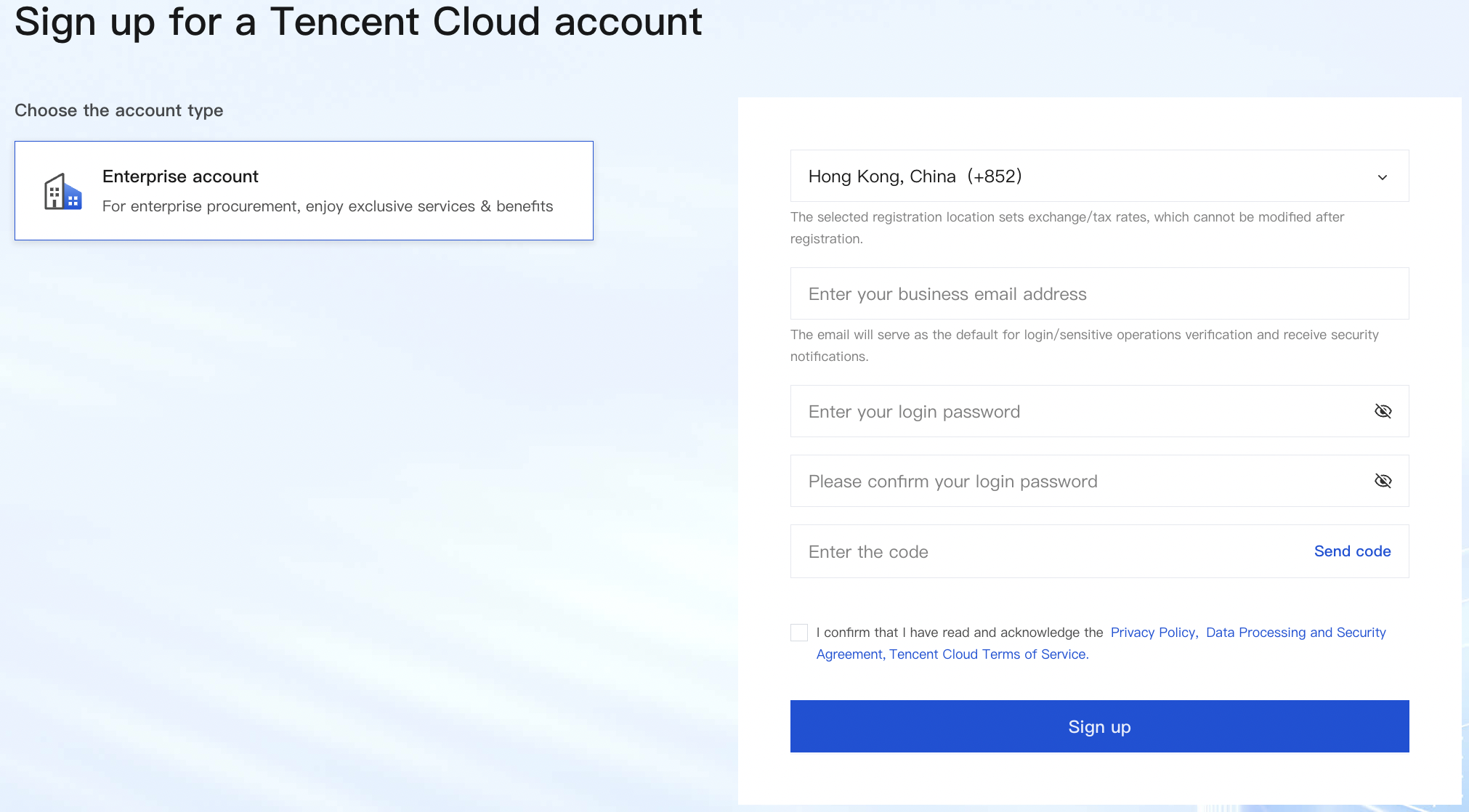
3. Enter the registration page and fill in the business account registration information. For related information, see Register Tencent Cloud - Email Registration.
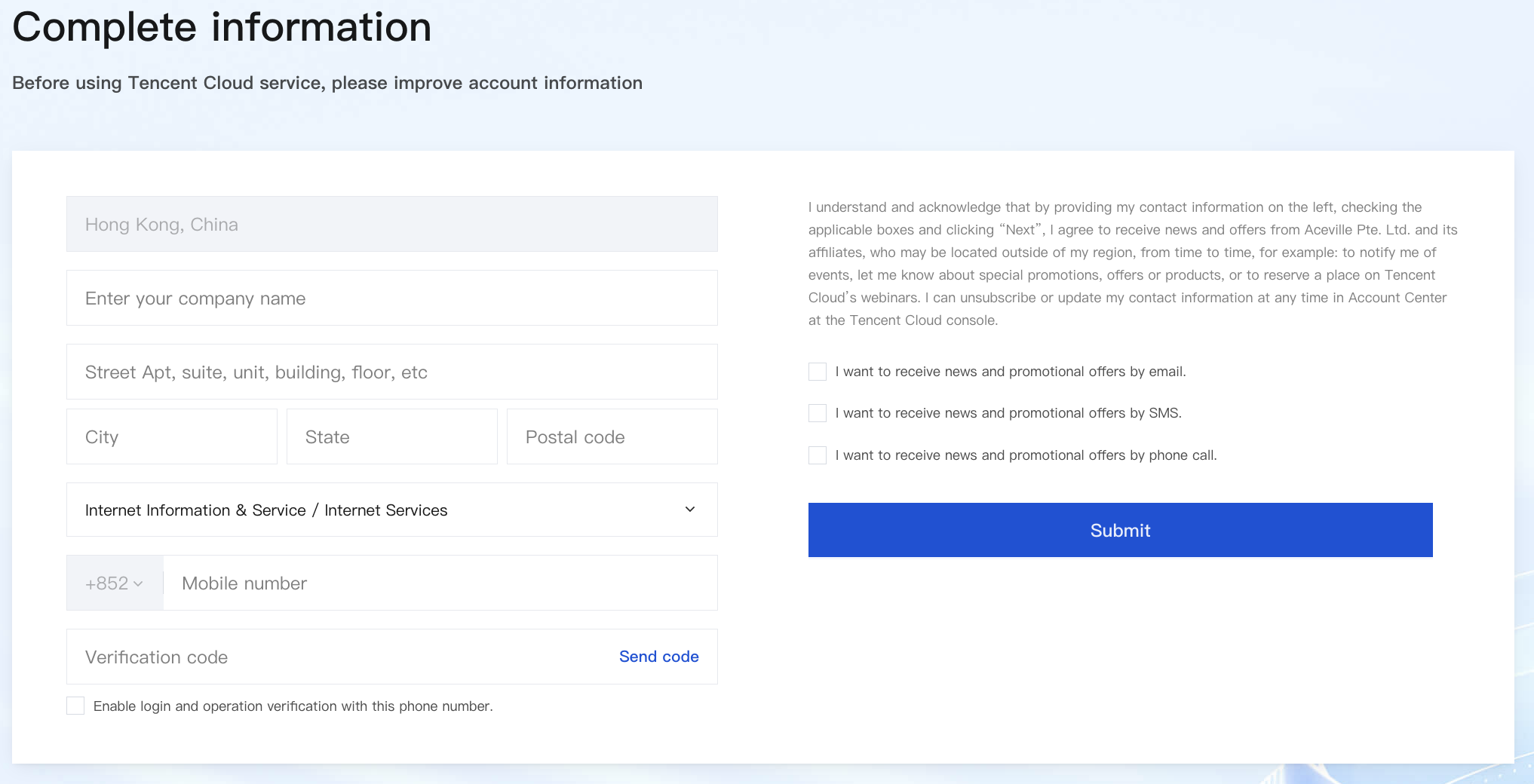
4. Complete enterprise information. For related information, see Complete Information.
5. After registration is successful, you will enter the enterprise identity verification process.
Enterprise Identity Verification
1. After logging in to your account, enter the enterprise identity verification process, fill in the required enterprise authentication information, including business license.
Note:
Business License issued by a government agency that allows companies to conduct businesses within the government's geographic jurisdiction.
The company entity must be registered outside Mainland China. The registered legal name must exactly match the name on the business license.(Note: For multi-account partners, the naming convention is to add a suffix in parentheses after the company name to distinguish from the original account, e.g., "XXX Company (Agent)", "XXX Company (Reseller)" )
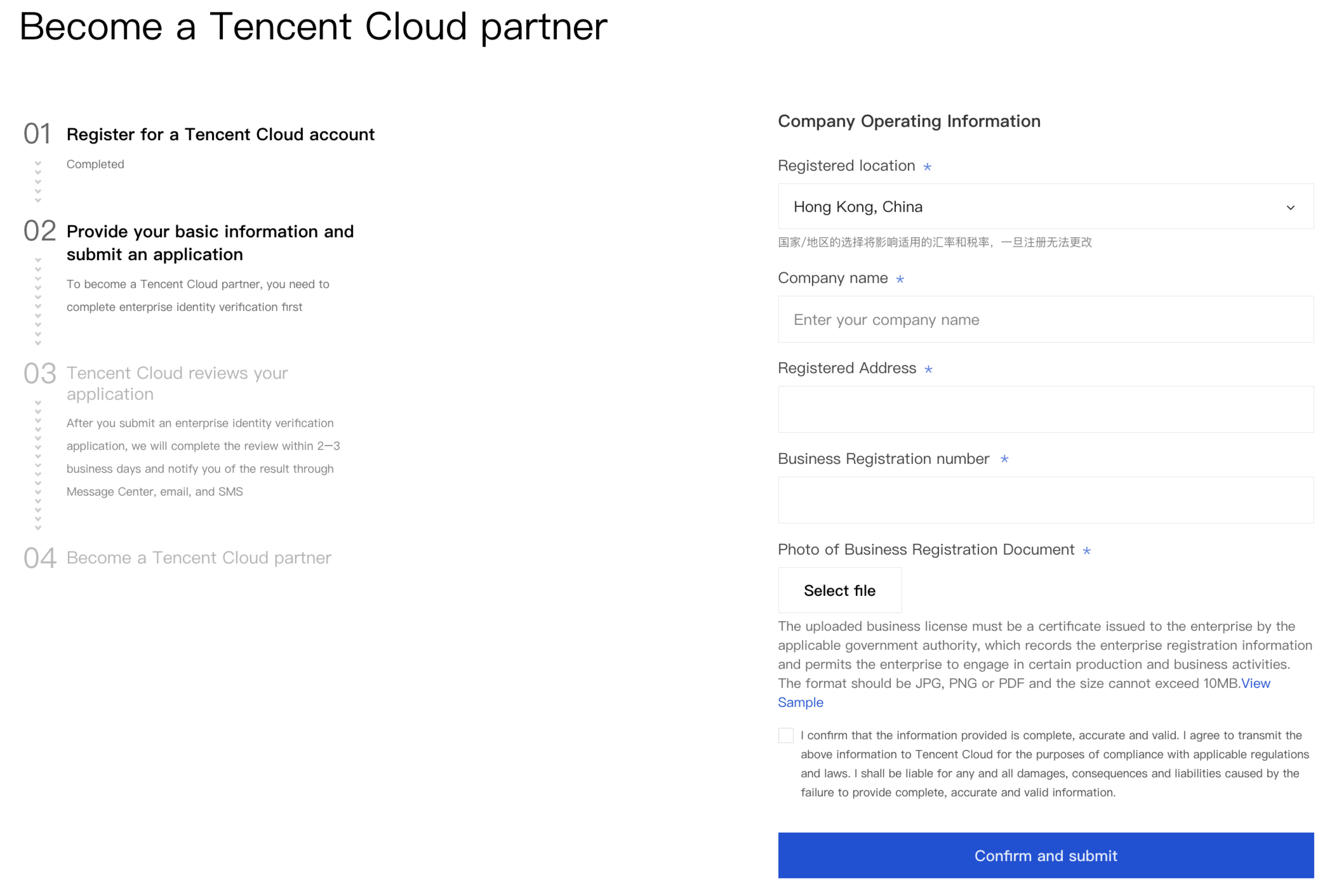
2. Wait for the review, which usually takes 2–3 business days. After your identity verification is successful, you will receive a notification together with the link to the qualification application process by email, SMS, and Message Center.

Reseller Qualification Application
1. Enter the reseller qualification application page, fill in company information as required, including company contact information, operational information, bank account information, and upload valid bank account opening proof documents.
Note:
Partners need to provide the following materials to enable verification of overseas entity authenticity.
The business entity must have been registered for more than 1 year, with primary operations in IT, cloud computing, or related industries.
Legally valid company qualification documents (e.g., business license) and a verifiable corporate email address for official business communication.
Provide transaction record screenshots: one year period of incoming and outgoing transactions such as withdrawals, transfers, and deposits. At least three transactions within the past year (not all within a single month), with a total transaction amount exceeding $10,000 USD.
Bank proof corresponding to the company name, such as corporate bank account.
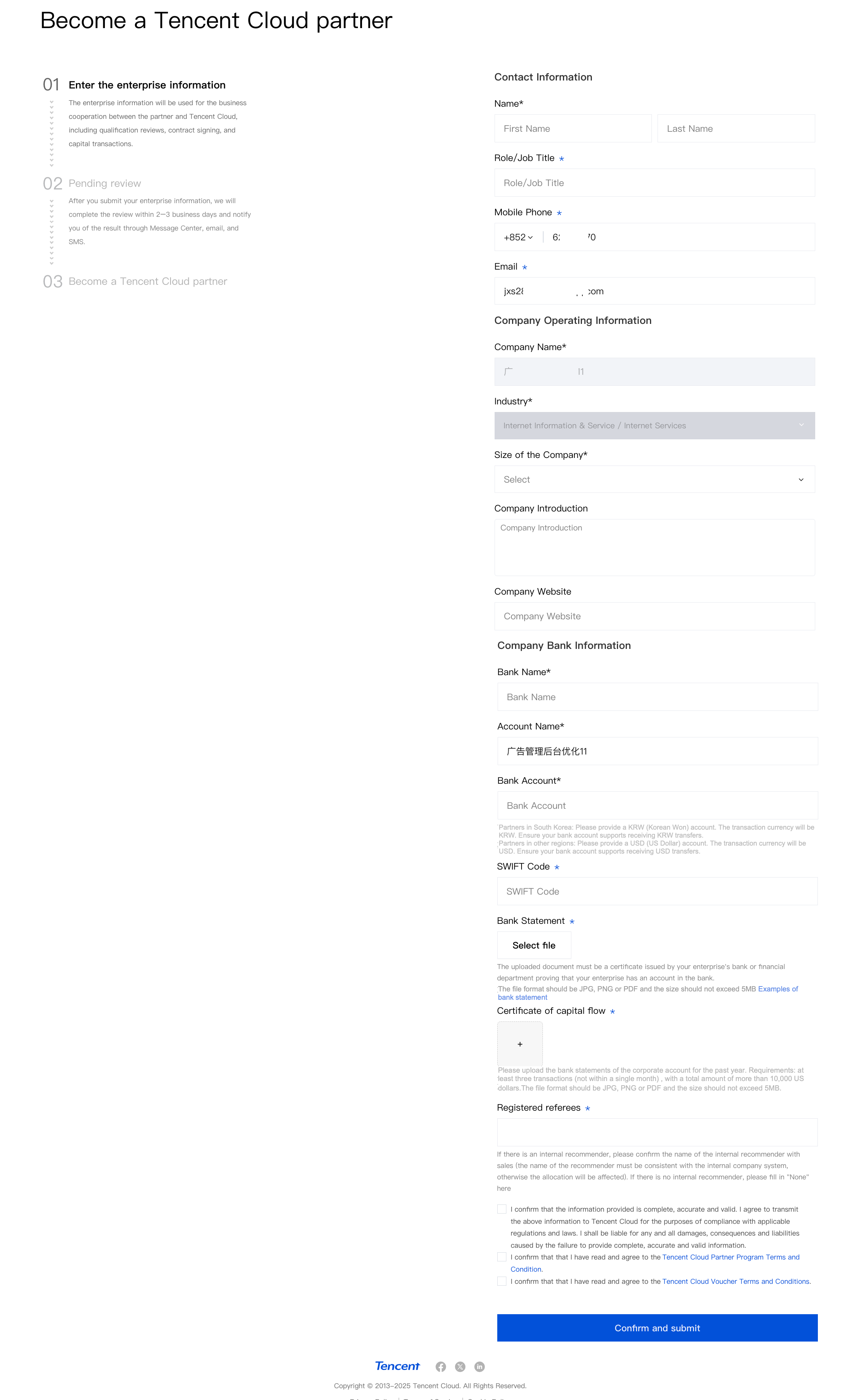
2. After submission, wait for review completion. The review typically needs 2-3 business days. Once the qualification takes effect, you can log in to the Partner Center and complete the contract signing.
Bantuan dan Dukungan
Apakah halaman ini membantu?
Anda juga dapat Menghubungi Penjualan atau Mengirimkan Tiket untuk meminta bantuan.
masukan