Viewing Monitoring Data
Download
Mode fokus
Ukuran font
Overview
This document describes how to view the monitoring data of a created topic in the TDMQ for CMQ console.
Directions
1. Log in to the TDMQ for CMQ console.
2. Select Topic Subscription on the left sidebar, select the region, and click the ID of the target topic to enter the topic details page.
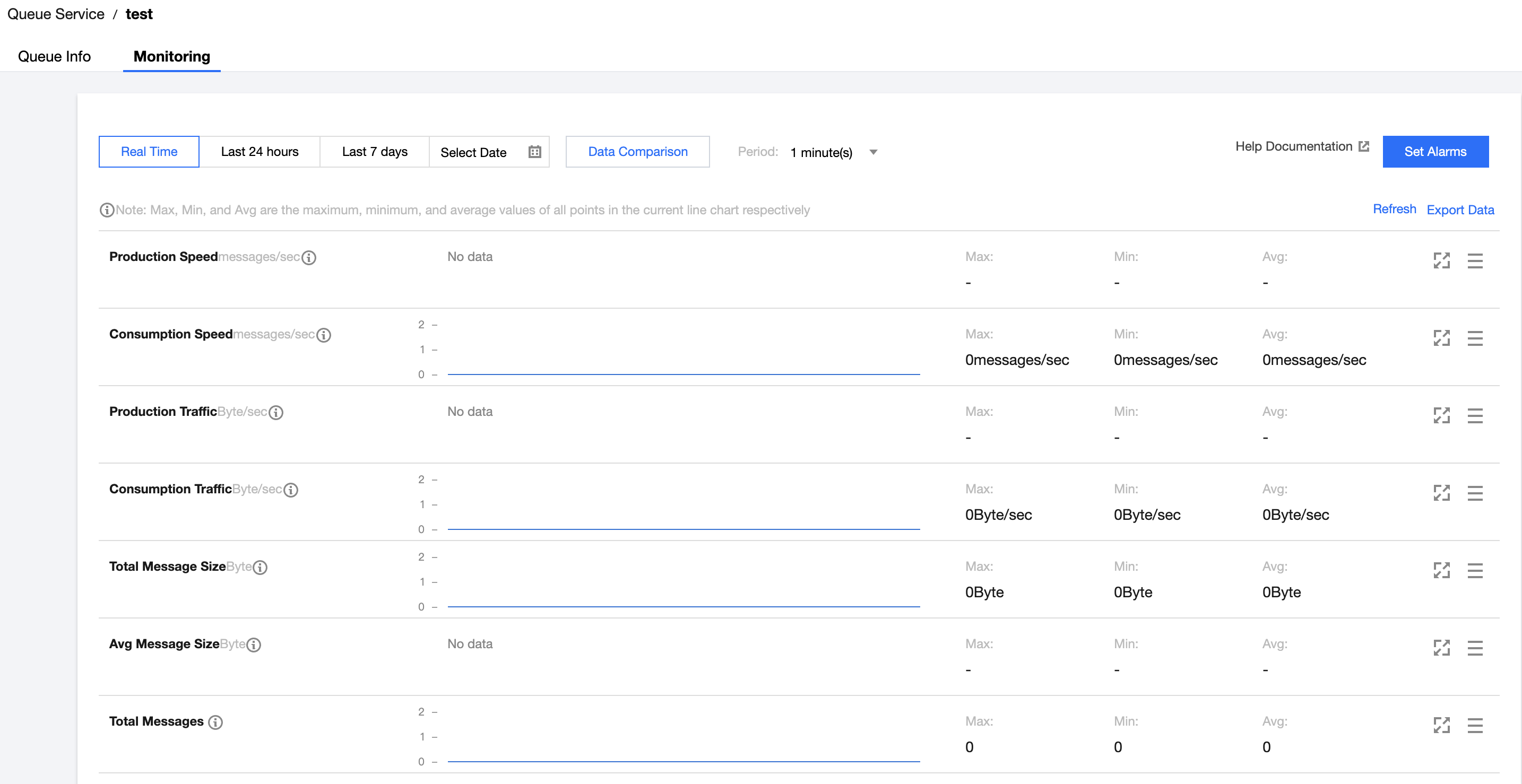
3. On the topic details page, select the Monitoring tab at the top.
Monitoring Metric Description
Monitoring Metric | Description |
Production rate (messages/sec) | Number of messages produced by all producers under the topic per second in the selected time range |
Consumption rate (messages/sec) | Number of messages consumed by all consumers under the topic per second in the selected time range. |
Production traffic (bytes/sec) | Data size of messages produced by all producers under the topic per second in the selected time range |
Consumption traffic (bytes/sec) | Data size of messages consumed by all consumers under the topic per second in the selected time range |
Total message size (bytes) | The total data size of current messages |
Average message size (bytes) | The average data size of current messages |
Total number of messages | The total number of current messages |
Number of producers | Number of producers connected to the queue |
Number of subscribers | Number of consumers connected to the queue |
Bantuan dan Dukungan
Apakah halaman ini membantu?
Anda juga dapat Menghubungi Penjualan atau Mengirimkan Tiket untuk meminta bantuan.
masukan