tencent cloud

Tencent Cloud TCHouse-P

Release Notes
Product Introduction
Overview
Use Cases
Node Specification
Cluster Architecture
Purchase Guide
Billing Overview
Purchase Methods
Payment Overdue
Getting Started
Operation Guide
Managing Cluster
Accessing Data Warehouse
Monitoring and Alarming
Access Management
Performance Metrics
TPC-B
Tools and Downloads
Data Ingestion
Importing TencentDB Data Offline with DataX
Syncing Incremental Data from MySQL with DataX
Importing and Exporting COS Data at High Speed with External Table
Syncing EMR Data with External Table
Implementing CDWPG UPSERT with Rule
Data Warehouse Development
Creating Airflow in Cloud
API Documentation
History
Introduction
API Category
Making API Requests
Information Query APIs
Instance APIs
Query APIs
Cluster Management APIs
Cluster Operation APIs
Data Types
Error Codes
Practical Tutorial
Data Warehouse Table Development
Table Distribution Key Selection
Table Storage Format Selection
Table Partition Usage
Extension Usage
Cold Data Backup
Statistics and Space Maintenance
FAQs
Tencent Cloud TCHouse-P Policy
Service Level Agreement
Privacy Policy
Data Processing And Security Agreement
Contact Us

Applying for Public IP

PDF
Mode fokus
Ukuran font
Terakhir diperbarui: 2024-11-27 15:29:17

Overview

If you want to access a Tencent Cloud TCHouse-P cluster through a CVM instance in another subnet or a server on the public network other than the CVM instance in the specified subnet, you need to apply for a public IP for the cluster.
Note:
The Tencent Cloud TCHouse-P cluster can be accessed at its public IP. However, after applying for one, you need to add it to the allowlist for actual access as instructed in IP Allowlist.

Directions

1. Click Manage in the cluster list to enter the cluster details page.
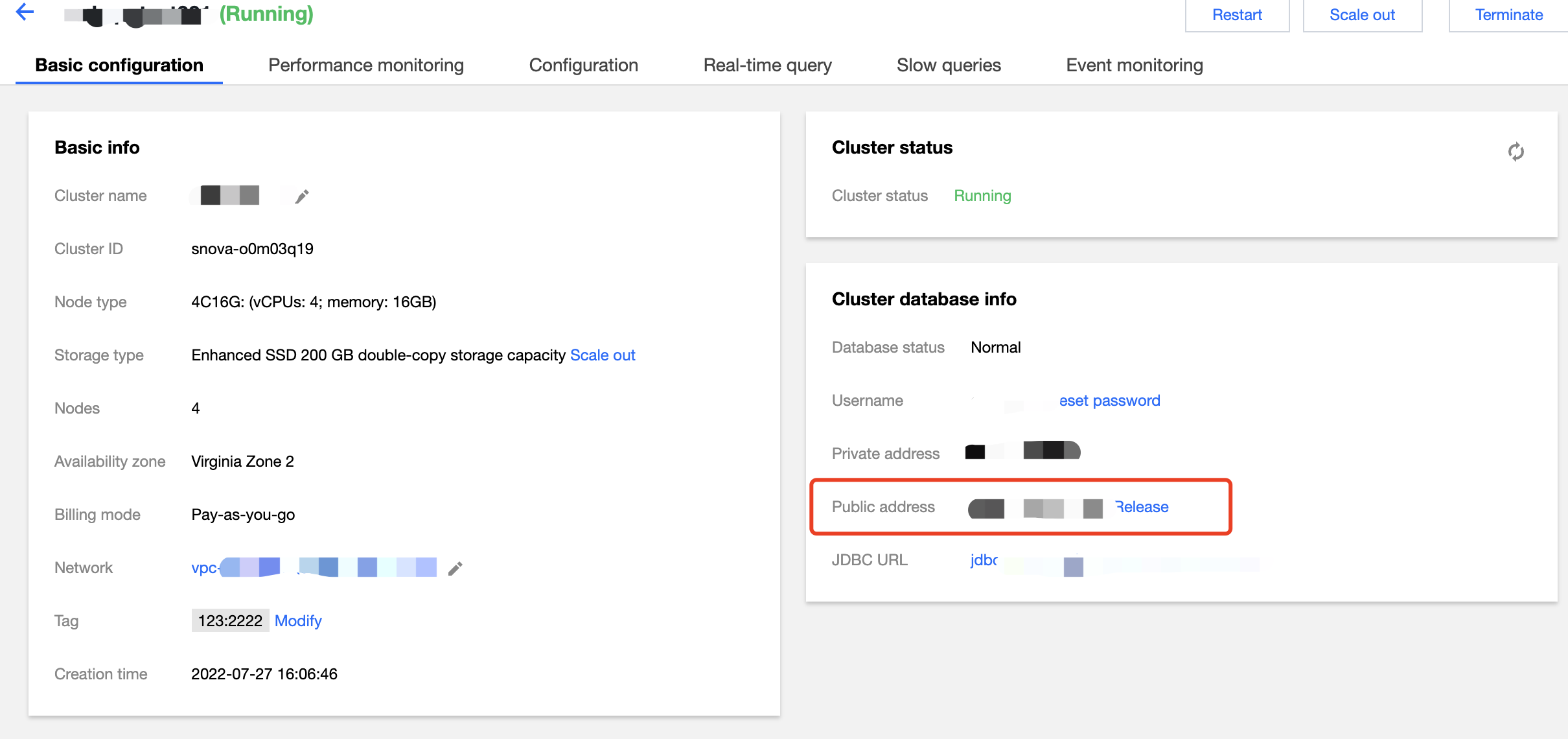
2. Select the Basic Configuration page and click Apply for Public IP. A public IP will be generated for access to the Tencent Cloud TCHouse-P cluster.
3. 


Note:
When the public IP is no longer needed, click Release Public IP to delete it.
Bantuan dan Dukungan

Apakah halaman ini membantu?

masukan