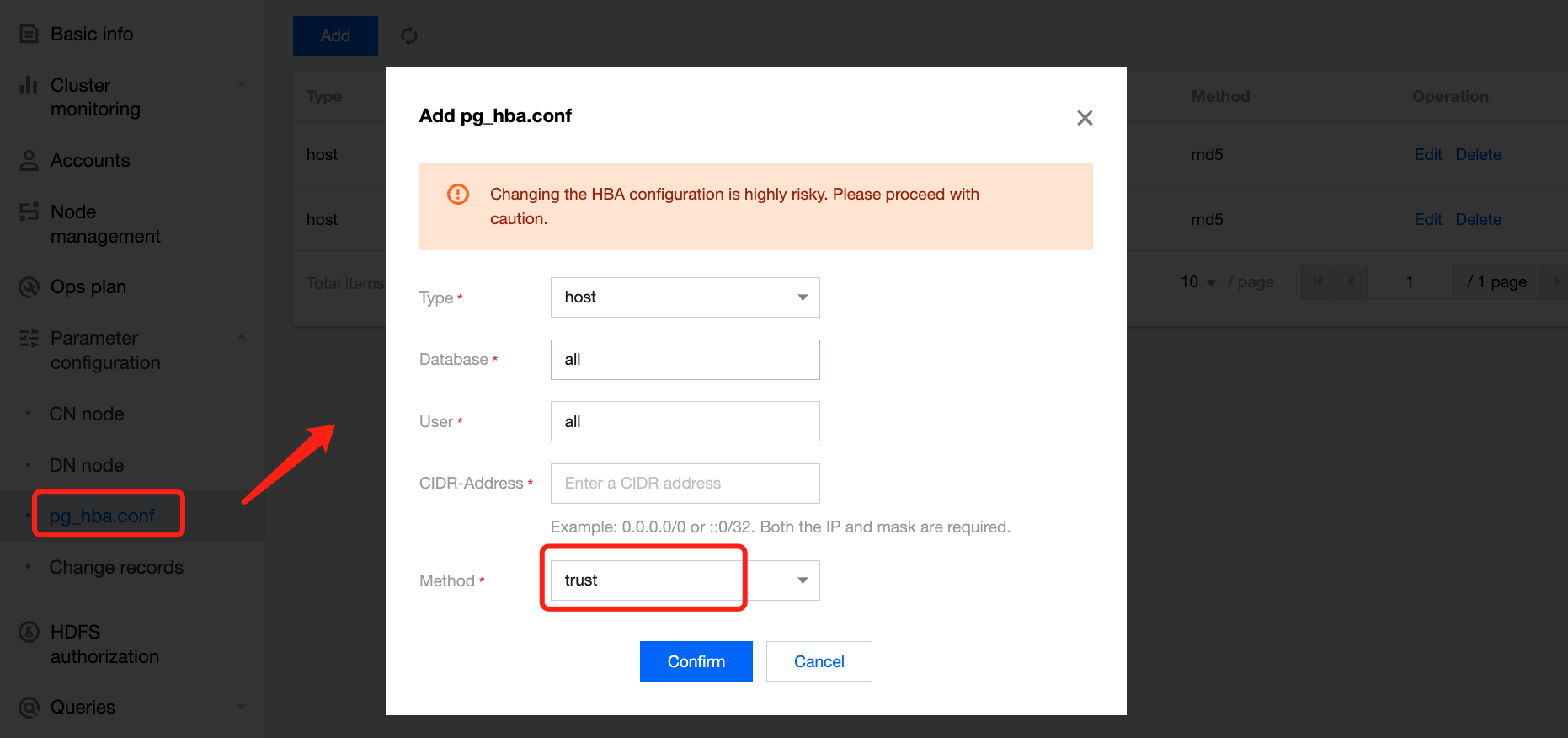
If you want to access Tencent Cloud TCHouse-P clusters through CVM instances in other subnets or servers on the public network other than the CVM instances in the specified subnets, you need to add their IPs to the allowlist.
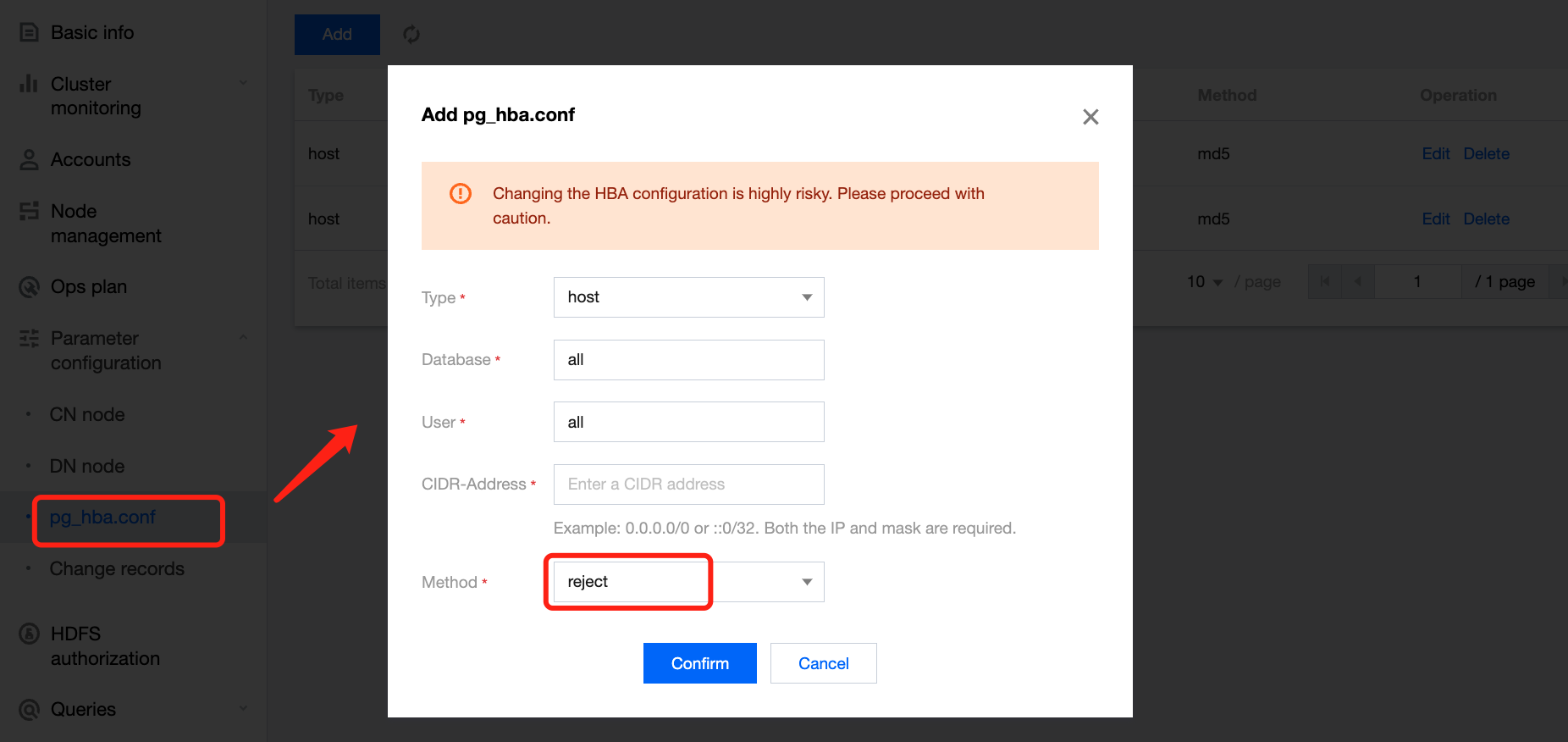
An IP range can be specified when an IP is added to the allowlist. Add one or more IPs in the IP range to the blocklist if you want to block the access to Tencent Cloud TCHouse-P clusters from them.
Note:
The blocklist takes precedence over the allowlist.
Prerequisites
Before using the IP allowlist, make sure that you have applied for a public IP for a Tencent Cloud TCHouse-P cluster; otherwise, you will not be able to access the cluster from servers other than CVM instances in the specified subnets even if their addresses are added to the allowlist.
Directions
Managing IP allowlist
1. Click Cluster name/ID in the cluster list to enter the cluster details page.
2. Select Parameter configuration > pg_hba.conf.
3. Click Add and enter the username, database name, and CIDR block as required.
4. Click OK to allow the IP range specified by the CIDR block. Then, you can access the Tencent Cloud TCHouse-P cluster from a server at the IP or IP range.
Note:
When an IP address in the allowlist is no longer needed, select it in the allowlist and click Delete to remove it from the allowlist.
Managing IP blocklist
1. Click Cluster name/ID in the cluster list to enter the cluster details page.
2. Select Parameter configuration > pg_hba.conf.
3. Click Add and enter the username, database name, and CIDR block as required.
4. Click OK to block the IP range specified by the CIDR block. Then, you cannot access the Tencent Cloud TCHouse-P cluster from a server at the IP or IP range.
Note:
To unblock an IP or IP range, select it in the blocklist and click Delete to remove it from the blocklist.