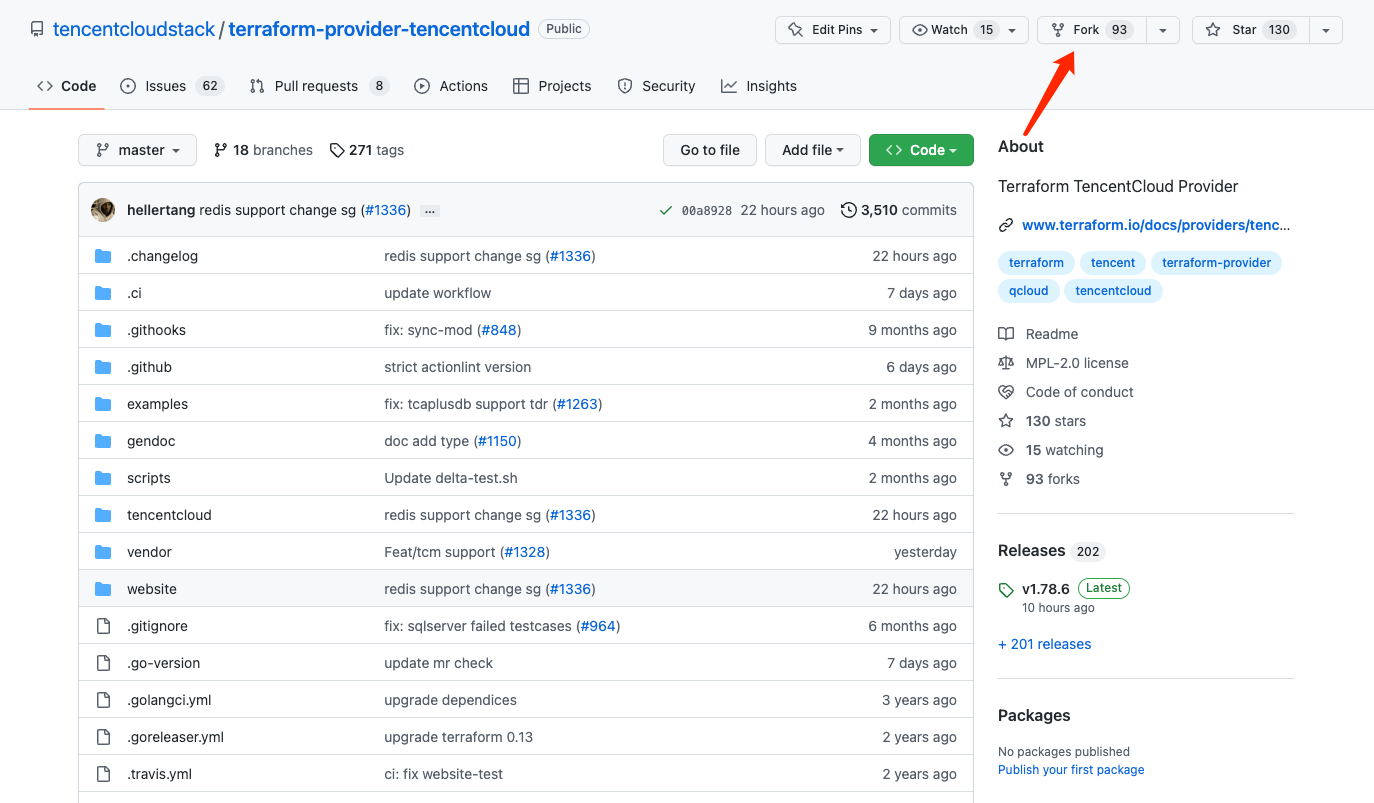
You need to fork the main repository and make changes to the code in the newly created repository.
Branch naming convention
Generally, a branch needs to be named in the format of type/scope-content so that others can quickly locate the changed scope and content. Common prefixes are:
fix/*: Issue fix.
feat/*: Feature addition.
doc/*: Document change.
style/*: Format, spelling, or other code changes that do not affect the logic.
chore/*: Chore submission that is irrelevant to the code logic.
Summarize the changed module and content in the suffix, such as:
fix/tke-auth-retry: The authentication retrial issue is fixed for the TKE module.
feat/new-free-ssl-resource: An SSL resource is added.
doc/cvm-field-misspell: The spelling of a word is corrected in the CVM document.
Avoid names such as:
john-test: The name of a developer.
fix/20221027: The changed scope and content are not indicated.
fix/bug: Improper content is contained.
Acceptance test
To ensure that your changes work properly, you need to write and execute an acceptance test for logic changes as instructed in Writing Test Case.
Sending a pull request
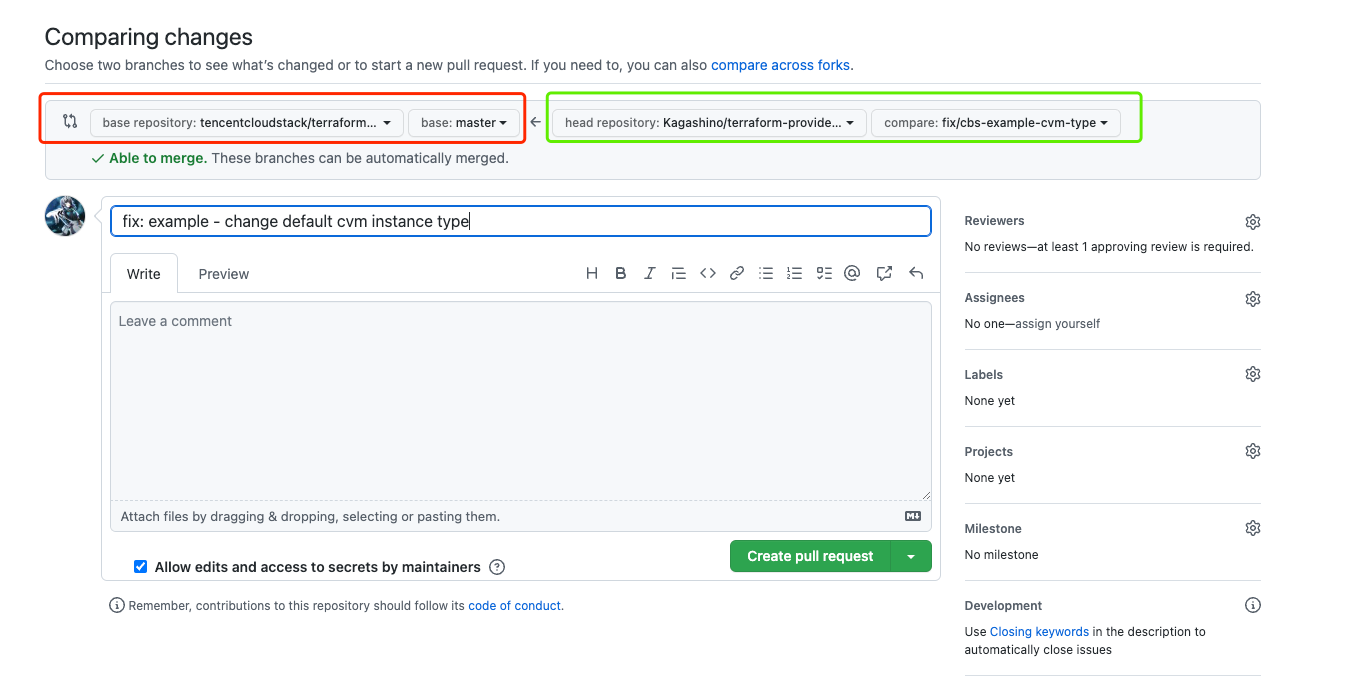
After the change, create a merge request to the main repository. Select the main repository in the red box and your repository in the green box as shown below:
Submitting the changelog inventory
After sending the pull request, you need to submit a .changelog/<Pull request number>.txt file describing the request type, module, and change as follows:
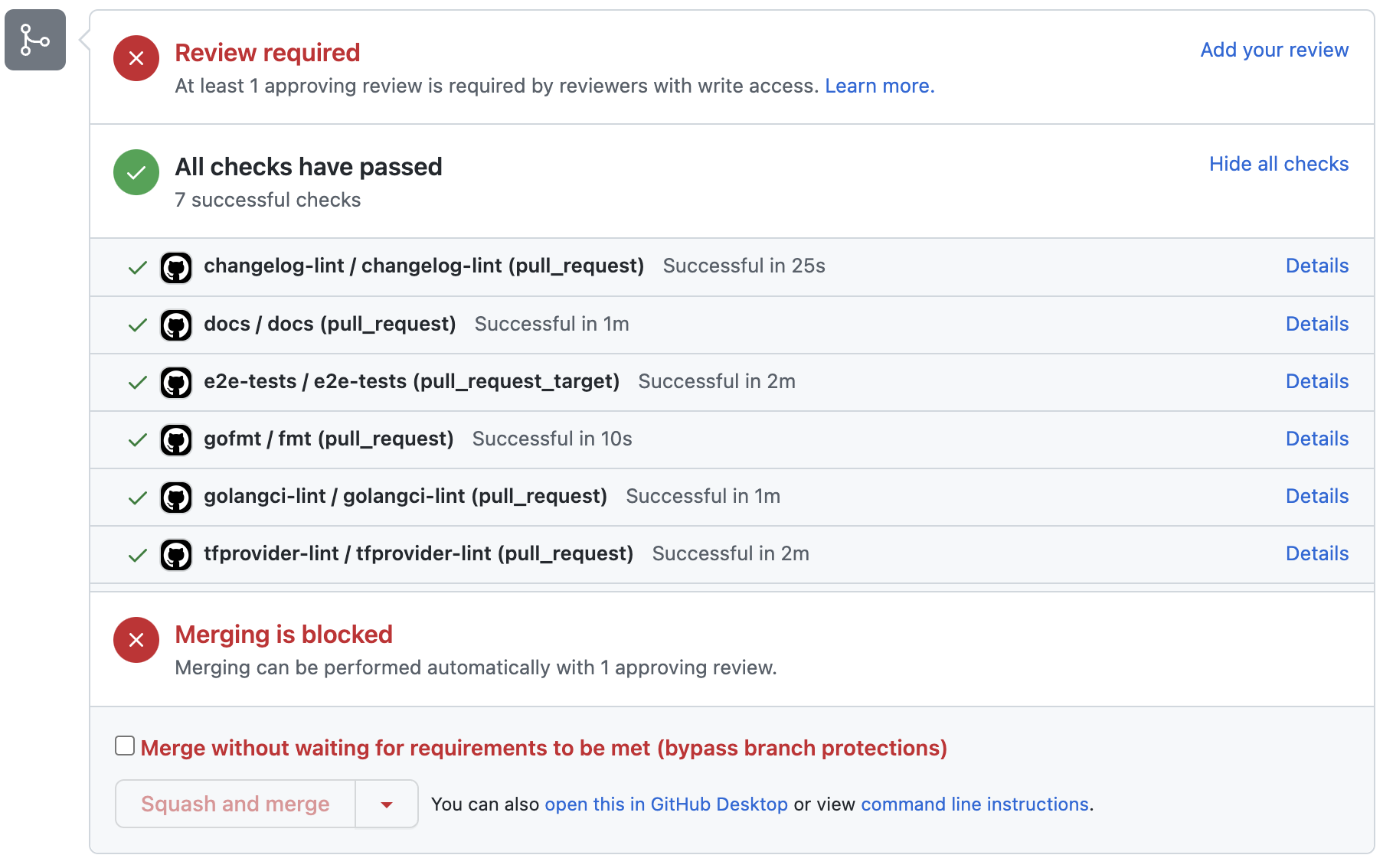
After the pull request is sent, basic merge checks will be performed by the action.
If your code requires an acceptance test, the code repository personnel will mark it with run-check to trigger execution of the test cases that can cover your changes.
Code merge
After the merge checks are passed and the repository personnel confirm that the branch can be merged, the branch will be merged into the main branch. Version release will be based on the merge. As this point, you have contributed your code.