Creating a Local IDC
Download
Mode fokus
Ukuran font
Background Note
The Tencent Cloud CDC can be deployed in a customer's local IDC. Before creating a dedicated cluster, you need to first create a local IDC. The information of the IDC where you plan to deploy the Tencent Cloud CDC must be entered into the created local IDC object.
Directions
1. Log in to the Tencent Cloud CDC console.
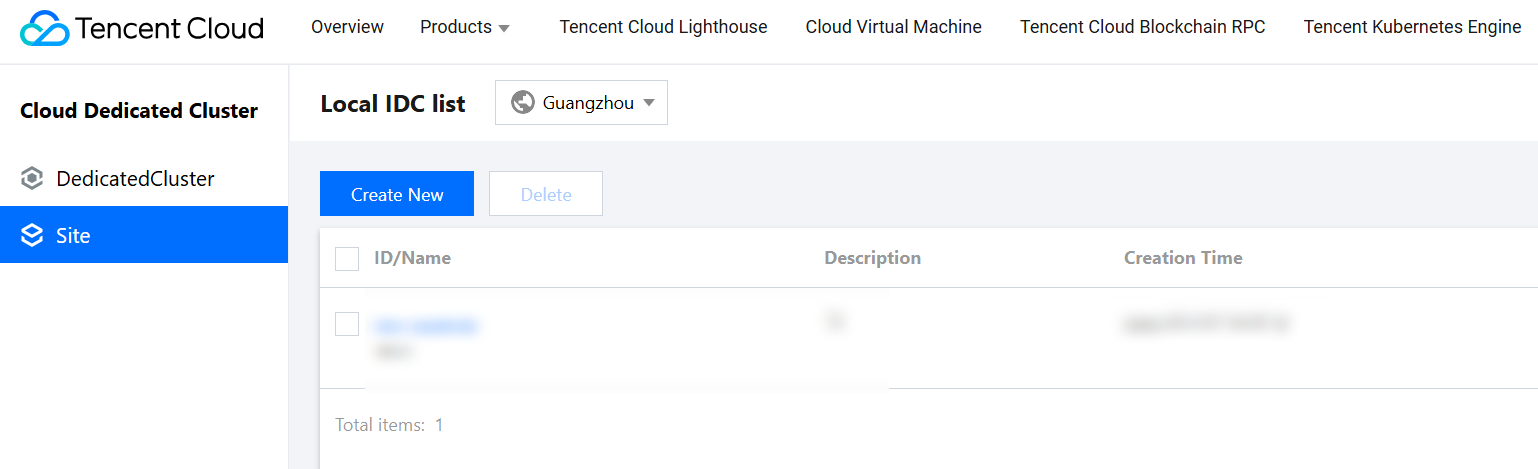
2. In the left sidebar, click Site to enter the local IDC list management page.
3. Click Create New on the local IDC list management page.

4. In the Create IDC pop-up window, configure the following information:
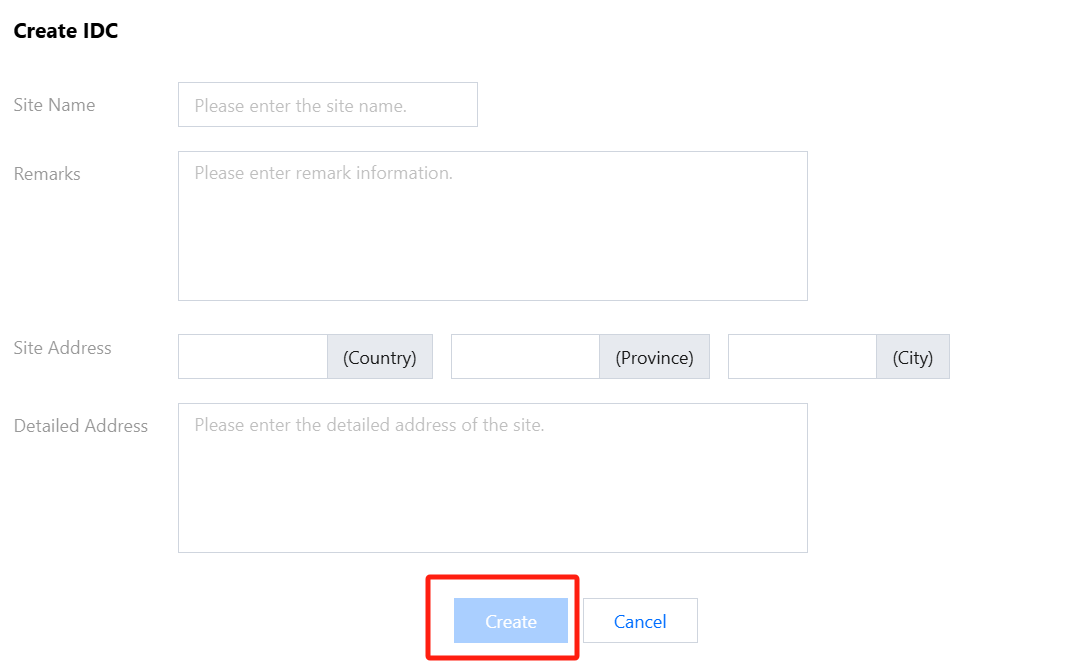
Site name: Custom name information to help you identify the corresponding IDC.
Remark: Custom notes to record detailed information about the IDC object.
Site address: Enter the relevant geographic information for the country, province, and city where the IDC is located.
Detailed address: Enter the specific location of your IDC. Please provide as much detail as possible, such as administrative district, street, park, and floor.
5. Click Create to continue.
6. On the Site management page, view the created local IDC instances.
Bantuan dan Dukungan
Apakah halaman ini membantu?
Anda juga dapat Menghubungi Penjualan atau Mengirimkan Tiket untuk meminta bantuan.
masukan