tencent cloud

Tencent Cloud Agent Development Platform

Release Notes and Announcements
Release Notes
Product Announcement
Product Introduction
Product Overview
Advantages
Use Cases
Model Introduction
Purchase Guide
Package Subscription
Previous Version
Getting Started
Agent Application and Its Three Modes
Creating a "Content Summary Assistant" in Standard Mode
Creating a “Webpage Scraping Assistant” in Single Workflow Mode
Creating a “Stand-up Comedy Content Creation Assistant” in Multi-Agent Mode
Operation Guide
Application Development
Workflow
Multi-Agent
Knowledge Base
Widget
Plugin Marketplace
Model List 
Prompt Templates
Application Templates
Platform Management
Business, Workspace and Permissions
API Documentation
History
API Category
Making API Requests
Atomic Capability APIs
Operation Optimization APIs
Document Library APIs
Q&A Database APIs
Knowledge Tag APIs
Application Management APIs
Enterprise Management APIs
Billing APIs
Release Management APIs
Dialogue Endpoint APIs
Data Statistics APIs
Data Types
Error Codes
Application API Documentation
Dialogue API Overview
Dialog API Documentation (WebSocket)
Dialog API Documentation (HTTP SSE)
Image Chat or File Chat (Real-time Document Parsing + Chat)
Offline Document Upload
Tencent Cloud Agent Development Platform Operation COS Guide
ADP Document Parsing Protocol
FAQs
Product FAQs
Technical FAQs
Related Agreements
Tencent Cloud Agent Development Platform Service Level Agreement
Tencent Cloud Agent Development Platform Service Specific Terms
Tencent Cloud Agent Development Platform Privacy Policy
Tencent Cloud Agent Development Platform Data Processing and Security Agreement
Open-Source License Statement
Lighthouse OpenClaw Connector Plugin Service Agreement
Contact Us
Glossary

Clarify and Ask About Widget

PDF
Mode fokus
Ukuran font
Terakhir diperbarui: 2026-02-03 16:55:32

Feature Positioning

Clarify and Ask About Widget is used in Multi-Agent Mode to trigger structured confirmation for situations with incomplete key information or ambiguity before task execution. It guides users through interactive cards for information supplementation and confirmation as a prerequisite for subsequent task execution.

Applicable Scenarios

Clarify and Ask About Widget is suitable for the following scenarios:
Before task execution, users are advised to supplement or confirm key information.
Multiple optional execution paths exist. Users are advised to select it, then continue the task.
The execution results of asynchronous tasks or operation have cost investment or irreversible risk, need to be confirmed before proceeding.

Used Value

Reduce follow-up questions: Collect required information in one go to avoid multiple rounds of inquiries and enhance interaction efficiency.
Reduce the risk of misjudgment: Execute tasks only after clarifying key information to avoid performing tasks directly with incomplete or erroneous information, thereby reducing result deviation.

Steps

By paying the author of the lyrics for the trial version configuration, clarify the ask Widget, show the configuration process and application effect.
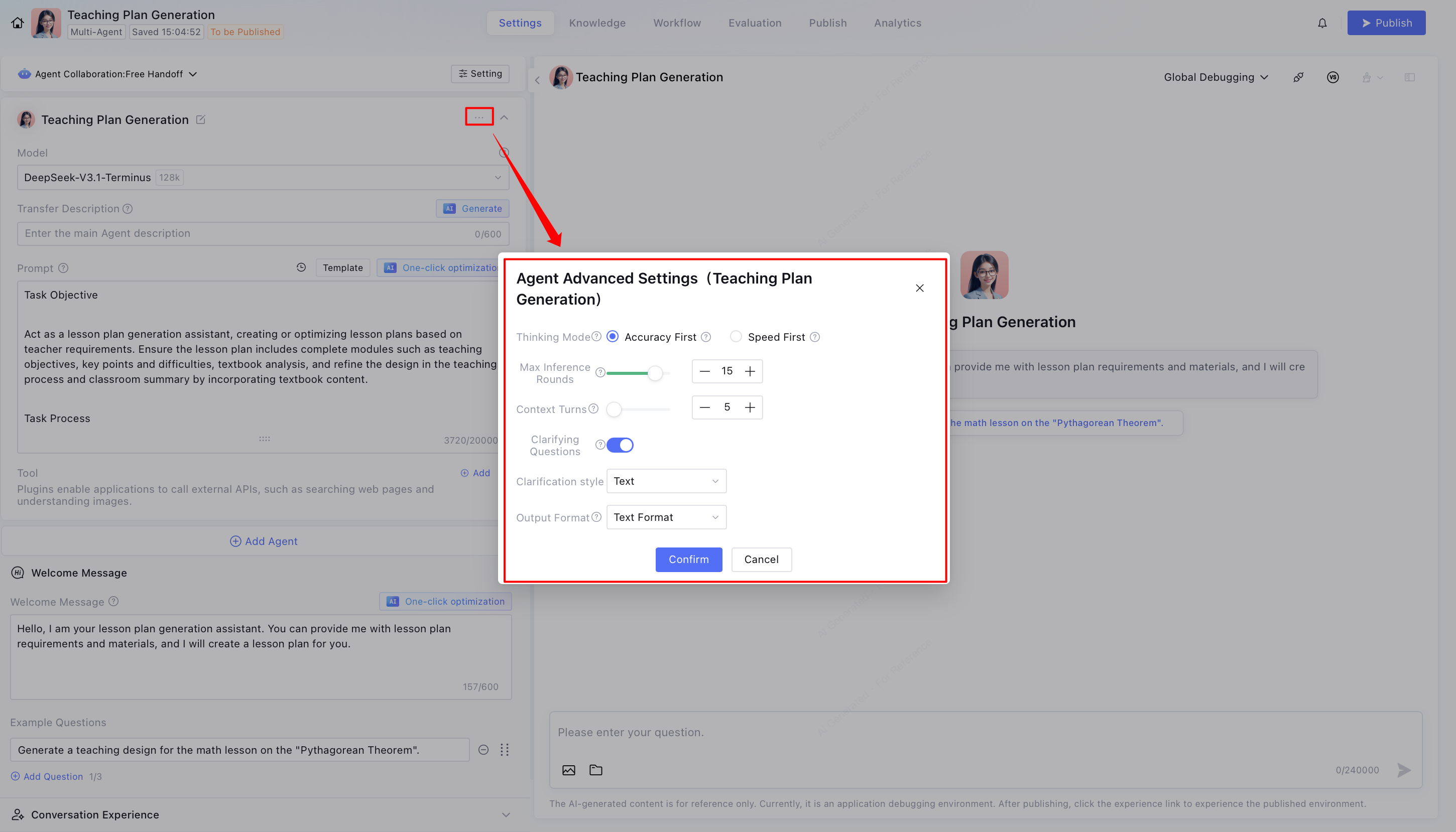
1. Click to enter the Agent advanced setting.


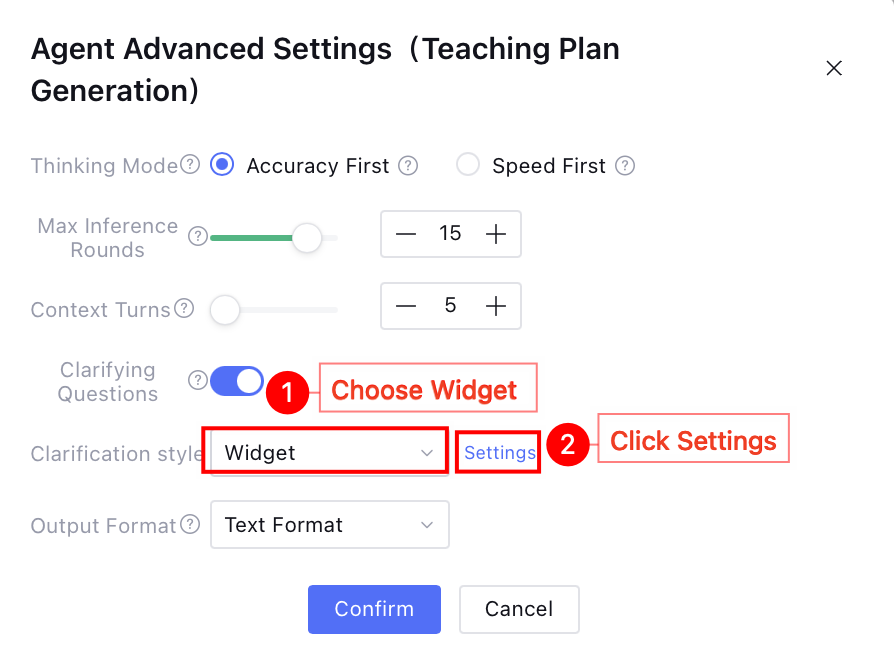
2. Clarify the style selection Widget, click Settings to enter the clarification Widget settings page.


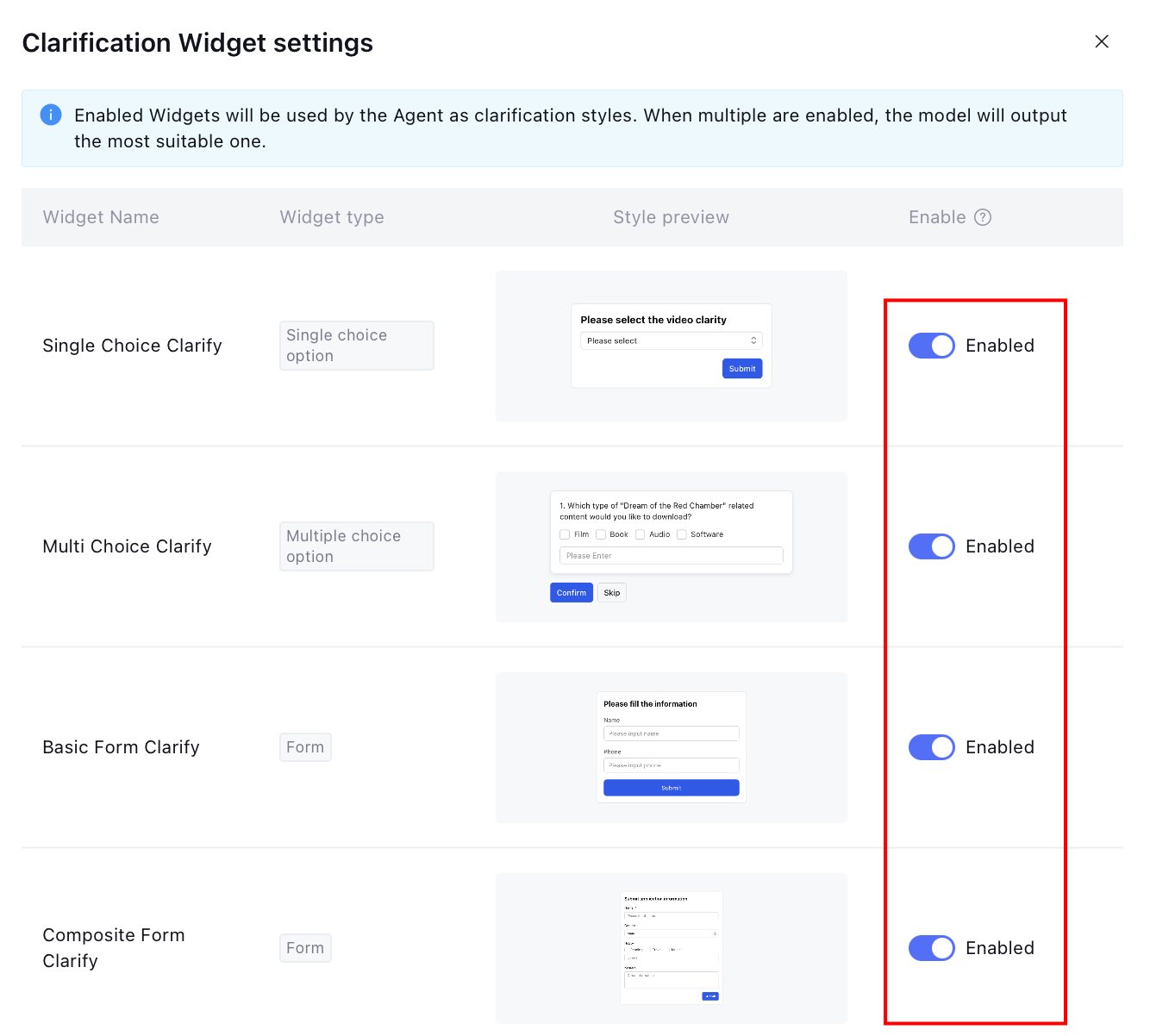
3. Turn on the switch to enable the clarification Widget, allow multiple to be turned on, the model will output the appropriate Widget based on understanding, complete the settings.

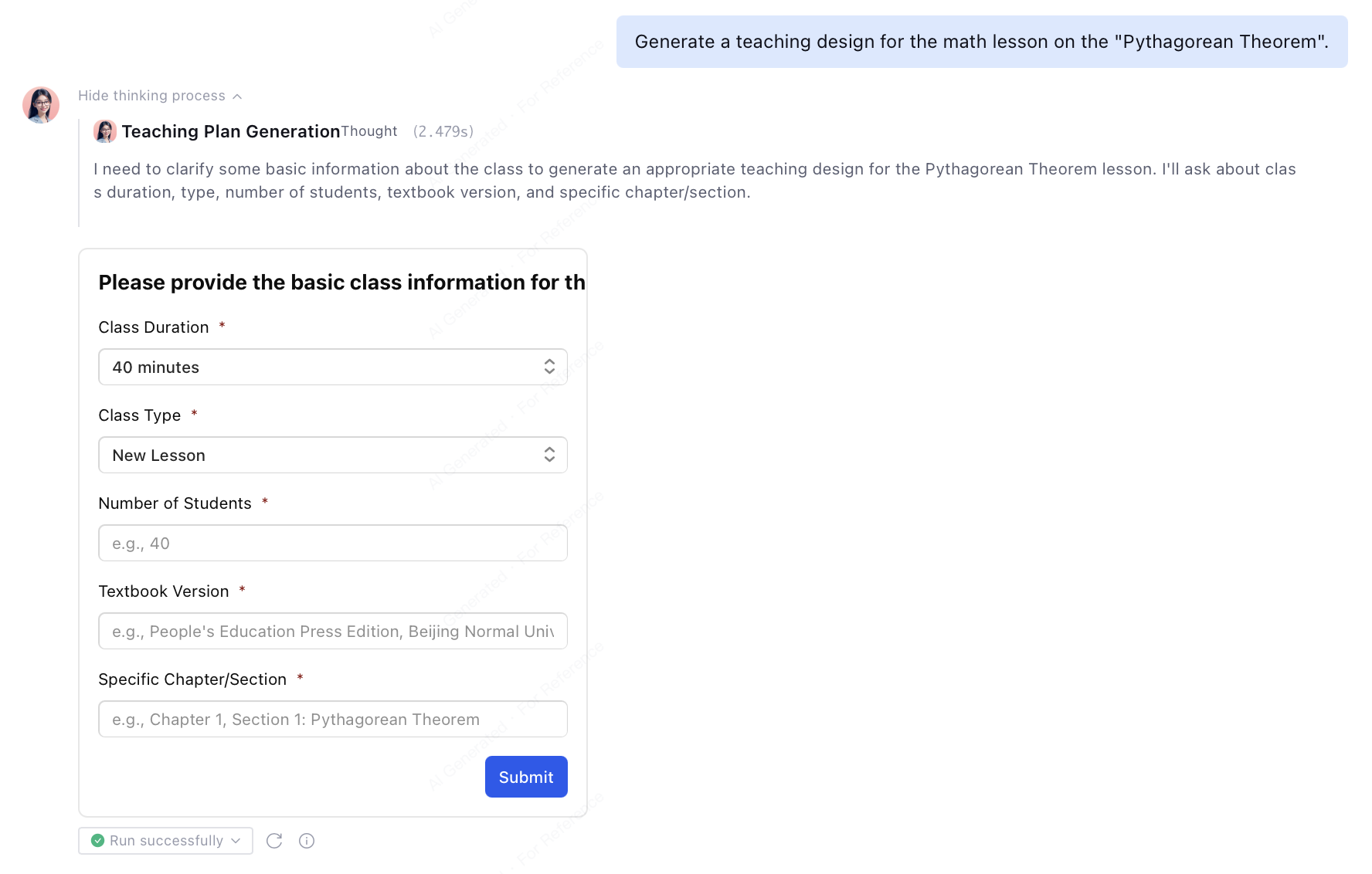
4. Clarify and Ask About Widget effect demonstration.
User initiates request: generate teaching design for math lesson "Pythagorean Theorem".
The app uses Widgets to clarify missing information. Users just need to click preset options to quickly complete requirements clarification and information collection without manual input.
Bantuan dan Dukungan

Apakah halaman ini membantu?

masukan