Job Custom Tuning
Download
フォーカスモード
フォントサイズ
Background
The job traffic for many users may exhibit tidal patterns, for example, high traffic at night and low traffic during the day in live-streaming scenarios. If the resources are configured based on the peak processing power at night, it may lead to a waste of resources. Conversely, configuring resources based on daytime processing power may result in insufficient processing power at night.
Stream Compute Service (SCS) offers a job custom tuning feature to help users adjust job parallelism and resource configuration more appropriately.
Use Limits
The job auto-tuning feature only supports SQL and JAR jobs.
Custom tuning cannot resolve the performance bottleneck of the stream job itself.
The reason is that the processing mode for the job in the tuning policy is based on certain assumptions. For example, smooth change in stream, no data skew, and each operator's throughput capacity can scale linearly with the degree of concurrency. When the business logic significantly deviates from these assumptions, job exceptions may exist. If there is an issue with the job itself, you need to perform manual tuning. Common job exceptions are as follows:
You cannot modify job concurrency.
The job cannot reach a normal status, or the job restarts continuously.
There are performance issues with user-defined functions (UDFs).
A severe data skew occurs.
Custom tuning cannot resolve issues caused by external systems.
When an external system fails or experiences slow access, it can cause increased job parallelism, adding pressure to the external system and leading to a system avalanche. If external system issues occur, you need to resolve them independently. Common external system problems are as follows:
Insufficient partitions or throughput in the source message queue.
Performance issues with downstream sinks.
Downstream database deadlock.
Directions
1. Log in to the SCS console, switch to the Tuning page in Job Management, and click Scheduled Tuning.
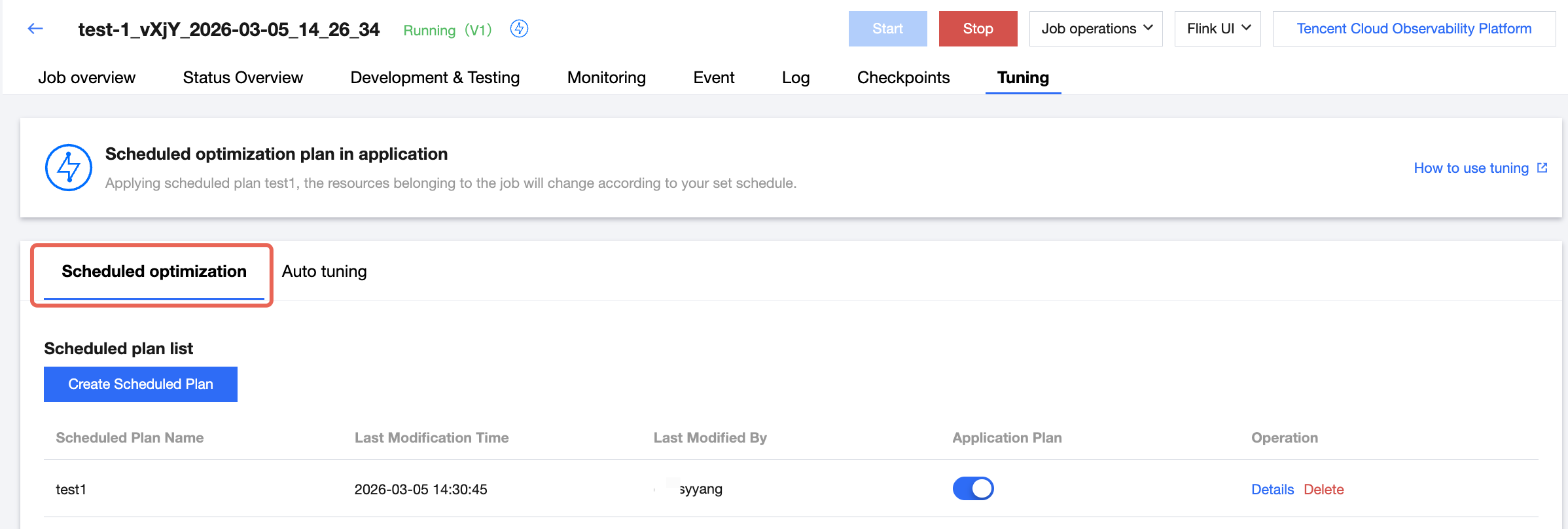
2. Click Add Scheduled Plan to create a tuning plan with a scheduled trigger.
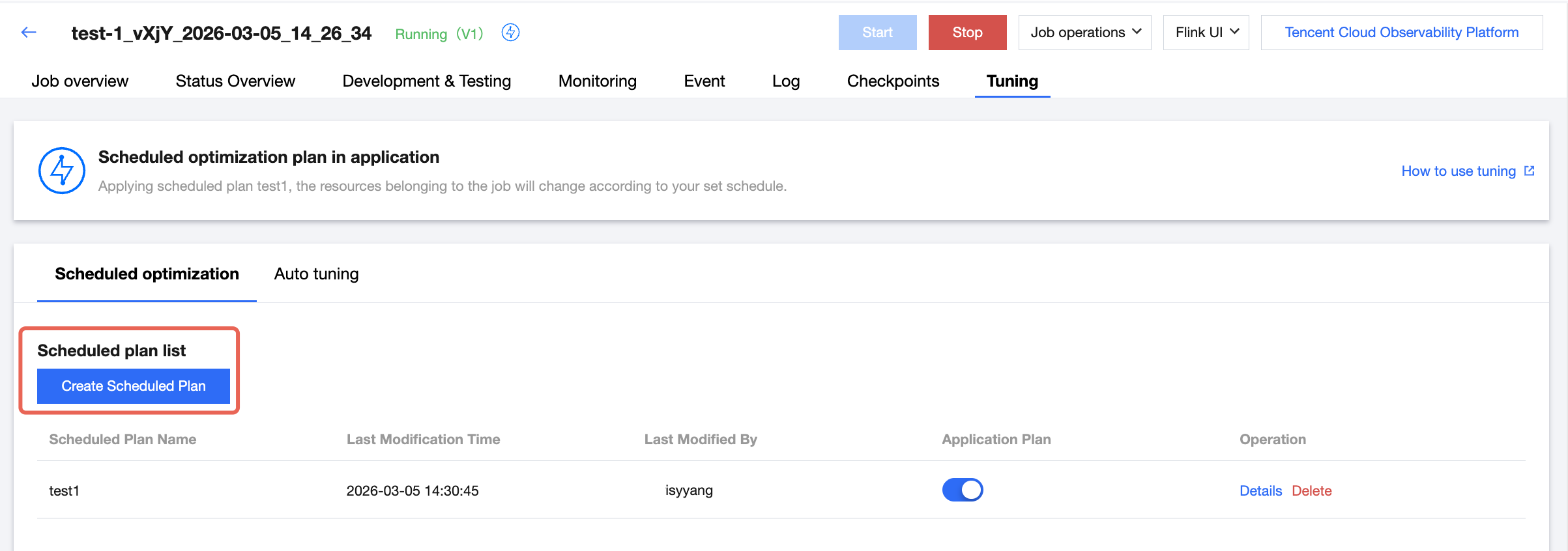
2.1 Enter the plan name.
2.2 You can select from single, daily, weekly, or monthly for the current triggering cycle.
2.3 You can select to adjust the specified JobManager specifications, TaskManager specifications, and job parallelism.
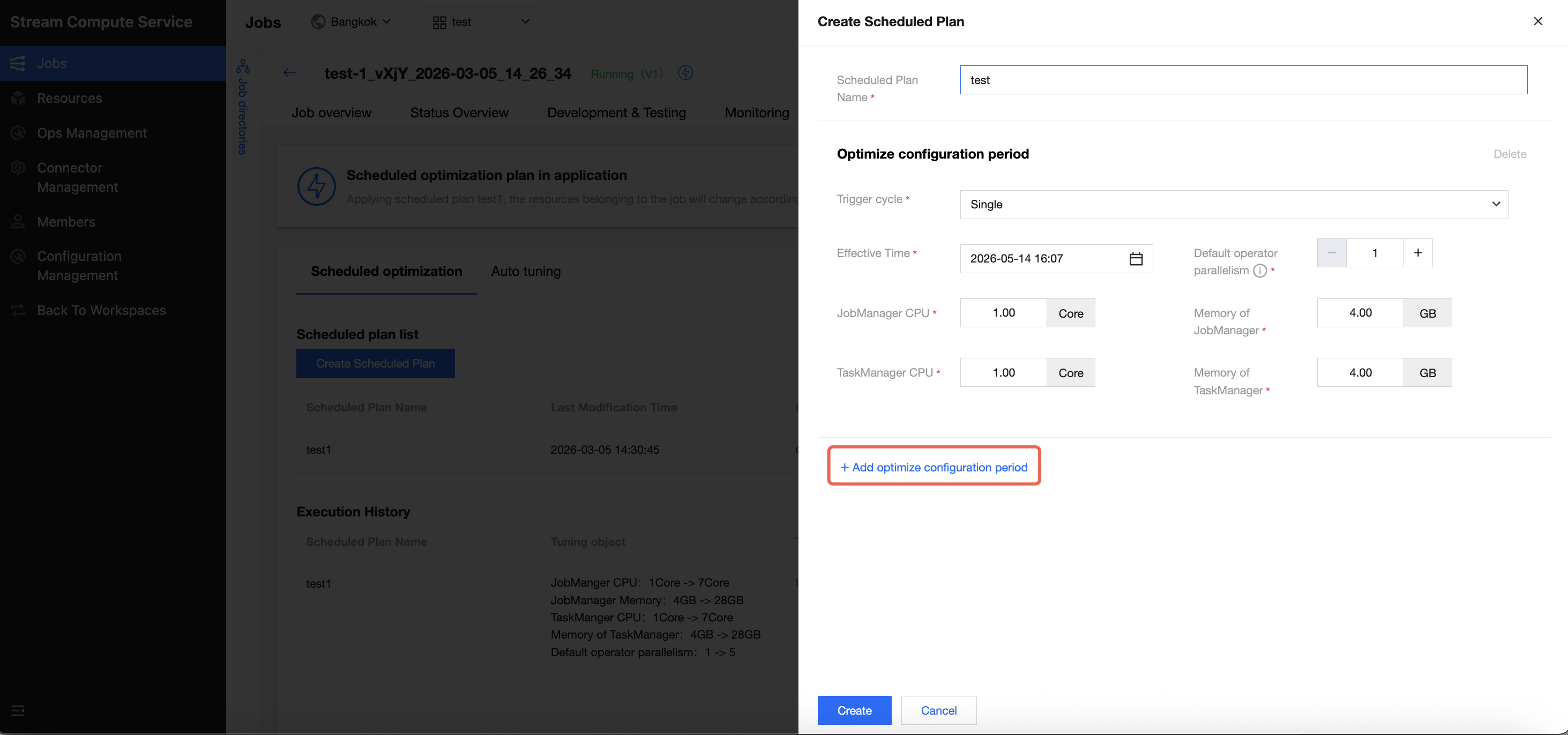
2.4 Click Add Tuning Configuration Periods to add a scheduled tuning period.
2.5 Ensure each tuning period interval is less than 30 minutes.
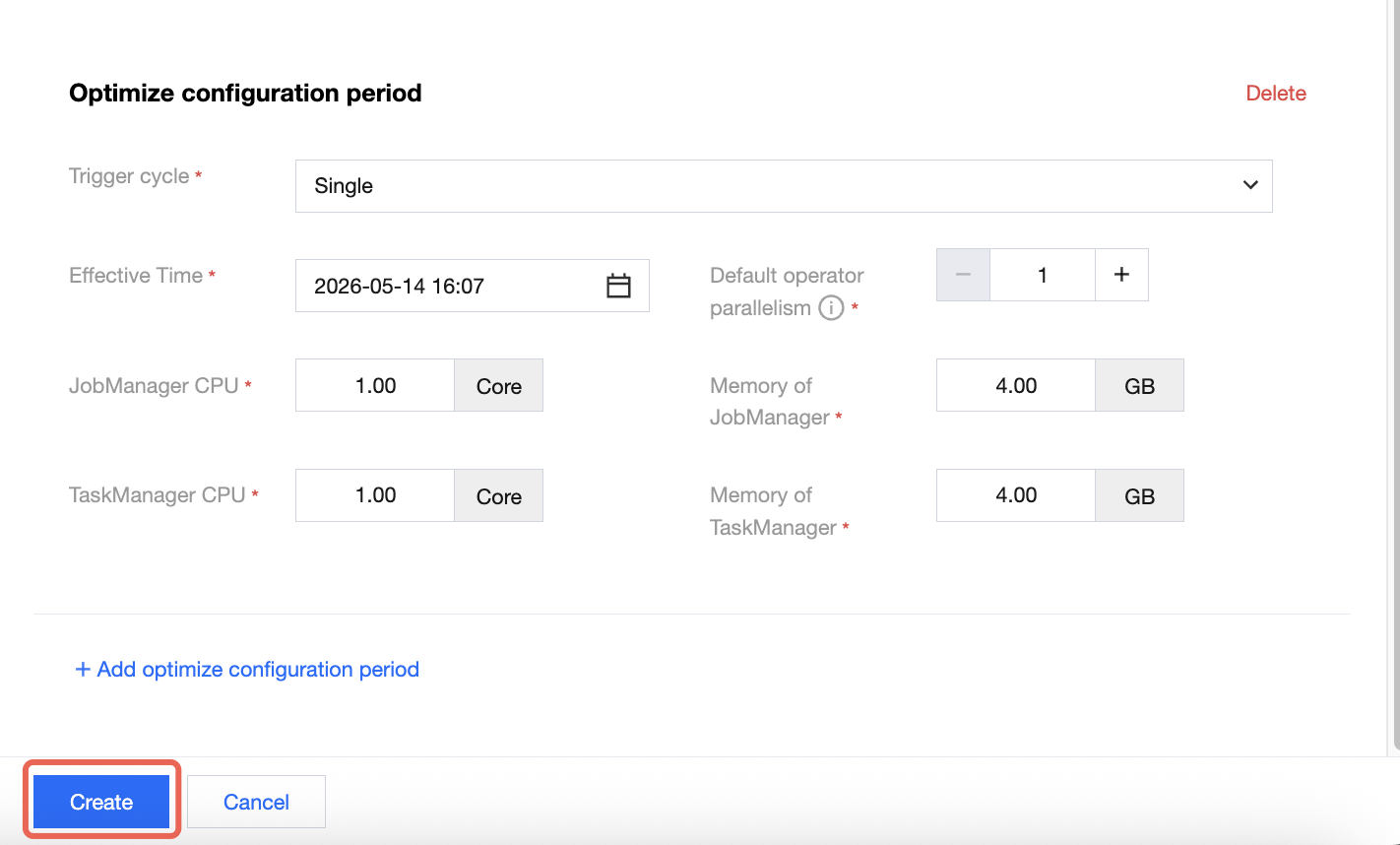
3. Click Create to create a scheduled plan.
4. Click the scheduled plan you want to start, then click Apply in the pop-up window to launch scheduled tuning for the specified plan.

Must-Knows
The custom tuning feature is currently in the public testing stage (Beta version) and is not recommended for important production tasks.
The start and end actions for custom tuning must maintain a one-to-one correspondence. It is advisable to wait for the tuning cycle to complete before adjusting tuning rules.
The job needs to be restarted after custom tuning is triggered, which will cause a short stop in data processing. For large state jobs, the stop process and restart process are time-consuming and may result in a stream stop for a long time. It is not recommended to enable automatic scaling.
The minimum interval between the start and end of the custom tuning is 30 minutes.
If the user enables automatic tuning for a JAR-type job, make sure that the job code has no job parallelism configured. Otherwise, automatic scaling cannot adjust job resources, and the automatic tuning configurations will not take effect. If job parallelism is configured in the job code and you want the tuning to take effect, set the parameter in Job Parameters > Advanced Parameters to ignore the job parallelism in the code and use the parallelism in job parameters instead.
execution.parallelism.disabled: true
Due to cluster resource constraints, the custom tuning process for the current job is executed serially. Therefore, do not enable custom tuning for all jobs in a cluster, as they may affect each other.
Note:
Job parallelism can be reduced to a minimum of 1. The number of TaskManager CUs can have various configurations based on whether fine-grained resources are enabled in the cluster. If these resources are enabled, the number of CUs can be 0.25, 0.5, 1, or 2. Otherwise, the number of CUs can only be 1.
フィードバック