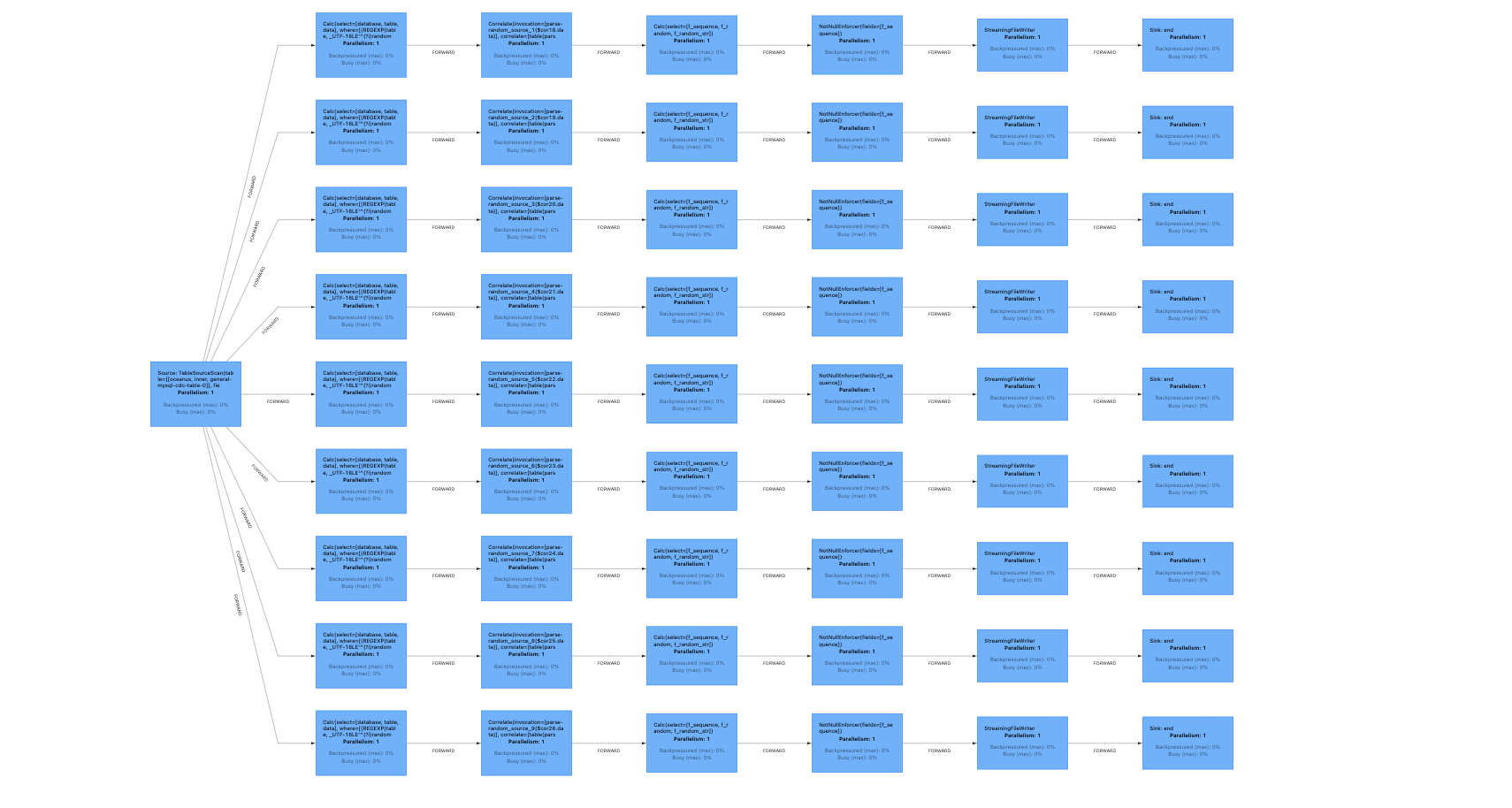
The whole-database synchronization (SQL) feature of Oceanus will no longer be updated or enhanced. For whole-database synchronization scenarios or requirements, please use the Data Integration module in the WeData product.
Applicable Scenarios
During the construction of data pipelines for real-time data lakehouses, there is a very common and strong demand to synchronize entire database data from traditional relational databases (such as MySQL) to downstream OLAP databases (such as Doris, ClickHouse) or archive it to corresponding file systems (such as HDFS, Hive tables) with low latency and high throughput.
The whole-database synchronization feature of Oceanus will no longer be updated or enhanced, and it no longer supports the creation of new CDAS (CREATE DATABASE AS) jobs.
Syntax Description
CREATEDATABASEIFNOTEXISTS<target_database>
[COMMENT database_comment]
[WITH(key1=val1, key2=val2,...)]-- Specifies the parameters for writing to the target database.
ASDATABASE<source_catalog>.<source_database>-- source_database is the source database to be synchronized.
INCLUDING { ALLTABLES|TABLE'table_name' }
-- INCLUDING ALL TABLES indicates that all tables in the database are synchronized.
-- INCLUDING TABLE 'table' specifies that specific tables in the database are synchronized, supporting regular expressions such as 'order_.*'.
-- When synchronizing multiple tables, you can use the format INCLUDING TABLE 'tableA|tableB|tableC'.
[EXCLUDING TABLE'table_name']
-- EXCLUDING TABLE 'table' specifies that specific tables in the database are excluded from synchronization, supporting regular expressions such as 'order_.*'.
-- When excluding multiple tables, you can use the format EXCLUDING TABLE 'tableA|tableB|tableC'.
-- (Optional) Specifies parameters for reading the source, such as defining the range of source server IDs, parsing debezium timestamp field types, etc.
Parameter description:
Parameter
Description
target_database
The name of the target database to be written to.
database_comment
The database comment to be written.
WITH parameter
Parameters that specify the target database for writing are currently translated into descriptive parameters for the downstream sink table.
<source_catalog>.<source_database>
Declare the databases in the source catalog that need to be synchronized.
INCLUDING ALL TABLES
Synchronize all tables in the source database.
INCLUDING TABLE
Synchronizes specific tables in the database, supports regular expressions such as 'order_.*'. When synchronizing multiple tables, you can write it in the format INCLUDING TABLE 'tableA|tableB'.
EXCLUDING TABLE
This syntax excludes specific tables in the database from synchronization and supports regular expressions, such as 'order_.*'. When multiple tables are excluded, you can use the format EXCLUDING TABLE 'tableA|tableB'.
OPTIONS
Optional. Specifies parameters to override when the Source is read, such as specifying the range of source serverId.
Note:
In the third line, the parameters specified by [WITH (key1=val1, key2=val2, ...)] for writing to the target database support variable substitution for the table names of the Source tables. The method is to use the placeholder $tableName.
In the following example of full-database synchronization to Doris, the $tableName in each sink table is replaced with the corresponding source table name from the MySQL database.
create catalog my_mysql with(...);
createdatabaseifnotexists sink_db
with(
'connector'='doris',
'table.identifier'='db1.$tableName_doris'
...
)
including alltables
/*+ `OPTIONS`('server-time-zone' = 'Asia/Shanghai') */;-- Declares the time zone type for parsing timestamp fields.
If you have frequent requirements to add new tables to your MySQL database and want Flink to support data synchronization for newly added tables without affecting the synchronization status of existing tables, you can use the SET and OPTIONS clauses to enable this feature. (This example also enables advanced capabilities such as multi-source reuse for MySQL CDC and automatic splitting of the last large shard. Use them as needed.):
-- You must set table.optimizer.deterministic-operator-uid-for-cdas=true to enable the lossless table addition capability.
1. The OPTIONS clause for the SET parameters and scan.newly-added-table.enabled must be added when the job is started for the first time. Otherwise, you must discard the existing state and perform a full data synchronization again before you can add tables losslessly later.
2. The existence of newly added tables can be detected only when the job is started. Therefore, whenever you add a table, take a snapshot of the job and then resume the job from that snapshot. The new table starts to be synchronized only after this step.
3. When there are many tables, we recommend that you use the statement SET table.optimizer.mysql-cdc-source.merge.enabled=true; to enable the multi-source reuse capability, thereby improving overall stability.
4. When a table has continuous high-volume writes, we recommend enabling the 'scan.lastchunk.optimize.enable' = 'true' parameter to prevent TaskManager OOM caused by an oversized last shard.
Reading MySQL-CDC Metadata Fields
The MySQL CDC connector supports extracting fields from physical tables and also supports extracting metadata field lists. The full-database synchronization feature also provides an options configuration parameter, which you can use to control the metadata fields required for synchronization.
Parameter
Description
oceanus.source.include-metadata.fields
The metadata fields of the source table to be synchronized are in the format 'table_name:table_name;meta.batch_id:batch_id'. The metadata field definitions are separated by semicolons (;). Each metadata field is in the format metadataColumn:alias, where the first part is the actual corresponding metadata column and the second part is the renamed value.
Note: Metadata fields are appended after the source table in the order they are declared.
1. First, register a MySQL Catalog as the source table to be synchronized. The example is as follows:
create catalog my_mysql with(
'type'='jdbc',
'default-database'='test',
'username'='XXX',
'password'='XXX',
'base-url'='jdbc:mysql://ip:port'
-- 'jdbc.properties.tinyInt1isBit' = 'false' -- A jdbc parameter that specifies whether to interpret tinyInt as bool. The default value is true.
-- If a table field contains tinyint(1), we recommend that you set jdbc.properties.tinyInt1isBit to false.
);
2. For downstream systems that do not support automatic table creation, you must ensure that source tables corresponding one-to-one with the upstream MySQL tables are created in the downstream systems beforehand.
3. Use the full-database synchronization syntax to specify the tables to be synchronized. For the parameters that write to the target database, currently only the necessary parameters of the downstream connector are supported.
4. You can pass the corresponding jdbc parameters through jdbc.properties.*.
createdatabaseifnotexists sink_db
comment'test_sink'with('connector'='clickhouse://172.11.11.11:8123',-- If the ClickHouse cluster is not configured with a username and password, you can omit them.--'username' = 'root', -- The username of the ClickHouse cluster--'password' = 'root', -- The password of the ClickHouse cluster'database-name'='testdb',-- The destination database for data writing'table-name'='test_table1',-- The destination table for data writing'sink.batch-size'='1000','table.collapsing.field'='Sign')asdatabasemy_mysql.test_db
including alltables/*+ OPTIONS('server-time-zone' = 'Asia/Shanghai') */;
'catalog-database'='test',-- The name of the database where the DLC internal table resides
'catalog-table'='my_$tableName',-- DLC internal table name. $tableName is automatically replaced with the name of the table to be synchronized. The DLC table must be created in advance.
'default-database'='test',-- The name of the database where the DLC internal table resides
'catalog-name'='HYBRIS',-- The fixed value
'catalog-impl'='org.apache.inlong.sort.iceberg.catalog.hybris.DlcWrappedHybrisCatalog',-- The fixed value
'qcloud.dlc.managed.account.uid'='100026378089',-- The fixed value, which is the uid of the DLC management account
'qcloud.dlc.secret-id'='${secret_id}',-- The secretId for the DLC user is obtained from https://console.tencentcloud.com/cam/capi
'qcloud.dlc.secret-key'='${secret_key}',-- The secretKey for the DLC user, which is obtained from https://console.tencentcloud.com/cam/capi
'qcloud.dlc.region'='ap-guangzhou',-- The region for DLC. The value must be in the 'ap-region' format.
'qcloud.dlc.jdbc.url'='jdbc:dlc:dlc.internal.tencentcloudapi.com?task_type=SparkSQLTask&database_name=test&datasource_connection_name=DataLakeCatalog®ion=ap-guangzhou&data_engine_name=${engine_name}',-- The jdbc access url for DLC. For the format, see https://www.tencentcloud.com/document/product/1342/61547?from_cn_redirect=1
'uri'='dlc.internal.tencentcloudapi.com',-- The fixed value
'user.appid'='${appid}',-- The appid of the DLC user
'request.identity.token'='100026378089'-- The fixed value, which is the token for DLC internal table access
)
asdatabase`my_mysql`.`test` including table'user.*'
1. Flink version 1.11 does not support the full database synchronization (SQL) capability.
2. Currently, only MySQL-type databases are supported as source tables for full database synchronization.
3. Currently, when data is synchronized to the target end, automatic table creation is not supported for target ends other than Iceberg, Elasticsearch, Hudi, and Hive (which requires pre-registration of the Hive Catalog). You need to create the corresponding table structure in the target end beforehand, matching the data tables in the MySQL database.
4. It is recommended to enable and use the MySQL CDC Source reuse feature together, which can reduce the pressure on the database.
5. CDAS syntax does not restrict the types of downstream outputs and can theoretically synchronize to any downstream type.
6. When a large number of tables are synchronized, the name of a single task generated by flink can become very long. This causes the metric system to consume a large amount of memory, affecting job stability. To address this, Oceanus introduces the pipeline.task-name-length parameter to limit the length of task names, which can significantly improve job stability and log readability. (Applicable to flink-1.13 and flink-1.14 versions).
This parameter can take effect in the job configuration: