Role Authorization
Download
フォーカスモード
フォントサイズ
The service (or service related) role is predefined by Tencent Cloud services. Once authorized, Elastic MapReduce (EMR) can use the service-related role to access and operate on related resources. This topic describes the use cases and authorization processes of specific service-related roles.
Default Service Role Authorization (Required)
When using EMR service, access to cloud services (including CVM, CBS, and TencentDB) is required. During the initial product purchase, you need to authorize creation of the default service role EMR_QCSRole. Only after the successful authorization, can EMR call related services (including TKE and COS) to create clusters and save logs.
Note
When enabling EMR service for the first time, you need to complete the role authorization process using the root account or a collaborator or sub-user account with the QcloudCamRoleFullAccess permission. Otherwise, neither sub-accounts nor the root account can use EMR.
Role Authorization Process
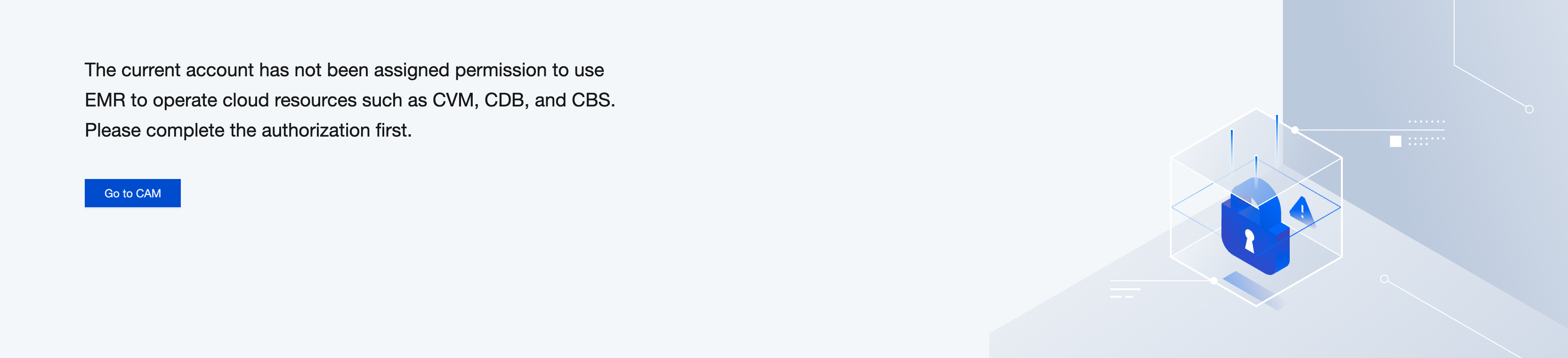
1. If the EMR_QCSRole role authorization for the EMR service fails during cluster creation or on-demand plan execution, the following prompt will appear. Click Go to CAM to proceed with role authorization.
2. Click Agree to Authorize. The service role EMR_QCSRole will be automatically created and associated with related policies.
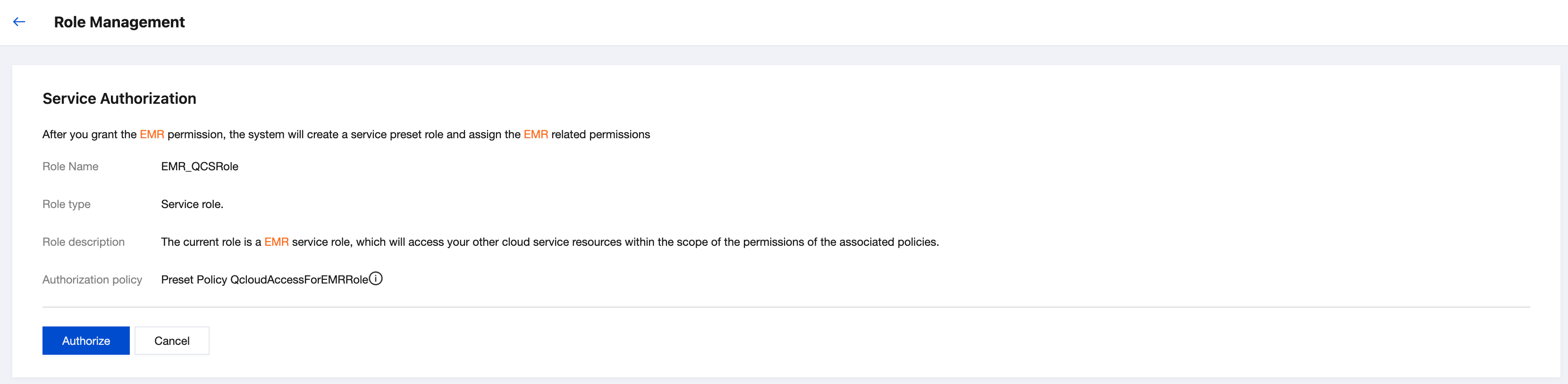
3. After the authorization is completed, refresh the EMR console or purchase page, and you can proceed normal operations then. For more detailed information on EMR_QCSRole policies, log in to the CAM console.
COS Access Role Authorization (Optional)
If data needs to be directly written to or calculated in Cloud Object Storage (COS) during creation or use of EMR clusters, EMR should be granted with the temporary keys to read and write COS resources to ensure data security. Therefore, it is necessary to authorize creation of the EMR service-related role EMR_QCSLinkedRoleInApplicationDataAccess and associate the role with the preset policy QcloudAccessForEMRLinkedRoleInApplicationDataAccess.
Special Note on COS Bucket Access Authorization:
1. Since August 20, 2023, for new users or existing users modifying their authorization policies, the account COS permissions will grant the service-related role EMR_QCSLinkedRoleInApplicationDataAccess by default.
2. The current authorization policy for existing users is to bind the QcloudAccessForEMRRoleInApplicationDataAccess policy in the service role EMR_QCSRole. If a service-related role is required, first request authorization for the service-related role EMR_QCSLinkedRoleInApplicationDataAccess and then manually associate it with the Cluster COS Service Role of the cluster instance information page.
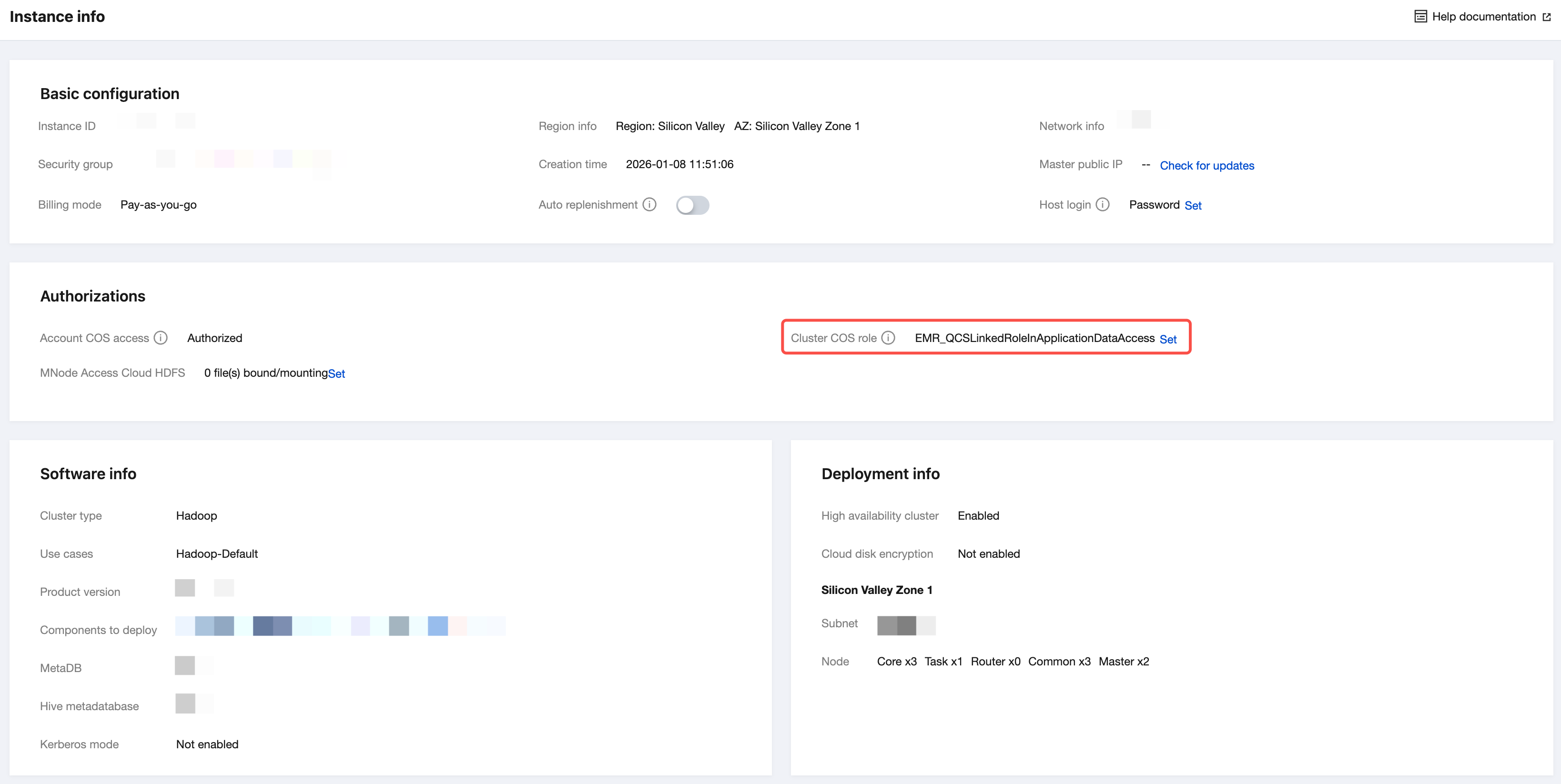
3. If both the service-related role and the service role are granted, the service-related role is used by default. In the cluster instance information authorization policy, COS will be shown as authorized, and the cluster COS service role displayed will be the EMR_QCSLinkedRoleInApplicationDataAccess role.
Role Authorization Process
1. On the cluster list page, click the ID/Name of the cluster to be managed. Enter the instance information page, and check if the EMR service-related role EMR_QCSLinkedRoleInApplicationDataAccess is associated.
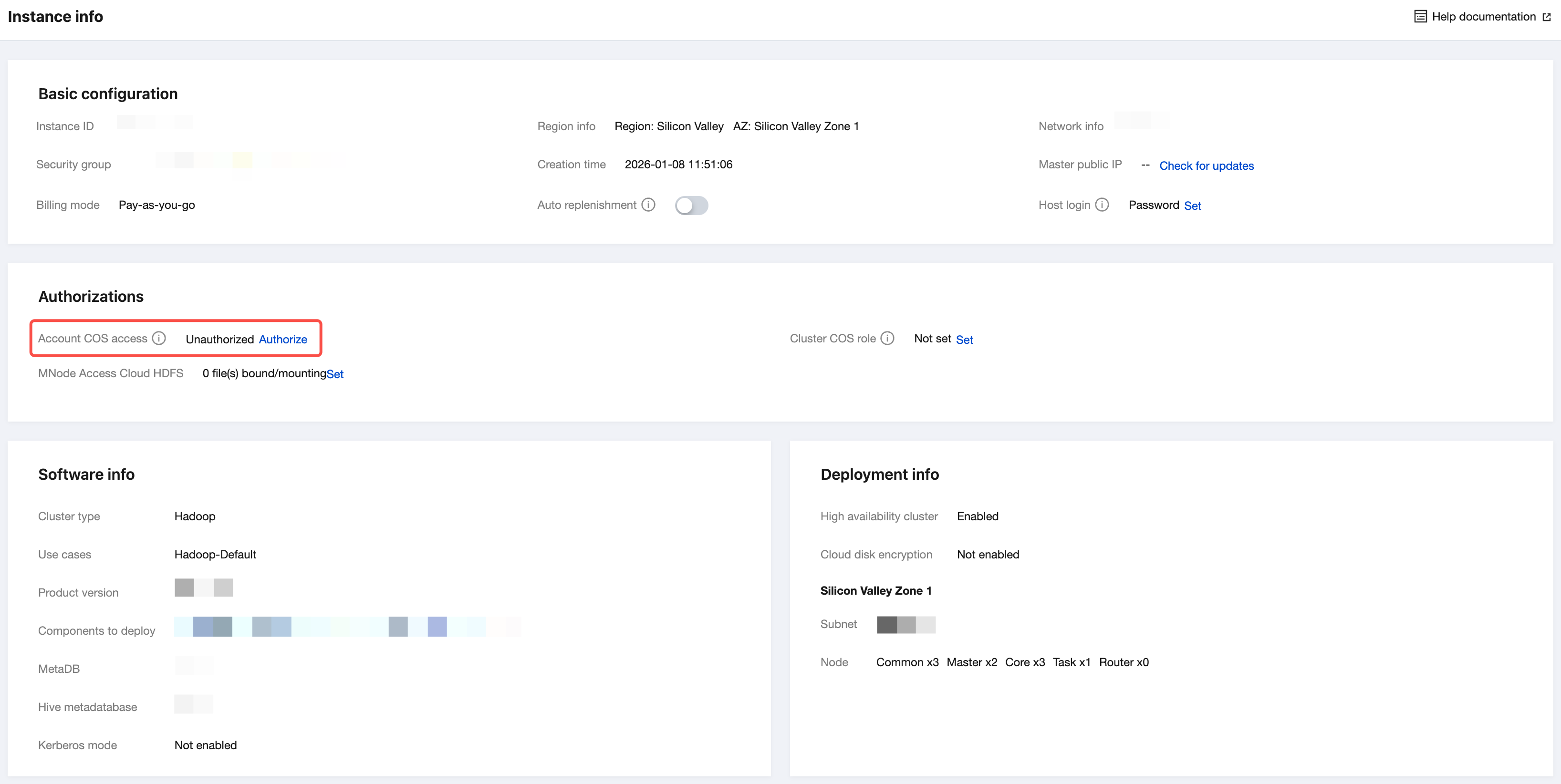
2. If the EMR service-related role EMR_QCSLinkedRoleInApplicationDataAccess does not exist, it will prompt that the current cluster lacks the account COS permissions. Click Authorize to grant and bind the required permissions.
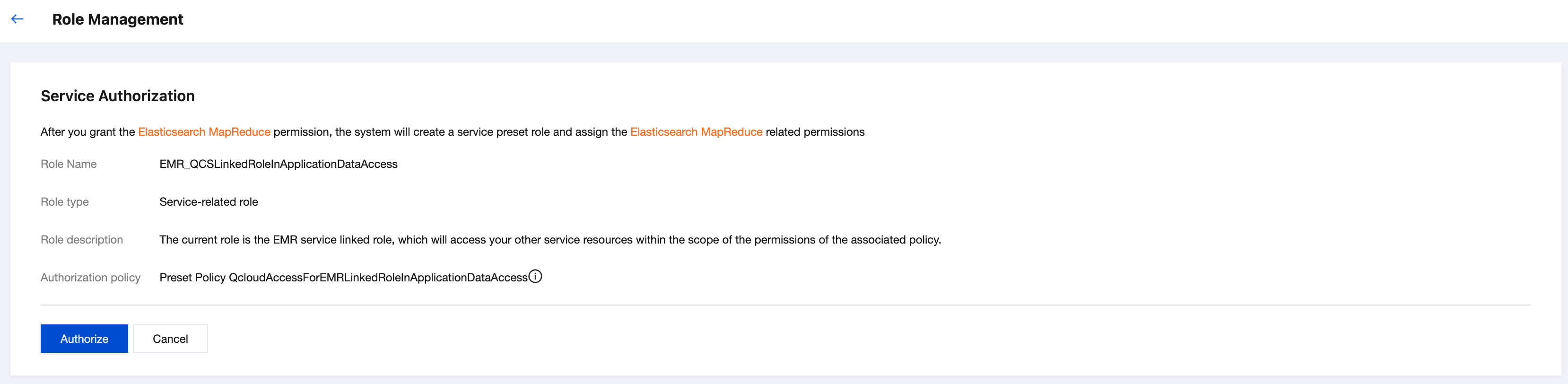
3. After the authorization is completed, refresh the EMR console or purchase page, and you can proceed with normal operations then.
4. For more detailed information on the EMR_QCSLinkedRoleInApplicationDataAccess policy, see Service-related Role.
Custom Cluster COS Service Role Authorization (Optional)
The system defaults to using the EMR service-related role EMR_QCSLinkedRoleInApplicationDataAccess to access COS resources. To granularly specify cluster access permissions to the corresponding COS resources, set a custom service role as needed.
Note:
The cluster COS service role displays the currently associated role by default, and the cluster uses this role for reading and writing COS resources.
Customizing a Permission Policy Process
1. Log in to the CAM console, click Create Custom Policy, and select Create by Policy Syntax in the "Select Policy Creation Method" pop-up window.
2. On the "Create by Policy Syntax" page, select the Blank Template as the Template Type.
3. Set the syntax policy as follows:
{"version": "2.0","statement": [{"action": "cos:*","effect": "allow","resource": "qcs::cos::uid/appId:bucketName/*"}]}
Here, appId is the AppID of the root account, and bucketName is the name of the bucket to be granted permission. Generate a policy named TestPolicy. You can also customize the name.
Creating a Custom Role Process
1. In the CAM console, click Create Role to open the "Select Role Entity" pop-up window, select Tencent Cloud Product Service to go to the "Create Custom Role" page, and select "Elastic MapReduce (emr)" in Product Service.
2. Bind the policy generated in Step 1, "Customizing a Permission Policy Process." Here, it is TestPolicy. Bind the policy as needed.
3. Set the tag keys and tag values of the role, and click Next.
4. Generate a custom role named EMRCosRole. You can also customize the name.
Binding the Role with an EMR Cluster Process
In the EMR console, select the corresponding cluster and click Cluster ID/Name to go to the instance details page. In Instance Information > Basic Configurations > Custom Service Role, click Set. Set the "Custom Service Role" to the custom role generated in Step 2, "Creating a Custom Role Process." Here, it is EMRCosRole. You can also customize the name.
Note:
1. Make sure that the associated custom service role in the cluster COS service role includes the specific operation permissions for accessing COS. If the associated role does not include the specific operation permissions for accessing COS, it will not be able to access COS.
2. To query a custom service role or modify the preset permission policy in a custom service role, go to CAM.
フィードバック