SDK for Java
Download
フォーカスモード
フォントサイズ
Overview
This document uses the SDK for Java as an example to describe how to connect the client to TDMQ for CMQ and send/receive messages.
Prerequisites
Queue Model
Directions
1. Create a queue service in the console as instructed in Queue Management.
2. Import CMQ client dependencies.
<!-- cmq sdk --><dependency><groupId>com.qcloud</groupId><artifactId>cmq-http-client</artifactId><version>1.0.7</version></dependency><!-- TencentCloud API sdk --><dependency><groupId>com.tencentcloudapi</groupId><artifactId>tencentcloud-sdk-java</artifactId><version>3.1.423</version></dependency>
3. Send messages.
Account account = new Account(SERVER_ENDPOINT, SECRET_ID, SECRET_KEY);Queue queue = account.getQueue(queueName);String msg = "hello client, this is a message. Time:" + new Date();CmqResponse response = queue.send(msg);
Parameter | Description |
SERVER_ENDPOINT | API call address, which can be copied from Queue Service > API Request Address in the TDMQ for CMQ console. 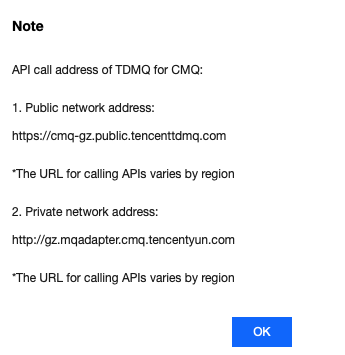 |
SECRET_ID, SECRET_KEY | TencentCloud API key, which can be copied on the Access Key > API Key Management page in the CAM console. 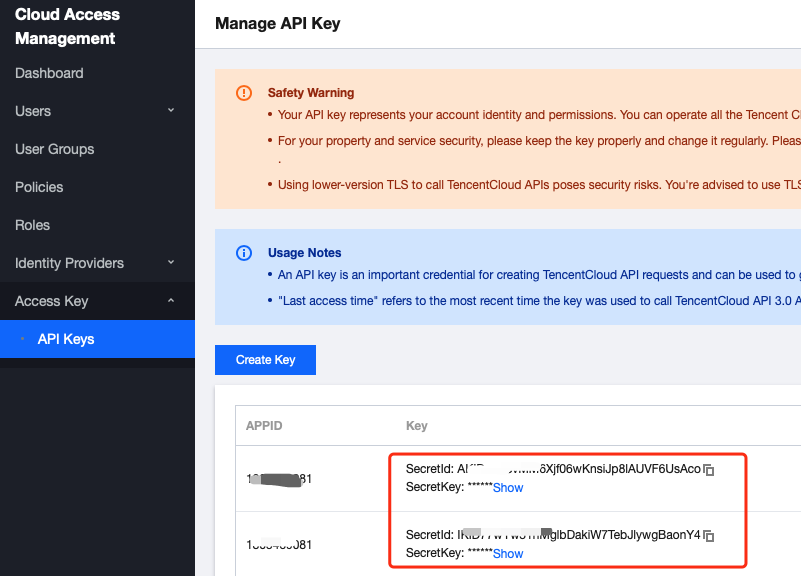 |
queueName |
4. Consume messages.
Account account = new Account(SERVER_ENDPOINT, SECRET_ID, SECRET_KEY);Queue queue = account.getQueue(queueName);Message message = queue.receiveMessage();// Successfully consumed messages are deleted. Retained messages can be delivered again after a certain period of timequeue.deleteMessage(message.receiptHandle);
Parameter | Description |
SERVER_ENDPOINT | API call address, which can be copied from Queue Service > API Request Address in the TDMQ for CMQ console. 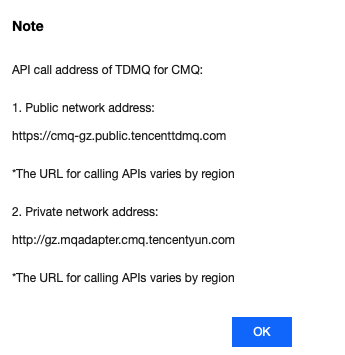 |
SECRET_ID, SECRET_KEY | TencentCloud API key, which can be copied on the Access Key > API Key Management page in the CAM console. 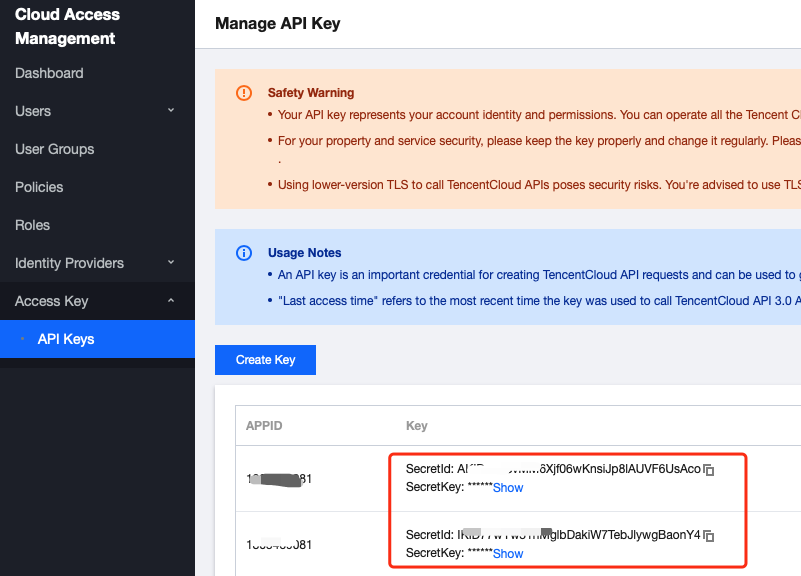 |
queueName |
Topic Model
Directions
1. Create resources in the console.
1.1 Create a topic in the console as instructed in Topic Management.
1.2 Create a subscriber for the topic as instructed in Subscription Management.
2. Import CMQ client dependencies.
<!-- cmq sdk --><dependency><groupId>com.qcloud</groupId><artifactId>cmq-http-client</artifactId><version>1.0.7</version></dependency><!-- TencentCloud API sdk --><dependency><groupId>com.tencentcloudapi</groupId><artifactId>tencentcloud-sdk-java</artifactId><version>3.1.423</version></dependency>
3. Create a topic object.
Account account = new Account(SERVER_ENDPOINT, SECRET_ID, SECRET_KEY);Topic topic = account.getTopic(topicName);
Parameter | Description |
SERVER_ENDPOINT | API call address, which can be copied from Queue Service > API Request Address in the TDMQ for CMQ console. 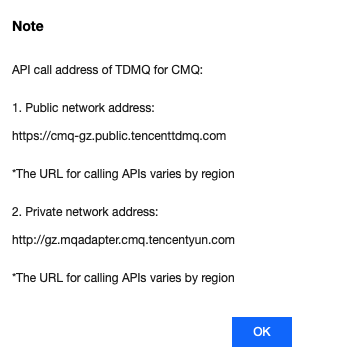 |
SECRET_ID, SECRET_KEY | TencentCloud API key, which can be copied on the Access Key > API Key Management page in the CAM console. 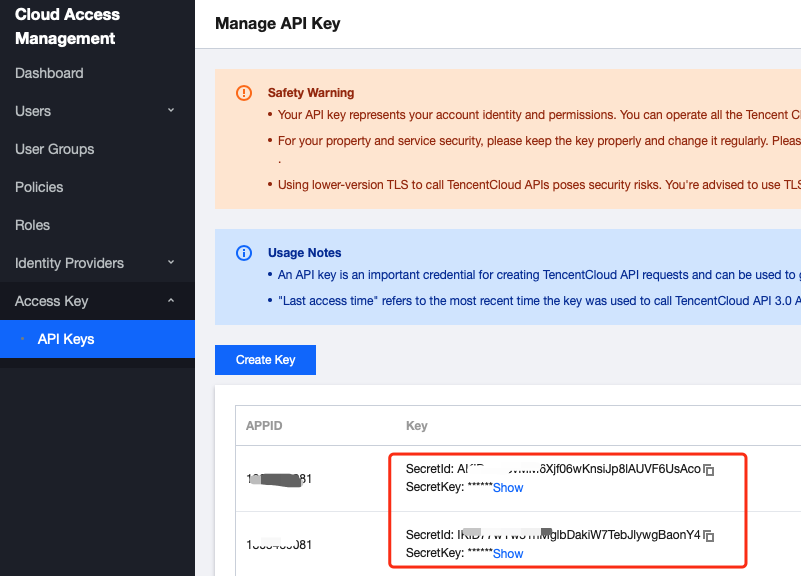 |
topicName | Topic subscription name, which can be obtained on the Topic Subscription page in the TDMQ for CMQ console. |
4. Send tag messages.
String msg = "hello client, this is a message. tag=TAG1. Time:" + new Date();List<String> tags = Collections.singletonList("TAG1");String messageId = topic.publishMessage(msg, tags, null);
5. Send route messages.
String msg = "hello client, this is a message. route(abc) Time:" + new Date();String messageId = topic.publishMessage(msg, "abc");
6. Consume messages in the queue corresponding to the subscriber.
Account account = new Account(SERVER_ENDPOINT, SECRET_ID, SECRET_KEY);Queue queue = account.getQueue(queueName);Message message = queue.receiveMessage();// Successfully consumed messages are deleted. Retained messages can be delivered again after a certain period of timequeue.deleteMessage(message.receiptHandle);
Note:
Above is a brief introduction to message production and consumption in two models. For more information, see Demo.
フィードバック