tencent cloud

Tencent Cloud WeData

Release Notes
Dynamic Release Record (2026)
Product Introduction
Product Overview
Product Advantages
Product Architecture
Product Features
Application Scenarios
Purchase Guide
Billing Overview
Product Version Purchase Instructions
Execute Resource Purchase Description
Billing Modes
Overdue Policy
Refund
Preparations
Overview of Account and Permission Management
Add allowlist /security groups (Optional)
Sign in to WeData with Microsoft Entra ID (Azure AD) Single Sign-On (SSO)
Operation Guide
Console Operation
Project Management
Data Integration
Studio
Data Development
Data Analysis
Data Science
Data Governance (with Unity Semantics)
API Documentation
History
Introduction
API Category
Making API Requests
Smart Ops Related Interfaces
Project Management APIs
Resource Group APIs
Data Development APIs
Data Asset - Data Dictionary APIs
Data Development APIs
Ops Center APIs
Data Operations Related Interfaces
Data Exploration APIs
Asset APIs
Metadata Related Interfaces
Task Operations APIs
Data Security APIs
Instance Operation and Maintenance Related Interfaces
Data Map and Data Dictionary APIs
Data Quality Related Interfaces
DataInLong APIs
Platform Management APIs
Data Source Management APIs
Data Quality APIs
Platform Management APIs
Asset Data APIs
Data Source Management APIs
Data Types
Error Codes
WeData API 2025-08-06
Service Level Agreements
Related Agreement
Privacy Policy
Data Processing And Security Agreement
Contact Us
Glossary

Adding and Managing Custom Templates

PDF
フォーカスモード
フォントサイズ
最終更新日: 2026-03-24 10:48:53
When the system template cannot meet actual project needs, users can define commonly used detect SQL statements as Template for reuse in the project.

Create Custom Templates

Support users to create custom monitoring rules templates via SQL expression.
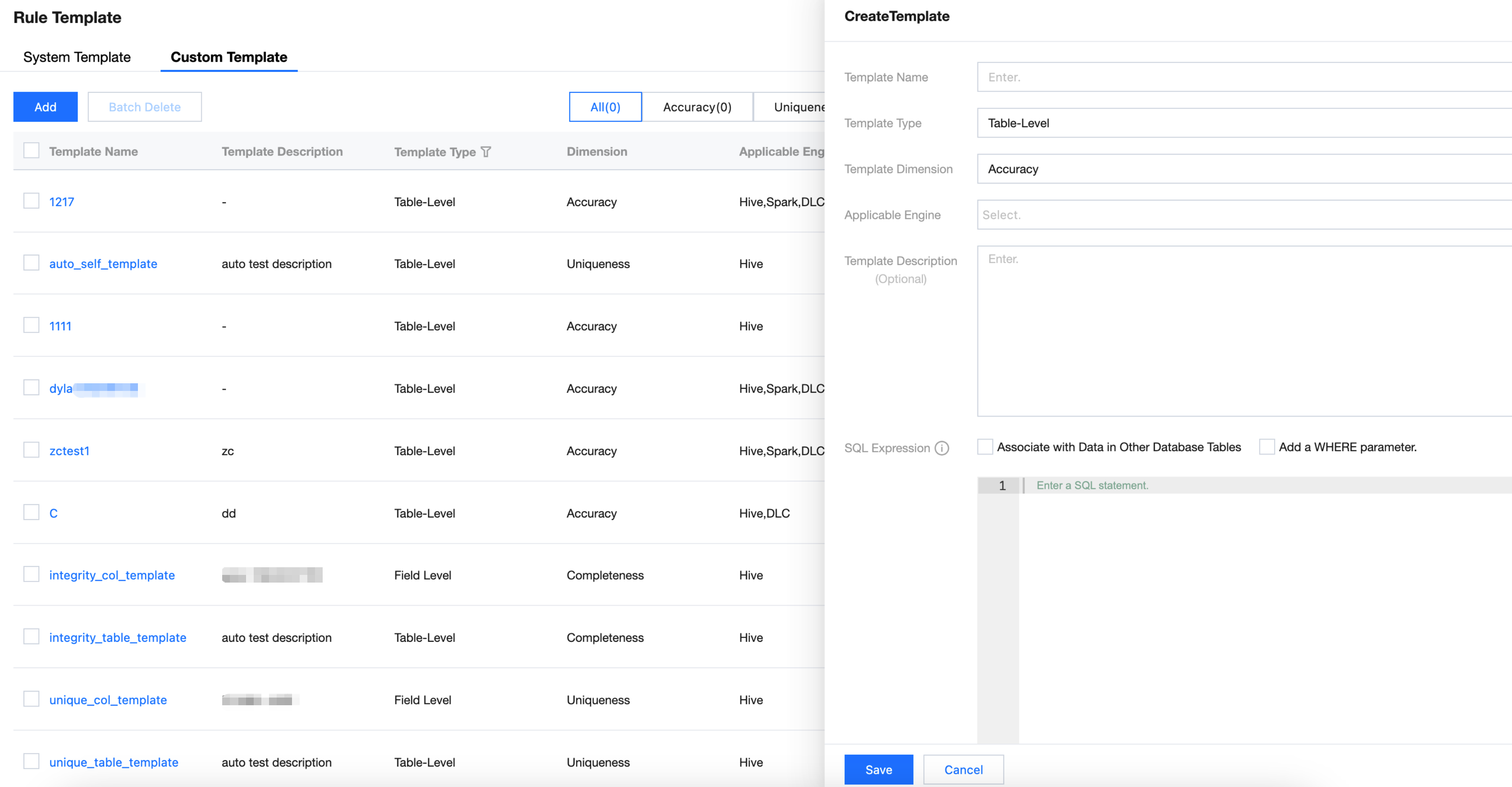
1. Go to Rule Templates > Custom Template, click the Add button, and the template creation window will pop up.
2. On the template creation interface, configure the template dimension, applicable object, template description, and SQL expression to complete template creation.


Information
Details
Template name
Custom Rule Template name
Template Type
Template check object, table or field
Template dimension
6 dimensions: accuracy, uniqueness, integrity, consistency, timeliness, validity
Applicable Engine
Support: Hive, Spark, DLC, TCHouse-D, TCHouse-P, TCHouse-X, Doris, StarRocks
Template description
Add description to custom template
SQL expression
Fill an SQL statement with preset parameter variables to meet more usage scenarios.
Note:
The execution result must be one row and one column, meaning it must be a fixed value (can be a character or numeric value).
If the result is multi-row, the system will automatically take the first one.
You may preset parameter variables in SQL for the actual user to fill the value.
1. Current detection rule associated with primary table: ${table_1};
2. Fields in the primary table associated with the current detection rule: ${table_1.column_1}, ${table_1.column_2}...${table_1.column_n};
3. Supports association with one other table from the same database of the same data source: ${table_2} or ${table_3}...${table_n}. Note only one table is supported.
4. Fields associated with other tables: ${table_2.column_1}, ${table_2.column_2}...${table_2.column_n};
5. Set where filter parameters: use ${param_1}...${param_n};
6. Use time parameters, for example: ${yyyy-MM-dd-1d}.
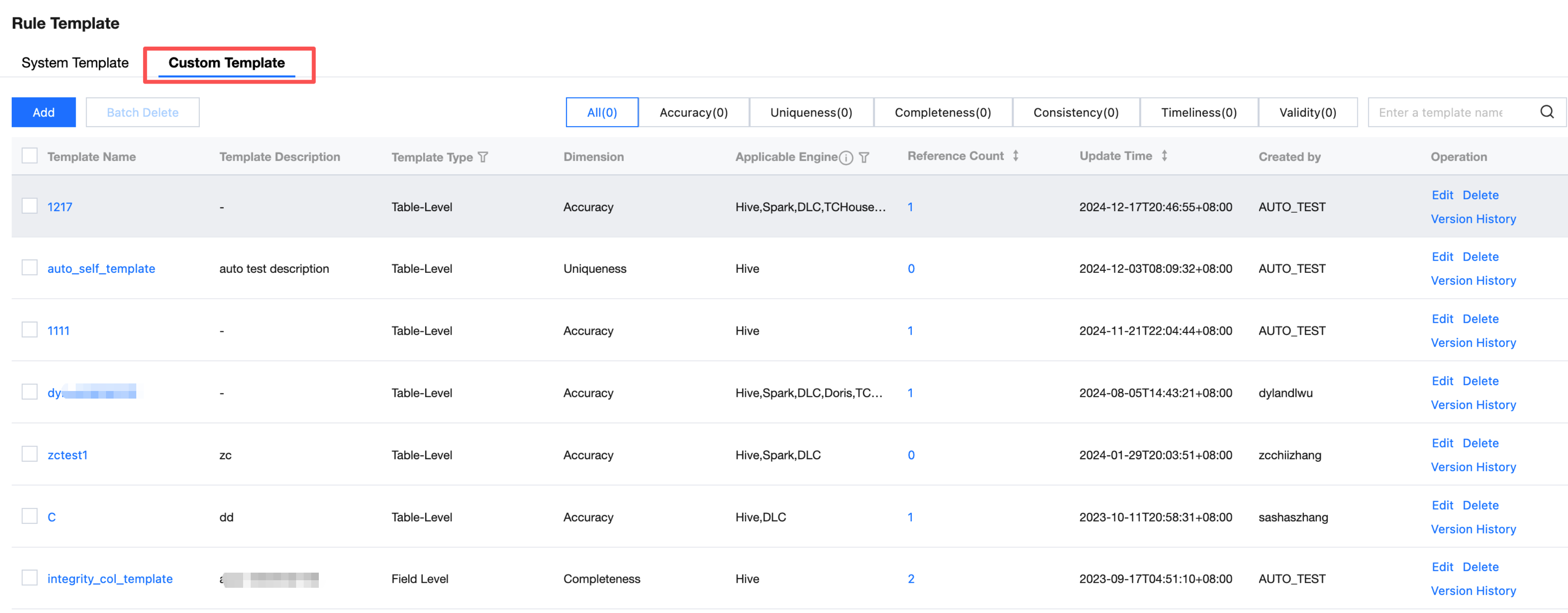
Custom Template List


Information
Details
Template name
6 dimensions: accuracy, uniqueness, integrity, consistency, timeliness, validity
Template description
Table types this template applies to
Template Type
Add description to custom template
Level
Check dimensions for custom rules. 6 dimensions: accuracy, uniqueness, integrity, consistency, timeliness, validity.
Applicable Engine
Applicable Objects for this rule template, table, field
Number of references
Number of times the rule template is referenced by a task
Update Time
Last update time of the rule template
Created by
Rule template creator
Operation
Edit
Edit a rule template. The editable content is the same as the configuration item for creating a template.
Delete
Single deletion or delete in batches custom rule template
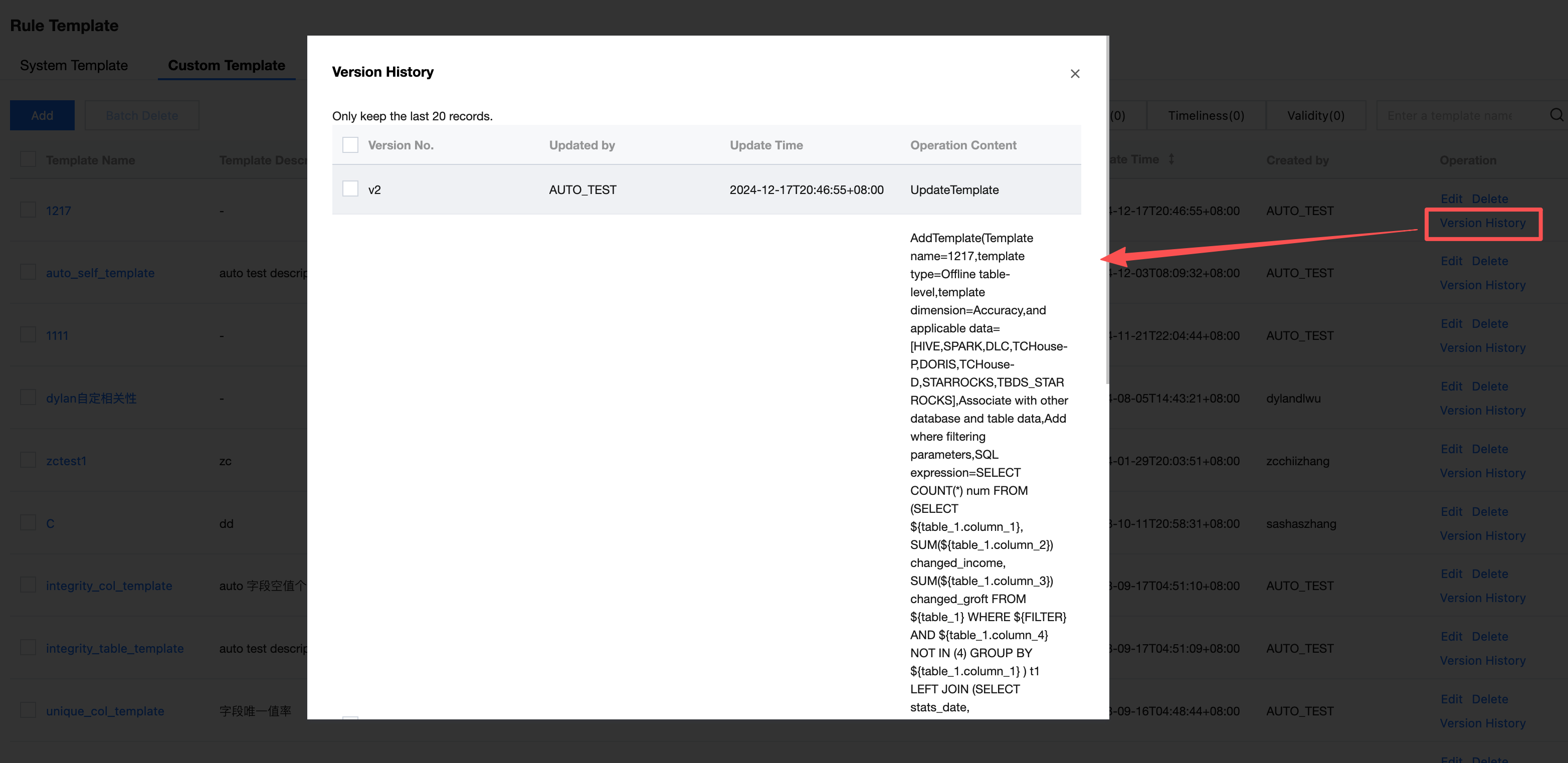
version history
View the update history of earlier versions of rule templates, with support for comparison.


ヘルプとサポート

この記事はお役に立ちましたか?

フィードバック