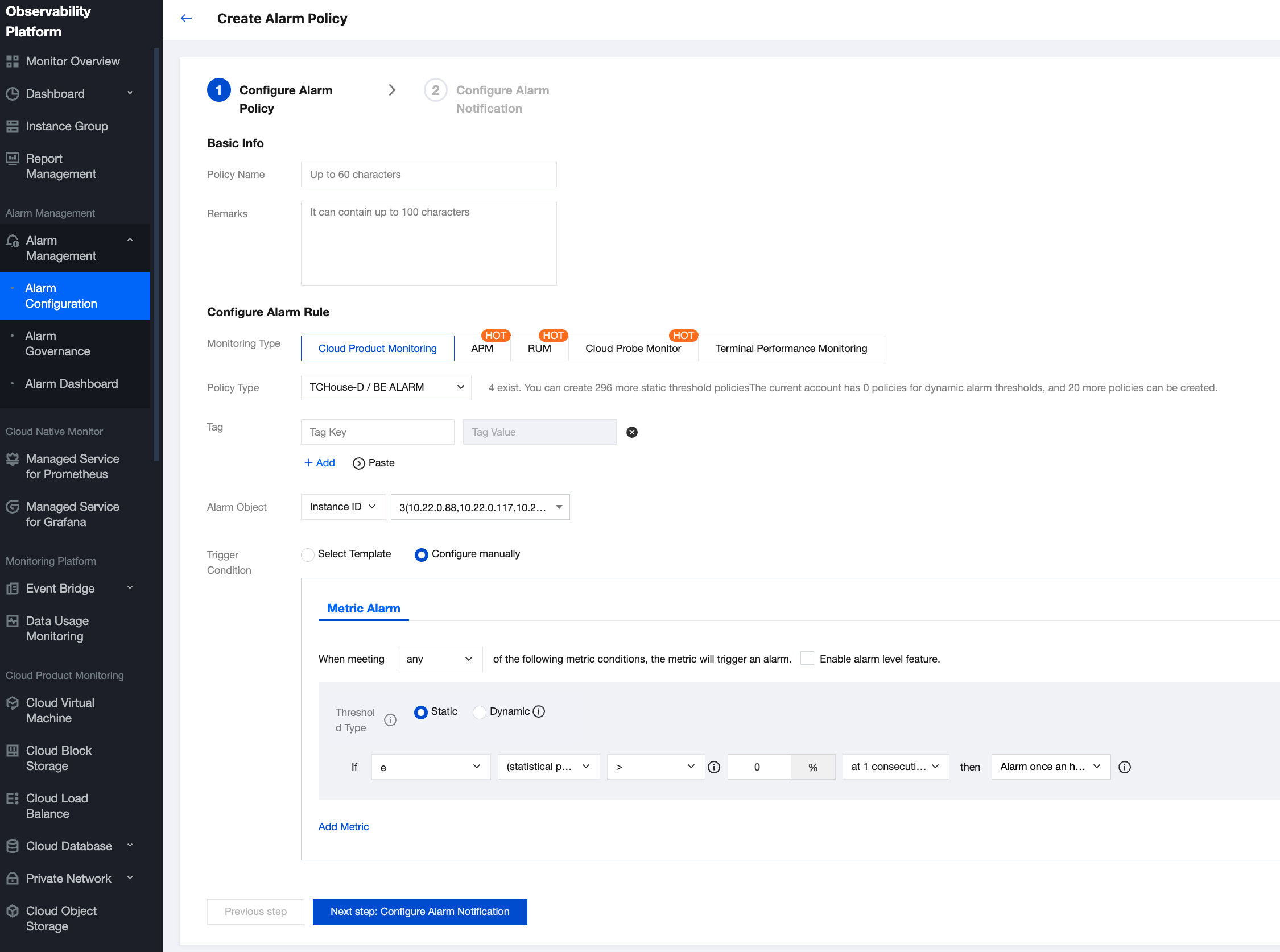
Tencent Cloud supports the creation of comprehensive and flexible alarm policies. All monitoring metrics can be set to raise alarms for any anomalies. The monitoring object can be all the clusters under your management, or a specific cluster or node.
Alarm rules support single or multiple combined metrics. Each metric can define alarm conditions for different time granularities.
Tencent Cloud supports self-defined alarm notification recipients and methods, and also allows the saving of a type of alarm notification as a template for reuse in multiple alarm policies.
Operation Guide
1. Enter the cluster monitoring page, and click Set alarms to create a new alarm policy.
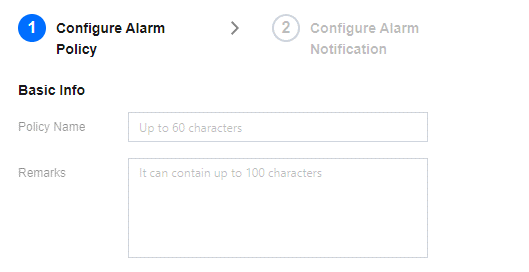
2. In the newly opened Create Alarm Policy window, fill in the basic alarm information as per the table below, filter the instance object (cluster name) requiring configuration, select metric items, and configure the monitoring threshold.
Setting Option
Note
Policy Name
Name of the alarm policy being configured
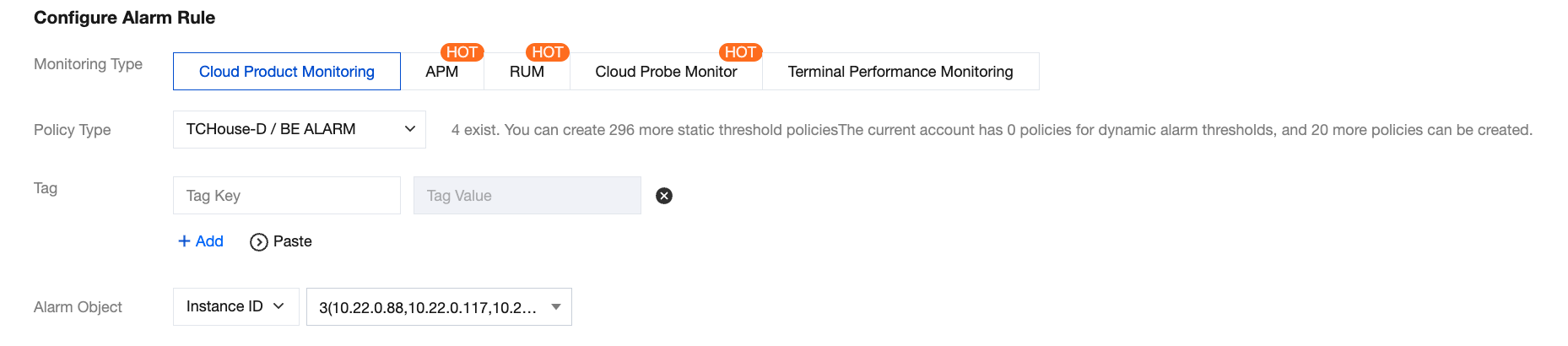
Monitoring Type
Default Tencent Cloud Product Monitoring
Policy Type
Default CDWDORIS/BE Alarms or CDWDORIS/FE Alarms
Alarm Object
Select a cluster or node using the instance ID
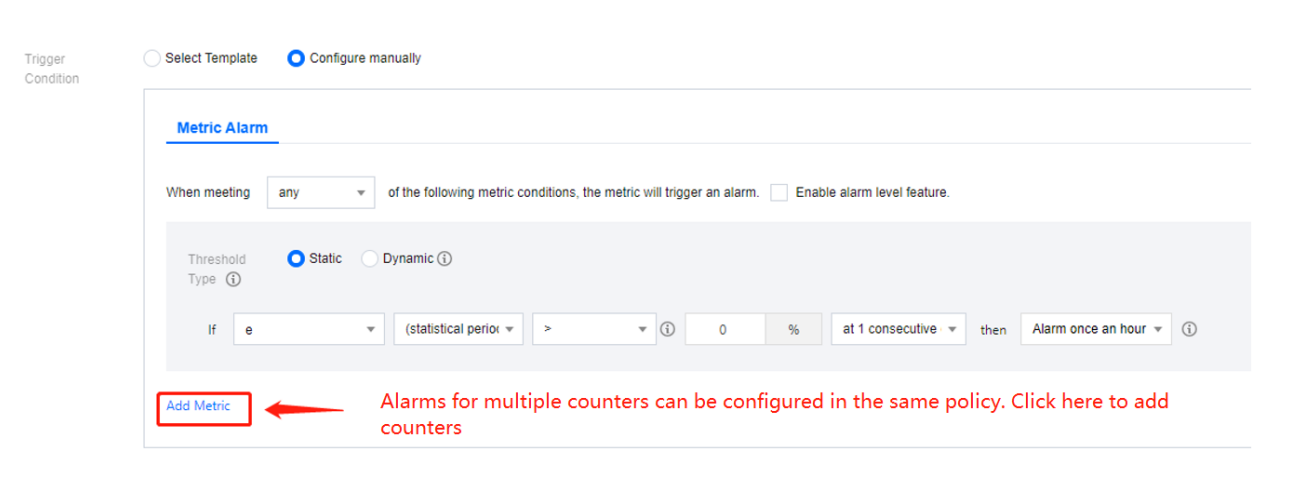
Trigger condition
Configure alarm policies and related thresholds for metrics
Notification Template
Choose an existing template or create a new notification template
3. After configuration, click Finish to submit the alarm policy. For more information on detailed Tencent Cloud Observability Platform alarm policy, please refer to Create Alarm Policy.
Best Practice
On the cluster details page, select Cluster Monitoring on the left to view various performance metrics for the cluster. Click Set alarms to jump directly to the following page.
Configuring Basic Information
According to Tencent Cloud Observability Platform rule, FE alarms and BE alarms need to be configured as two separate alarm policies.
Configuring Alarm Policy
Monitoring Type: Select Cloud Product Monitoring.
Policy Type: Choose "TCHouse-D/BE ALARM" or "TCHouse-D/FE ALARM" (Note: Alarm for business monitoring metrics needs to be configured under "FE ALARM" type).
Tag: Optional and self-defined.
Alarm Object: Choose the specific alarming node according to the region and instance ID.
Trigger Condition: Choose to configure manually, and define the rules as needed. Below is an example of configuration:
Configuring Alarm Notification
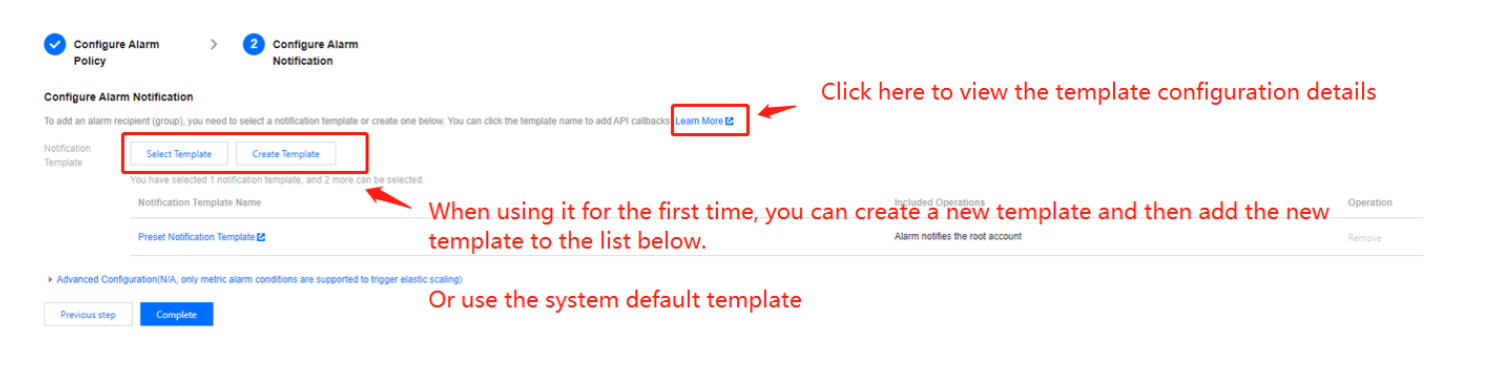
After completing the above alarm rule configuration, you need to specify the scope of alarm notification recipients when an exception occurs. On Tencent Cloud Observability Platform, you need to set the users who are expected to receive the alarms, API callbacks, etc. as templates, and then associate the templates with the alarms.
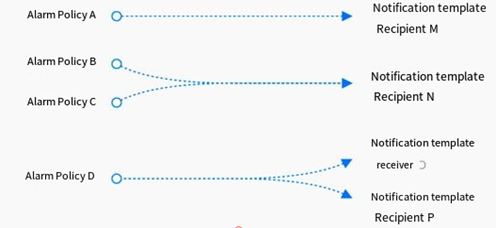
On Tencent Cloud Observability Platform, one alarm policy can be bound to multiple notification templates, and one notification template can also be used for multiple alarm policies. You can configure flexibly according to needs.
Viewing Alarm Configuration
After completing the alarm configuration, you can preview existing policies in Tencent Cloud Observability Platform > Alarm Management > Alarm Configuration and adjust the alarm policies as needed.