Agent Development Platform is an enterprise-grade solution for building LLM-powered applications and supports multiple types of AI agent applications. These applications leverage large language models to either perform autonomous orchestration and decision-making or execute tasks efficiently with constructed workflows. The characteristics of each application mode are as follows:
Standard Mode: In this mode, you can create agent applications using preconfigured workflows or by composing custom ones. It’s ideal for single knowledge base retrieval scenarios as well as business scenarios that involve combinations of multiple workflows.
Single Workflow Mode: In this mode, you can create agent applications using a single custom workflow. It is suitable for business scenarios that must be executed strictly according to a single workflow.
Multi-Agent Mode: An Agent is the class used to create applications that support autonomous orchestration and decision-making. In this mode, an application can be built from multiple Agents. It is suitable for business scenarios where multiple Agents collaborate to complete a complex task.
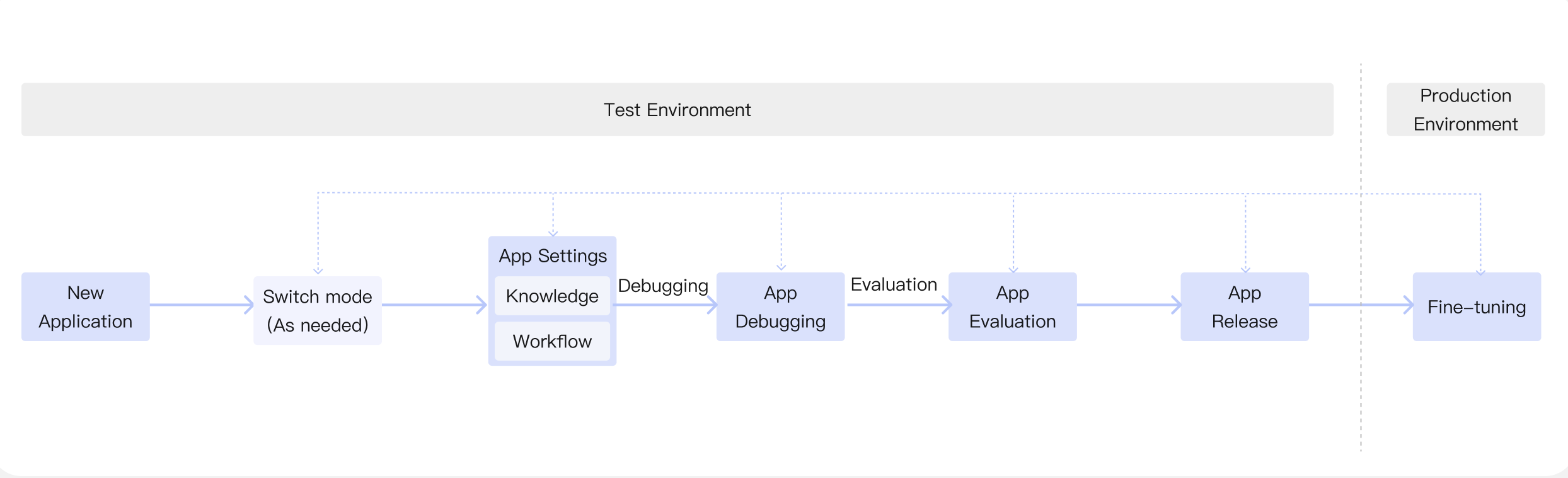
After creating an application, you can switch its mode as needed, adjust application settings, upload knowledge to the knowledge base, and build workflows based on the target deployment scenario. Once dialogue debugging and evaluation in the test environment meet the requirements, you can publish the application to the production environment. After release, you can optimize performance based on feedback and update the configuration as needed. The complete process of building an application is shown below:
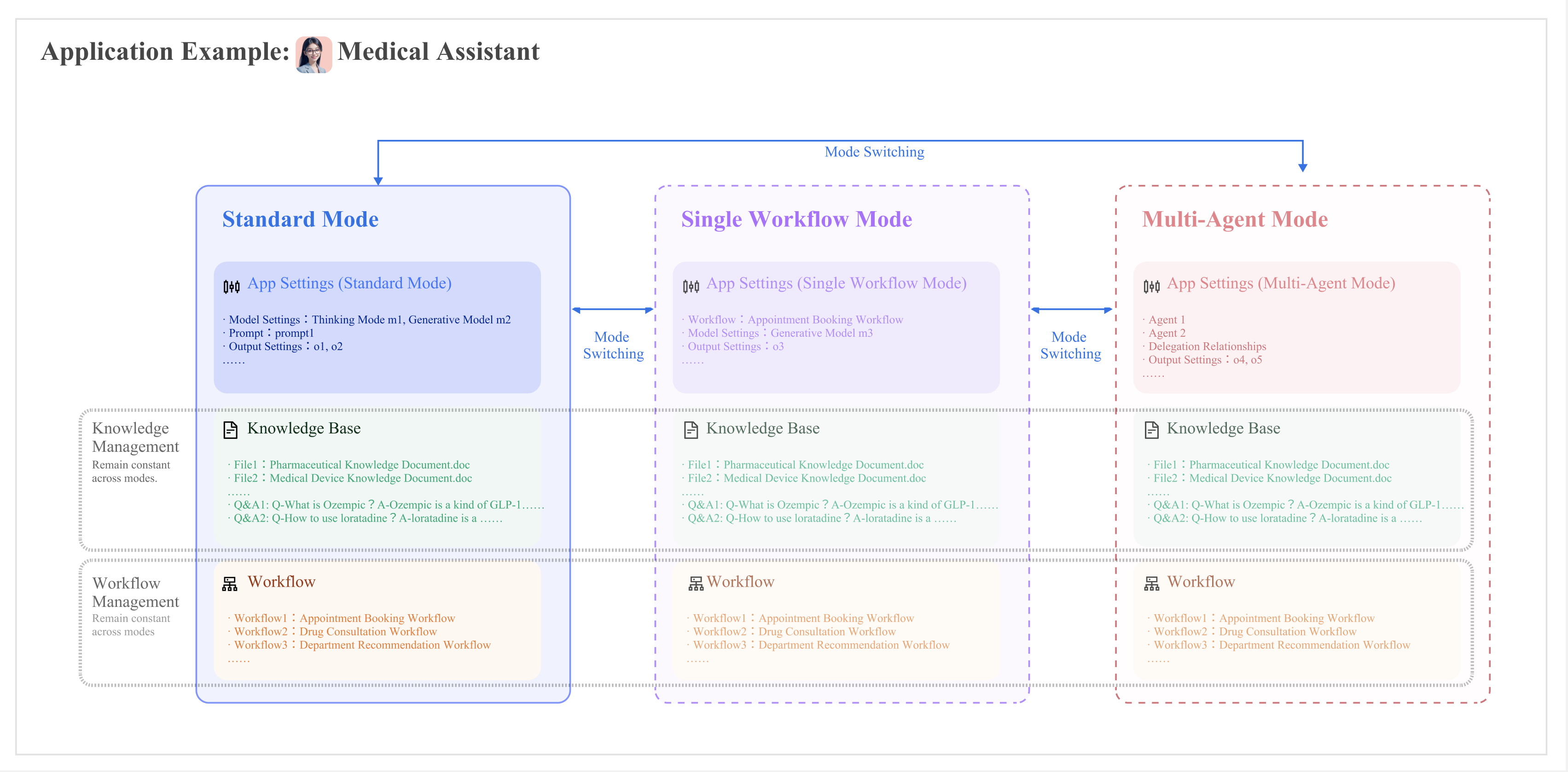
When switching modes, the knowledge base and workflows under the application remain unchanged. However, application setting items, such as prompt content and model settings, are not inheritable between different modes. The following diagram illustrates the configuration update principles when switching modes:
The following table explains the differences in configuration across different modes.
|
Basic Settings | Application name, avatar, and welcome words remain constant across different modes. |
|
|
App Settings | App settings are independent across different modes, they are not inherited when switching modes. | App settings are independent across different modes, they are not inherited when switching modes. Prompts, plugins, and other settings are not supported in Single Workflow Mode. | App settings are independent across different modes, they are not inherited when switching modes. Multi-Agent Mode and Standard Mode have largely the same scope of configuration items, but the specific options available are different. |
Knowledge | The knowledge base files and Q&A scope are aligned with the released version. | The knowledge base files and Q&A scope are aligned with the released version. Only the Knowledge Base Q&A and Knowledge Retrieval nodes in a workflow can access the knowledge base. | The knowledge base files and Q&A scope are aligned with the released version. In Multi-Agent Mode, you must enable the “Knowledge Base Q&A” plugin to enable knowledge base Q&A. |
Workflow | The workflows scope should be consistent across different modes. | The workflows scope should be consistent across different modes. Single Workflow Mode only supports one workflow. | The workflows scope should be consistent across different modes. Currently, Multi-Agent Mode does not support workflows. |
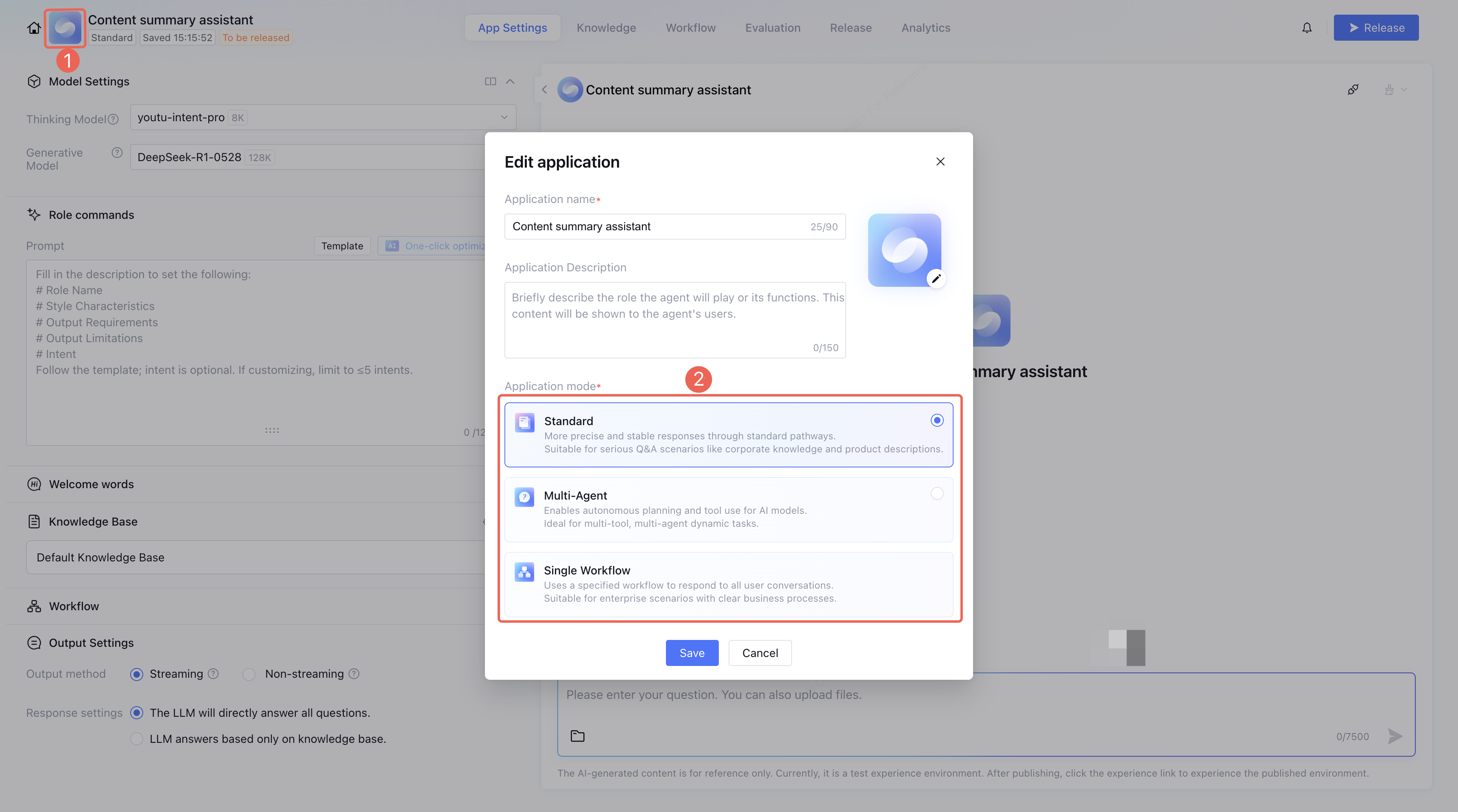
How to switch application mode?
After creating the application, click the avatar or mode tag to switch application modes in the Edit application pop-up window.