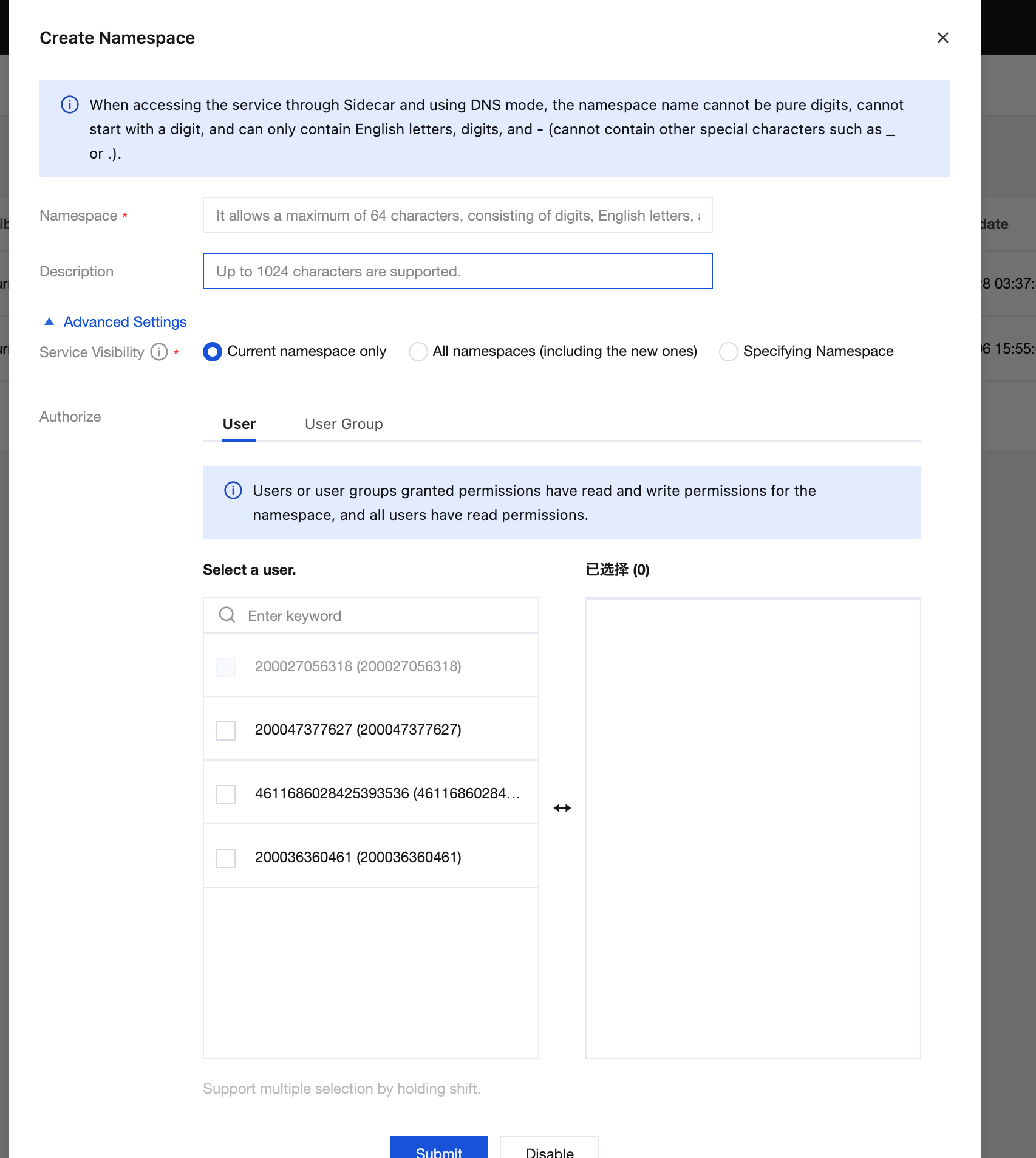
Namespaces (Namespace) are abstract collections of resources and objects used for logical isolation of services and instances. Resource names must be unique within the same Namespace, but duplicate names are allowed across different namespaces. Namespaces are commonly used to isolate resources between multiple teams or projects, such as distinguishing environments: development, testing, staging, production, and so on; or to distinguish between businesses.
Polaris has 2 namespaces by default:
Polaris: The Polaris Namespace houses Polaris's built-in services. The discovery and management of Polaris clusters rely on the services within the Polaris Namespace.
default: The default namespace. If users do not require multiple namespaces, they can directly use the default namespace.
Creating a Namespace
1. Log in to the TSF console, select Polaris (North Star), in the left sidebar, and go to the engine instance list page.
2. On the engine instance list page, click Instance List to go to the instance information page.
3. Click Console in the Operations column of the target instance engine, enter your username and password to enter the POLARIS MESH console page.
4. In the left sidebar, select Namespace, click New, and fill in the namespace name and description.
5. Click Submit to complete namespace creation.
Edit Namespace
1. On the Namespace page, locate the target namespace and click Edit in the Operations column.
2. On the Edit Namespace page, modify the namespace's description.
3. Click Submit to complete namespace editing.
Note:
You can only modify the namespace description. The namespace name cannot be changed after creation.
Deletes a namespace
1. On the Namespace page, locate the target namespace and click Delete in the Operations column.
2. In the delete confirmation pop-up window, click Delete to delete the namespace.
Note:
Once deleted, the namespace cannot be recovered. Please ensure it is no longer needed before deletion.
If there are services under the namespace, it cannot be deleted. You must first delete all services under the namespace before it can be deleted.