Scenarios
By default, TDMQ for CKafka (CKafka) uses the private network for transmission to achieve lower network latency, higher transmission bandwidth, and enhanced security isolation. When your consumers or producers reside in self-built data centers or other cloud services and cannot communicate directly with the CKafka cluster, you can enable a public network route to achieve cross-network production and consumption. If public network access is enabled, it is recommended to configure the access control list (ACL) policies to control user access permissions and ensure data security. For specific operations, see Configuring an ACL Policy. This document describes how to enable a public network route, adjust public network bandwidth configurations, and delete public network bandwidth in the CKafka console.
Constraints and Limitations
TDMQ for CKafka Serverful edition currently provides 3Mbps free public network bandwidth by default.
Only one public network route can be created for a cluster.
Operation Steps
Enabling Public Network Route
2. In the left sidebar, click Instance List, and click ID/Name of the target instance to go to the basic information page.
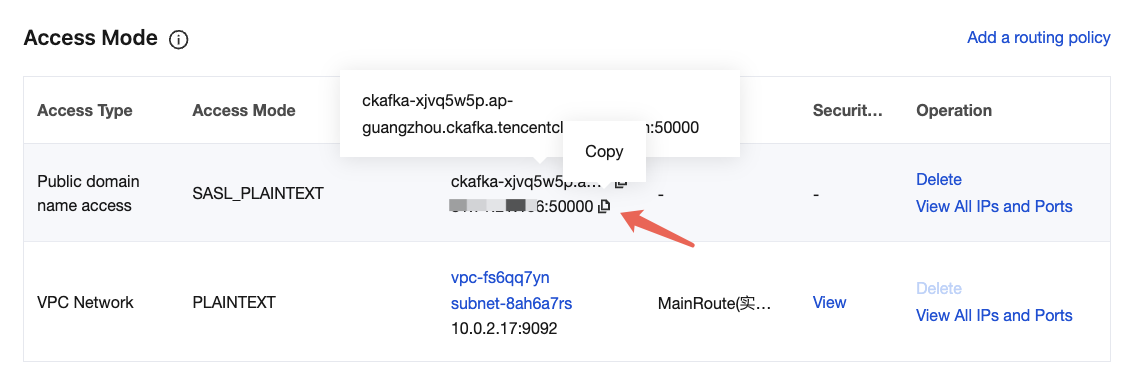
3. On the basic instance information page, click Add a routing policy in the Access Method module.
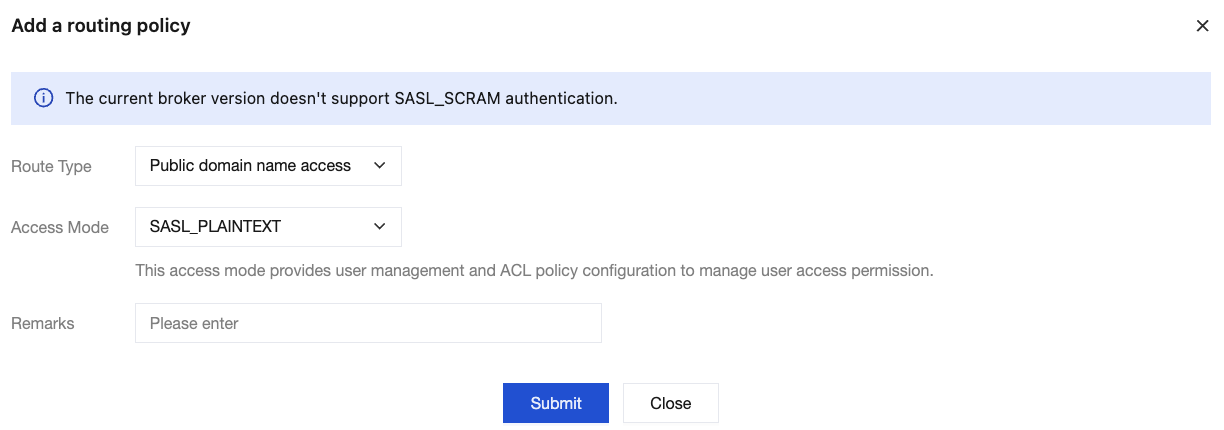
4. In the pop-up window, select Public domain name access as the route type. The access methods of SASL_PLAINTEXT and SASL_SSL are supported. Enter the remarks information.
5. Click Submit to complete the creation of the public network route. In the Network column, you can view information about the public network access point for connecting to a cluster for message production and consumption.
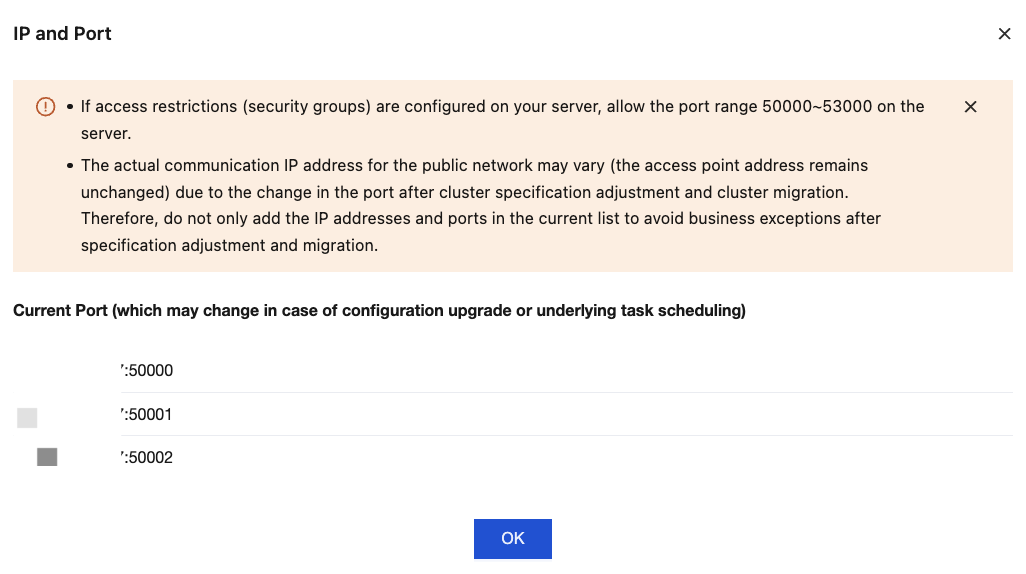
6. In the Operation column, click View All IPs and Ports to view the list of IP addresses and ports that need to be allowed.
Note:
If your server has access restrictions (security group) configured, allow a port range of 50000–53000 on the server. Since ports may change after cluster configuration changes or migrations, and the actual communication IP address of the public network may vary (while the access point address remains unchanged), do not only add the current list of IP addresses and ports to avoid service exceptions after configuration changes or migrations.
Deleting Public Network Route
Note:
Deleting the public network route will cause load balancing. Proceed with caution.
2. In the left sidebar, click Instance List, and click ID/Name of the target instance to go to the basic information page.
3. In the Access Mode module, click Delete in the Operation column of the public network bandwidth you want to delete, then select the execution time in the pop-up window.
Execution time: Two methods, namely immediate execution and custom execution, are supported.
Execute: The public network route will be deleted immediately.
Custom: The deletion is scheduled (you can select any time within the next 24 hours). The public network route will enter the pending status for deletion. In the Operation column, you can modify the scheduled deletion time.
Whether to unsubscribe public network bandwidth simultaneously: Only the postpaid by hour mode supports unsubscribing from the public network bandwidth.