tencent cloud

TDMQ for CKafka

Release Notes and Announcements
Release Notes
Broker Release Notes
Announcement
Product Introduction
Introduction and Selection of the TDMQ Product Series
What Is TDMQ for CKafka
Strengths
Scenarios
Technology Architecture
Product Series Introduction
Apache Kafka Version Support Description
Comparison with Apache Kafka
High Availability
Use Limits
Regions and AZs
Related Cloud Services
Billing
Billing Overview
Pricing
Billing Example
Changing from Postpaid by Hour to Monthly Subscription
Renewal
Viewing Consumption Details
Overdue Payments
Refund
Getting Started
Guide for Getting Started
Preparations
VPC Network Access
Public Domain Name Access
User Guide
Usage Process Guide
Configuring Account Permission
Creating Instance
Configuring Topic
Connecting Instance
Managing Messages
Managing Consumer Group
Managing Instance
Changing Instance Specification
Configuring Traffic Throttling
Configuring Elastic Scaling Policy
Configuring Advanced Features
Viewing Monitoring Data and Configuring Alarm Rules
Synchronizing Data Using CKafka Connector
Use Cases
Cluster Resource Assessment
Client Practical Tutorial
Log Integration
Open-Source Ecosystem Integration
Replacing Supporting Route (Old)
Migration Guide
Migration Solution Overview
Migrating Cluster Using Open-Source Tool
Troubleshooting
Topics
Clients
Messages
​​API Reference
History
Introduction
API Category
Making API Requests
Other APIs
ACL APIs
Instance APIs
Routing APIs
DataHub APIs
Topic APIs
Data Types
Error Codes
SDK Reference
SDK Overview
Java SDK
Python SDK
Go SDK
PHP SDK
C++ SDK
Node.js SDK
SDK for Connector
Security and Compliance
Permission Management
Network Security
Deletion Protection
Event Record
CloudAudit
FAQs
Instances
Topics
Consumer Groups
Client-Related
Network-Related
Monitoring
Messages
Agreements
CKafka Service Level Agreements
Contact Us
Glossary

Configuring Custom SSL Certificates

PDF
フォーカスモード
フォントサイズ
最終更新日: 2026-01-20 16:52:40
When the security protocol of CKafka is set to SASL_SSL, SSL certificates will be used to encrypt data during transmission between the client and the CKafka instance, preventing data from being intercepted or eavesdropped on during network transmission and thereby enhancing data security.
By default, SSL certificates are provided by the server. You can also use custom certificates. This document describes how to configure custom certificates.

Constraints and Limitations

1. Only Pro Edition instances support using SASL_SSL access points and configuring custom SSL certificates.
2. Encryption algorithm of custom certificates.
Currently, only certificates with the following encryption algorithms are supported.
RSA
ECC
2048
4096
prime256v1
secp384r1
3. Only one-way authentication certificates are supported.
Only one-way authentication certificates are supported, and two-way authentication certificates are not supported.
4. Replacement of expiring custom certificates.
It is recommended that you select certificates with a long validity period. Currently, replacing custom certificates through a productized approach is not supported. If needed, contact us through after-sales channels.
5. Domain name verification.
Domain name verification for custom certificates is not supported. Clients are required to disable domain name verification.

Step 1: Preparing an SSL Certificate

CKafka supports loading certificates managed in SSL Certificates. First, complete the management of a self-signed certificate or purchase a certificate in the SSL Certificates console. For specific steps, see Getting Started with SSL Certificates.

Step 2: Configuring a Custom SSL Certificate

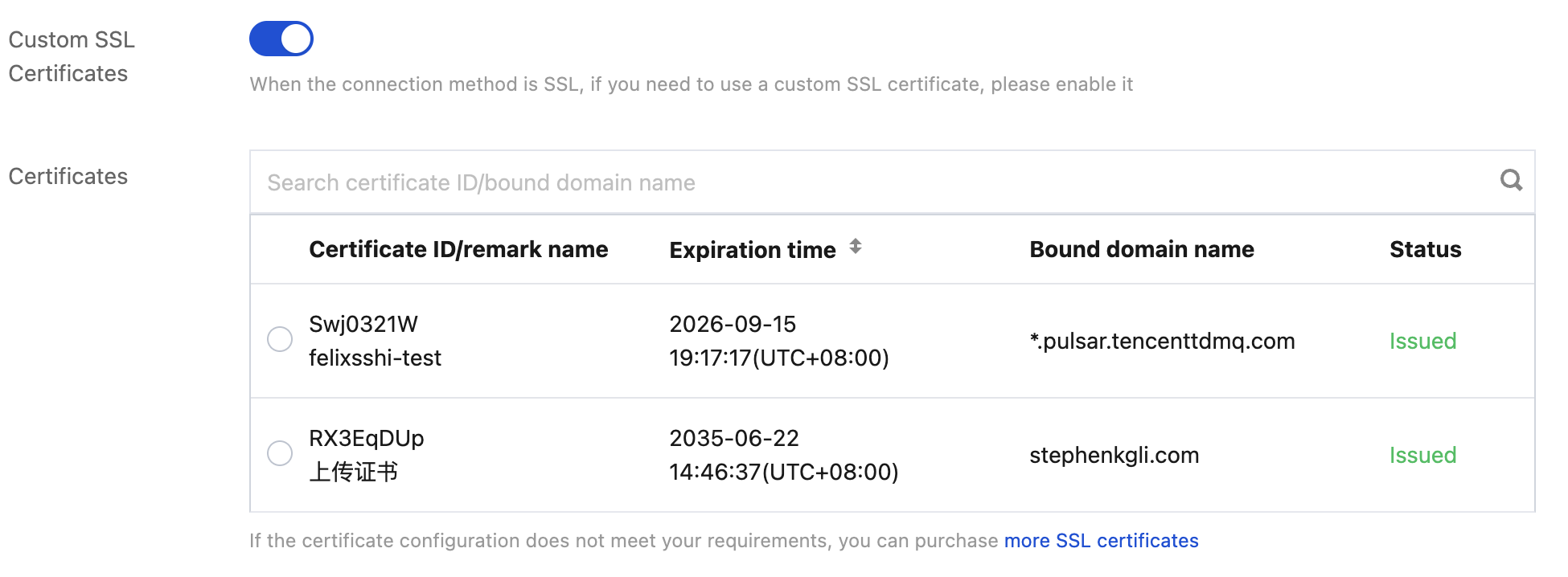
When purchasing a Pro Edition instance, enable Custom SSL Certificate Customization and select the appropriate certificate. You can only select certificates in the Issued status. For specific steps on purchasing a cluster, see Creating an Instance.


Step 3: Enabling an SASL_SSL Access Point

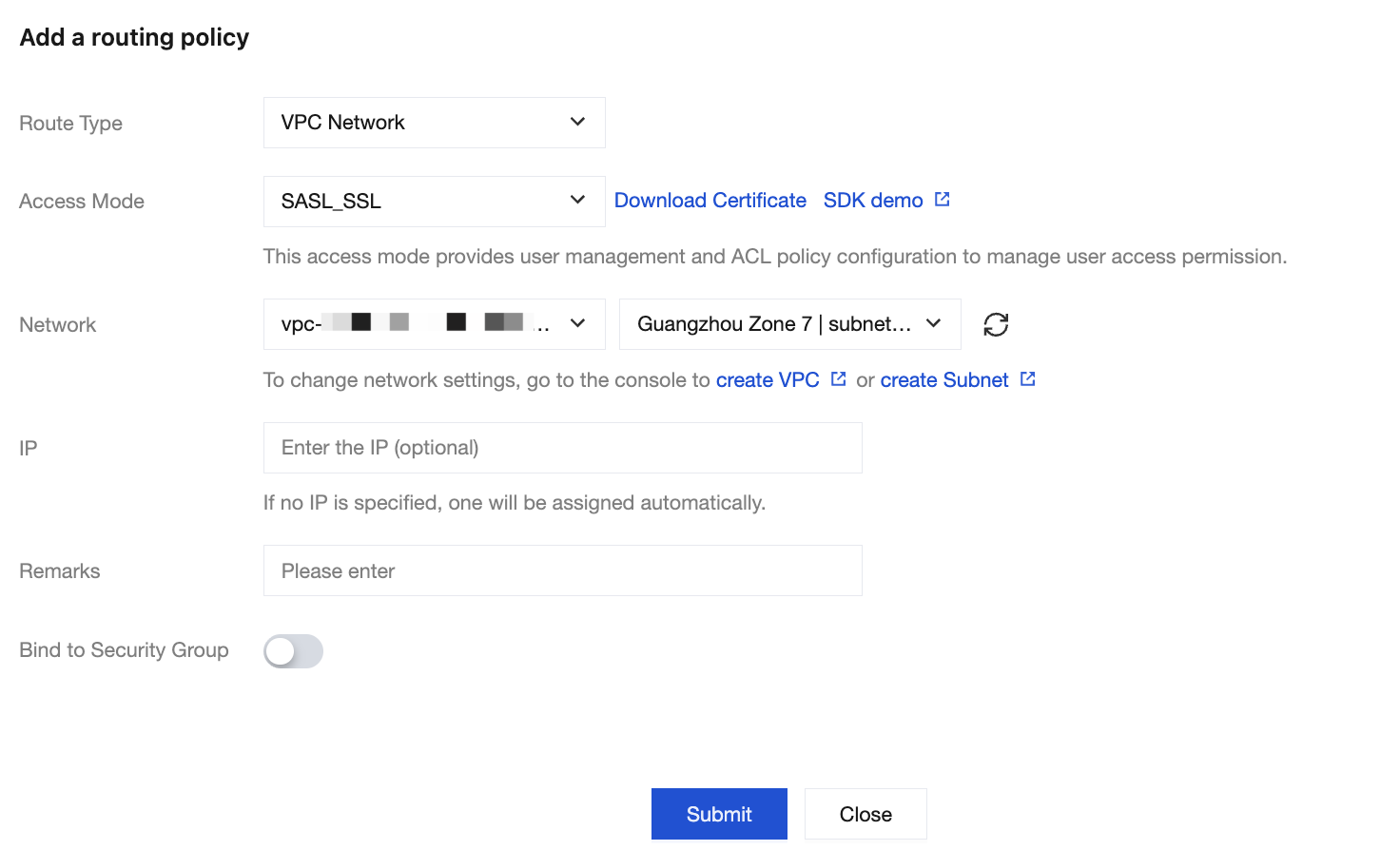
When adding a Virtual Private Cloud (VPC) network or public network routing policy, set the access method to SASL_SSL. For specific steps, see Configuring VPC and Configuring Public Network Access.


Step 4: Using a Client to Send and Receive Messages
The way in which a client loads certificates remains unchanged. For specific usage, see Access Through SASL_SSL.


ヘルプとサポート

この記事はお役に立ちましたか?

フィードバック