製品アップデート情報
Tencent Cloudオーディオビデオ端末SDKの再生アップグレードおよび承認チェック追加に関するお知らせ
TRTCアプリケーションのサブスクリプションパッケージサービスのリリースに関する説明について
https://xxxxxx/v4/live_engine_http_srv/create_room?sdkappid=88888888&identifier=admin&usersig=xxx&random=99999999&contenttype=json
Parameter | Description |
xxxxxx | Domain for the country/region of your SDKAppID: China: console.tim.qq.comSingapore: adminapisgp.im.qcloud.com USA: adminapiusa.im.qcloud.com |
v4/live_engine_http_srv/create_room | Create Live Room API. |
sdkappid | |
identifier | |
usersig | |
random | Random 32-bit unsigned integer, range 0 - 4294967295. |
contenttype | Request format, fixed value json. |
{"RoomInfo": {"RoomId": "live-room","RoomType": "Live",// Other fields, see details below}}
Field | Type | Required | Description |
RoomId | String | Required | Unique room identifier. Up to 48 bytes. Use a prefix to distinguish different room types. |
RoomType | String | Required | Room type. Fixed value: Live. |
Owner_Account | String | Optional | If not specified, defaults to the user ID of the API caller. It is recommended to specify the user ID of the current host. |
TakeSeatMode | String | Optional | Guest mode. Default is FreeToTake. FreeToTake: guests can join freely without host or admin approval. ApplyToTake: guests must apply and be approved by the host or admin before joining. |
SeatTemplate | String | Required | |
MaxSeatCount | Integer | Optional | Sets the number of microphone slots in the room (the value range is limited by the maximum number of slots in the package). This only applies to voice chat rooms, i.e., when SeatTemplate is set to AudioSalon or karaoke. |
IsMessageDisabled | Bool | Optional | Enable global mute. Default is false, which allows the audience to send live comments. |
IsPublicVisible | Bool | Optional | Set to false for private or test streams. Set to true to make the room visible in Live Stream List. |
RoomName | String | Optional | If not specified, defaults to RoomId. Up to 100 bytes. |
CoverURL | String | Optional | Up to 200 bytes. |
Category | Array | Optional | Room category tags (custom field). Up to 3 tags per room. Use to indicate room type, such as gaming, music, etc. |
ActivityStatus | Integer | Optional | Activity status in the live room (custom field). For example: 0: Preparing; 1: In progress; 2: Ended. All users entering the room receive this value. When updated, users in the room receive the latest value. |
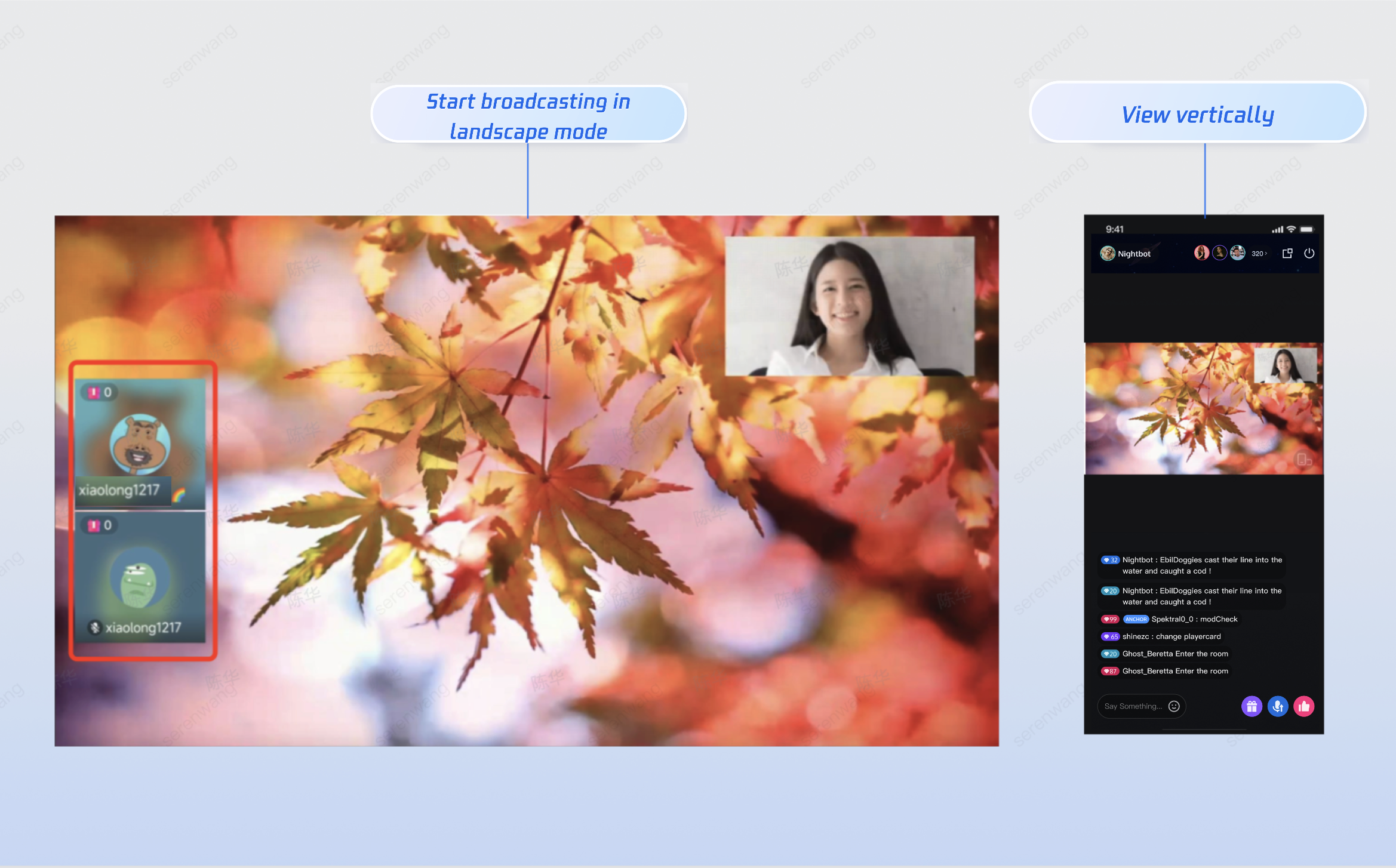
Layout type | Dynamic Grid Layout | Floating Window Layout | Fixed Grid Layout | Fixed Floating Window Layout |
Template Value | VideoDynamicGrid9Seats | VideoDynamicFloat7Seats | VideoFixedGrid9Seats | VideoFixedFloat7Seats |
SDK Version | RTCRoomEngine 3.3.0 LiveStreamCore 3.3.0 | RTCRoomEngine 3.3.0 LiveStreamCore 3.3.0 | RTCRoomEngine 3.3.0 LiveStreamCore 3.3.0 | RTCRoomEngine 3.3.0 LiveStreamCore 3.3.0 |
Max Guest Seats | 9 (subject to your package) | 7 (subject to your package) | 9 (subject to your package) | 7 (subject to your package) |
Description | Default layout. Dynamically adjusts grid size based on the number of guests. | Guests are displayed as floating windows. | Fixed number of guests, each in a fixed grid. | Fixed number of guests, each in a fixed floating window. |
Preview | 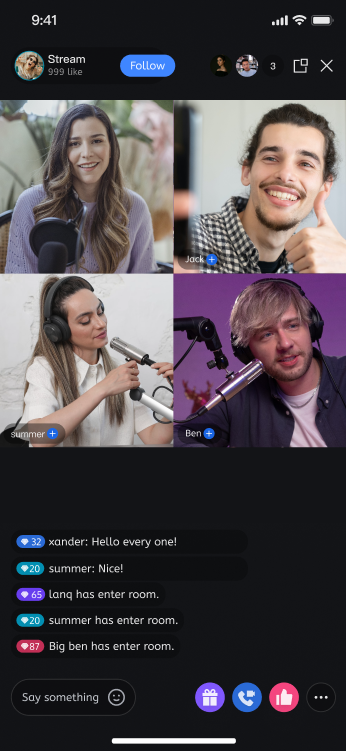 | 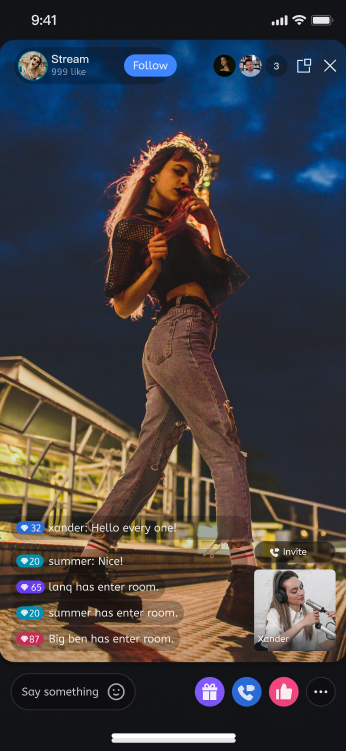 | 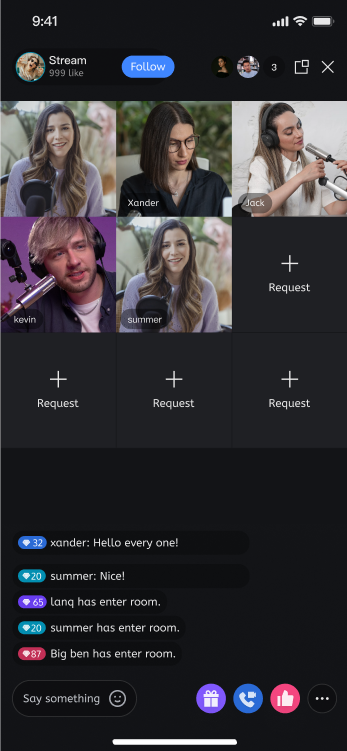 | 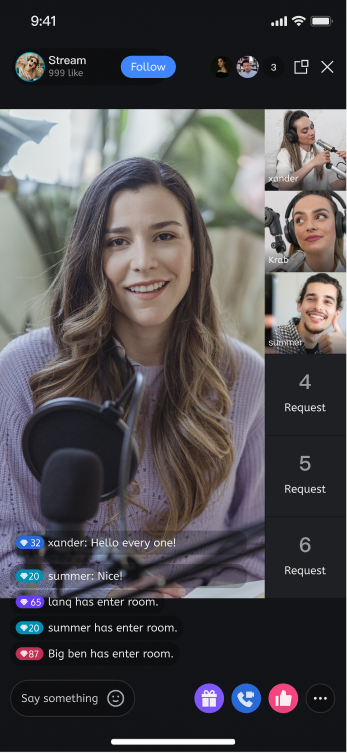 |
Layout type | Chat room layout | KTV layout |
Template value | AudioSalon | Karaoke |
SDK version | RTCRoomEngine 3.3.0 LiveStreamCore 3.3.0 | RTCRoomEngine 3.3.0 LiveStreamCore 3.3.0 |
Max seat count | Maximum number of microphones in the package | Maximum number of microphones in the package |
Operation effect | 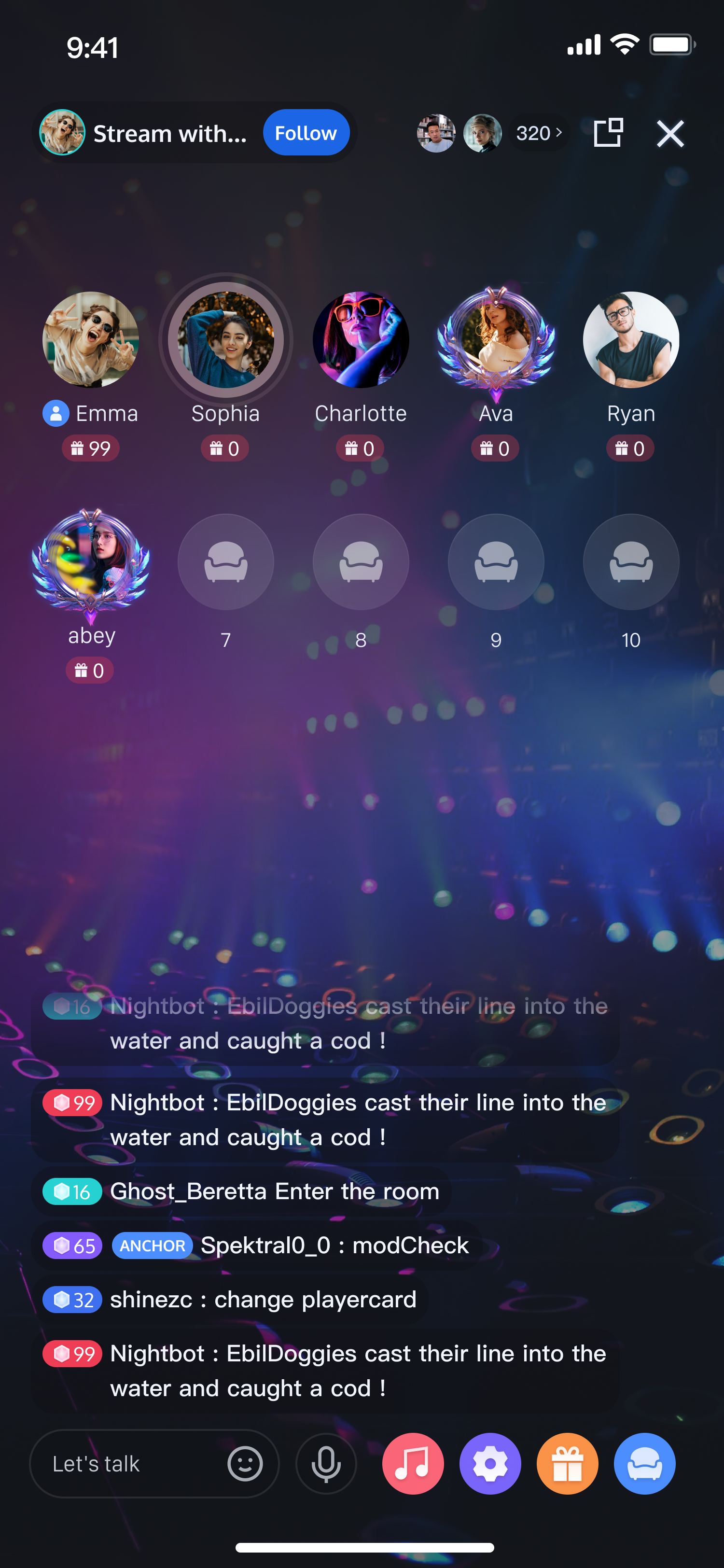 | 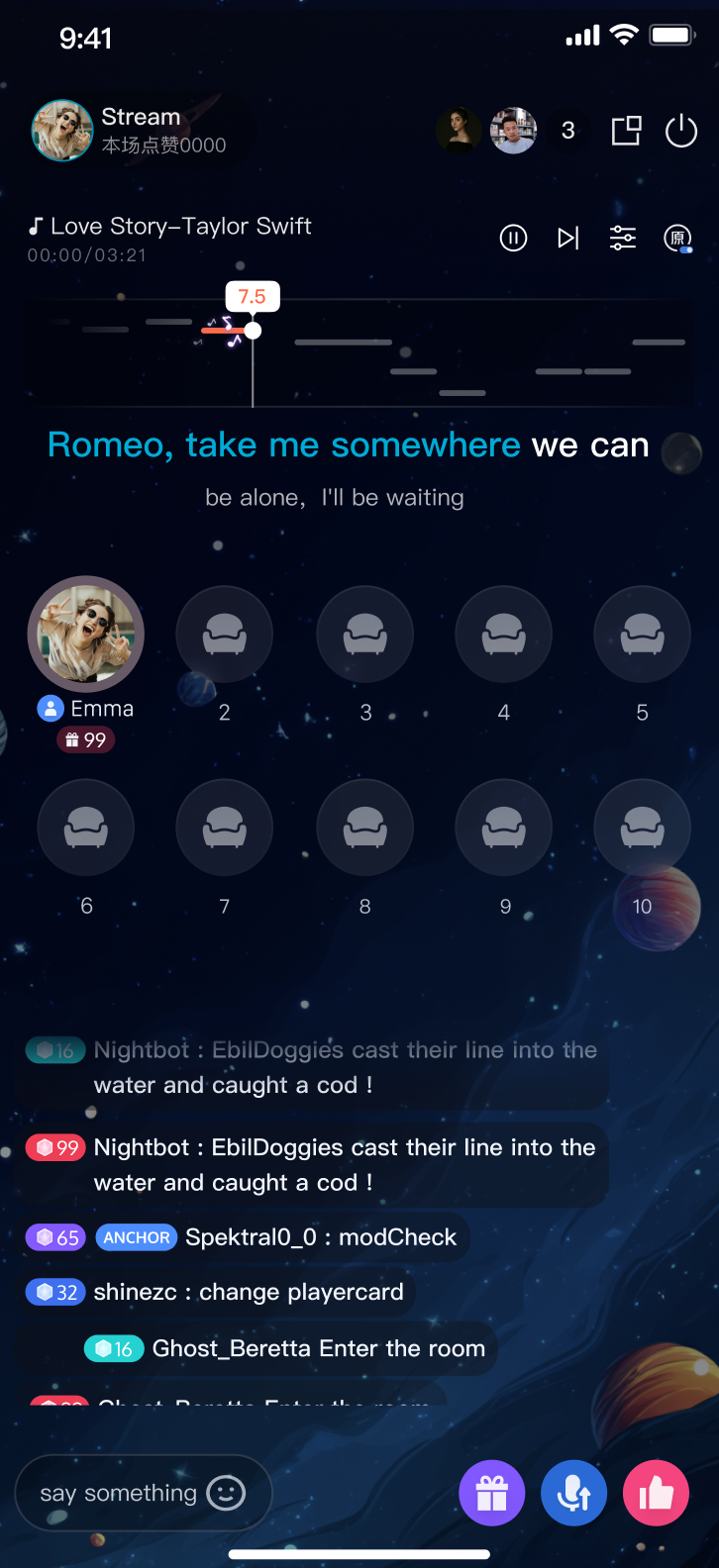 |
{"ActionStatus": "OK","ErrorInfo": "","ErrorCode": 0,"RequestId": "Id-8c9858f01e954611ae2d4c1b1ed7d583-O-Seq-52720","RoomId": "live-room"}
Field | Type | Description |
ActionStatus | String | Result of the request. OK: success. FAIL: failure. |
ErrorCode | Integer | Error code. 0: success. Non-zero: failure. |
ErrorInfo | String | Error message. |
RequestId | String | Unique request ID. Provide this RequestId for troubleshooting. |
RoomId | String | Room ID. |
Error Code | Description |
100001 | Internal server error. Please retry. |
100002 | Invalid request parameters. Check the error description and verify your request. |
100003 | Room ID already exists. Please choose a different Room ID. |
100007 | No payment information. You need to purchase a package in the Console. |
100010 | Room ID already exists and Owner_Account is the same. You can use it directly. |
100011 | Room ID is occupied by Chat. Please use a different Room ID. |
100012 | Room creation exceeds frequency limit. The same Room ID can only be created once per second. |
100026 | Room name or other information contains sensitive content. |
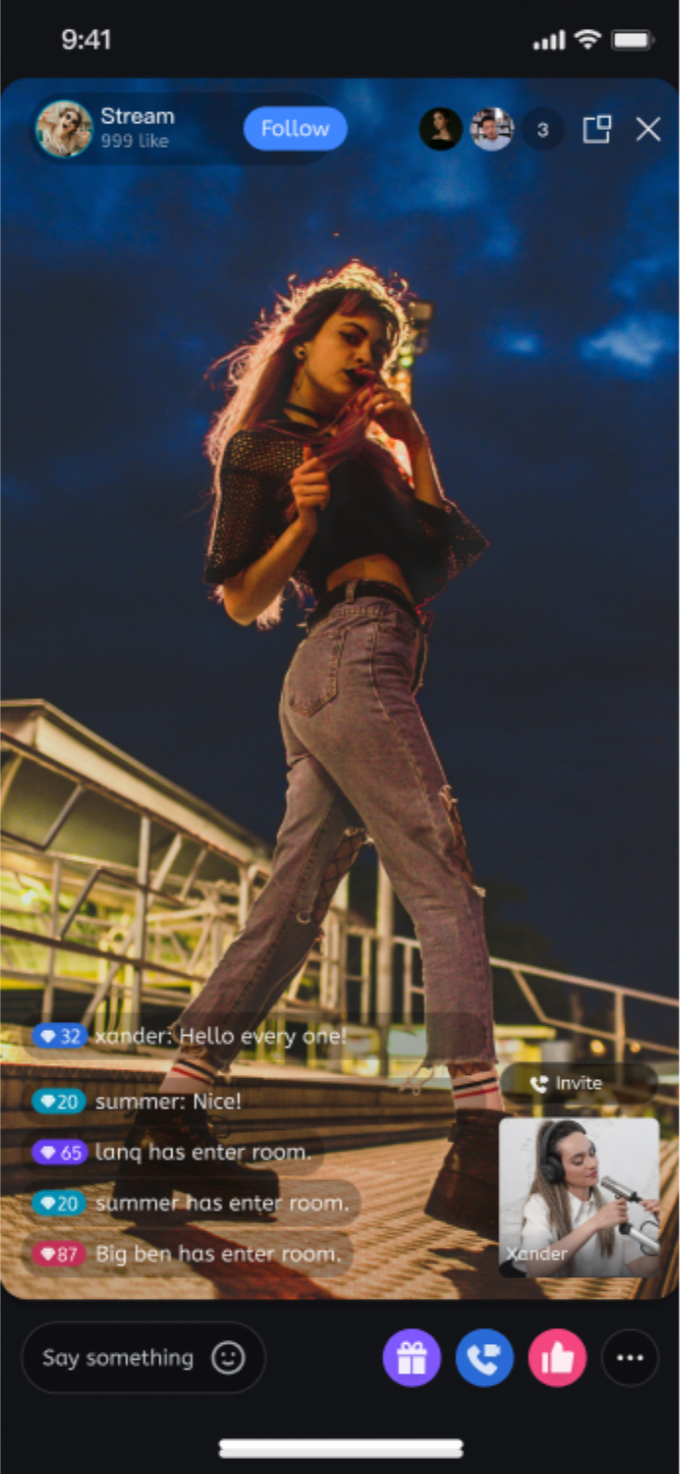
{"RoomInfo": {"RoomId": "live_testA","RoomType": "Live","Owner_Account": "testA", // Set host"TakeSeatMode": "ApplyToTake", // Audience must call takeSeat API to apply for guest seat"SeatTemplate": "VideoDynamicGrid9Seats", // Set layout to dynamic nine-grid for live video"IsPublicVisible": true, // Make this stream visible in the Live Stream List"RoomName": "Happy new year", // Set stream name for display in the Live Stream List"CoverURL": "cover url" // Set stream cover URL for display in the Live Stream List}}
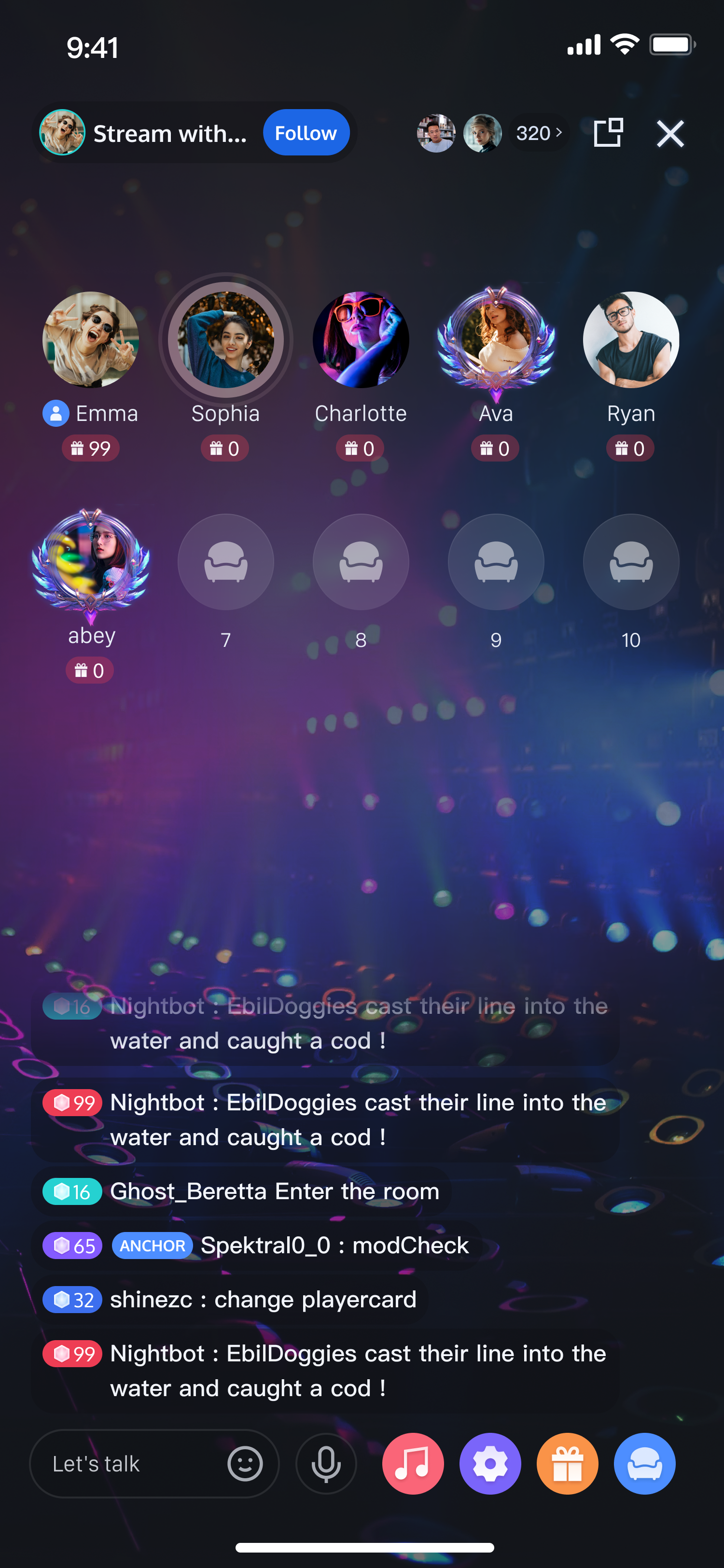
{"RoomInfo": {"RoomId": "voice_testA","RoomType": "Live","Owner_Account": "testA", // Set host"TakeSeatMode": "FreeToTake", // Audience can freely join as guests"MaxSeatCount": 10, // Set guest seat count to 10 (max depends on your package)"SeatTemplate": "AudioSalon", // Set streaming template to voice chat room"IsPublicVisible": true, // Make this stream visible in the Live Stream List"RoomName": "Happy new year", // Set stream name for display in the Live Stream List"CoverURL": "cover url" // Set stream cover URL for display in the Live Stream List}}
フィードバック