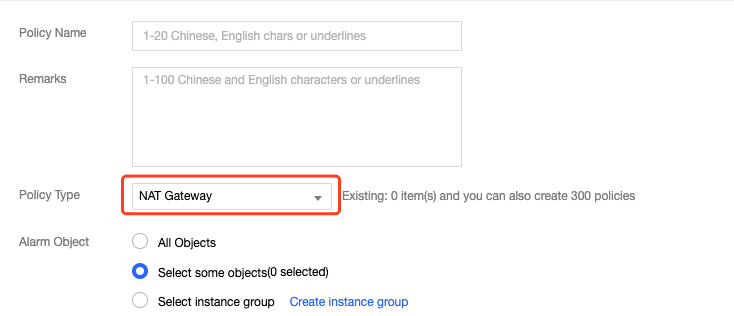
2. In the left sidebar, choose Alarm Configuration -> Alarm Policy to go to the Alarm Policy page, and then click Add.
3. Enter a name and remarks for the alarm policy. Select NAT Gateway for Policy Type. Configure the alarm object, triggering condition, and alarm channels. You can optionally input the URL that can be accessed by the public network as the callback API address, so Cloud Monitoring will push the alarm information to this address in time.
4. Click Complete. Then, you can view the alarm policy that you configured in the alarm list.
Note:
To delete an alarm policy, you must first unbind all resources from it.
5. When the alarm condition is triggered, you will receive an alarm notification via SMS, email, or in Message Center according to the alarm channel you configured. You can also select Alarm List in the left sidebar to view alarms. For more information, see Creating Alarm Policies.
Note:
Packet loss caused by bandwidth glitches may not be reflected on the bandwidth view, because the minimum granularity for bandwidth statistics is 10 seconds (total traffic in 10 seconds/10 seconds).