tencent cloud

Chat

제품 소개
제품 개요
Basic Concepts
응용 시나리오
기능 소개
계정 시스템
사용자 정보 및 관계망
메시지 관리
그룹 시스템
Official Account
Audio/Video Call
사용 제한
구매 가이드
과금 개요
요금 안내
Purchase Instructions
Renewal Guide
연체 안내
Refund Policy
다운로드 센터
SDK & Demo 소스 코드
업데이트 로그
시나리오 솔루션
Live Streaming Setup Guide
AI Chatbot
대규모 엔터테인먼트 협업 커뮤니티
Discord 구현 가이드
IM을 게임에 통합하는 방법
WhatsApp Channel-style Official Account Integration Solution
Send Red Packet
Firewall Restrictions
클라이언트 APIs
SDK API(Web)
Android
iOS & macOS
Swift
Flutter
Electron
Unity
React Native
C APIs
C++
서버 APIs
Secure authentication with UserSig
RESTful APIs
Webhooks
콘솔 가이드
New Console Introduction
애플리케이션 생성 및 업그레이드
기본 설정
기능 설정
계정 관리
그룹 관리
Official Channel Management
콜백 설정
모니터링 대시보드
Viewing Guide for Resource Packages
Real-Time Monitor
개발 보조 툴
액세스 관리
Advanced Features
FAQ
uni-app FAQs
구매
SDK 관련 질문
계정 인증
사용자 정보 및 관계망
메시지
그룹
라이브 방송 그룹
닉네임 및 프로필 사진
협약 및 인증
Service Level Agreement
컴플라이언스 인증
IM 정책
개인 정보 보호 정책
데이터 개인 정보 보호 및 보안 계약
에러 코드
문의하기
문서Chat

JavaScript

포커스 모드
폰트 크기
마지막 업데이트 시간: 2024-12-13 11:18:11
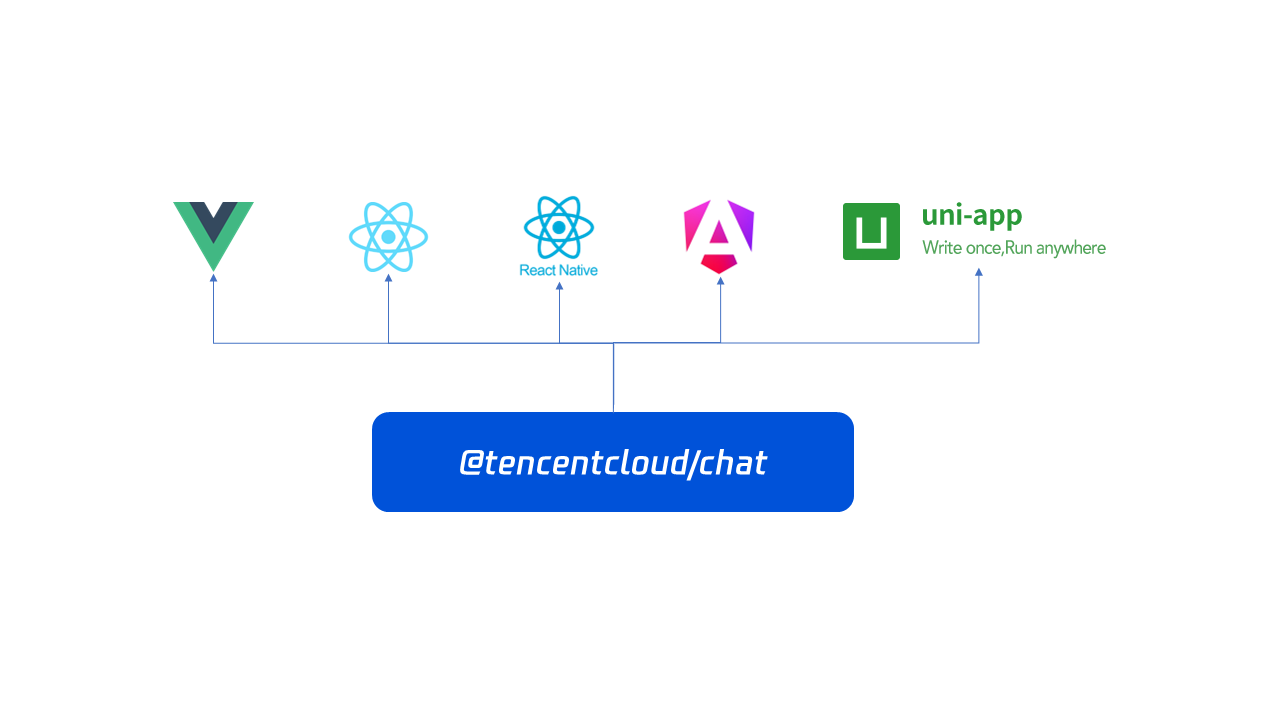
The JavaScript SDK is an npm package, which is designed for seamless integration of chat functionality into your application. It provides an easy way to interact with chat APIs, allowing you to perform actions such as sending messages, creating groups, pinning conversations, and updating personal avatars. Written in vanilla JavaScript, it is framework-agnostic, meaning it can be used with any frontend framework like Vue, React, React Native, uni-app, Angular, and more.

Prior to reviewing the Chat API documentation, we suggest taking a look at the tutorials and sample apps available.
This guide provides a quick introduction to the TencentCloudChat API, enabling you to quickly grasp its functionality. The API is highly flexible and empowers you to create various types of chat or messaging applications.

Initialize

Let’s get started by initializing the chat instance and listening on events.
import TencentCloudChat from '@tencentcloud/chat';
import TIMUploadPlugin from 'tim-upload-plugin';

let options = {
SDKAppID: 0 // Replace 0 with the SDKAppID of your Chat application when connecting.
};
// Create an SDK instance.
// The `TencentCloudChat.create()` method returns the same instance for the same `SDKAppID`.
// The SDK instance is usually represented by chat.
let chat = TencentCloudChat.create(options);

// Set the SDK log level.
// 0: Common level. You are advised to use this level during access as it covers more logs.
// 1: Release level. You are advised to use this level for key information in a production environment.
chat.setLogLevel(0);
// chat.setLogLevel(1);

// Register the Tencent Cloud Chat upload plugin.
chat.registerPlugin({'tim-upload-plugin': TIMUploadPlugin});

let onMessageReceived = function(event) {
// event.name - TencentCloudChat.EVENT.MESSAGE_RECEIVED
// event.data - An array to store Messages - [Message]
};
chat.on(TencentCloudChat.EVENT.MESSAGE_RECEIVED, onMessageReceived);
And then, Log in to Chat.
await chat.login({userID: 'your userID', userSig: 'your userSig'});

Messages

Let’s continue by sending your first message to "userB"(Assuming "userB" has already logged into the chat).

let message = chat.createTextMessage({
to: 'userB',
conversationType: TencentCloudChat.TYPES.CONV_C2C,
payload: {
text: 'Hello World!'
},
});

await chat.sendMessage(message);

Conversations

If the chat with "userB" is important to you and you need to place it at the top of the conversation list, you can use pinConversation.
await chat.pinConversation({ conversationID: 'C2CuserB', isPinned: true });

Profiles

If you want to change your avatar, you can use updateMyProfile.
await chat.updateMyProfile({
avatar: 'http(s)://url/to/image.jpg',
});

Groups

If you want to create a group chat, for example, to discuss the sales plan for the next quarter with subordinates and colleagues, you can use createGroup.
await chat.createGroup({
type: TencentCloudChat.TYPES.GRP_WORK,
name: 'Sales Plan For The Next Quarter',
memberList: [{
userID: 'lindal',
}, {
userID: 'denny',
}] // If `memberList` is specified, `userID` must also be specified.
});

Following & Followers


Now live streaming and short videos are very popular. If you want to follow a certain celebrity, you can use followUser.
await chat.followUser(['celebrity1', 'celebrity2', 'celebrity3']);

// Get my follower list
await chat.getMyFollowersList();
Want to watch the live streaming and post some interesting comments? You can use joinGroup to join a live group and then use createTextMessage to create a message and then use sendMessage to post it.
await chat.joinGroup({ groupID: 'group1' });

let message = chat.createTextMessage({
to: 'group1',
conversationType: TencentCloudChat.TYPES.CONV_GROUP,
payload: {
text: 'AMAZING!!!'
},
});

await chat.sendMessage(message);

Conclusion

Since you now have a grasp of the fundamental components required for a fully operational chat integration, let's proceed to the subsequent sections of the documentation. In these parts, we will explore the specifics of each API endpoint in greater depth.


도움말 및 지원

문제 해결에 도움이 되었나요?

피드백