Flutter
Download
포커스 모드
폰트 크기
This document provides a comprehensive guide on executing the Flutter Premium UGSV demo.
Runtime Environment
Android
Android Studio:version 2022 and above
Android SDK Tools:API Level 29 and above
minSdkVersion:21
jdk 11
iOS
Xcode 9.0+.
An iPhone or iPad physical device running iOS 9.0 or later.
The project has been configured with a valid developer signature.
Flutter
Flutter 3.3.0 and above
Applying for a License
Obtaining the Demo
Download the TAVMagicFlutter compressed package and extract it to obtain the TAVMagicFlutter folder.
Subsequently, utilize
Android Studio or any other Flutter-compatible development tool to open the example directory.Installing Dependencies
Execute the Flutter command in the root directory of
example to retrieve dependencies.flutter pub get
For iOS implementation, execute the pod command within the
example/ios directory.pod install
Configuring License and Package Name
1. In the following constants within
example/lib/page/home_page.dart, replace your License.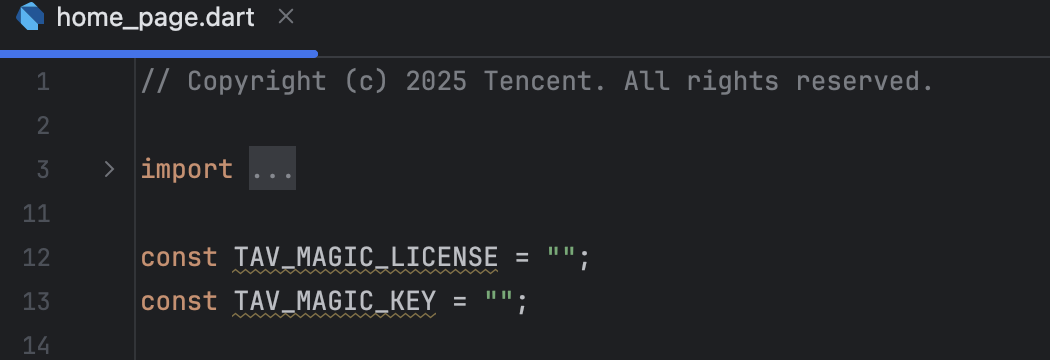
2. In
example/android/app/build.gradle, replace it with the package name corresponding to your License.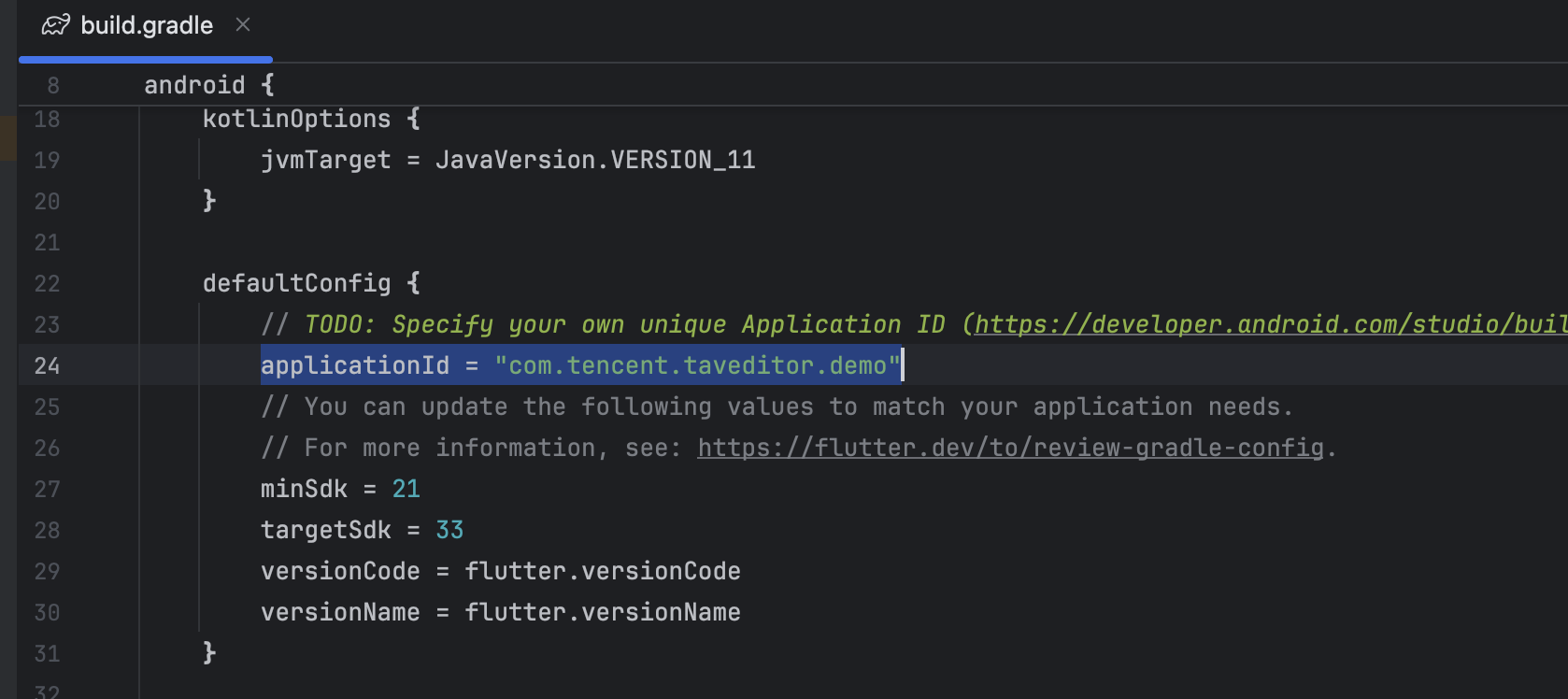
3. Navigate to the
example/ios directory and open Runner.xcworkspace to access the Xcode project. Once opened, under the Runner Target section, locate the Signing & Capabilities tab and replace the bundle identifier and provisioning profile with those corresponding to your license and development credentials.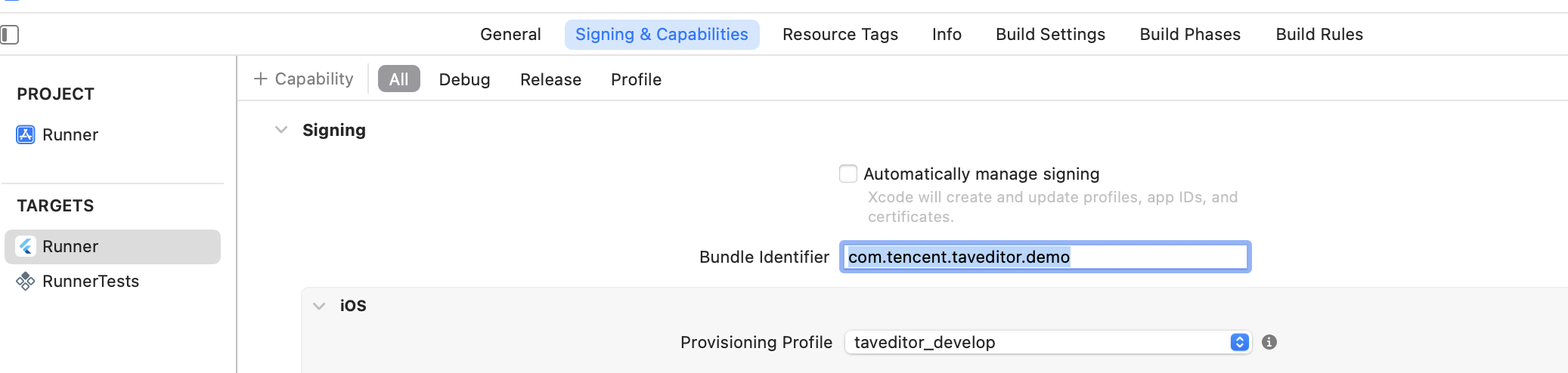
Execution
Once the project preparation is complete, execute the
flutter run command, or utilize Android Studio/Xcode to deploy the application on the target platform.피드백