TUILiveKit Release Notes
Live SDK Release Notes
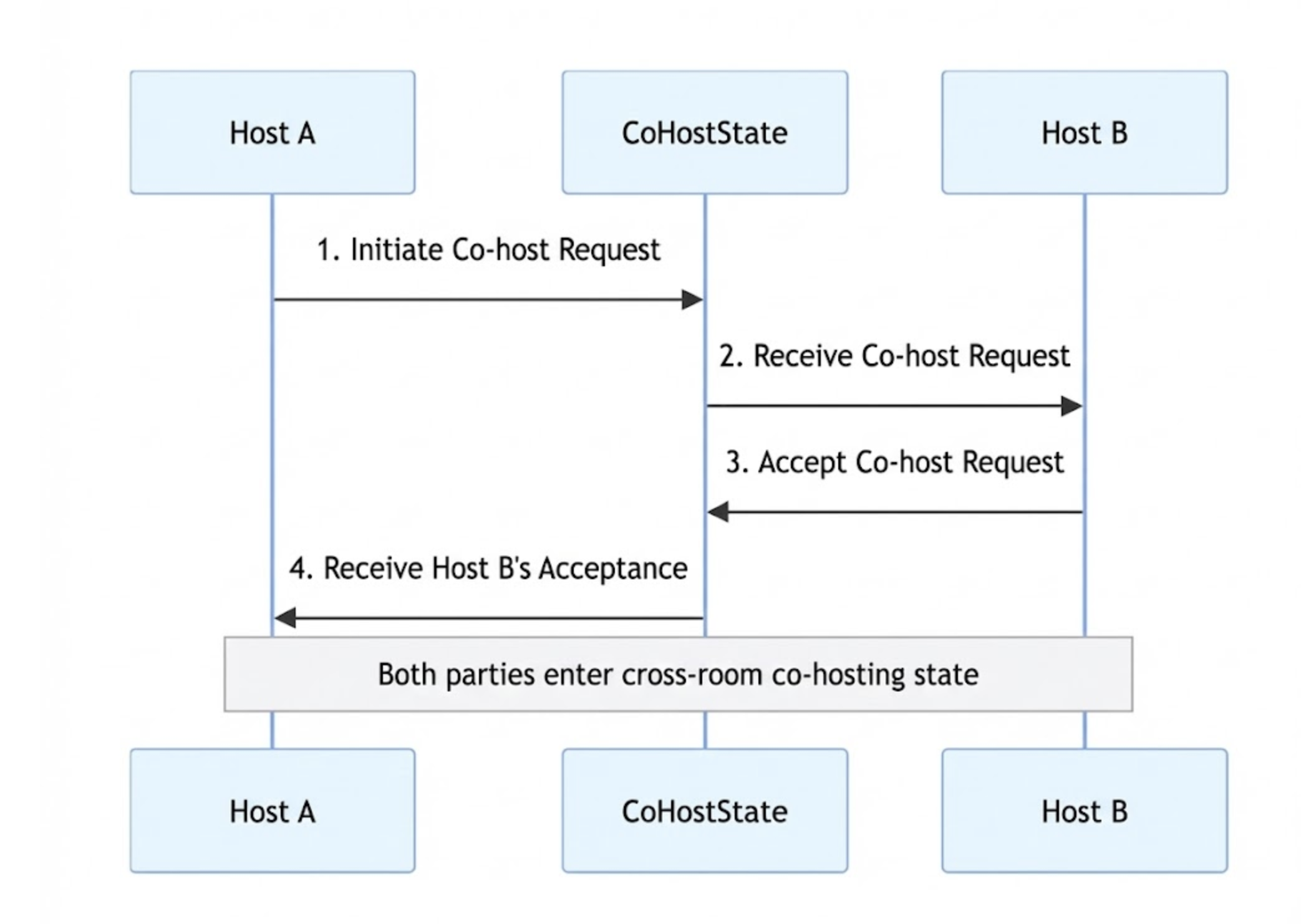
requestHostConnection method:import { useCoHostState, CoHostLayoutTemplate } from "tuikit-atomicx-vue3";// Get the CoHostState instanceconst { requestHostConnection } = useCoHostState();// User clicks the "Co-Host" button and selects Host B (targetLiveId)const inviteHostB = async (targetLiveId: string) => {try {await requestHostConnection({liveId: targetLiveId, // Room ID of target Host BlayoutTemplate: CoHostLayoutTemplate.Grid, // Select a layout templatetimeout: 30, // Invitation timeout (seconds)extensionInfo: '', // Optional extension info});console.log("Co-host invitation sent, waiting for response...");} catch (error) {console.error("Failed to send invitation", error);// Optionally show a Toast notification here}};
subscribeEvent method from useCoHostState to listen for Host B's response:import { useCoHostState, CoHostEvent } from "tuikit-atomicx-vue3";import { onMounted, onUnmounted } from 'vue';const { subscribeEvent, unsubscribeEvent } = useCoHostState();const onAccepted = (eventInfo: any) => {console.log(`Host ${eventInfo.invitee.userName} accepted your co-host invitation`);};const onRejected = (eventInfo: any) => {console.log(`Host ${eventInfo.invitee.userName} rejected your co-host invitation`);};const onTimeout = (eventInfo: any) => {console.log('Invitation timed out, no response from the other party');};onMounted(() => {subscribeEvent(CoHostEvent.onCoHostRequestAccepted, onAccepted);subscribeEvent(CoHostEvent.onCoHostRequestRejected, onRejected);subscribeEvent(CoHostEvent.onCoHostRequestTimeout, onTimeout);});onUnmounted(() => {unsubscribeEvent(CoHostEvent.onCoHostRequestAccepted, onAccepted);unsubscribeEvent(CoHostEvent.onCoHostRequestRejected, onRejected);unsubscribeEvent(CoHostEvent.onCoHostRequestTimeout, onTimeout);});
onCoHostRequestReceived event:import { useCoHostState, CoHostEvent } from "tuikit-atomicx-vue3";import { onMounted, onUnmounted } from 'vue';const { subscribeEvent, unsubscribeEvent } = useCoHostState();const onRequestReceived = (eventInfo: any) => {const { inviter } = eventInfo;console.log(`Received co-host invitation from Host ${inviter.userName}`);// Display a dialog to let the user accept or reject};onMounted(() => {subscribeEvent(CoHostEvent.onCoHostRequestReceived, onRequestReceived);});onUnmounted(() => {unsubscribeEvent(CoHostEvent.onCoHostRequestReceived, onRequestReceived);});
import { useCoHostState } from "tuikit-atomicx-vue3";// Get the CoHostState instanceconst { acceptHostConnection, rejectHostConnection, applicant } = useCoHostState();// Accept the invitationconst acceptInvitation = async () => {if (applicant.value) {try {// Pass in the inviter's liveId (roomId)await acceptHostConnection({ liveId: applicant.value.liveId });console.log('Co-hosting accepted');} catch (error) {console.error('Failed to accept co-hosting', error);}}};// Reject the invitationconst rejectInvitation = async () => {if (applicant.value) {try {await rejectHostConnection({ liveId: applicant.value.liveId });console.log('Co-hosting rejected');} catch (error) {console.error('Failed to reject co-hosting', error);}}};
exitHostConnection. Both the inviter and invitee can use this method.import { useCoHostState, CoHostStatus } from "tuikit-atomicx-vue3";// Get the CoHostState instanceconst { exitHostConnection, coHostStatus } = useCoHostState();// Handler for the "End PK" buttonconst stopPK = async () => {// Check if currently in co-hosting stateif (coHostStatus.value === CoHostStatus.Connected) {try {await exitHostConnection();console.log('Exited co-hosting');// Reset UI layout and handle any additional business logic here} catch (error) {console.error('Failed to exit co-hosting:', error);}}};
onCoHostUserLeft event to detect when the other host disconnects or drops due to an exception, and update your UI accordingly.import { useCoHostState, CoHostEvent } from "tuikit-atomicx-vue3";import { onMounted, onUnmounted } from 'vue';const { subscribeEvent, unsubscribeEvent } = useCoHostState();const onUserLeft = (eventInfo: any) => {const { userInfo } = eventInfo;console.log(`Host ${userInfo.userName} has disconnected from co-hosting`);// Restore single-host layout and remove the other host's video stream};onMounted(() => {// Subscribe to user left eventsubscribeEvent(CoHostEvent.onCoHostUserLeft, onUserLeft);});onUnmounted(() => {unsubscribeEvent(CoHostEvent.onCoHostUserLeft, onUserLeft);});
State | Feature Description | API Documentation |
DeviceState | Controls audio and video devices: microphone (mute/unmute, volume), camera (on/off, switch, quality), screen sharing, and real-time device status monitoring. | |
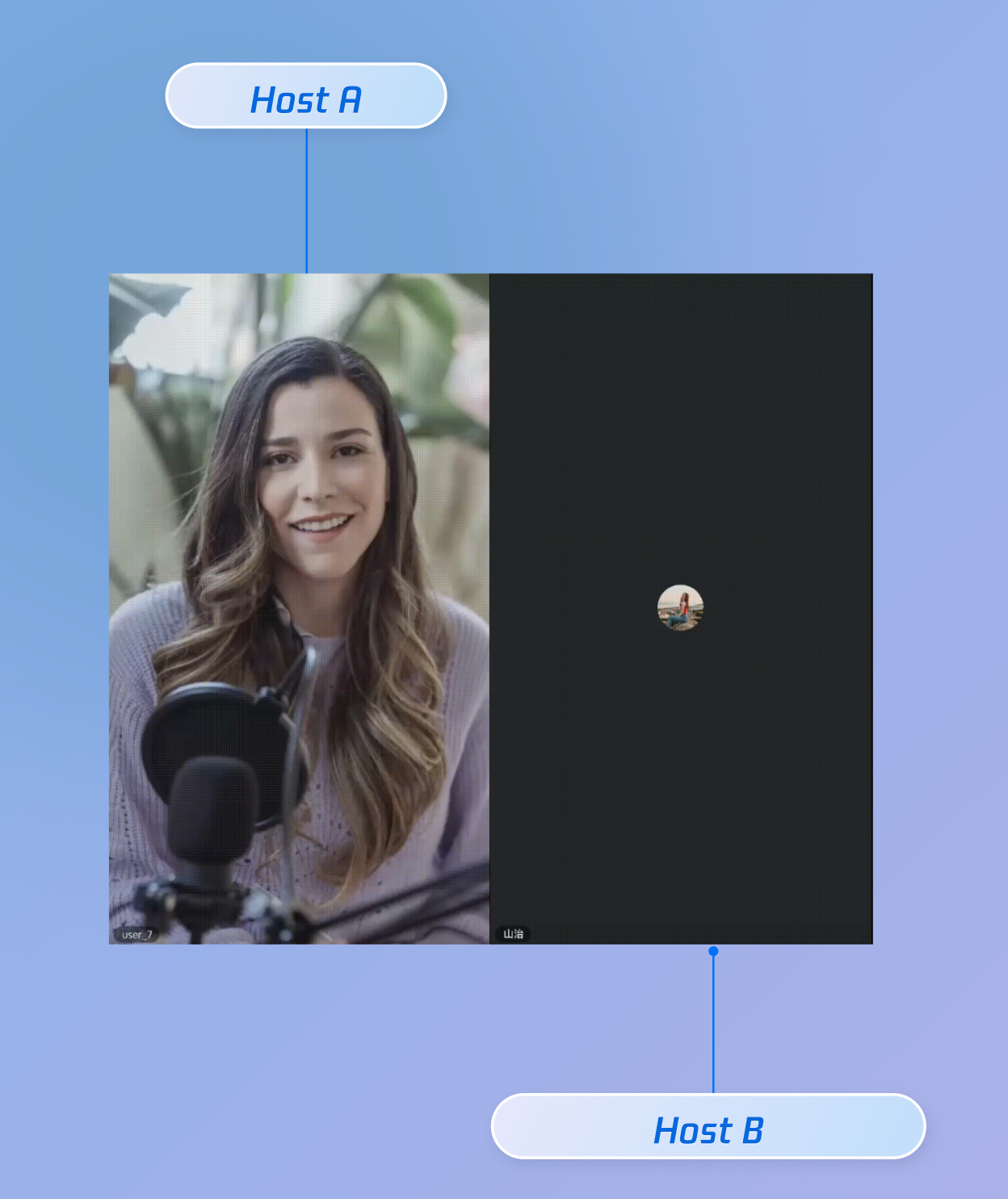
CoHostState | Manages cross-room host co-hosting: supports multiple layout templates (dynamic grid, etc.), initiates/accepts/rejects co-hosting, and handles co-host interaction management. |
onCoHostRequestReceived event after Host A calls requestHostConnection, check the following:liveId is the actual room ID of the target host, not a user ID or other business identifier.subscribeEvent for the CoHostEvent.onCoHostRequestReceived event during component mount (onMounted); otherwise, notifications will not be received.candidates computed property automatically filters out users who do not meet the invitation criteria. If the target host is missing, possible reasons include:connected), has been invited (invitees), or is currently applying (applicant).liveList has been fetched correctly. You can manually call fetchLiveList to refresh.requestHostConnection, you can set a timeout (in seconds).CoHostEvent.onCoHostRequestTimeout event.applicant state is reset.onCoHostRequestTimeout event to update the UI (for example, closing the waiting popup).try...catch when calling acceptHostConnection.applicant.value exists and that liveId is valid. This helps prevent state inconsistencies due to timeouts or cancellation by the other host.피드백