CVM intra-host network duplication fault is an unusual issue that is likely to occur. It may be caused by hardware faults, improper network configuration, network equipment faults, and other factors, which will result in repeated data packet transmission by CVM during network communication so that network performance is affected, network congestion is increased and business operation abnormality may be caused.
To improve CVM network reliability and stability, network duplication fault action experiments are required. Through the experiments, the system's capability for normal operation in the event of network duplication can be verified and issues in network duplication fault scenes can be revealed in advance so that system architecture can be optimized and contingency plans can be prepared.
Experiment Implementation
Step 1: Experiment Preparation
Prepare several CVM instances that are available for the experiment.
Step 2: Experiment Orchestration
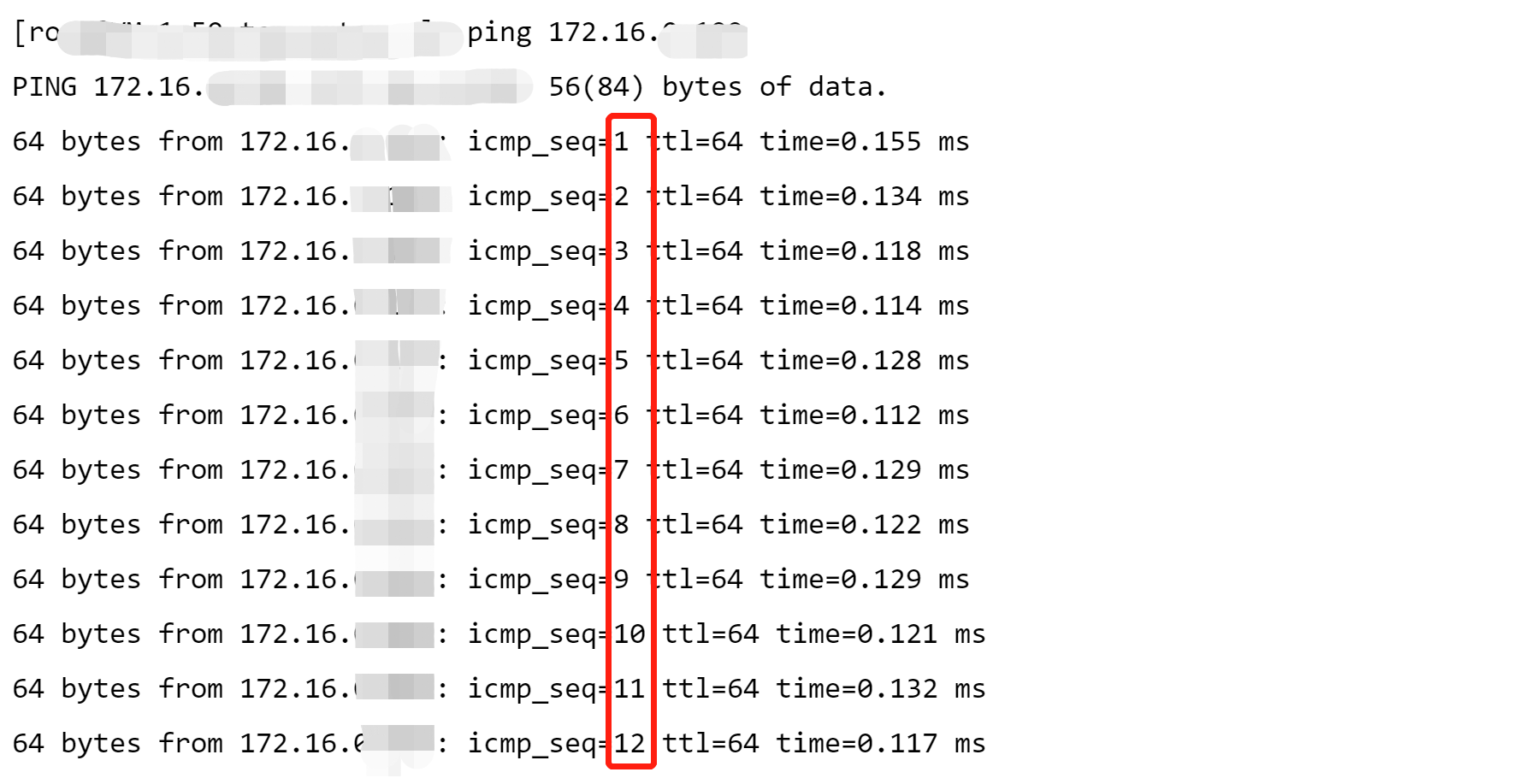
1. Check network status before fault injection. Send messages to the target machine through ping commands. It can be seen that there is no message with the same sequence number, indicating that there is no network duplication at present.
2. Click Create a New Experiment, fill in the experiment information, and add target CVM instances.
4. Configure fault action parameters, and click Confirm.
5. After action parameter configuration, click Next. Configure guardrail policies and monitoring metrics considering actual situations, and click Submit to complete experiment creation.
Step 3: Experiment Execution
1. Go to experiment details, and click Go to the action group for execution.
2. Click Execute to start an experiment.
3. Click the Action Card to check the details for the action execution results.
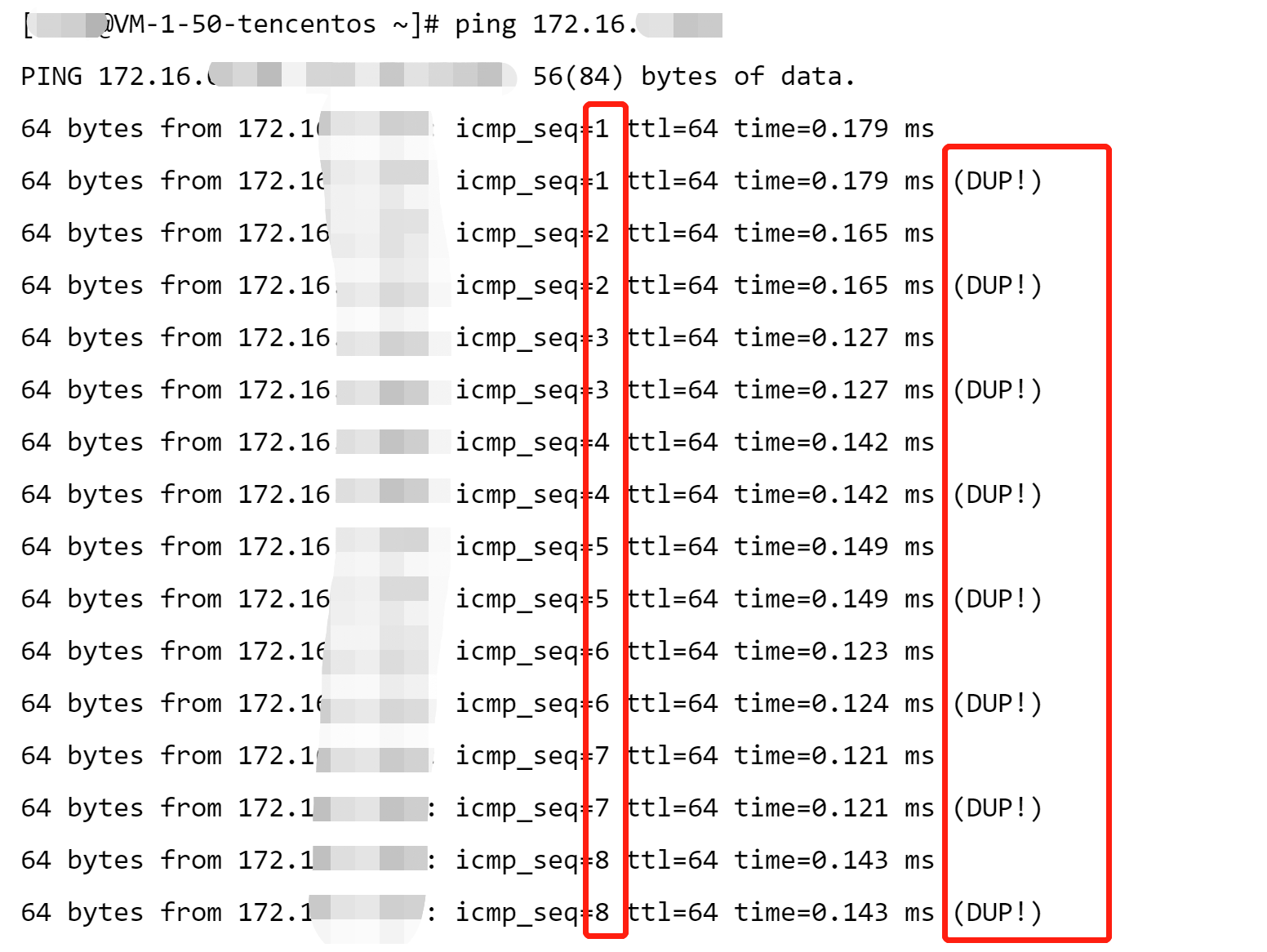
4. Check host network status after fault injection. When the target machine is pinged once again, returned network packets have been duplicated.
5. Execute a recovery action, and check details of the recovery action.
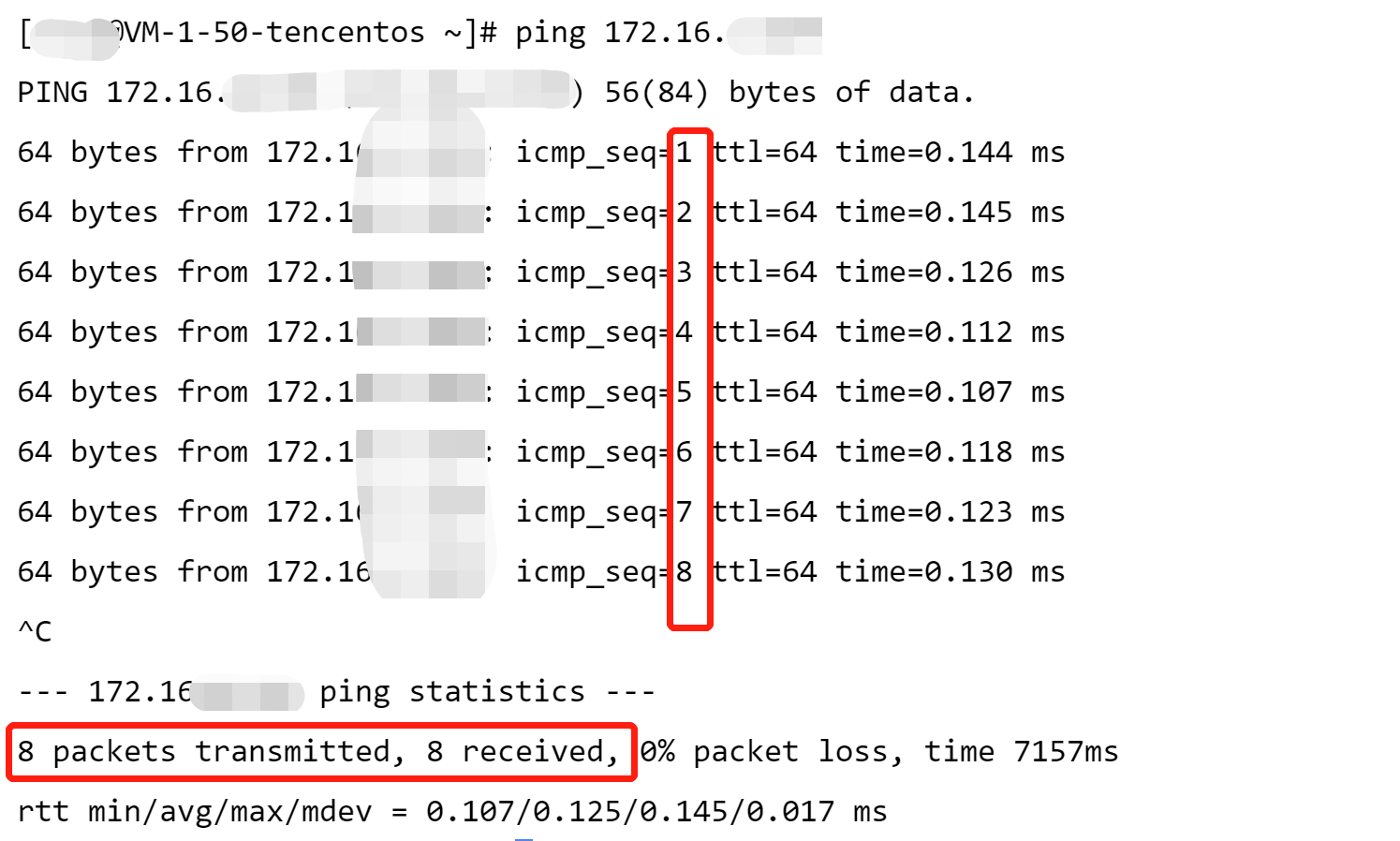
6. Check fault recovery result. When the target machine is pinged once again, and you can see that normal network transmission has recovered and the fault has been cleared.