Experiment on Container Resource Application Process Faults
다운로드
포커스 모드
폰트 크기
마지막 업데이트 시간: 2025-03-24 15:29:50
Background
Container resources provide a lightweight, portable, and scalable runtime environment for applications. However, application processes within containers may encounter faults such as crashes, deadlocks, or resource leaks, causing the application to malfunction.
To enhance the reliability and stability of container services, application process fault experiments are necessary. These experiments help verify whether the system can operate normally in the event of process faults, uncovering potential issues in advance for system architecture optimization and emergency planning.
Experiment Execution
Note:
Applicable resource objects: Regular node in standard cluster, standard cluster Pod, and Serverless cluster Pod.
Step 1: Experiment Preparation
Purchase container instances and deploy test services. If there is already a container instance available for the experiment, proceed directly to create the experiment.
2. Click Skip and create a blank experiment, and fill in the experiment details.
3. Select Container as the instance type, select Standard Cluster Pod as the instance object, and then Add Instance.
4. Click Add Now to add a fault action and select Application Process.
5. Select the fault action Process Stop, then click Next.
6. Set action parameters and click Confirm.
All containers: The objective process in every container will be stopped.
Select the first container alphabetically: The objective process in the first container will be stopped.
Specify container name: The objective process in the specified container will be stopped.
7. After action parameter configuration, click Next. Configure Guardrail Policy and Monitoring Metrics considering actual situations, click Submit to complete experiment creation.
Step 3: Execute the Experiment
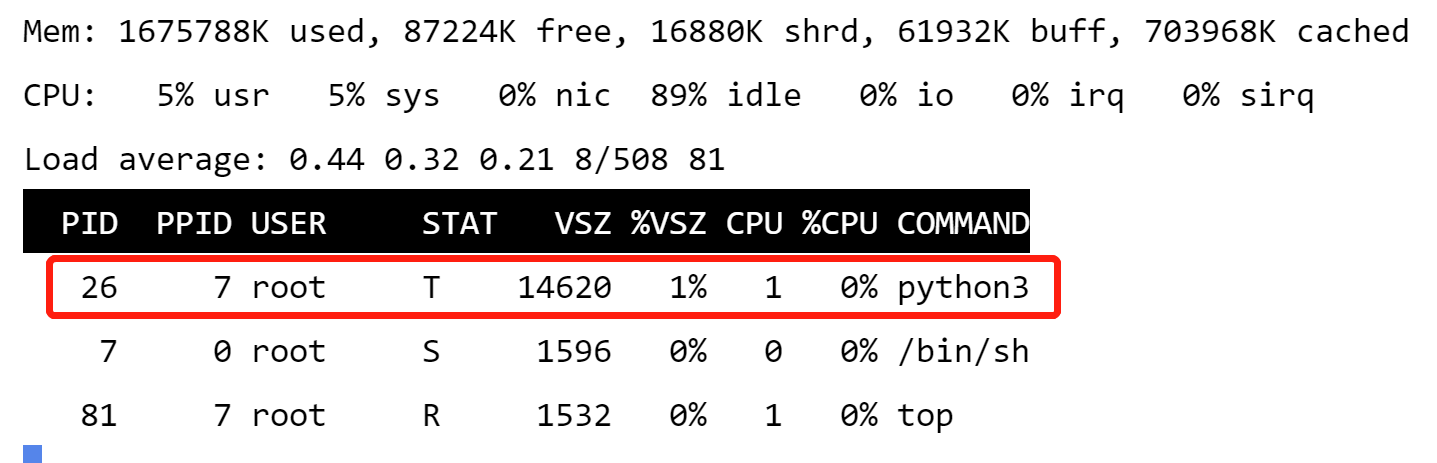
1. Log in to the machine where the fault will be executed and view the current process management details. You can see a running Python process.
2. Go to experiment details, click Go to the action group for execution.
3. Click Execute to start an experiment.
4. Click the Action Card, and check details of action execution.
5. View the execution logs to confirm it has been executed successfully.
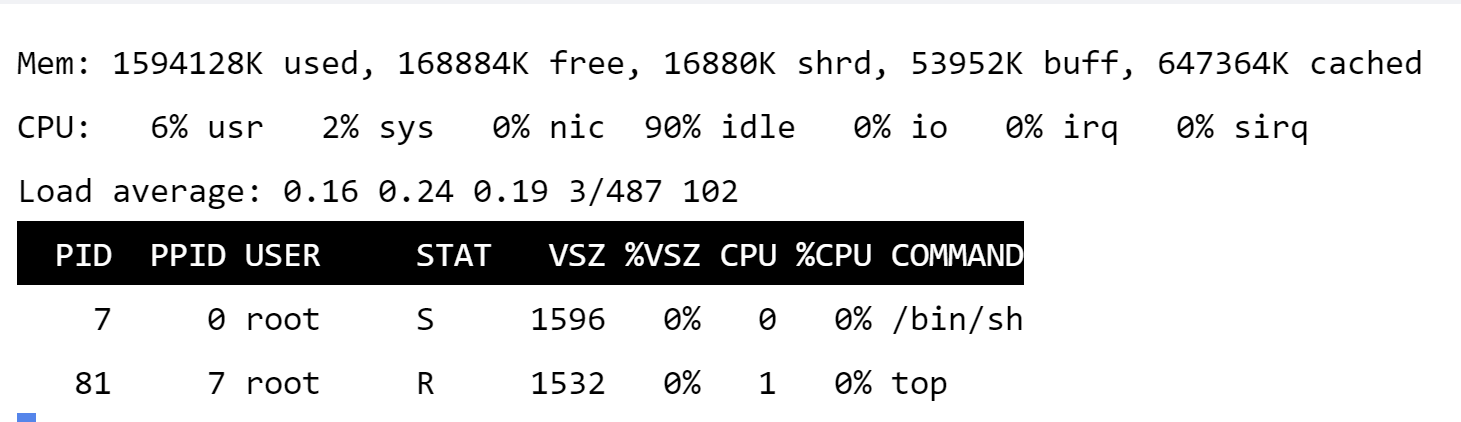
6. View the effects after the fault execution. View the current process management details again, and you can see that the Python process has been terminated.