CKafka Broker Node Failure
Download
포커스 모드
폰트 크기
Background
A Kafka cluster consists of multiple servers, each of which is called a Broker node. Although Kafka is designed to provide high availability and fault tolerance, Broker node failures are sometimes unavoidable in practical applications. The following are some common scenarios:
Hardware faults: Kafka relies heavily on disk performance, and unstable power supply or power failures may also result in sudden Broker node failures.
Network issues: Network connection issues or network hardware faults may also cause Broker nodes to fail to communicate with other nodes in the cluster, resulting in Broker node failures.
Memory leaks: Long-running processes may exhaust available memory due to memory leaks, resulting in Broker node failures.
File descriptor exhaustion: Kafka heavily relies on file operations. If file descriptors are exhausted, it may also result in service unavailability.
When the above-mentioned unknown errors occur, Broker nodes may fail, resulting in message backlog and unavailability. TSA-Chaotic Fault Generator (TSA-CFG) provides fault simulation actions for such situations by proactively shutting down Broker nodes to achieve the failure effect. Users can verify that the business can operate normally after recovery from data loss in extreme cases, and understand these impacts to adopt appropriate response policies to maintain the stability of the Kafka cluster.
Experiment Preparation
Prepare a CKafka Professional Edition instance available for experiments, which has a topic and certain traffic.
Download the corresponding version of the client from Apache Kafka, decompress it, and use the shell scripts in the bin directory as the producer and consumer for testing.
Note:
Download the corresponding version of the client based on the instance version. For version 2.8.1 instances, you can install the client using the following command:
wget https://archive.apache.org/dist/kafka/2.8.1/kafka_2.12-2.8.1.tgzStep 1: Creating an Experiment
1. Log in to the Tencent Cloud Smart Advisor (TSA) console, choose Architecture Governance, select Governance Mode, and click CFG. (For details about how to create an experiment, see Using TSA to Execute a Chaos Experiment on CFG.)
2. Click Create Experiment, enter the basic information about the experiment, and click Next.
3. Choose Middleware > Ckafka from the Experiment Instance drop-down list, click Add via Search, and add instance resources. Alternatively, click Add via Architecture Diagram, click the Ckafka resources on the architecture diagram, select the required instance, and add it.
4. After the instance is added, click Add Action, select Broker Node Fault as the experiment action, and click Next.
5. After completing the parameter configuration, set Execution Mode and Guardrail Policy, and add metrics for Observability Metrics in the Global Configuration section. After the configuration is complete, click Submit to complete the experiment creation.
Step 2: Executing the Experiment
1. Start the kafka-producer-perf-test.sh script in the bin directory to produce messages.
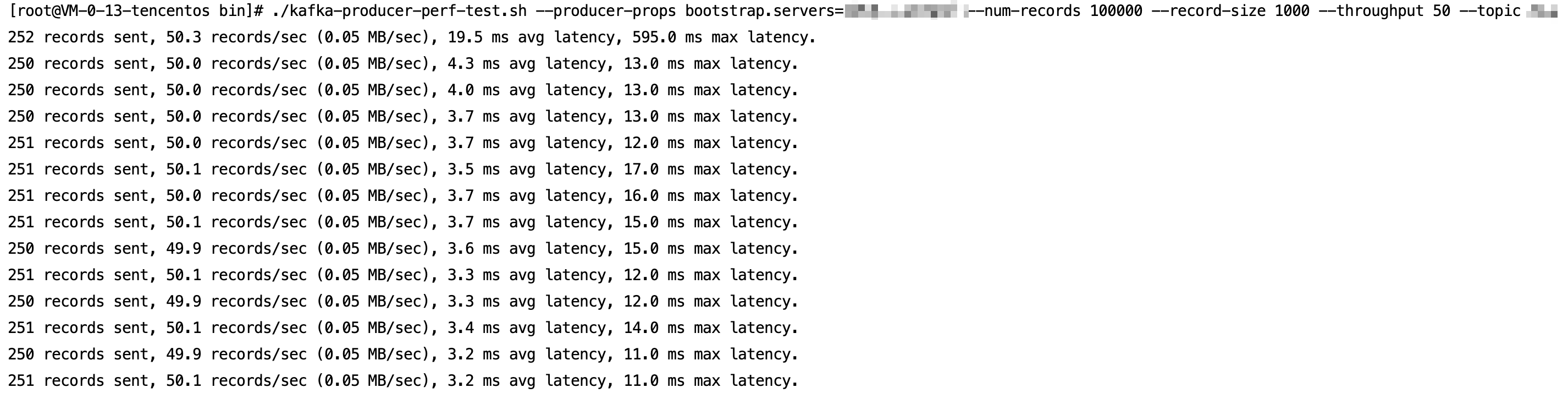
Start the kafka-consumer-perf-test.sh script to consume messages.

2. Go to the experiment details panel, and click Execute in the fault action group or Start Experiment in the lower part of the panel to inject a fault.
3. Observe the fault impact and discover that the producer disconnects due to the lack of a Leader node.

The Broker node survival rate decreases, and another Broker node in another AZ is elected as the new Leader node.
Observe the number of unsynchronized replicas and discover a sudden increase.
4. After HA is completed, the instance recovers to normal production and consumption.
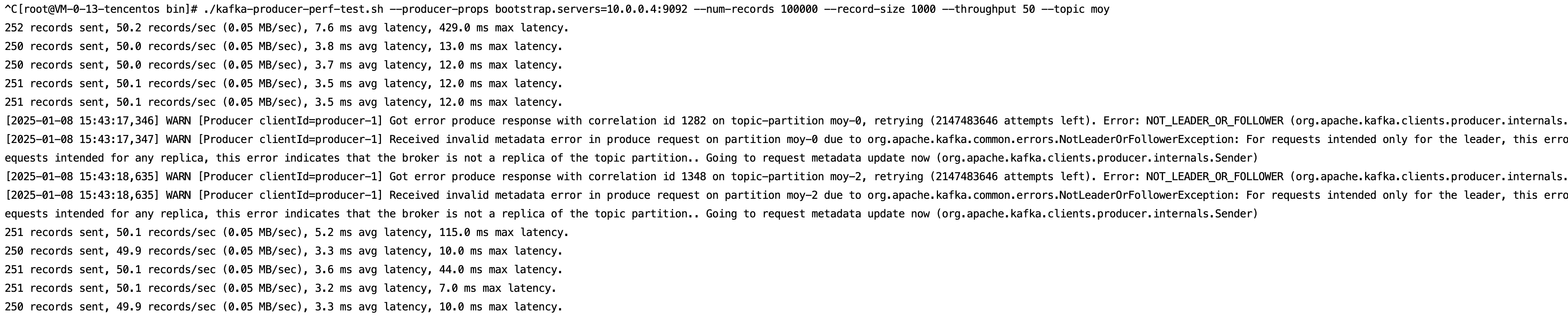
5. Execute the recovery action to restart the shutdown Broker node. The Broker node recovers operation, and the unsynchronized replicas have been synchronized.
피드백