Configuring Dead Letter Message
다운로드
포커스 모드
폰트 크기
Dead letter mechanism is a message processing method provided by RabbitMQ. Messages in the queue are marked as dead letter messages in any of the following scenarios:
1. When the requeue parameter is set to false, the consumer negatively acknowledges messages using basic.reject or basic.nack.
2. The time to live (TTL) of messages in the queue exceeds the preset TTL.
3. The number of messages in the queue has reached the set capacity limit, and the Overflow Behaviour parameter is set to reject-publish-dlx.
Processing method for dead letter messages:
If a dead letter queue (dead letter exchange) is configured, messages will be automatically routed to that queue.
If no dead letter queue is configured, messages will be automatically discarded by the system.
The mechanism provides a reliable solution for processing abnormal messages, ensuring the integrity of business message flows. For more information about the dead letter mechanism, see Dead Letter Exchanges.
Operation Steps
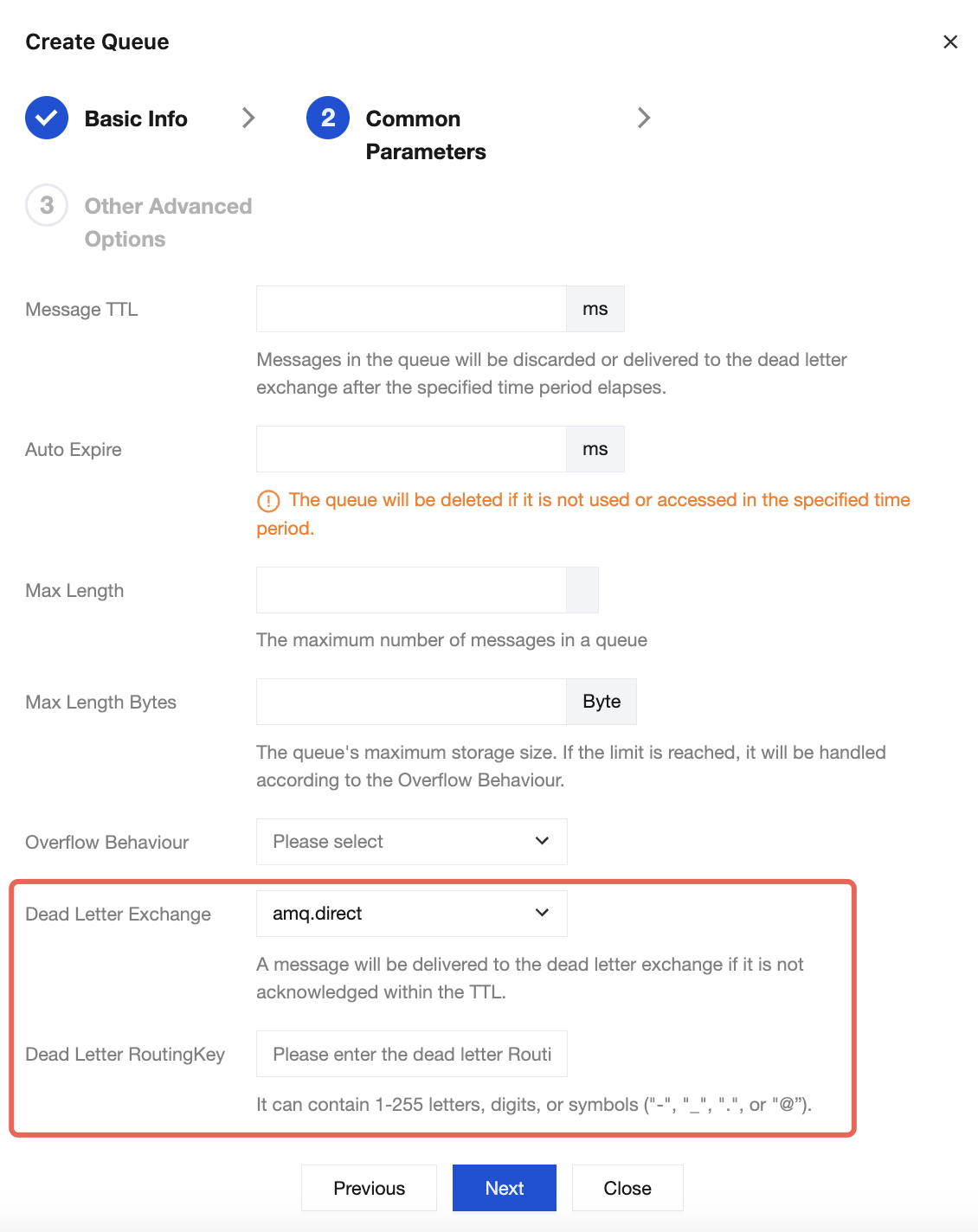
Managed Edition: Configure the dead letter exchange and dead letter Routing Key in Common Parameters:
Dead letter exchange: Specify the dead letter exchange in the drop-down list.
Dead letter Routing Key: Enter a dead letter Routing Key. It must be 1 to 255 characters in length and can only contain letters, digits, hyphens (-), underscores (_), periods (.), and at signs (@).
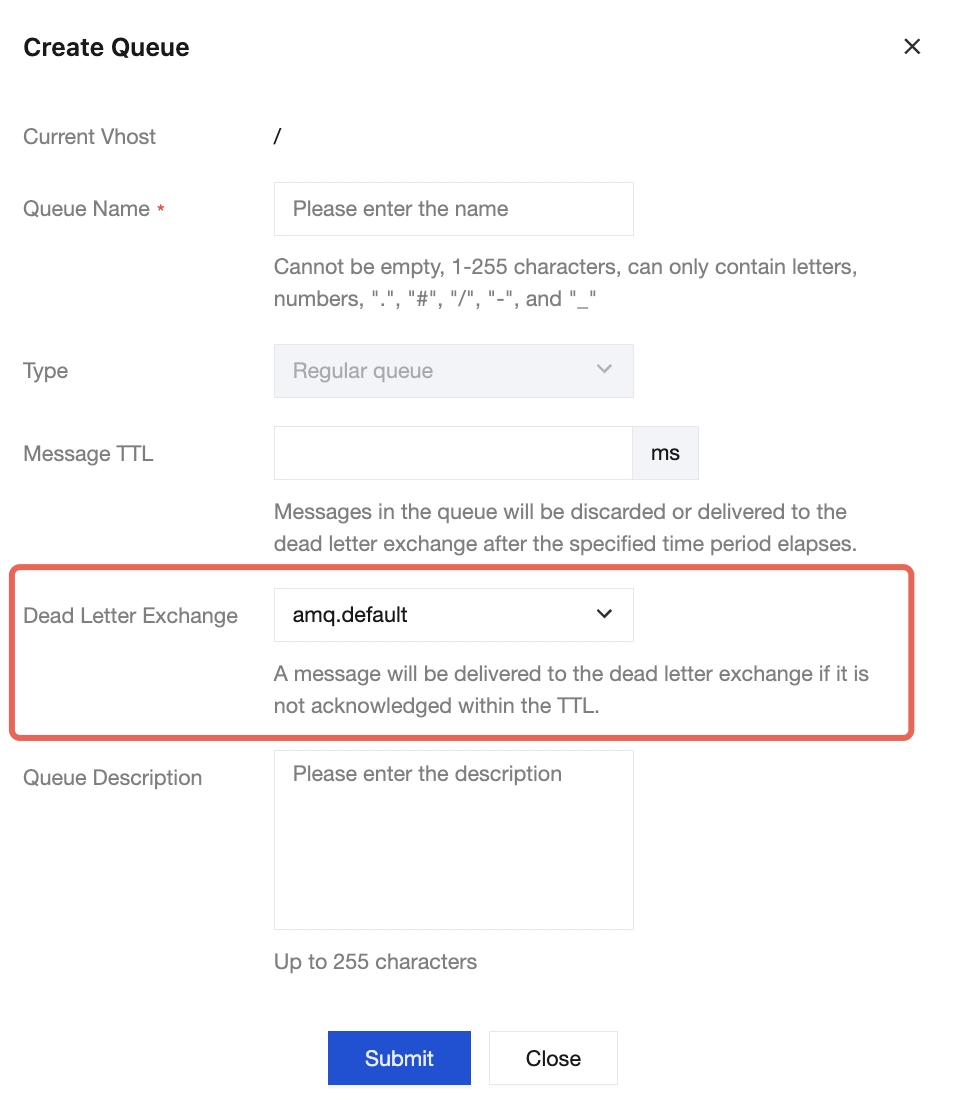
Serverless Edition: Specify a dead letter exchange when creating a queue.
피드백