tencent cloud

Tencent Cloud TCHouse-P

Release Notes
Product Introduction
Overview
Use Cases
Node Specification
Cluster Architecture
Purchase Guide
Billing Overview
Purchase Methods
Payment Overdue
Getting Started
Operation Guide
Managing Cluster
Accessing Data Warehouse
Monitoring and Alarming
Access Management
Performance Metrics
TPC-B
Tools and Downloads
Data Ingestion
Importing TencentDB Data Offline with DataX
Syncing Incremental Data from MySQL with DataX
Importing and Exporting COS Data at High Speed with External Table
Syncing EMR Data with External Table
Implementing CDWPG UPSERT with Rule
Data Warehouse Development
Creating Airflow in Cloud
API Documentation
History
Introduction
API Category
Making API Requests
Information Query APIs
Instance APIs
Query APIs
Cluster Management APIs
Cluster Operation APIs
Data Types
Error Codes
Practical Tutorial
Data Warehouse Table Development
Table Distribution Key Selection
Table Storage Format Selection
Table Partition Usage
Extension Usage
Cold Data Backup
Statistics and Space Maintenance
FAQs
Tencent Cloud TCHouse-P Policy
Service Level Agreement
Privacy Policy
Data Processing And Security Agreement
Contact Us

Creating Cluster

PDF
포커스 모드
폰트 크기
마지막 업데이트 시간: 2024-11-27 15:29:17

Overview

This document describes how to create a cluster in the Tencent Cloud TCHouse-P console.

Directions

1. Log in to the Tencent Cloud TCHouse-P console and select the cluster list.
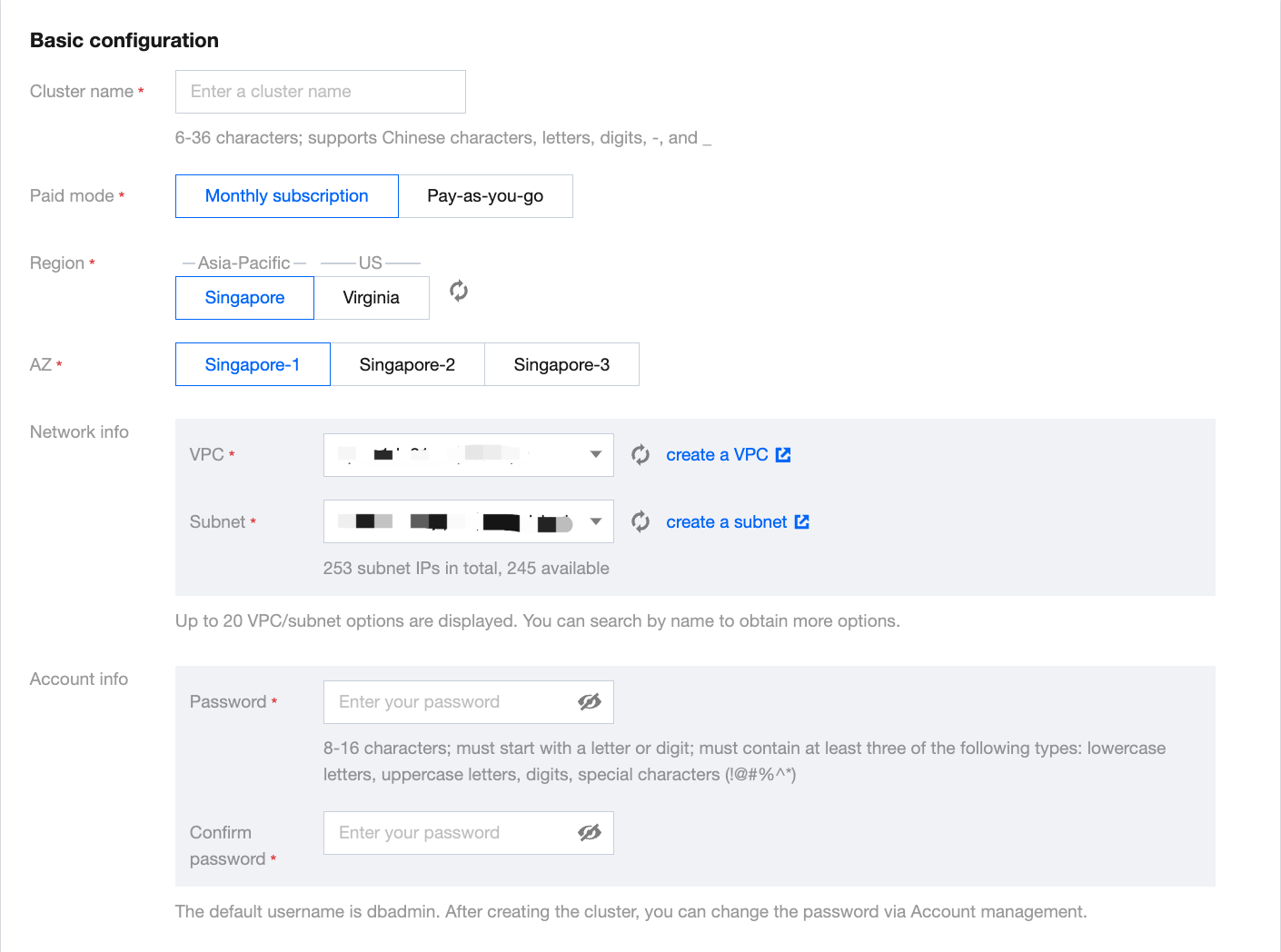
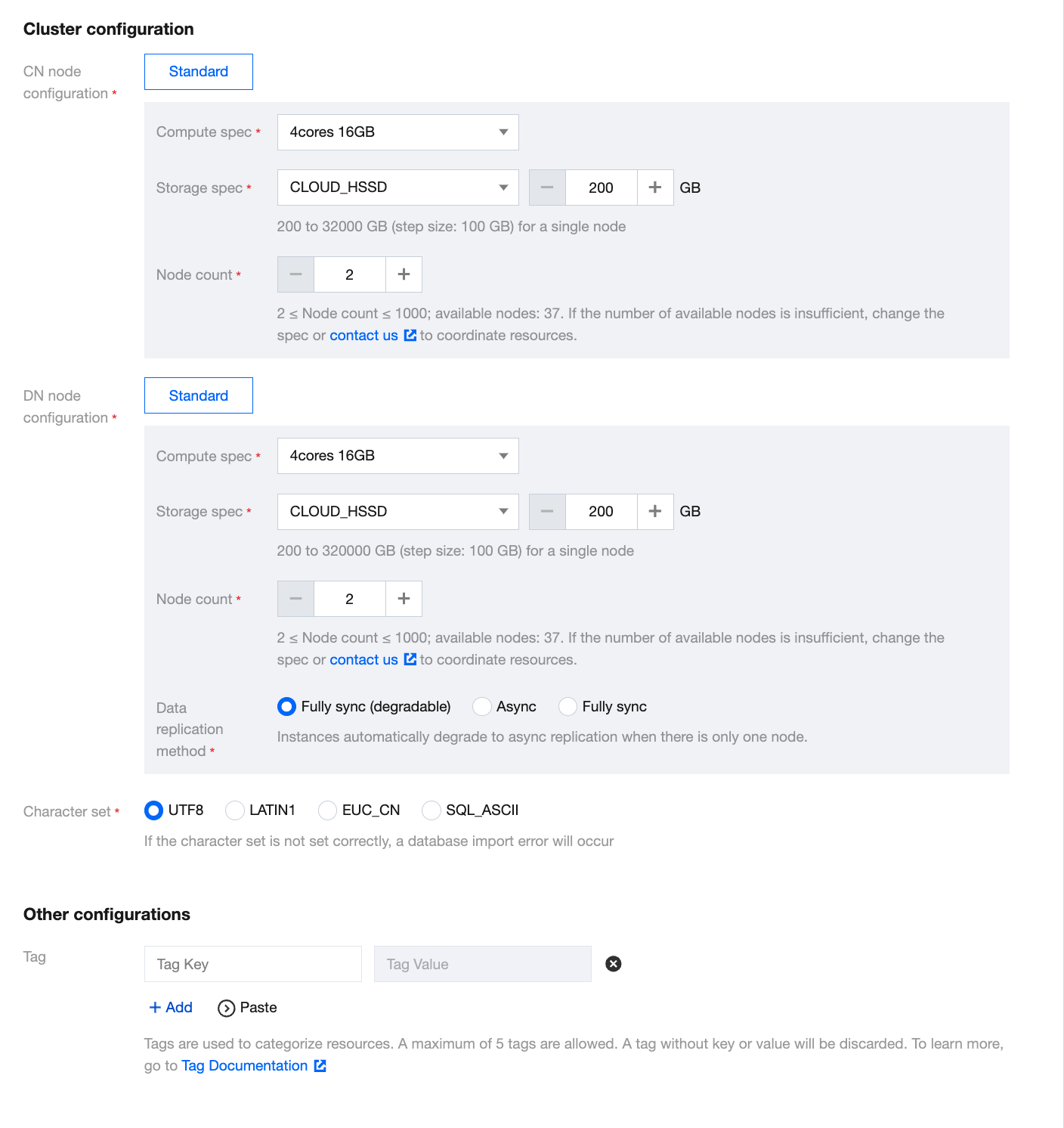
2. Click Create to enter the purchase page and configure the parameters as prompted.
Billing Mode: Monthly subscription and pay-as-you-go billing are supported.
Region: Guangzhou, Shanghai, Beijing, and Singapore regions are supported currently.
AZ: Different AZs are not interconnected.
Network: Configure the VPC and subnet of the Tencent Cloud TCHouse-P cluster as instructed in VPC.For access from other subnets or public network, see Applying for Public IP and Creating IP Allowlist.
Cluster Name: Used to distinguish between clusters.
Cluster Version: Versions supported by the cluster.
Node Type: nc.large, nc.4xlarge, nc2.large, nc2.4xlarge, ns.large, and ns2.large are currently available. For more information, see Billing Overview.
Number of Nodes: 2–50 nodes are supported. Generally, two or more (50 at maximum) nodes are required.
Database Port: 5436, which cannot be modified currently.
Username: Username to log in to the Tencent Cloud TCHouse-P cluster, which is the cluster admin account and cannot be changed after creation.
Password: Password to log in to the Tencent Cloud TCHouse-P cluster, which can be changed in the console.


3. After completing the configuration, click Buy Now or Activate to create the cluster.
4. Return to the cluster list and use the cluster after its status changes to Running.
도움말 및 지원

문제 해결에 도움이 되었나요?

피드백