Overview
Users access and manage databases through the Bastion Host. Below is a detailed instruction on how to access a database.
Prerequisites
The administrator has informed the Ops personnel of the login address.
The administrator has granted database access permissions to the Ops personnel.
Directions
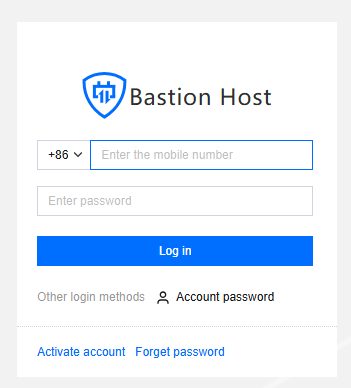
1. Enter the Ops page login address in a browser to open the BH Ops page. Enter your phone number and password to log in to the BH. Alternatively, click Account password to switch to login with account name and password.
2. After entering the BH, choose Database in the left sidebar.
3. On the Database Asset List page, click Connection string on the right side of the corresponding database to open the connection string window.
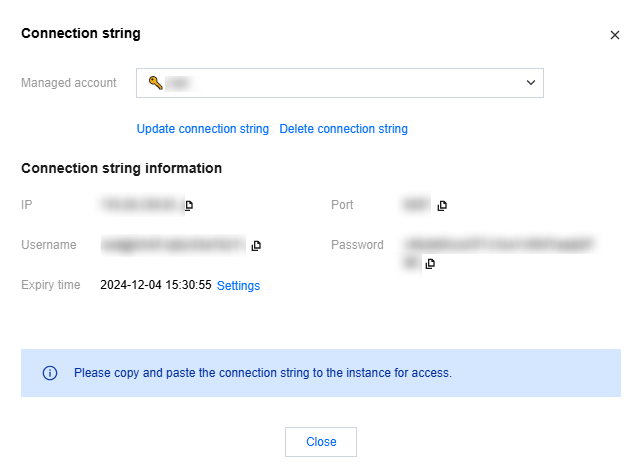
4. In the connection string popup, click View Access String.
Note
If the connection string has not been created, click Update connection string first.
All operations performed to access the database through the BH will be recorded.
5. Copy and paste the IP, port, username, password, and other information displayed in the connection string into the database client to access the database. Below are instructions using the MySQL Workbench and Navicat clients as examples.
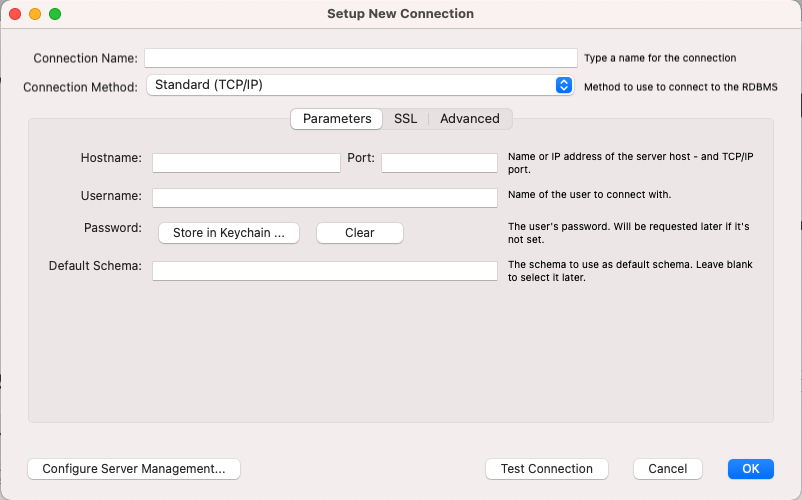
Example of filling in the connection string in the MySQL Workbench client
|
Connection Name | Custom connection name |
Connection Method | Default to standard (TCP/IP) |
Hostname | IP address of the connection string |
Port | Port of the connection string |
Username | Username of the connection string |
Password | Password of the connection string |
Default Schema | - |
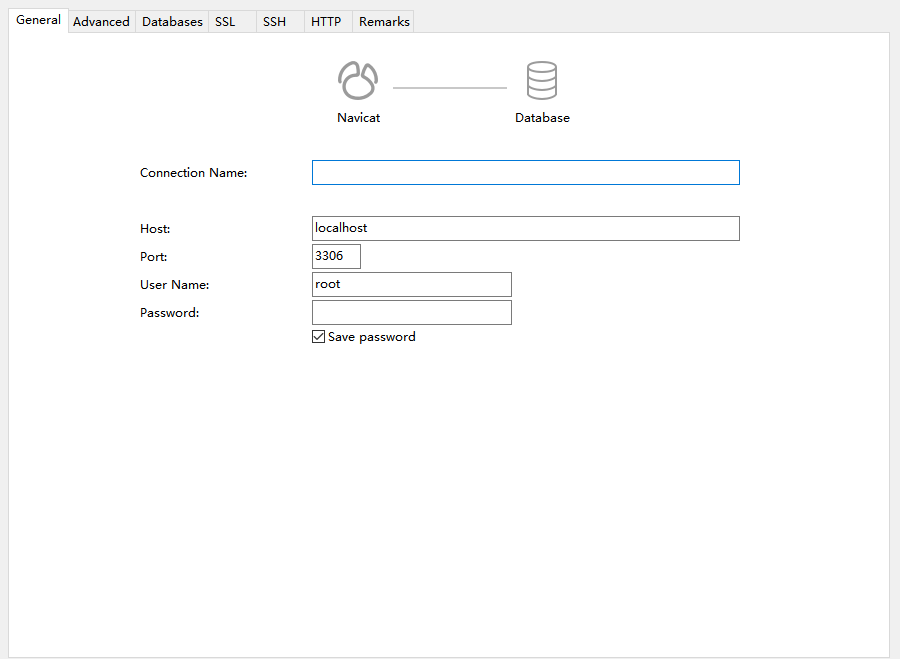
Example of filling in the connection string in the Navicat client
|
Connection Name | Custom connection name |
Host | IP address of the connection string |
Port | Port of the connection string |
Username | Username of the connection string |
Password | Password of the connection string |
6. After you configure and save the connection string, it can be used to access the database within its validity period.
Recommended Client Tool Versions
|
Windows | Navicat | 16.0.6 16.1.12 16.1.13 16.1.15 |
| MySQL Workbench | 8.0 |
| pgAdmin | 6.17 6.21 |
Mac | Navicat | 16.1.10 |
| MongoDB Compass | 1.39.0 1.40.4 |
| MongoDB Shell | 1.10.1 |
| pgAdmin | 6.17 6.21 |