Model Management
Download
포커스 모드
폰트 크기
WeData model management relies on MLflow and Catalog, providing a complete machine learning model lifecycle management capability, including:
Model registration: You can register trained models in the model library.
Version management: Perform version control on models to facilitate rollback and compare different versions.
Lineage tracing: Shows the correlation between models and their upstream data and experiments, helping you trace model sources and dependency relationships.
Experiment tracking: Seamlessly integrates MLflow to automatically record model training parameters, assessment metrics, and runtime environment, making it easy to compare experiments and monitor performance.
Model deployment: Supports one-click deployment of models as online services to enable real-time inference and application integration.
These features help the team collaborate efficiently, manage and deploy machine learning models with standardized management, improving productivity and model governance capability.
Model Registration
Model
interface has two entries for registration:Method 1: Create a model directly on the model management page.
Method 2: Register a model based on a certain experiment in the running interface.
Creating a Model on the Model Management Page
1. Enter the model management page from the left menu.
2. Click Create Model, select the model type "Machine Learning Model Registration", fill in the model name, select the catalog and schema path, then click Create. This step creates a model name and path in the catalog. (Note: Selecting the catalog address requires the account to have authorization for the existing catalog data catalog.)
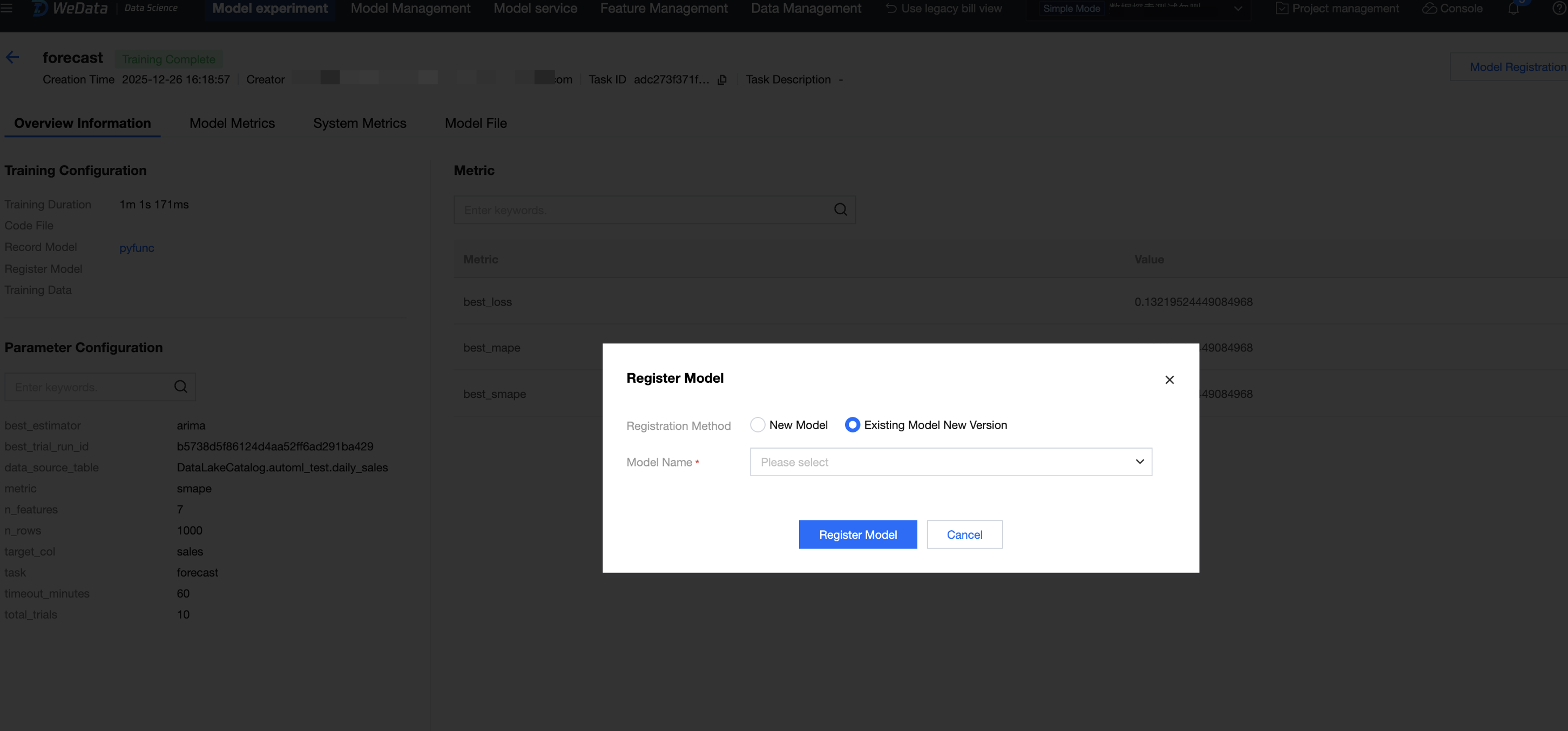
3. Go to the experiment running interface, based on the specific model experiment run, click Model Registration, select "Existing Model New Version" for the registration method, and choose the newly created model name.
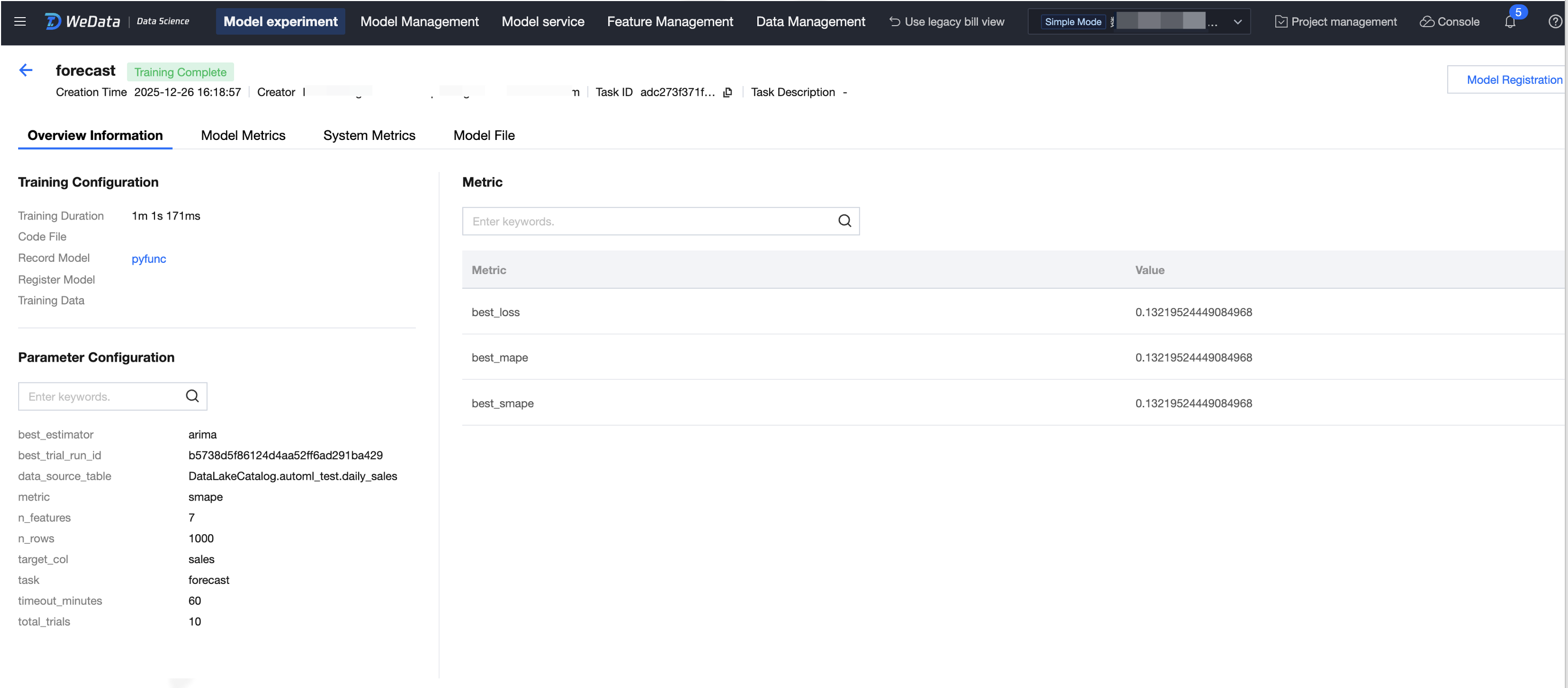
"Create Model" Based on Experiment
1. Enter experiment management from the left menu, go to the best training experiment run, and click Model Registration.
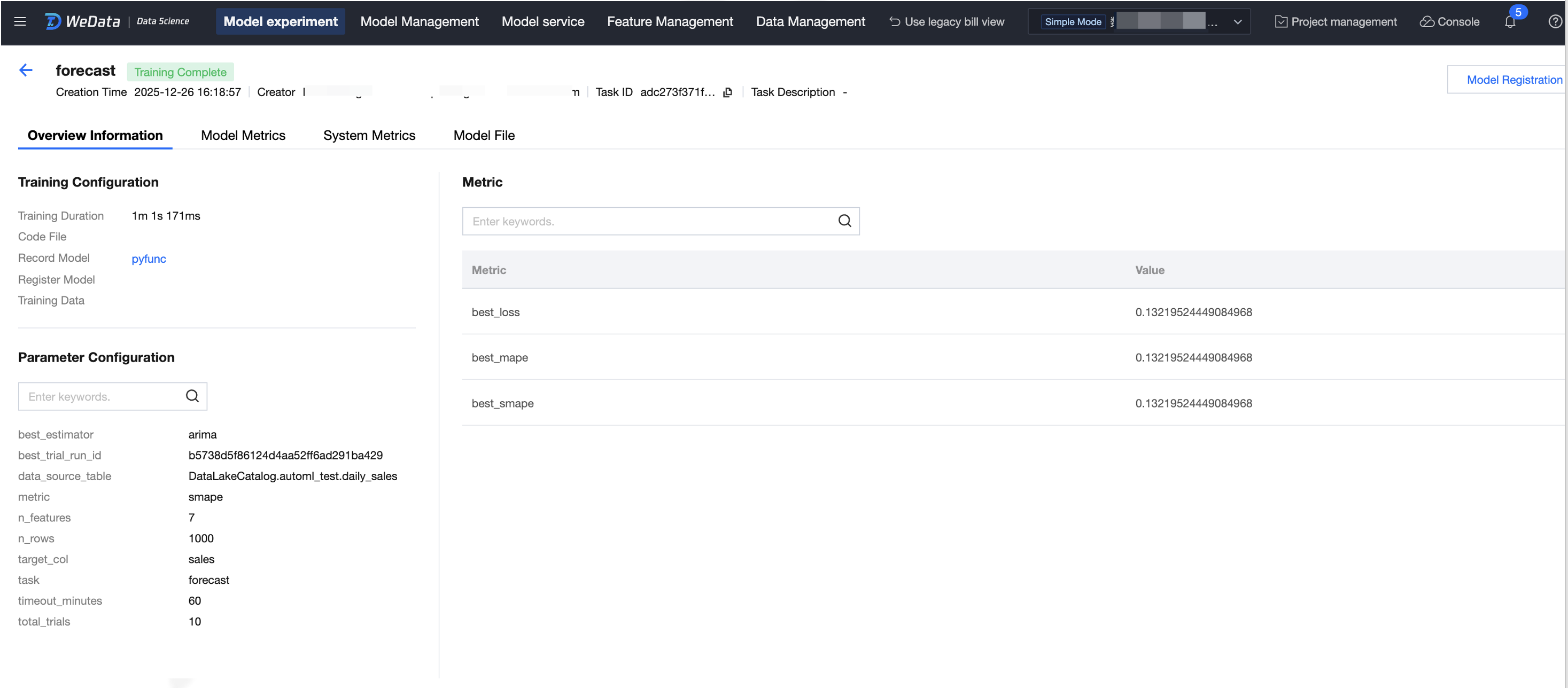
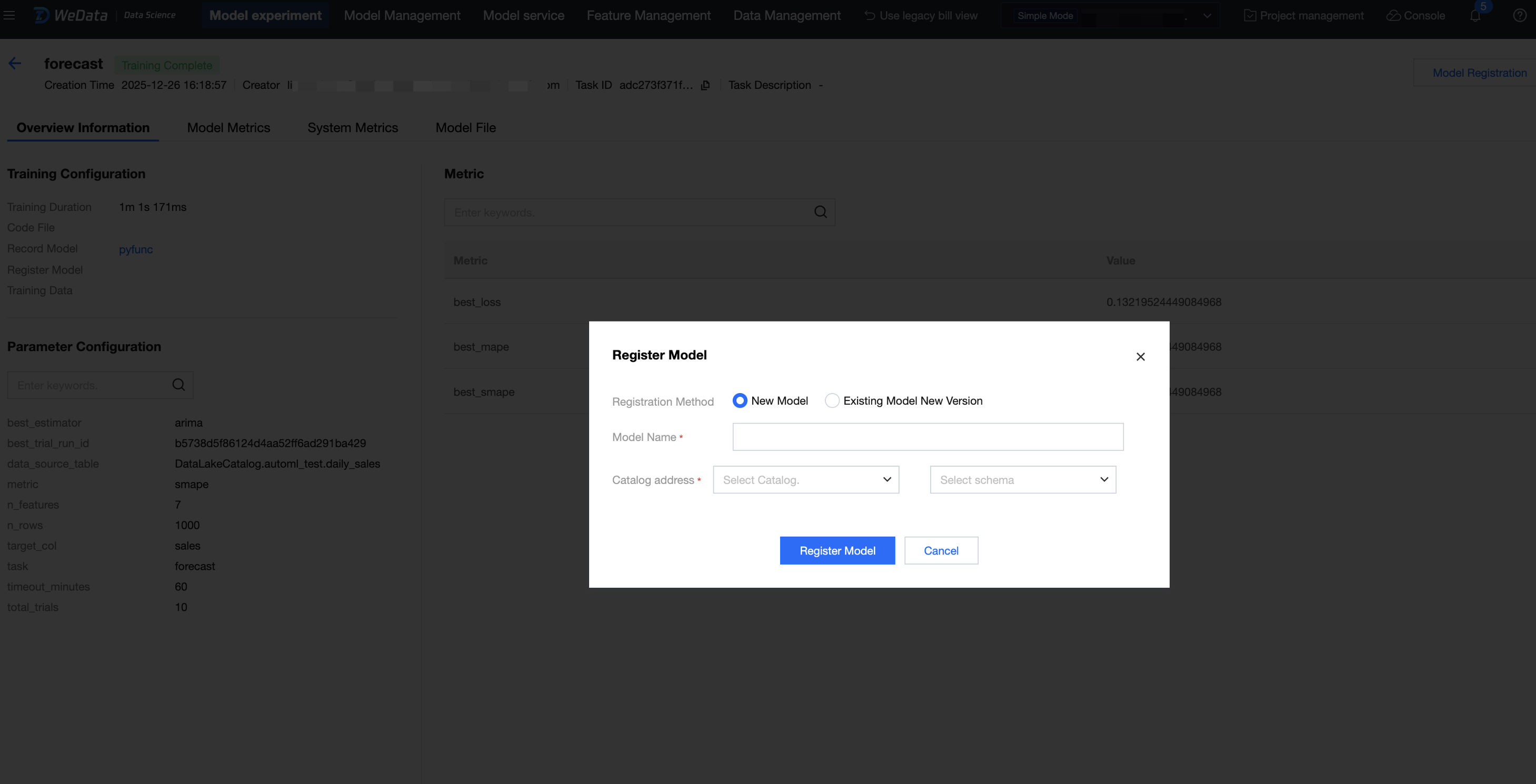
2. Select whether to register as "New Model" or "Existing Model New Version".
New Model: input the model name, select the catalog and schema, then click Register Model. (Note: Selecting the catalog address requires the account to have authorization for the existing catalog data catalog.)
Existing Model New Version: select the existing model, then click Register Model.
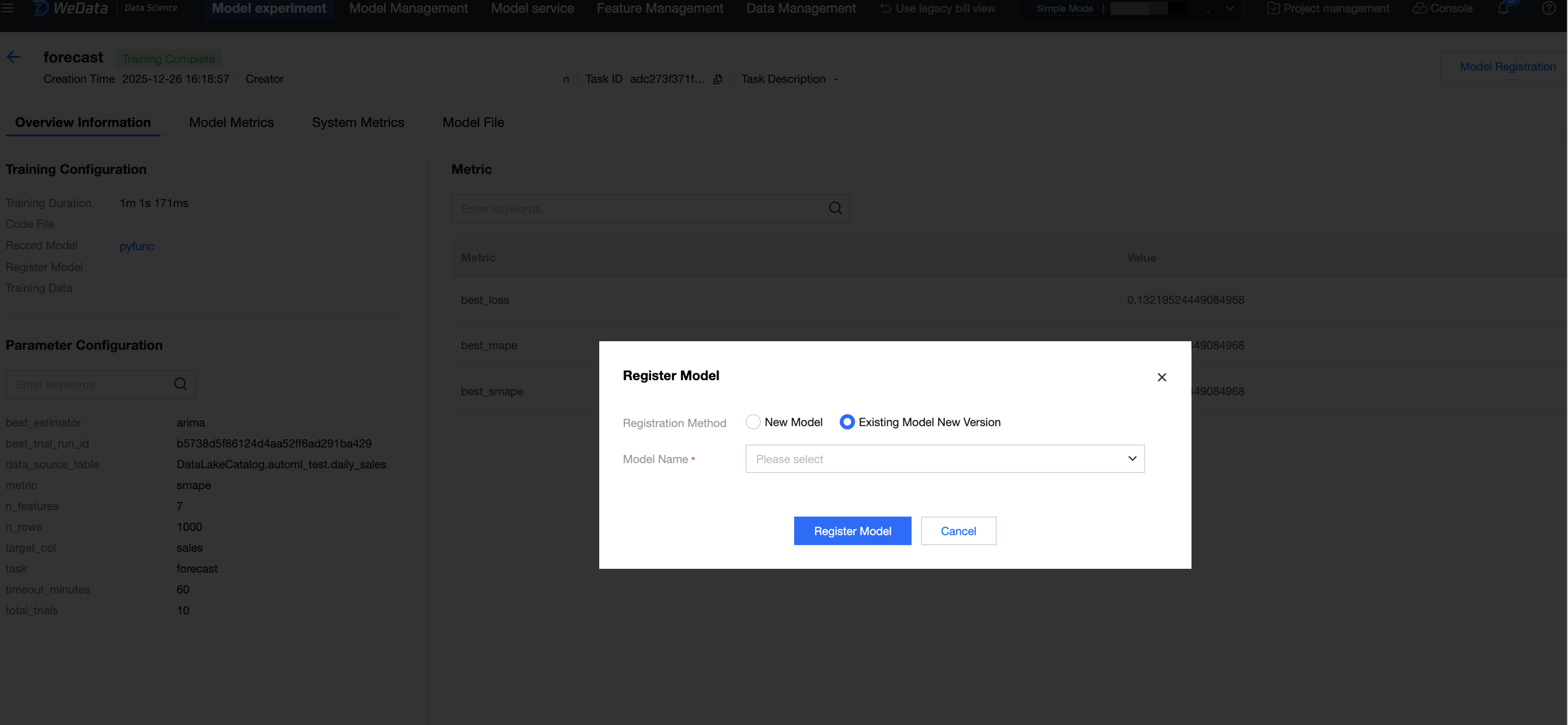
3. Registration is successful. View the model in the model management list, click the model name, and enter the model details.
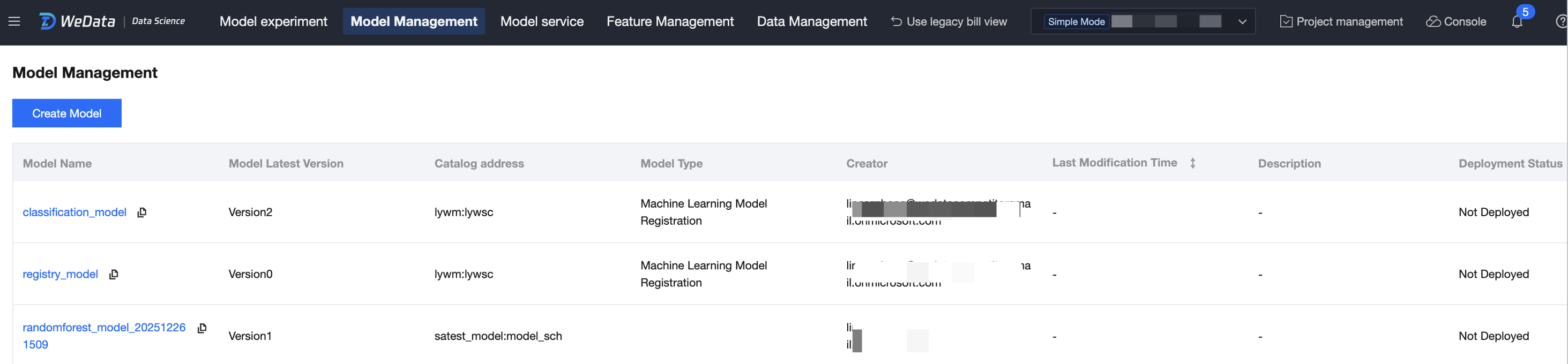
Version Management
1. Model registration is managed in versions.
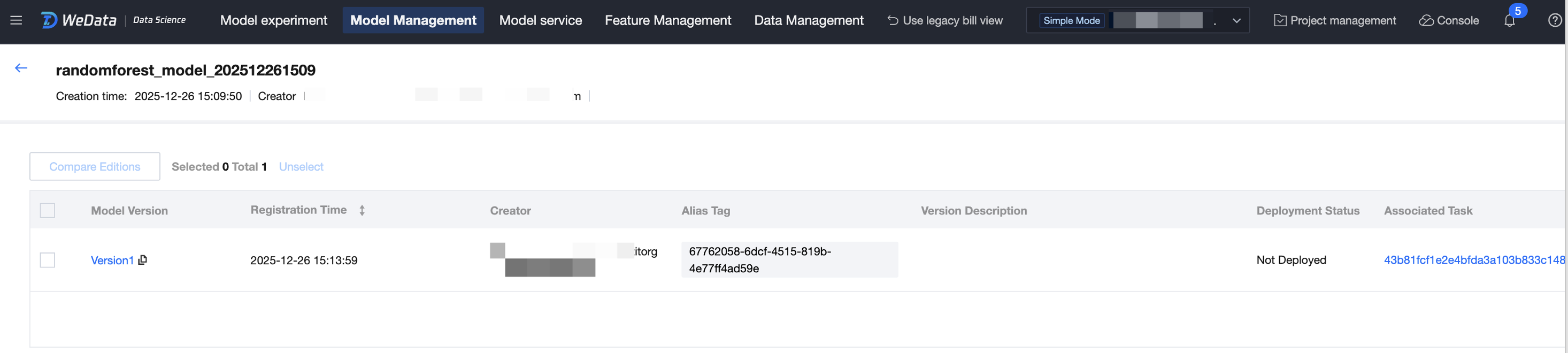
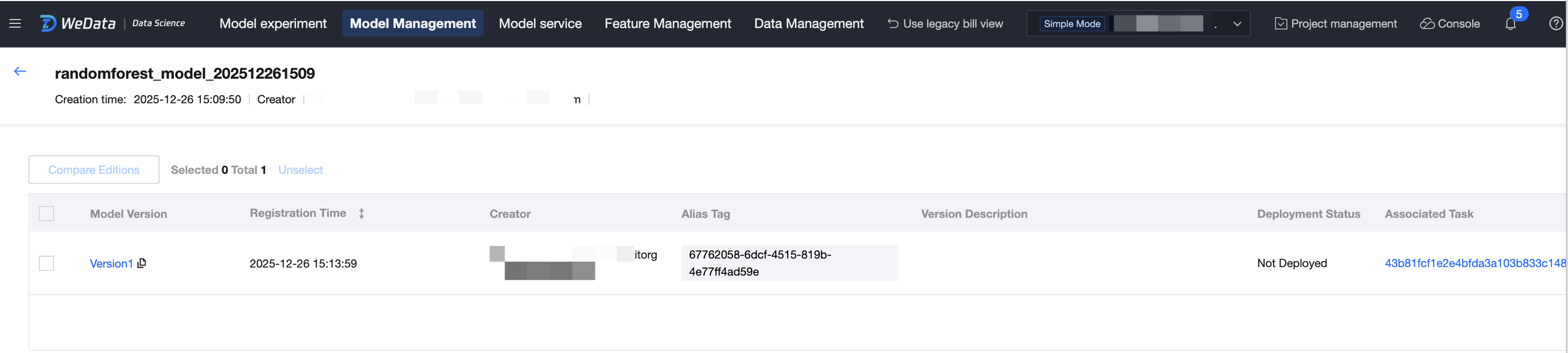
2. Click associated task to trace and view the experimental run of this model.
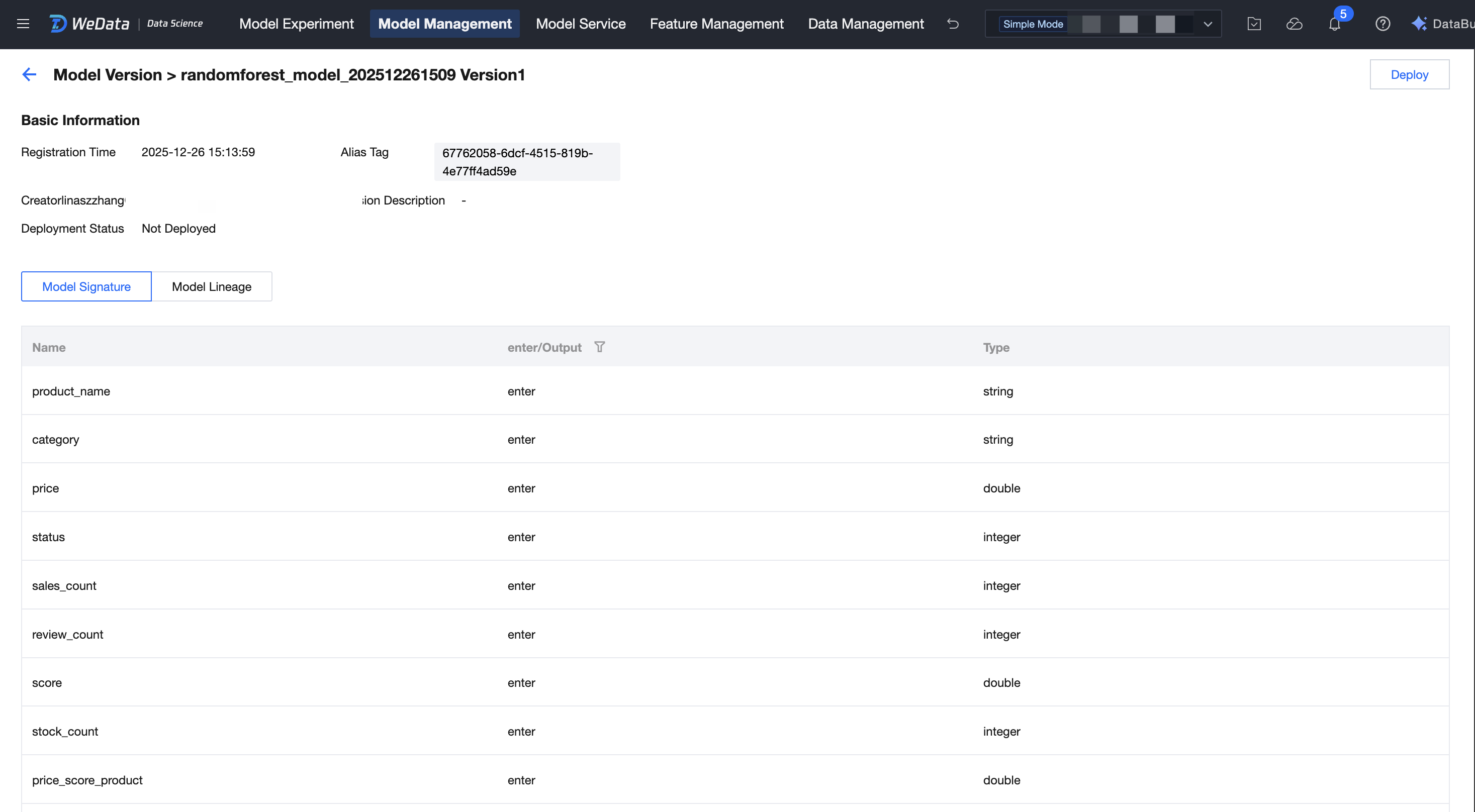
3. Click model version to view basic metadata, model signature, and lineage. Modification is supported for model alias, tags, and model description.
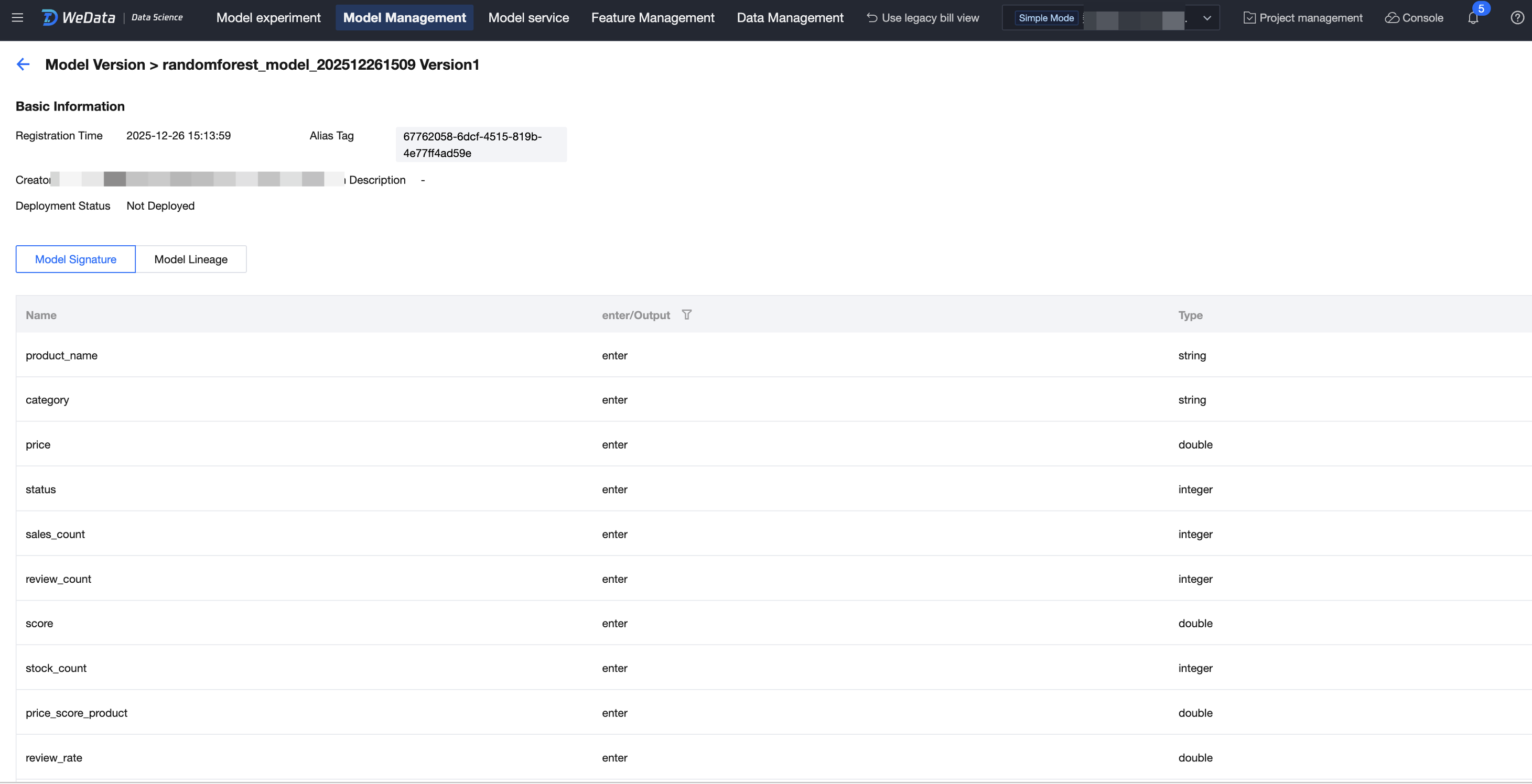
Lineage Trace
Click Model Lineage to view the upstream and downstream lineage links of the model. Upstream nodes include raw data tables/feature tables/training data tables/experiment runs; downstream nodes include model services/reasoning tables.
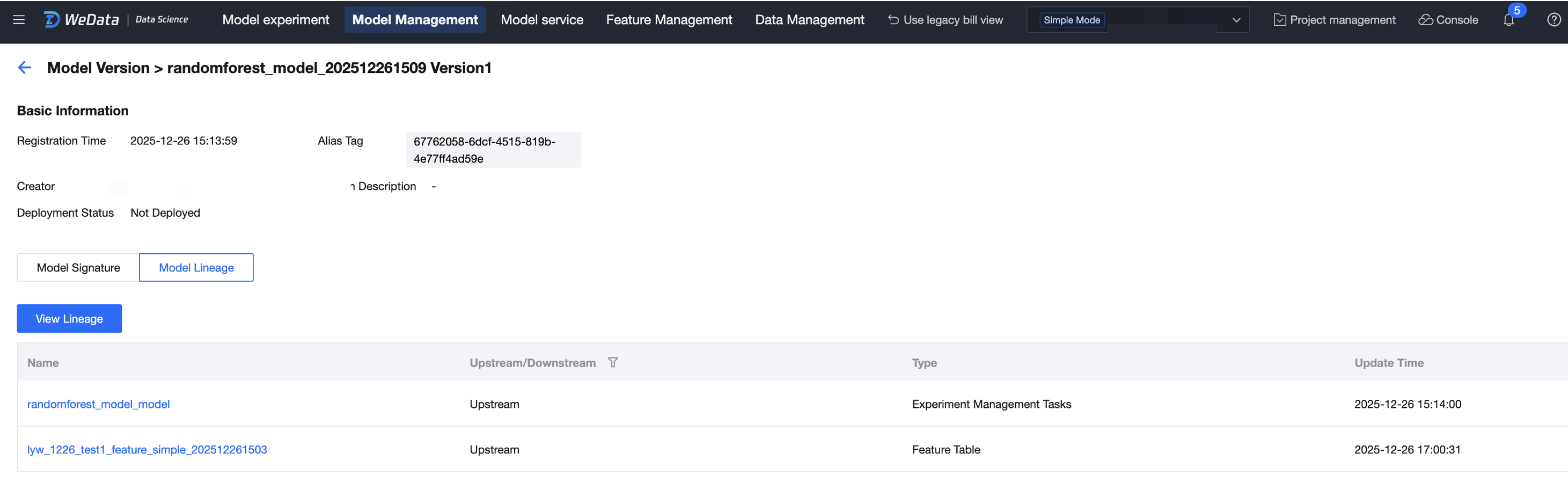
Experimental Trace
1. Click associated task of the model version to trace and view the experimental run of this model.
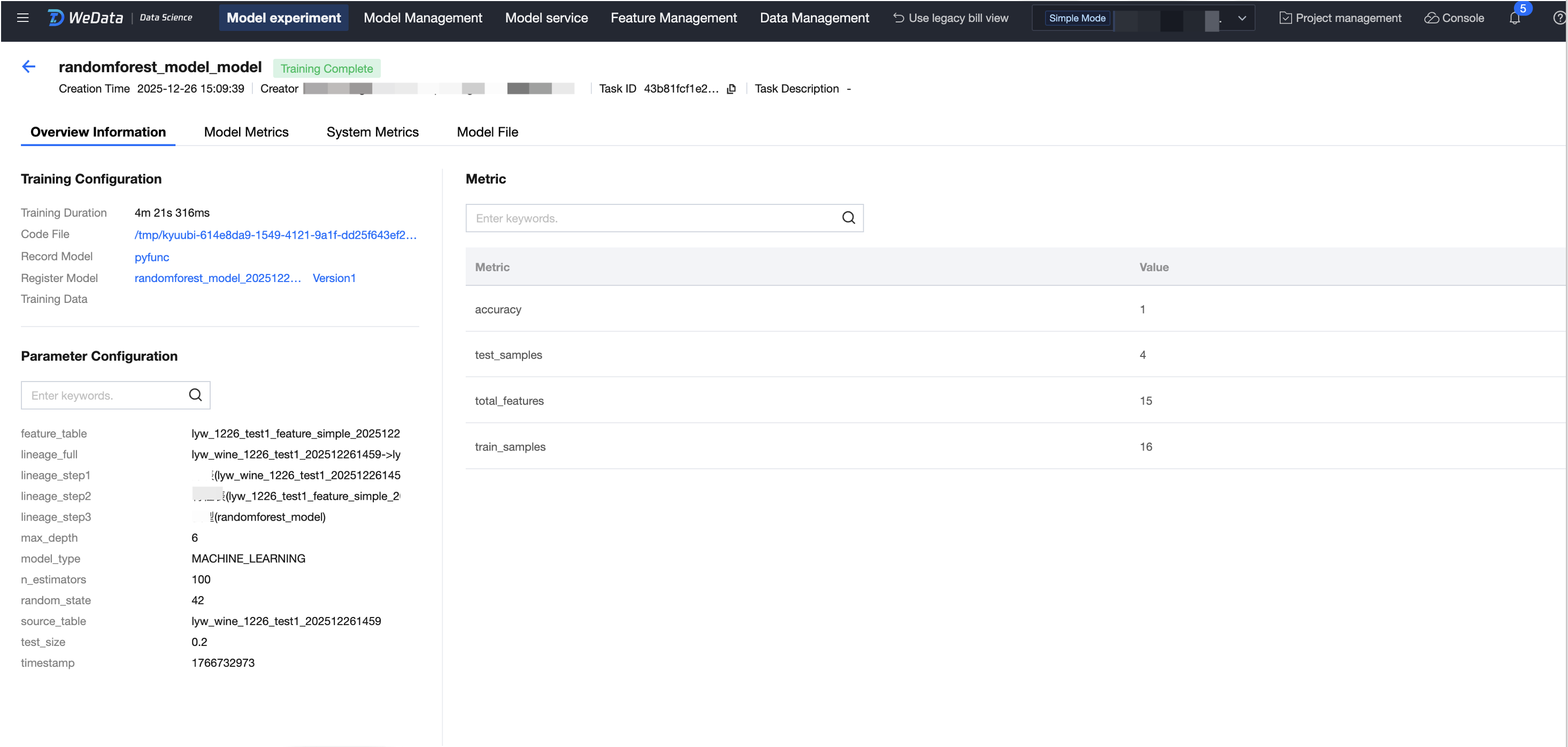
2. During the experiment run, you can trace training metrics and parameters.
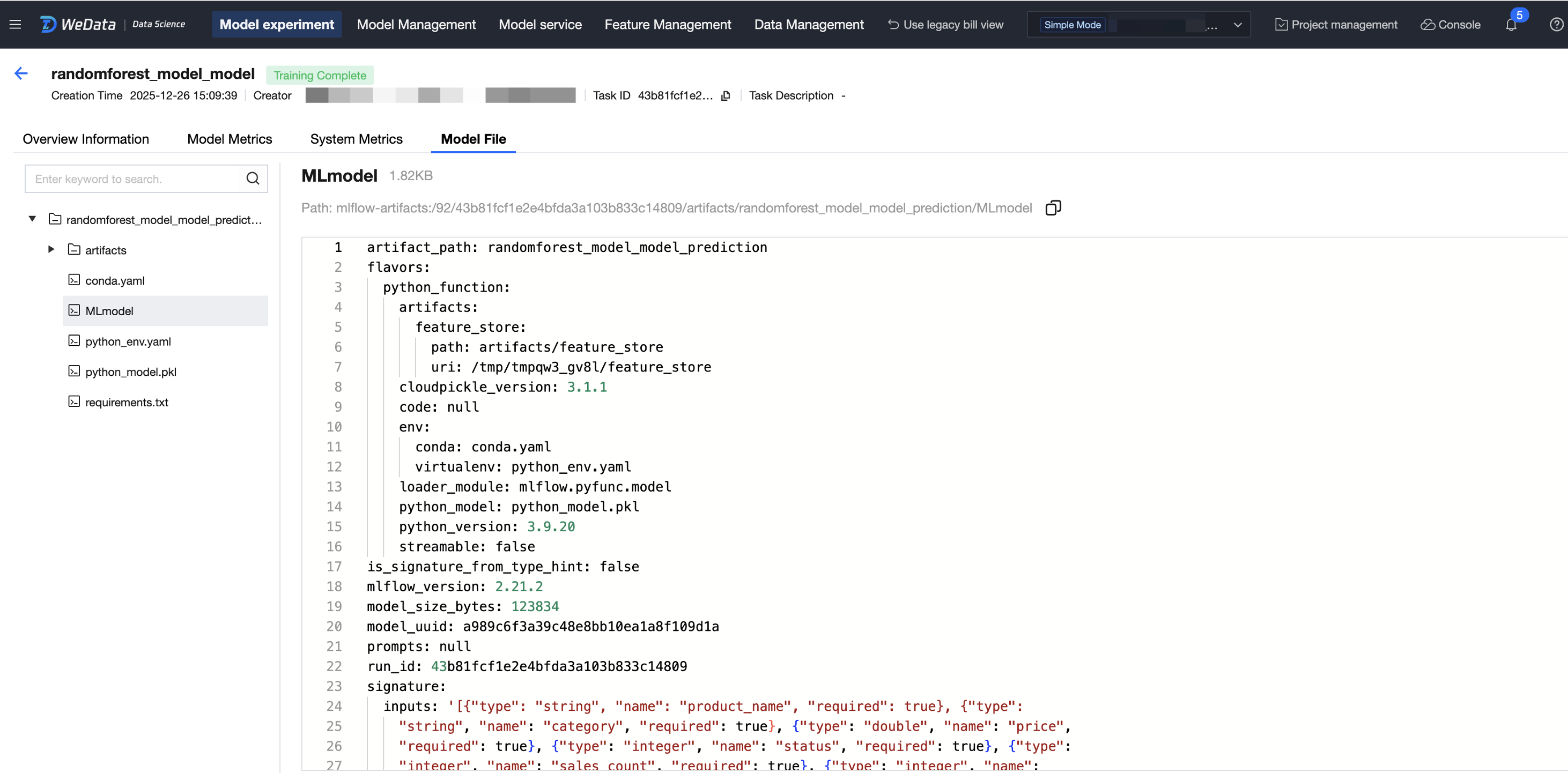
3. Trace model artifacts and support exporting model artifacts.
Model deployment
1. Enter the Version Details Page, click Deploy.
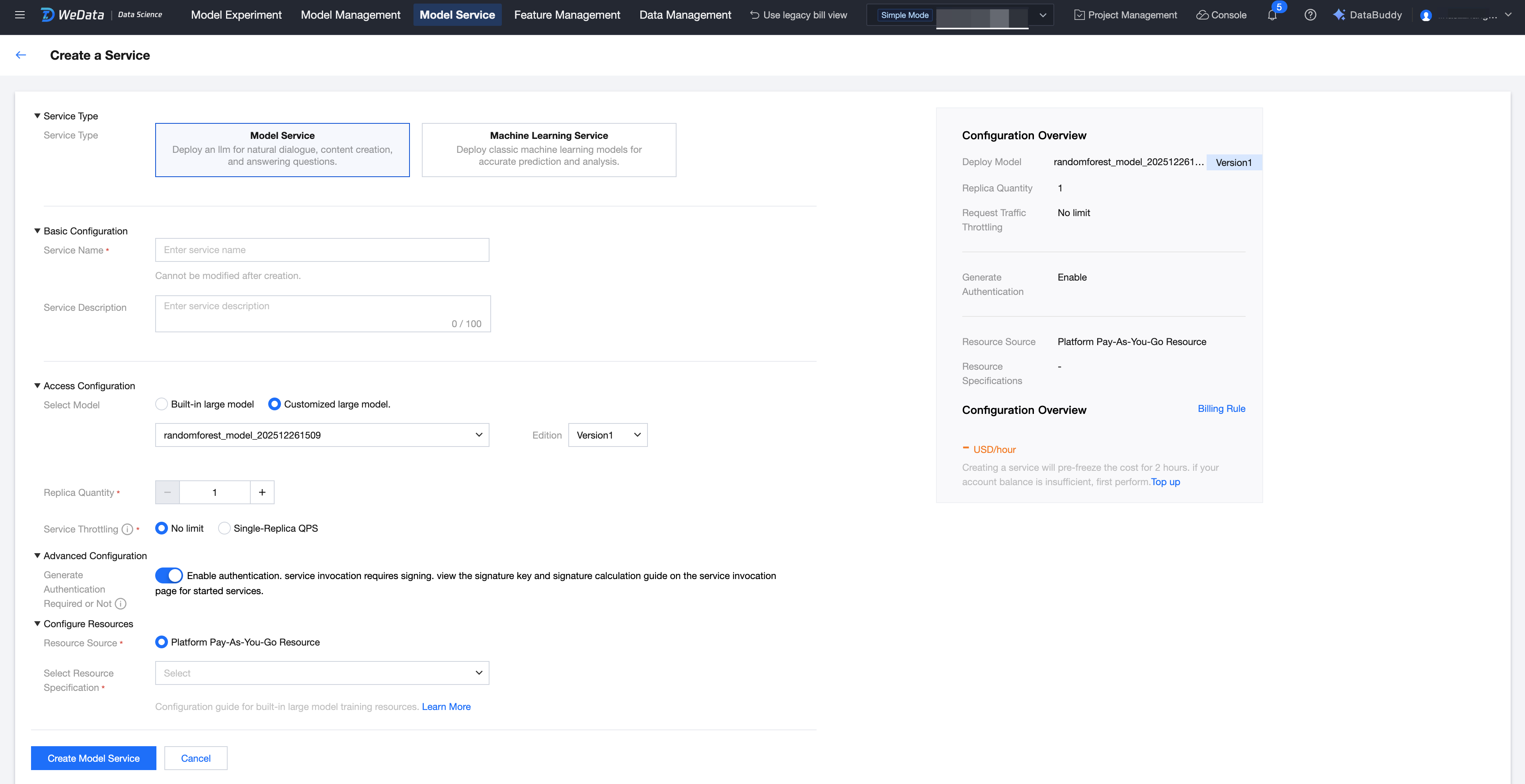
2. Enter the model service creation flow.
피드백