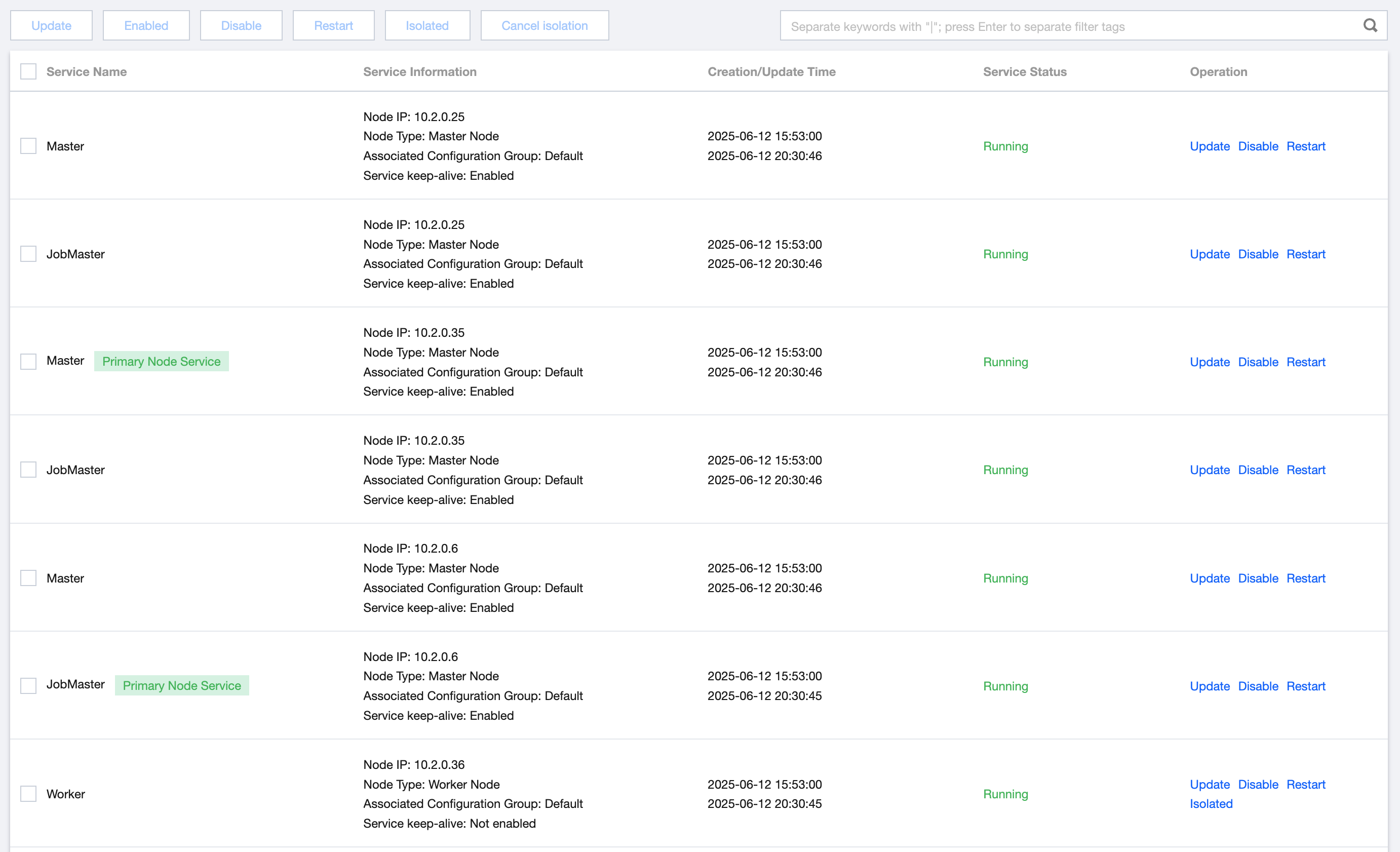
The service management capability provides a GUI for operating GooseFS clusters, supporting maintenance operations like service updates, enablement, termination, isolation, and lifting isolation. Currently, GooseFS clusters support the following service categories:
Master service: The main function of the Master service is to provide metadata management. When users read/write files, they can get file metadata information through the Master service for accessing data blocks.
Worker service: The Worker service is used to store Block data. After obtaining file metadata information, users retrieve data from the corresponding Worker service node based on the Block data information in the metadata.
Fuse service: The Fuse service provides a file system client for business. Business can access files on GooseFS through the GooseFS Fuse client using the file protocol.
Job Master service: The Job Master service manages tasks on the GooseFS cluster, such as metadata loading (LoadMetadata), preheating (DistributedLoad), and metadata removal (TTL).
Job Service: The Job Worker service is for execution of tasks on the GooseFS cluster, subject to Job Master service control.
2. In the left navigation, click GooseFS Cluster List to enter the GooseFS cluster list page.
3. Select the GooseFS cluster to manage, enter the cluster details page, choose service management from the sidebar, and open the service management subpage.
4. On the service management page, you can perform the following operations:
Update: Update the keep-alive status on the service, which can be used to enable or disable the service keep-alive capability on nodes; when the keep-alive capability is enabled, if a node fails, it will attempt to automatically restart the service.
Enable: Enable services on nodes. Services on abnormal nodes or suspended service nodes can be restarted through this operation.
Stop: Can be used to suspend services on nodes for temporary troubleshooting.
Restart: Can be used to restart services on nodes for effective configuration.
Isolated: Can be used to isolate abnormal nodes from the cluster, for example, isolating a node when the Worker service is abnormal to avoid routing traffic to the abnormal node.
Cancel Isolation: Can be used to rejoin services on nodes that have restored health to the cluster.