tencent cloud

TDSQL Boundless

Release Notes
Product Introduction
Overview
Scenarios
Product Architecture
Instance Types
Compatibility Notes

Kernel Features
Kernel Overview
Kernel Version Release Notes
Functionality Features
Performance Features
Billing
Billing Overview
Purchase Method
Pricing Details
Renewal
Overdue Payments
Refund
Getting Started
Creating an Instance
Connect to Instances
User Guide
Data Migration
Data Subscription
Instance Management
Configuration Change
Parameter Configuration
Account Management
Security Group
Backup and Restoration
Database Auditing
Tag Management
Use Cases
Technical Evolution and Usage Practices of Online DDL
Lock Mechanism Analysis and Troubleshooting Practices
Data Intelligent Scheduling and Related Practices for Performance Optimization
TDSQL Boundless Selection Guide and Practical Tutorial
Developer Guide
Developer Guide (MySQL Compatibility Mode)
Developer Guide (HBase Compatibility Mode)
Performance Tuning
Performance Tuning Overview
SQL Tuning
DDL Tuning
Performance White Paper
Performance Overview
TPC-C Test
Sysbench Test
API Documentation
History
Introduction
API Category
Making API Requests
Instance APIs
Security Group APIs
Task APIs
Backup APIs
Rollback APIs
Parameter APIs
Database APIs
Data Types
Error Codes
General Reference
System Architecture
SQL Reference
Database Parameter Description
TPC-H benchmark data model reference
Error Code Information
Security and Compliance
FAQs
Agreements
Service Level Agreement
Terms of Service
Privacy Policy
Data Processing And Security Agreement
Contact Us
Glossary

Manual Backup

PDF
포커스 모드
폰트 크기
마지막 업데이트 시간: 2026-03-12 10:36:17
It is recommended that a manual full backup be performed before significant changes are made to the database (such as modifying the database and table design).

Steps

1. Log in to the TDSQL Boundless Console, in the Instance List,click the Instance ID or Manage in the Operation column to go to the Instance Management page.
2. Go to the Backup and Restoration > Data Backup List tab, and click Manual Backup.

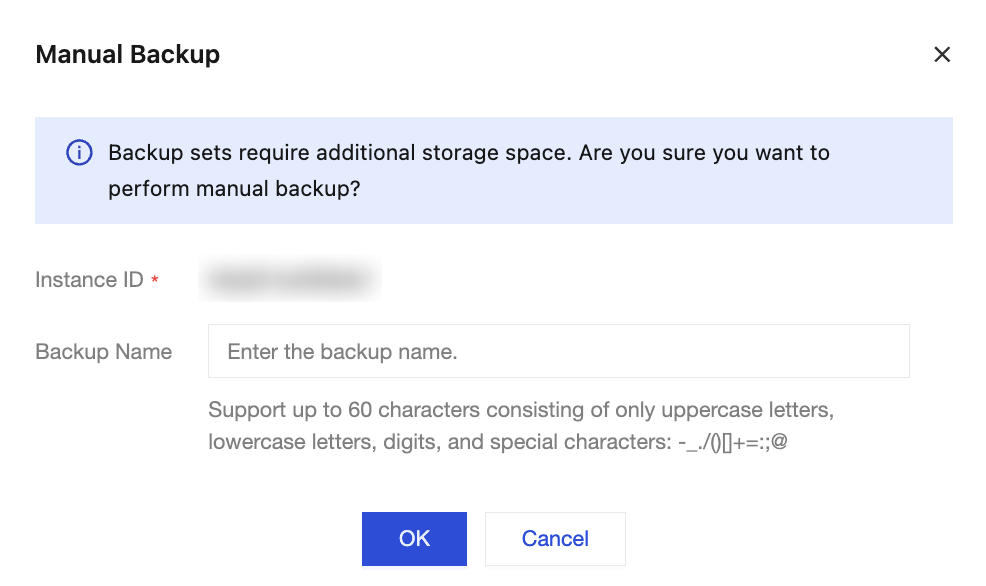
3. In the pop-up box, set the backup name according to your business needs, and click OK.

Note:
For backup sets manually backed up, the system will not automatically delete them. Users need to perform deletion operations themselves to remove the backup sets that are no longer needed.
4. Upon successful operation, you can view the manual backup set in the Data Backup List.

Related Documentation

Operation
Description
Modify the remark name of a manual backup
On the Data Backup List page, click

followed by File Name to modify the remark name of the manual backup.
Delete the manual backup set
The system only supports deleting manual backup sets.
Note:
Once a backup set is deleted, it will no longer be available for backup restoration. Please proceed with caution.
To delete a single manual backup set: On the Data Backup List page, locate the row of the backup set to be deleted, and click Delete in the Operation column.
Batch delete manual backup sets:
1.1 On the Data Backup List page, select the manual backup sets to be deleted, and click Delete at the top left of the page.
1.2 In the pop-up box, confirm the backup sets to be deleted, and click OK.

도움말 및 지원

문제 해결에 도움이 되었나요?

피드백