View Backup Overview (Instance Dimension)
Download
포커스 모드
폰트 크기
TencentDB for SQL Server provides a backup overview page to help you quickly understand backup space usage and backup trends. This article describes how to view the backup overview of an instance through the console.
Supported Dimensions Description
This article describes how to view the backup overview at the instance dimension, which means that through this document, you will see the backup overview of a single instance.
TencentDB for SQL Server also provides a backup overview at the region dimension. For details, see View Backup Overview (Region Dimension).
Operation Steps
1. Log in to the SQL Server console.
2. Select a region at the top, locate the target instance, and click the instance ID or Operation > Manage to go to the Instance Management page.
3. On the Instance Management page, choose Backup Management > Backup Overview.
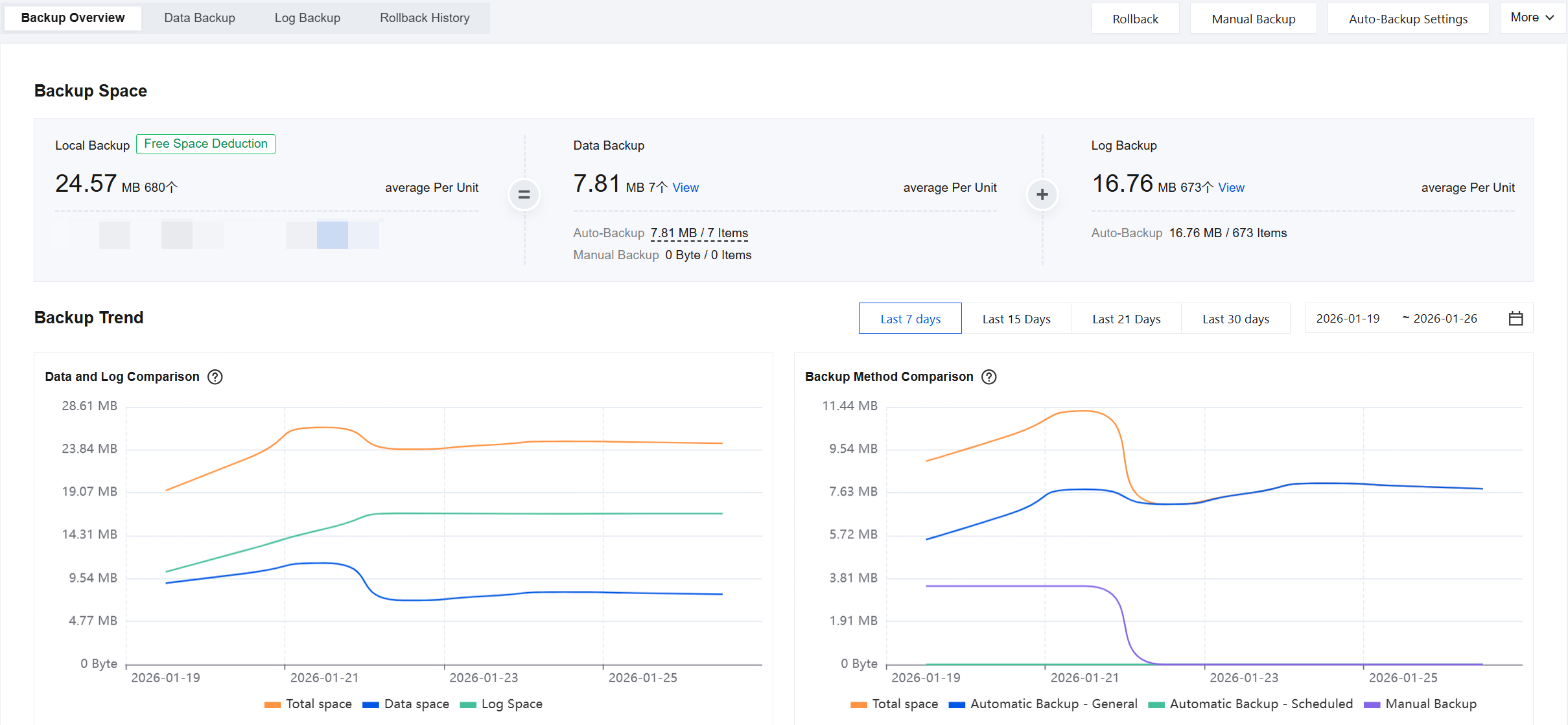
4. View backup space. You can view the backup space usage of the current instance in Backup Space, with details as follows.
Field | Description |
Local Backup | The total local backup space generated by the current instance is displayed. Here, you can view the total local backup size, total number of local backup files, and average file size. You can also check the free tier deduction status, as detailed below. Local backup = Data backup + Log backup. If the free tier in the current instance's region has not been fully deducted, it indicates that backup billing has not started for this instance. In this case, "Free Tier Deduction" will be displayed. After the free tier is exhausted, pay-as-you-go billing will apply. For pricing details, see Billing Overview. If the free tier in the current instance's region has been fully deducted, it indicates that backup billing has started for this instance. In this case, "Pay-as-you-go Billing in Effect" will be displayed. Storage beyond the free tier will be charged on a pay-as-you-go basis. For pricing details, see Billing Overview. |
Data Backup | Displays the details of the total data backup generated by the current instance. You can view the total data backup space size, total number of data backup files, and average size per data backup file here. Click View to redirect to the Data Backup List for details. You can also view the size and number of files for automatic and manual backups in Data Backup. When the mouse hovers over automatic backup data, the size and number of files for both regular and periodic backups within automatic backups will be displayed. 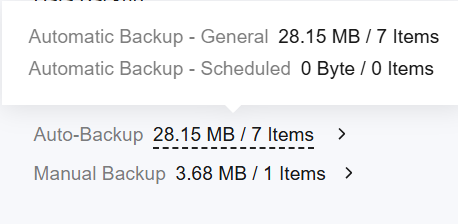 |
Log Backup | Displays the details of the total log backup generated by the current instance. You can view the total log backup space size, total number of log backup files, and average size per log backup file here. Click View to redirect to the Log Backup List for details. You can also view the size and number of files for automatic backups in Log Backup. |
Cross-Region Backup | Displays the cross-region backup details of the current instance. If the current instance is not enabled for Cross-region backup, no relevant data will be displayed. It is recommended that you click enable immediately to enable the cross-region backup capability, which can meet the needs of cross-region disaster recovery, long-term archiving, and compliance supervision. If the current instance has enabled Cross-region backup, you can view the total cross-region backup size, total number of cross-region backup files, and average file size here. You can also check the size and number of files for both data backups and log backups within cross-region backups. Cross-region backups do not occupy free storage space but are billed separately. For fees, see Cross-region Backup Billing Instructions. |
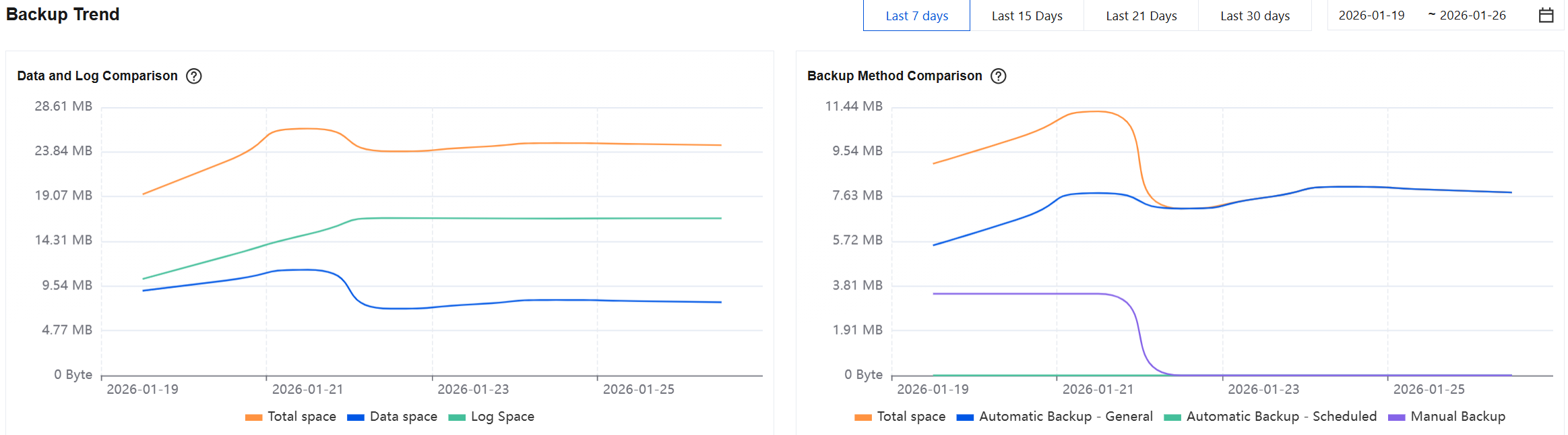
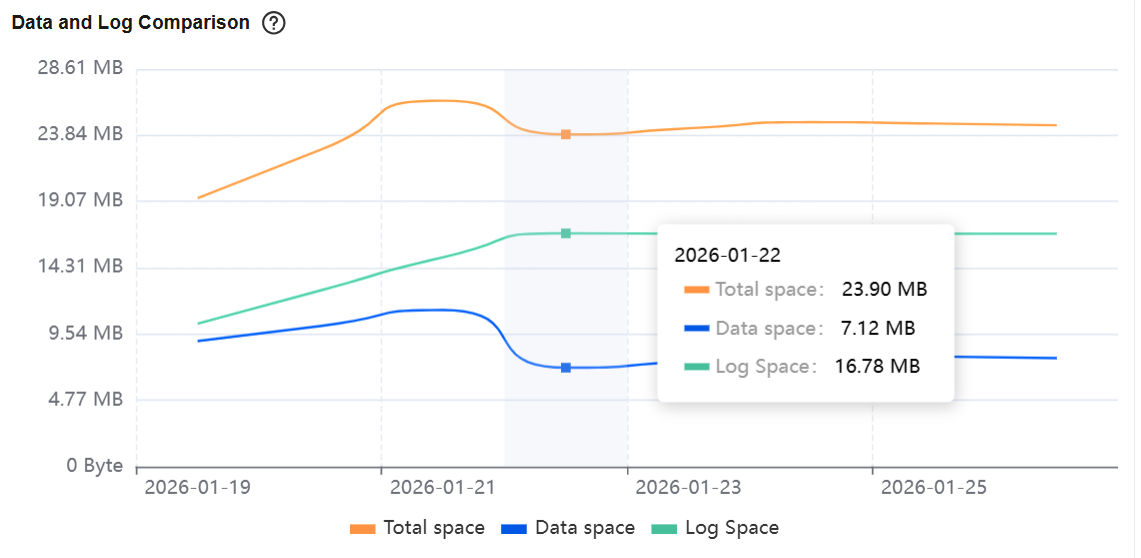
5. View backup trends. You can view data comparisons and trend charts for local or cross-region backups of the current instance in Backup Trend, as detailed below.
Local Backup: When you select local backup, you can view two types of data comparisons and trend charts. The first displays data comparisons and trend charts for total space, data space, and log space in local backups. The second shows data comparisons and trend charts for total space, automatic backups - regular, automatic backups - scheduled, and manual backups in local backups. Both types of data comparisons and trend charts support display periods of last 7 days, last 15 days, last 21 days, last 30 days, or any custom 30-day range (accurate to the second) within the backup generation period.
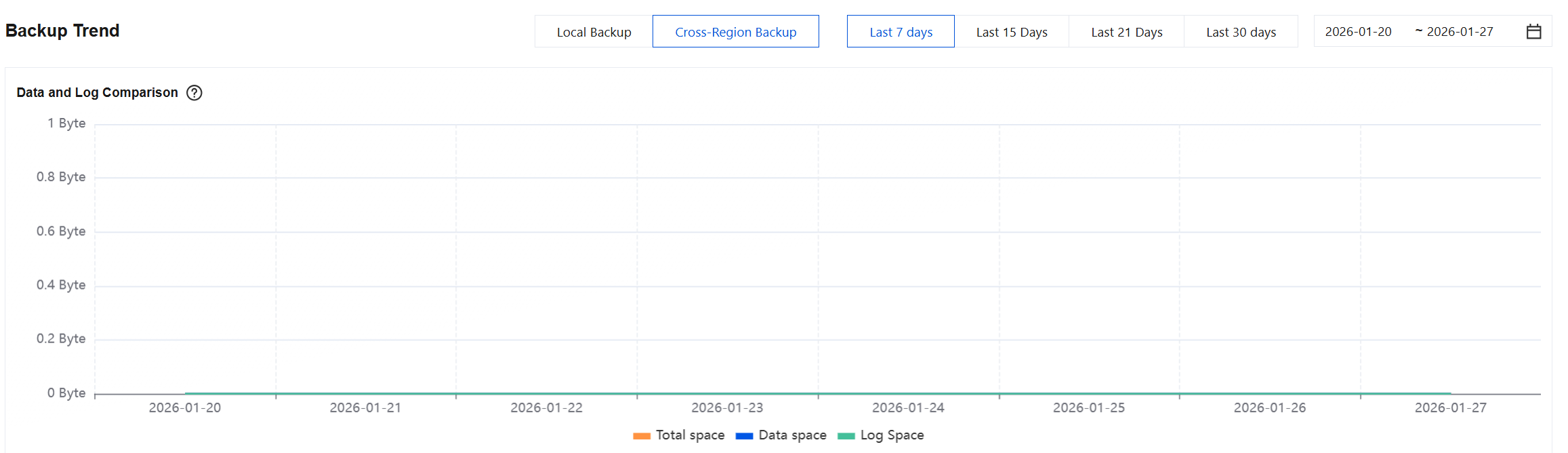
Cross-Region Backup: When selecting cross-region backup, you can view one type of data comparison and trend chart, which includes comparisons and trends for total space, data space, and log space in cross-region backups. This supports display periods of last 7 days, last 15 days, last 21 days, last 30 days, or any custom 30-day range (accurate to the second) within the backup generation period.
When hovering over the backup trend chart, you can view data comparisons for a specific date.
피드백