Rollback to the Original Instance
다운로드
포커스 모드
폰트 크기
Rollback to the original instance allows you to restore existing database objects in the current instance to a specific point in time or backup set. It can also solve the problem of recovering accidentally deleted databases. A detailed description is provided below.
Note:
Rollback to the original instance supports the operation of database-level objects.
For instances of SQL Server compatible engines, the rollback of mssql_compatible databases is currently not supported.
A single rollback task can select up to 100 databases.
Databases containing postgres objects cannot be used for database and table recovery.
Selecting the Recovery Method and Time Point
1. Log in to the PostgreSQL console. In the instance list, click Instance ID or Manage in the Operation column to access the instance management page.
2. On the instance management page, select Backup and Restoration, then click Database Table Restoration to navigate to the recovery settings page.

3. You can choose to restore to a specific backup set or to any point in time where the system detects data.
Note:
The selectable time for database table recovery is strongly related to your current backup retention policy. For backup settings, refer to Automatic Backup Settings.
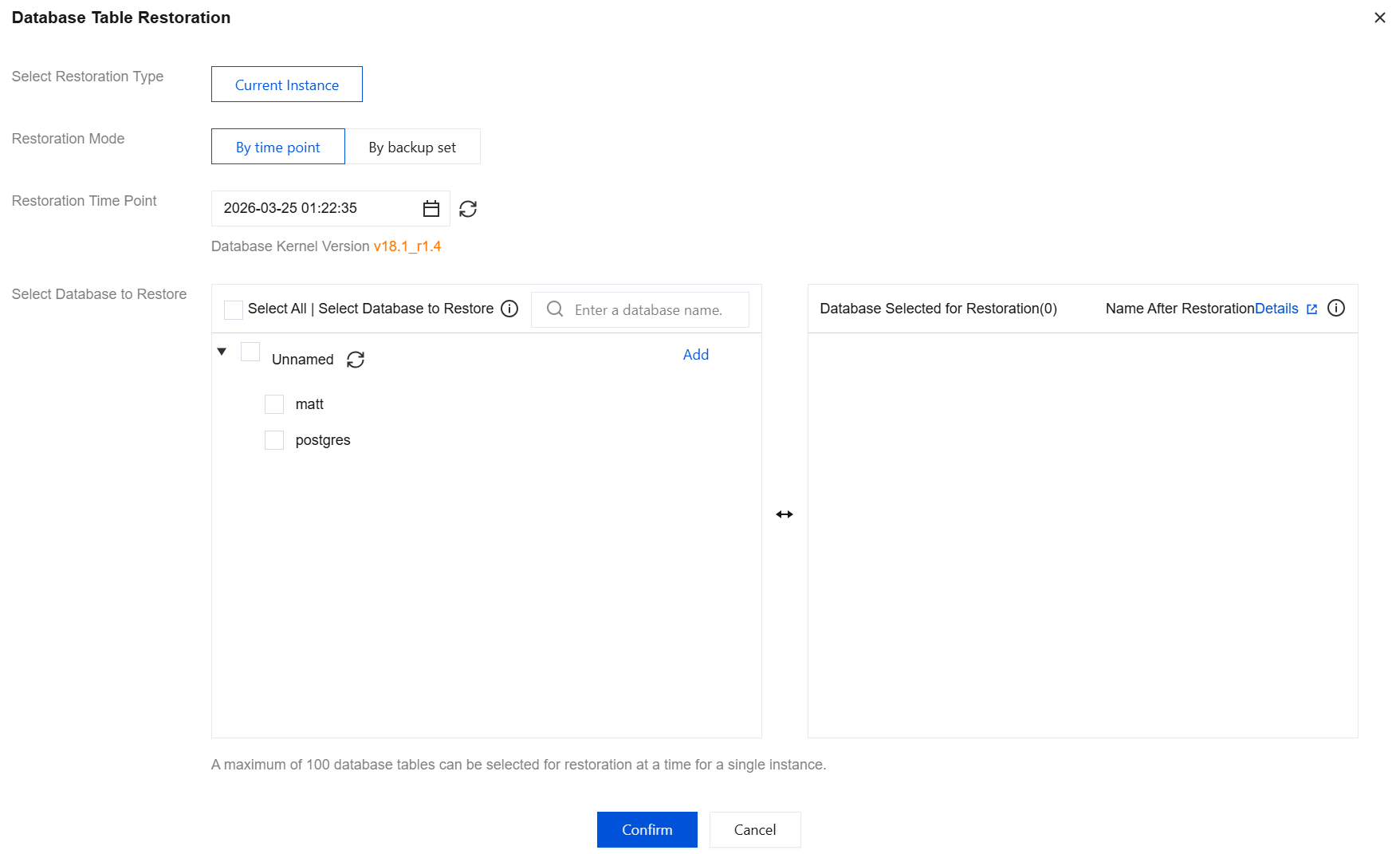
Selecting the Database to Recover
You can select an existing database pulled by the current system for recovery. Details are shown in the figure below:
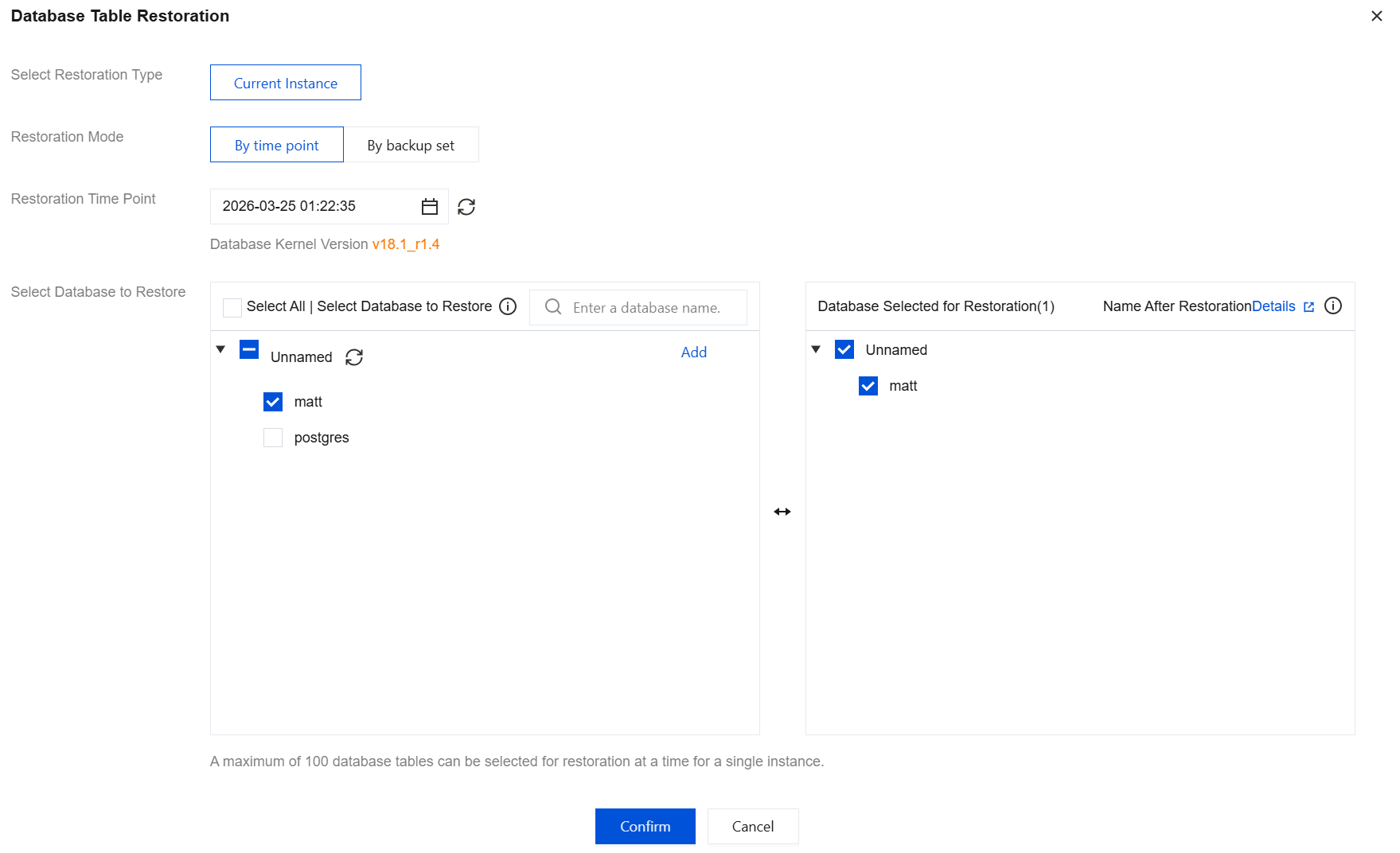
Name after Recovery
The restored database name will be suffixed with *_bak_timestamp, where timestamp is a Unix timestamp generated at backend task initiation. When you submit a database table rollback task via the console or API, the backend will initiate the rollback task within 5 minutes. For example, if the selected database is named "dbone" and the task initiation time is 2024-05-30 11:26:25, the restored database in the original instance will be named dbone_bak_1717039585 after task completion.
Handling Accidental Database Deletion
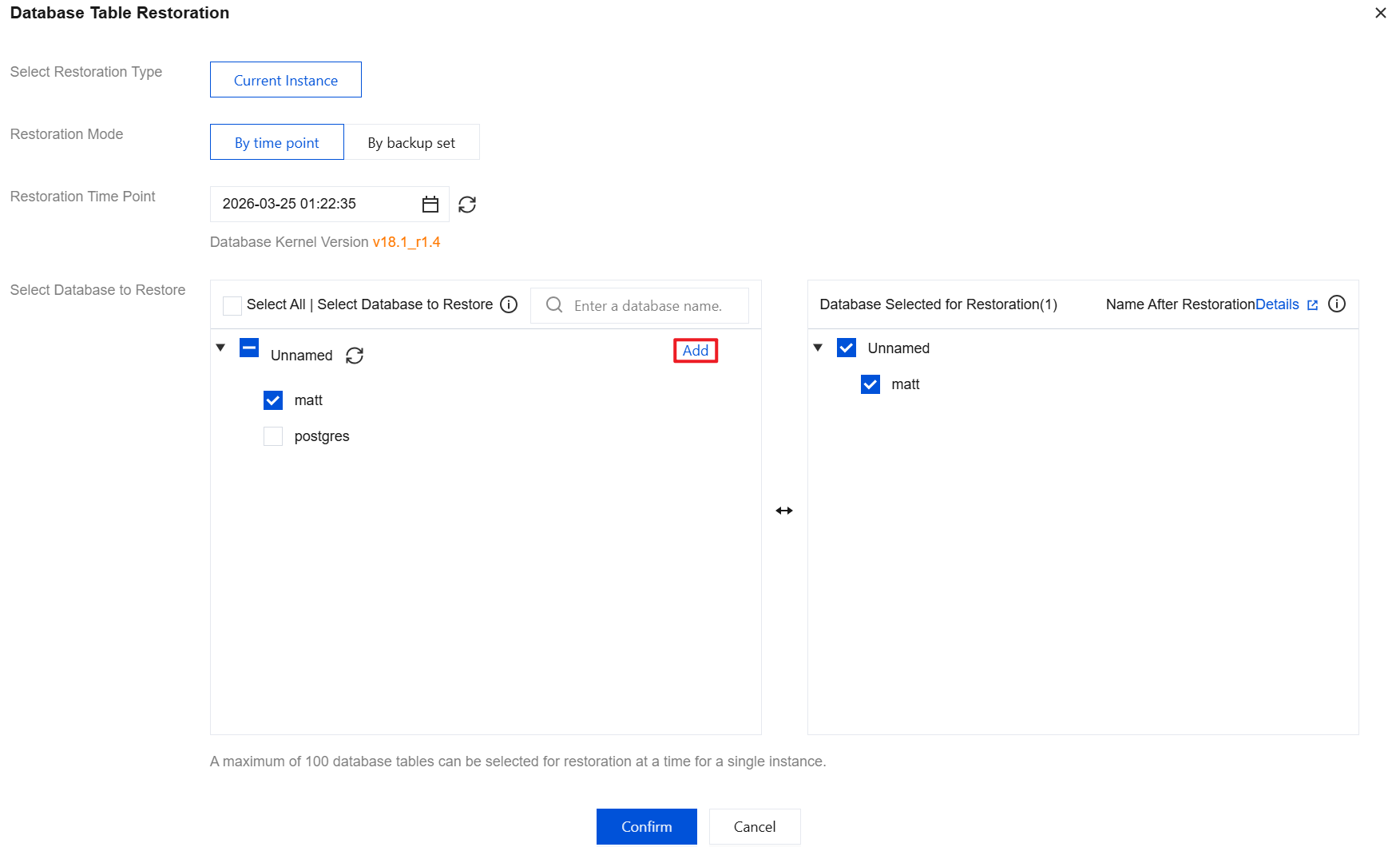
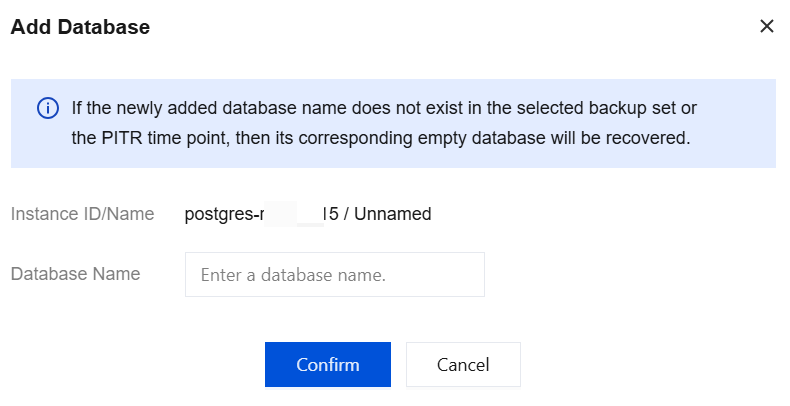
If a database is deleted due to misoperation, the database table rollback feature can resolve this problem. Since the deleted database cannot be retrieved when a task is initiated, you can start the task by adding a new database. Click Add in the figure below.
Note:
If the added database name does not exist in the selected backup set or PITR time point, an empty database will be recovered.
피드백