Django + COS를 활용한 웹 애플리케이션 클라우드 스토리지 솔루션
Download
포커스 모드
폰트 크기
소개
Django는 Python 기반의 오픈소스 웹 애플리케이션 프레임워크로, 웹 애플리케이션 개발 과정을 크게 간소화하였습니다. 현대 웹 애플리케이션의 요구를 보다 잘 충족시키기 위해 Django는 클라우드 스토리지를 포함한 다양한 확장 기능을 제공하고 있습니다.
본 문서에서는 COS 플러그인을 사용하여 원격 첨부 파일 기능을 구현하고 Django 애플리케이션의 데이터를 Tencent Cloud 의 COS(Cloud Object Storage)에 저장하는 방법을 주로 소개합니다.
전제 조건
이미 COS 버킷을 갖추고 있어야 합니다. 버킷이 없으면 버킷 생성 작업 가이드를 참조하시기 바랍니다.
이미 서버(예: Cloud Virtual Machine(CVM))를 생성된 상태이어야 합니다. 관련 가이드는 CVM 제품 문서를 참고하십시오.
환경 종속성
Python 버전: 3.8 버전 이상. 본 문서에서는 Python 3.12.0 버전을 예시로 설명합니다.
COS Python 버전: 1.9.31 버전 이상. 설치 방법은 COS Python SDK 시작하기을 참고하십시오. 본 문서에서는 COS Python 1.9.31 버전을 예시로 설명합니다.
Django 버전: 2.2 버전 이상, 3.3 버전 미만. 본 문서에서는 3.2.18 버전을 예시로 설명합니다.
작업 절차
COS 버킷 생성
1. 공개 읽기/비공개 쓰기 접근 권한을 가진 버킷을 생성합니다. 버킷의 리전은 Django가 실행되는 CVM과 같은 리전을 권장합니다. 생성에 대한 자세한 내용은 버킷 생성 문서를 참고하십시오.
2. 버킷 목록에서 방금 생성한 버킷을 찾아 버킷 이름(예: examplebucket-1250000000)을 가져옵니다.
Django 생성
1. PyCharm 홈페이지로 이동하여 사용 중인 CVM 시스템에 해당하는 PyCharm 버전을 선택합니다.
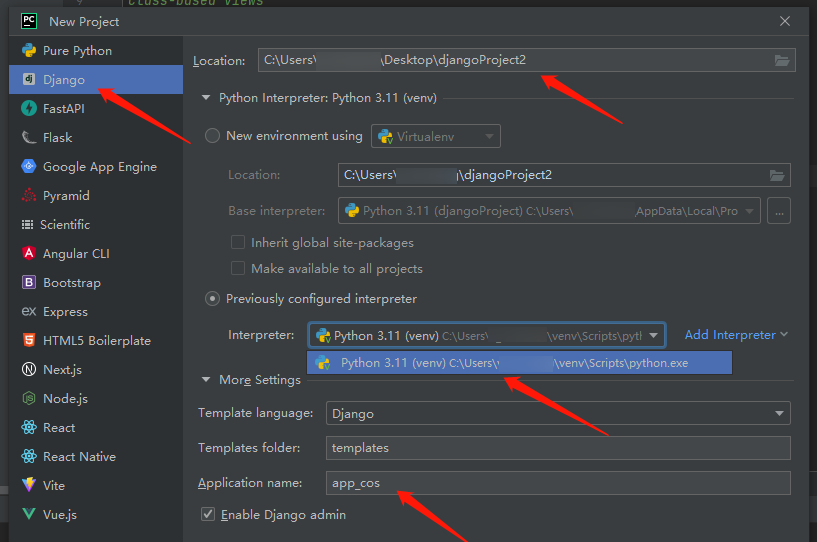
2. CVM에 PyCharm을 설치 후 PyCharm을 열고 NEW project 또는 create project를 클릭한 다음 아래의 Django를 선택합니다.
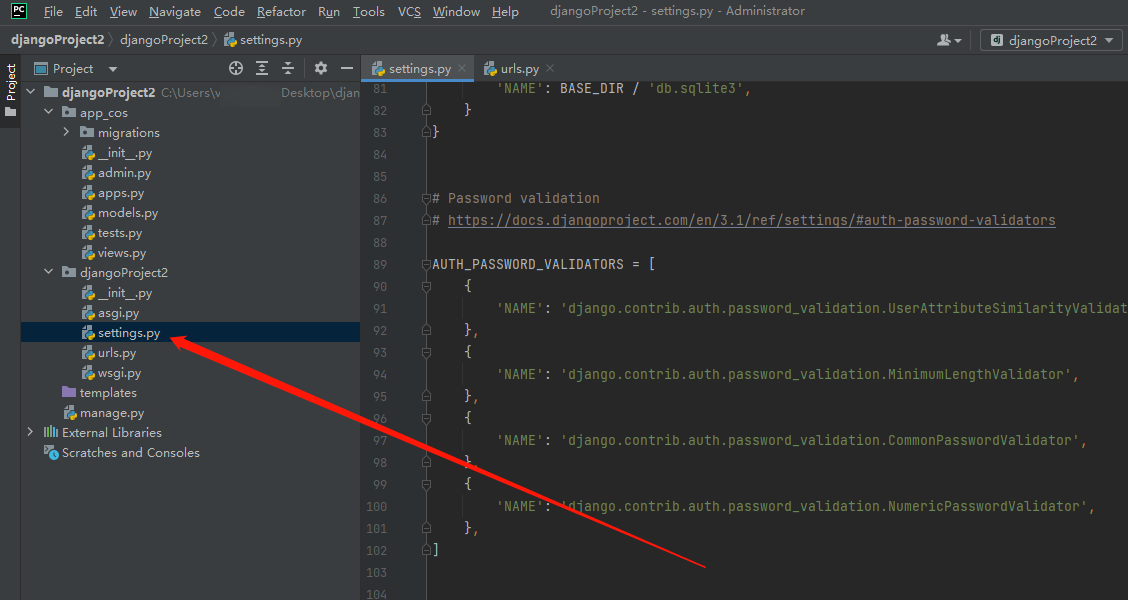
3. 생성 후, 사용자의 디렉터리에서 setting.py 파일을 찾아 엽니다.
4. 그다음 아래 코드를 복사하여 붙여넣고 매개변수 설명에 따라 COS 서비스를 구성합니다.
DEFAULT_FILE_STORAGE = "django_cos_storage.TencentCOSStorage"TENCENTCOS_STORAGE = {"BUCKET": "xxx","CONFIG": {"Region": "ap-guangzhou","SecretId": "xxxx","SecretKey": "xxxx",}}
매개변수 설명은 다음과 같습니다.
구성 항목 | 구성 값 |
Bucket | 버킷 생성 시 사용자 정의한 이름, 예: examplebucket-1250000000. |
Region | 버킷 생성 시 선택한 리전. |
SecretId | 액세스 키(Access Key) 정보, API 키에서 생성 및 가져올 수 있습니다. 서브 계정 키를 사용하여 최소 권한 원칙에 따른 권한 부여로 사용 위험을 줄이는것을 권장합니다. 상세한 내용은 서브 계정 액세스 키 관리를 참고하십시오. |
SecretKey | 액세스 키(Access Key) 정보, API 키에서 생성 및 가져올 수 있습니다. 서브 계정 키를 사용하여 최소 권한 원칙에 따른 권한 부여로 사용 위험을 줄이는것을 권장합니다. 상세한 내용은 서브 계정 액세스 키 관리를 참고하십시오. |
COS 플러그인 다운로드 및 구성
1. Github로 이동하여 COS 플러그인을 다운로드합니다. 다운로드 후 django_cos_storage 디렉터리를 django 프로젝트 디렉터리 안에 압축 해제합니다.
설명:
플러그인 정보를 확인하려면 terminal을 열고
pip freeze를 입력하면 해당 모듈 정보를 확인할 수 있습니다.2. django_cos_storage 디렉터리 아래에 py 파일을 생성합니다. 예: COSStorage.py
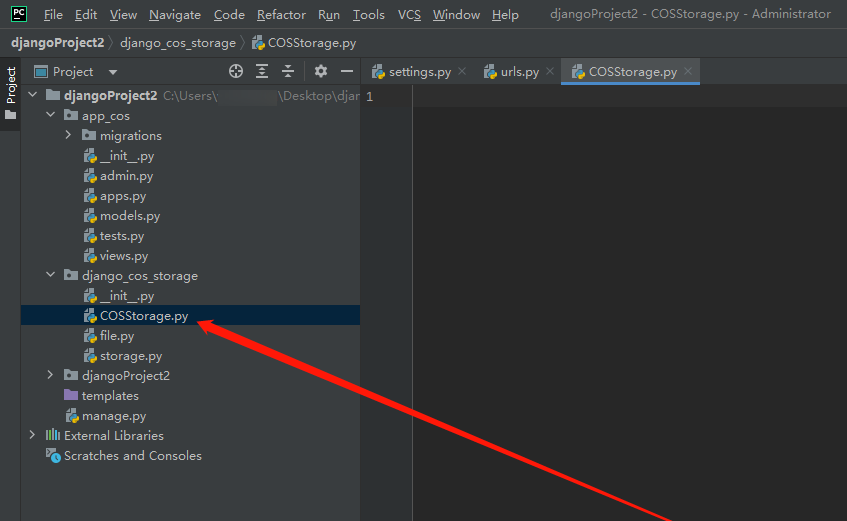
아래 코드를 복사하여 붙여넣습니다.
from .storage import TencentCOSStoragefrom functools import wrapsdef decorator(cls):instance = None@wraps(cls)def inner(*args,**kwargs):nonlocal instanceif not instance:instance = cls(*args,**kwargs)return instancereturn inner@decoratorclass QFStorage:def __init__(self):passself.storage =TencentCOSStorage()self.bucket =self.storage.bucketself.client =self.storage.client#객체 업로드def upload_file(self, Key, LocalFilePath, PartSize=1, MAXThread=5, EnableMD5=False):try:response =self.client.upload_file(Bucket=self.bucket,Key=Key,LocalFilePath=LocalFilePath,PartSize=PartSize,MAXThread=MAXThread,EnableMD5=EnableMD5)return responseexcept Exception as e:print('객체 업로드 실패, error:', e)return None
3. app_cos 디렉터리의 views.py를 엽니다.
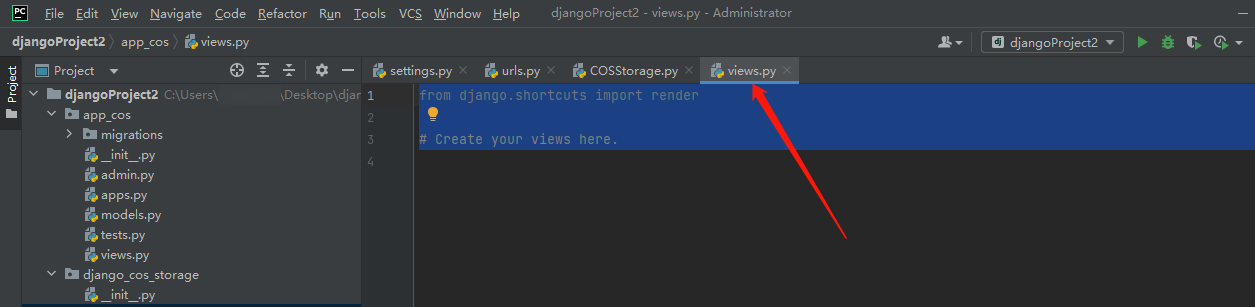
아래 코드를 복사하여 붙여넣습니다.
from django.shortcuts import render,redirectfrom django.http import HttpResponsefrom django_cos_storage.COSStorage import QFStoragefrom django.conf import settings#객체 업로드def upload_file_view(request):response = QFStorage().upload_file(Key='1.png',LocalFilePath=settings.BASE_DIR / 'cessu/1.png')if response:return HttpResponse('파일 업로드 성공!')return HttpResponse('파일 업로드 실패')
주의:
예시에서
cessu/1.png는 업로드할 로컬 파일 1.png가 프로젝트 디렉터리의 cessu 폴더에 위치함을 의미합니다. 업로드 성공 후, COS 버킷의 cessu 폴더에서 이미지 1.png를 찾을 수 있습니다.4. djangoProject2 디렉터리에서 urls.py를 찾아 엽니다.
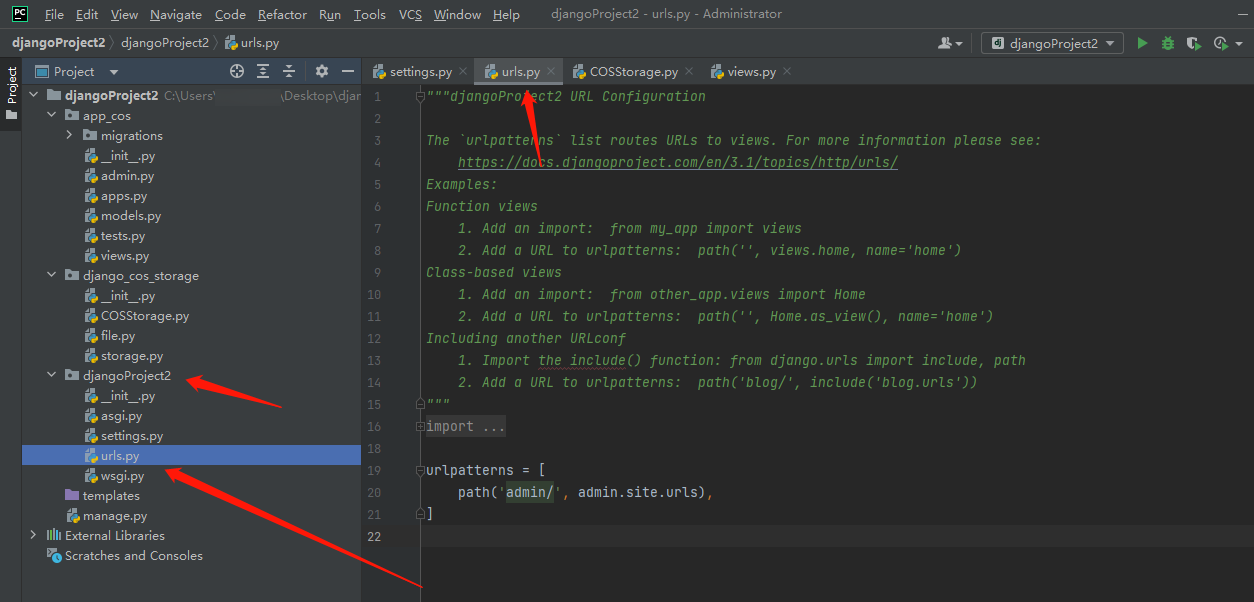
아래 코드를 복사하여 붙여넣습니다.
from django.contrib import adminfrom django.urls import pathfrom app_cos.views import *urlpatterns = [path('admin/', admin.site.urls),path('upload_file/', upload_file_view),]
5. terminal에서
python manage.py migrate를 입력한 후 실행합니다.6. terminal에서
python manage.py createsuperuser를 입력하고, 안내에 따라 계정과 비밀번호를 입력하면 됩니다.주의:
python manage.py createsuperuser 실행 시 pkg_resources가 없다는 오류가 발생한다면, pip install setuptools 설치 명령어를 실행하여 해결할 수 있습니다.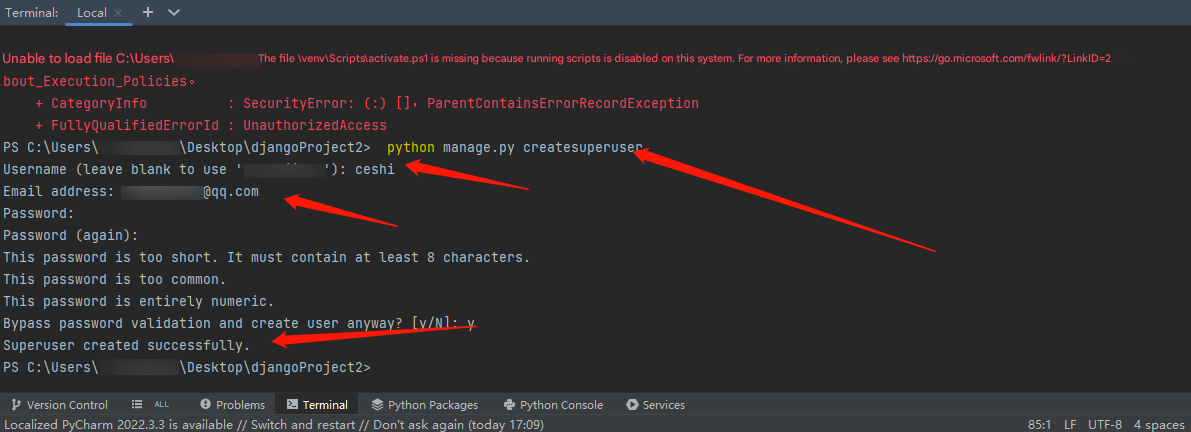
7. 그 다음 terminal에서
python .\\manage.py runserver를 입력하여 실행합니다.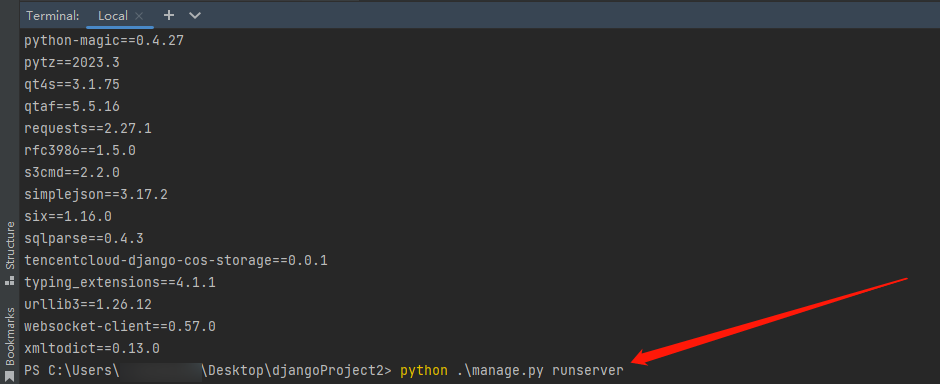
8.
http://127.0.0.1:8000/admin/ 사이트를 열고 방금 설정한 계정과 비밀번호를 입력하면 로그인을 완료할 수 있습니다.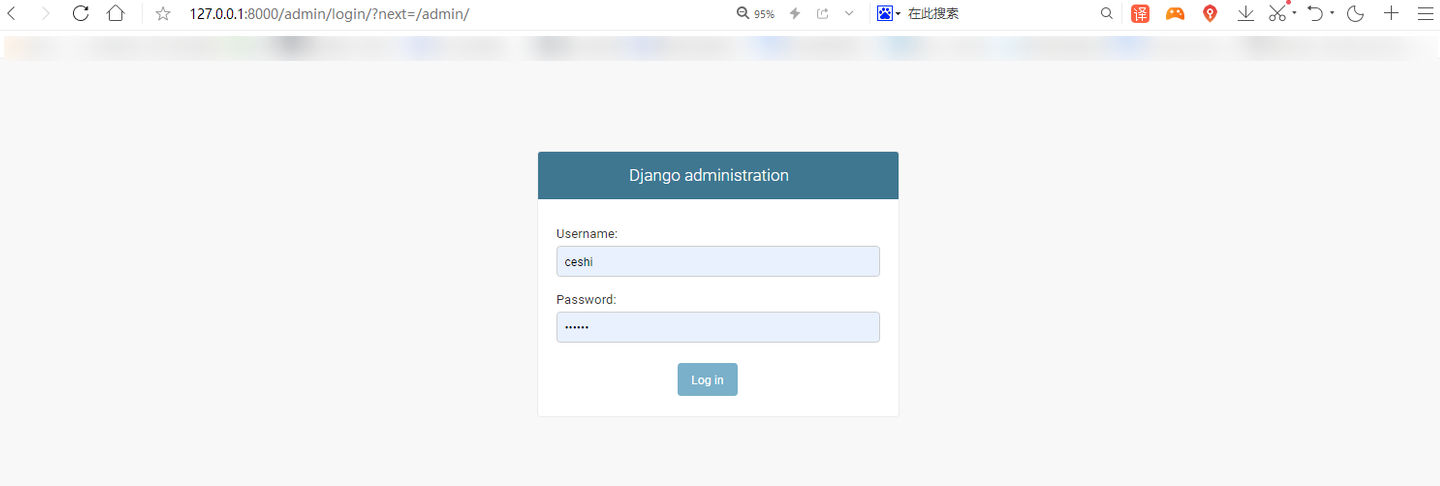
주의:
웹사이트를 열었을 때 다음과 같은 오류 발생 시:

python manage.py makemigrationspython manage.py migrate
마지막으로 terminal에서
python .\\manage.py runserver를 입력하여 실행하고 http://127.0.0.1:8000/admin/을 열면 됩니다.Django 첨부 파일이 COS에 저장됐는지 확인
1.
http://127.0.0.1:8000/upload_file에 접속하여 파일 업로드 작업을 완료합니다. 다음 그림과 같은 메시지가 표시되었다면 업로드가 성공한 것입니다.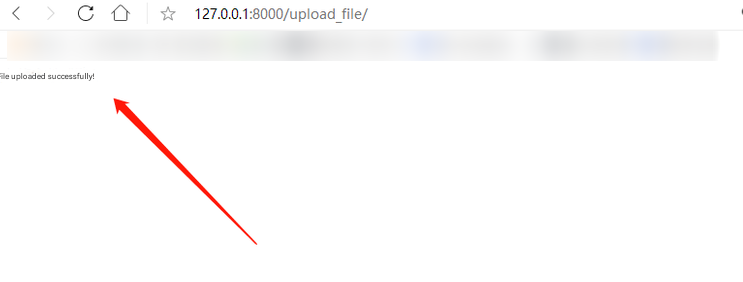
2. COS 콘솔에 로그인하여 이전에 생성한 버킷을 선택한후 cessu 경로에서 업로드된 이미지를 확인할 수 있습니다.
피드백