NginxIngress Log Types
Nginx Controller collects and provides the following logs to users:
Nginx Controller Log: major. The control plane logs, which record the modification of the Nginx Controller control plane. It is mainly used for control plane troubleshooting, for example, due to the incorrect configuration of the Ingress template, the synchronization is not performed.
AccessLog Log: major. User data plane logs, which record the relevant information of user’s layer-7 request. It is mainly used for users to perform data analysis, audit, business troubleshooting, etc.
ErrorLog Log: minor. The internal error log of Nginx.
By default, the AccessLog and Nginx Controller logs will be mixed into the standard output stream, and there will be difficulties for log collection. This document describes how to distinguish log paths and collect logs separately.
Prerequisites
TKE NginxIngress Log Collection
Log collection directions
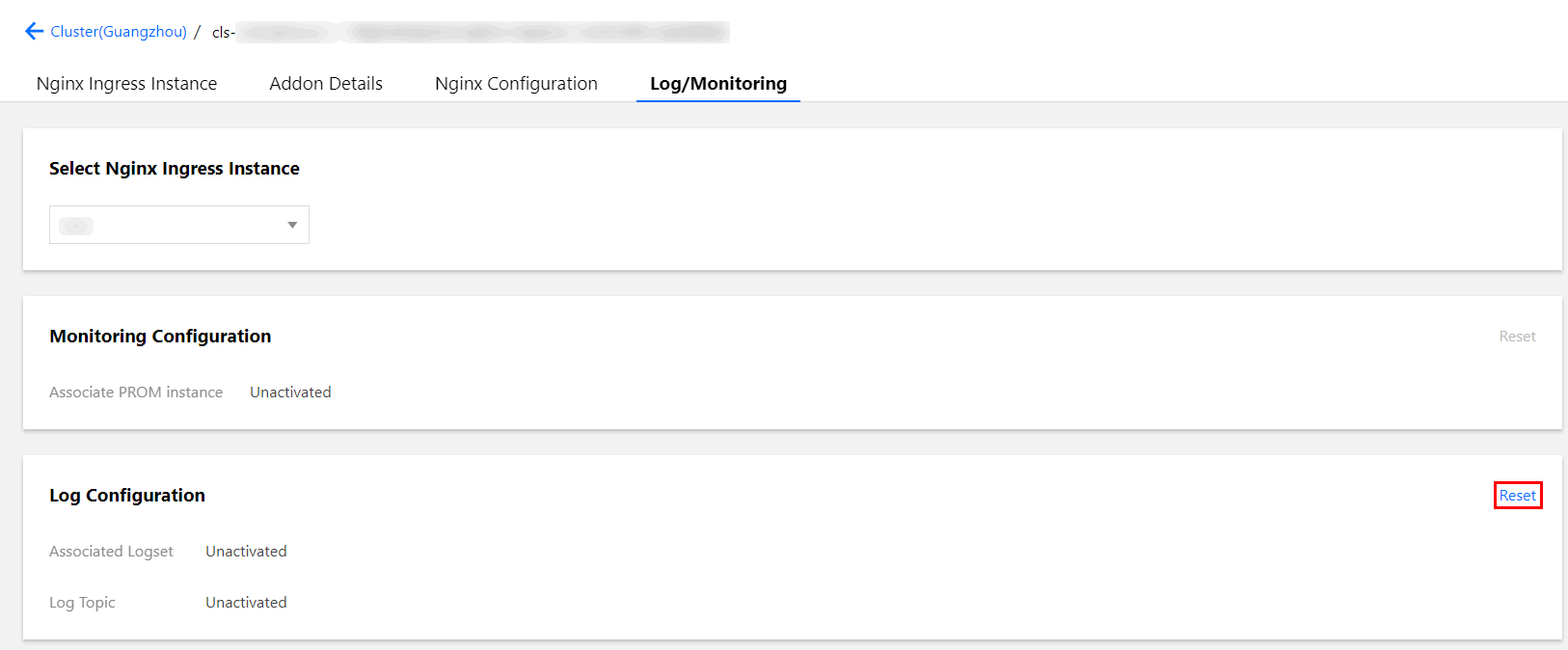
2. On Services and Routes > NginxIngress page, select an installed add-on to go to its details page.
3. On the Log Monitoring page, click Reset in the upper-right corner of the Log Configuration area.
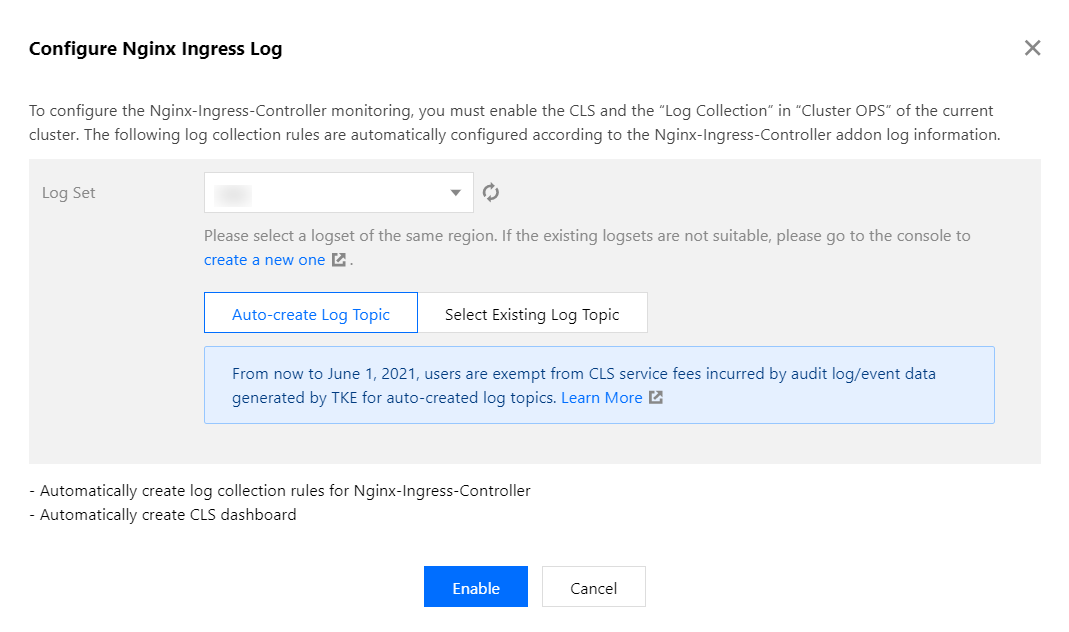
4. Select or create a logset in the pop-up window, as shown in the figure below:
5. Click Enable.
Note:
For information on CLS billing rules and billing standards, see Billing Overview. Log collection metrics
The log collection metrics are as follows:
apiVersion: cls.cloud.tencent.com/v1
kind: LogConfig
metadata:
name: nginx-ingress-test
resourceVersion: "7169042"
selfLink: /apis/cls.cloud.tencent.com/v1/logconfigs/nginx-ingress-test
uid: 67c96f86-4160-****-****-f6faf8d544dc
spec:
clsDetail:
extractRule:
beginningRegex: (\\S+)\\s-\\s(\\S+)\\s\\[(\\S+)\\]\\s(\\S+)\\s\\"(\\w+)\\s(\\S+)\\s([^\\"]+)\\"\\s(\\S+)\\s(\\S+)\\s\\"([^"]*)\\"\\s\\"([^"]*)\\"\\s(\\S+)\\s(\\S+)\\s\\[([^\\]]*)\\]\\s\\[([^\\]]*)\\]\\s\\[([^\\]]*)\\]\\s\\[([^\\]]*)\\]\\s\\[([^\\]]*)\\]\\s\\[([^\\]]*)\\]\\s(\\S+)
keys:
- remote_addr
- remote_user
- time_local
- timestamp
- method
- url
- version
- status
- body_bytes_sent
- http_referer
- http_user_agent
- request_length
- request_time
- proxy_upstream_name
- proxy_alternative_upstream_name
- upstream_addr
- upstream_response_length
- upstream_response_time
- upstream_status
- req_id
logRegex: (\\S+)\\s-\\s(\\S+)\\s\\[(\\S+)\\]\\s(\\S+)\\s\\"(\\w+)\\s(\\S+)\\s([^\\"]+)\\"\\s(\\S+)\\s(\\S+)\\s\\"([^"]*)\\"\\s\\"([^"]*)\\"\\s(\\S+)\\s(\\S+)\\s\\[([^\\]]*)\\]\\s\\[([^\\]]*)\\]\\s\\[([^\\]]*)\\]\\s\\[([^\\]]*)\\]\\s\\[([^\\]]*)\\]\\s\\[([^\\]]*)\\]\\s(\\S+)
logType: fullregex_log
topicId: 56766bad-368e-****-****-ed77ebcdefa8
inputDetail:
containerFile:
container: controller
filePattern: nginx_access.log
logPath: /var/log/nginx
namespace: default
workload:
kind: deployment
name: nginx-ingress-nginx-controller
type: container_file
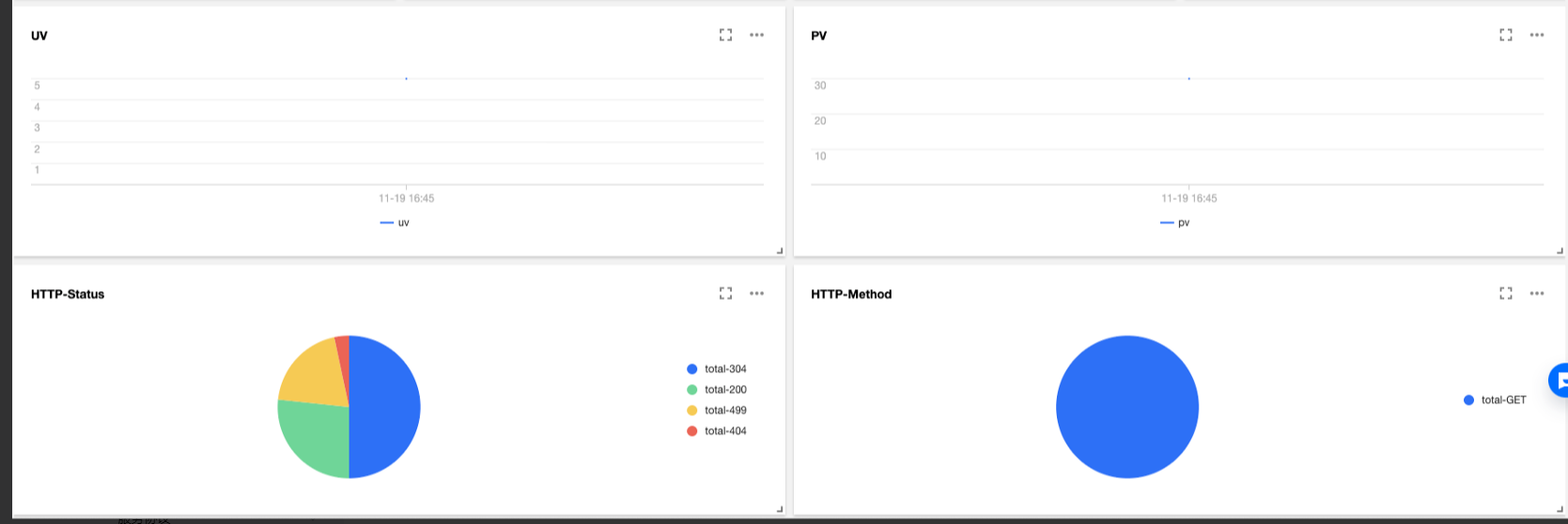
NginxIngress log dashboard
TKE will automatically create a standard log dashboard once NginxIngress log collection enabled. You can also configure the chart on the CLS console based on your business needs, as shown in the figure below:
References