This document describes how to use the migration tool provided by TDMQ for CKafka (CKafka) to migrate topics from a self-built Kafka cluster to a CKafka instance.
1. Download the migration tool and decompress it to a server that can access the brokers and ZooKeeper (ZK) of your self-built instance.
2. Specify the configuration parameters in the ckafka-migrate.py file.
Note:
Ensure that the server where migration will be performed maintains network connectivity with both the CKafka instance and the self-built Kafka cluster.
The user associated with the cloud API key needs to have write permissions for CKafka. It is recommended to use the key pair of the root account.
# your local broker ip:port list
# Broker list for self-built instances: ["broker1:port1","ip2:port2"].
bootstrapServers =["$ip:$port"]
# your local zk ip:port list
# ZK list for self-built instances: ["zk1:port1","zk2:port2"], which is optional. If it is not set, bootstrapServers will be used to obtain the information of the source cluster.
sourceZk =["$ip:$port"]
# If authentication is enabled for ZK, this parameter needs to be set in the format [("digest", "$user:$password")].
zkAuthData =[]
# If the ZK path has a prefix, this parameter needs to be set, such as "/cluster1".
zkPathPrefix =""
# ckafka instanceId
# Cloud instance ID "ckafka-xxx".
instanceId ="$yourinstanceId"
# topic regex,just migrate match topics
# Regular expression for a topic name. If it is specified, only matched topics will be migrated.
topicRegex =""
# your secretId and secretKey
# Key pair for a Tencent Cloud account.
secretId ="$yoursecretId"
secretKey ="$yoursecretKey"
# your cloud instance region
# Region of a cloud instance. For the available region codes of CKafka, see Regions and AZs at https://www.tencentcloud.com/document/product/597/44597?from_cn_redirect=1.
region ="ap-tokyo"
# if you make sure the migrate topic List,please modify checkFlag = 1
# Check marker. When it is set to 0, only the list of topics to be migrated will be displayed without performing actual migration. First, set it to 0 to check the list of topics to be migrated. After confirming that everything is correct, change it to 1 to start migration.
# 0: The script terminates after the topics to be migrated are listed.
# 1: The topics to be migrated are listed, and migration starts.
checkFlag =0
# force transfer your cloud-topic config to migrate
# When the parameter is set to 0, inconsistent properties will cause the failure to migrate a local topic to the cloud. When it is set to 1, the properties of the local topic will be forcibly converted to the value nearest to the value of a cloud topic.
# For example, a cloud topic only supports 1, 2, or 3 replicas. If a local topic has 5 replicas, it will not be migrated to the cloud. If force is set to 1, the value nearest to 5 (3 replicas) will be used to create a 3-replica topic in the cloud.
# 0: Local topics whose number of replicas or properties are incompatible with those of cloud topics are skipped.
# 1: Local topics whose number of replicas or properties are incompatible with those of cloud topics are forcibly migrated to the cloud. The properties of cloud topics will be adjusted to the nearest possible values based on the properties of self-built topics (no data from the local self-built source Kafka instance will be modified).
force =0
Parameter
Description
bootstrapServers
Broker list for self-built instances: ["ip1:port1","ip2:port2"].
sourceZk
ZK list for self-built instances: ["zk1:port1","zk2:port2"], which is optional. If it is not set, bootstrapServers will be used to obtain the information of the source cluster.
zkAuthData
If authentication is enabled for ZK, this parameter needs to be set in the format [("digest", "$user:$password")].
zkPathPrefix
If the ZK path has a prefix, this parameter needs to be set, such as "/cluster1".
instanceId
ID of the CKafka instance you purchased in Purchasing a Cloud Instance. It can be copied from the Instance List page in the console.
secretId
Key pair ID for a Tencent Cloud account.
secretKey
Key pair password for a Tencent Cloud account.
region
Deployment region you selected in Purchasing a Cloud Instance, with region codes provided in script comments.
checkFlag
Check marker. When it is set to 0, only the list of topics to be migrated is displayed without starting migration. When it is set to a non-zero value, topic migration starts.
topicRegex
Regular expression for a topic name. If it is not specified, all topics will be migrated. If it is specified, only matched topics will be migrated.
force
Whether to force migration. When it is set to 0, inconsistent properties will cause the failure to migrate a local topic to the cloud. When it is set to 1, topic properties will be forcibly converted based on the value nearest to the supported value of a cloud topic.
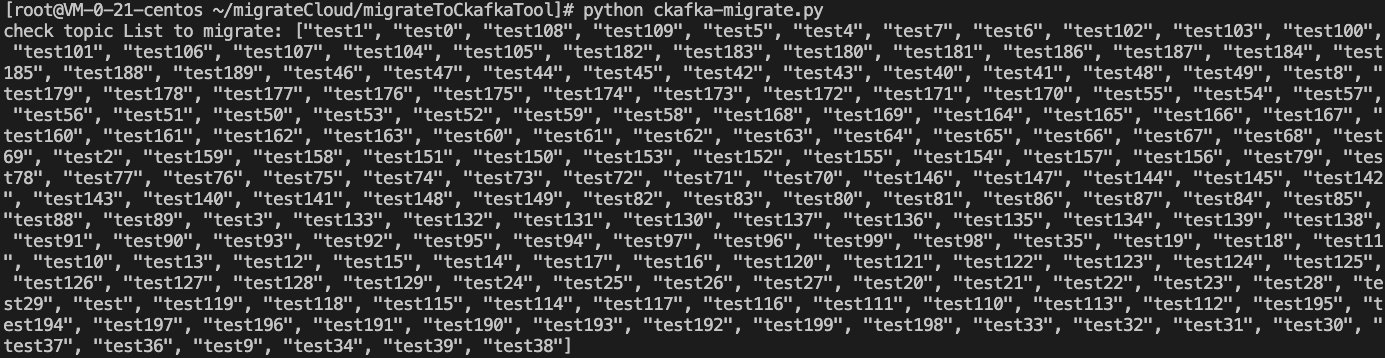
3. Set the checkFlag parameter of ckafka-migrate.py to 0, run the ckafka-migrate.py script using Python, and check the list of topics to be migrated based on the output results.
Note:
If certain self-built topics are missing, it may be because their names are non-compliant with the naming rules, or their number of replicas or property values are incompatible with those of cloud topics.
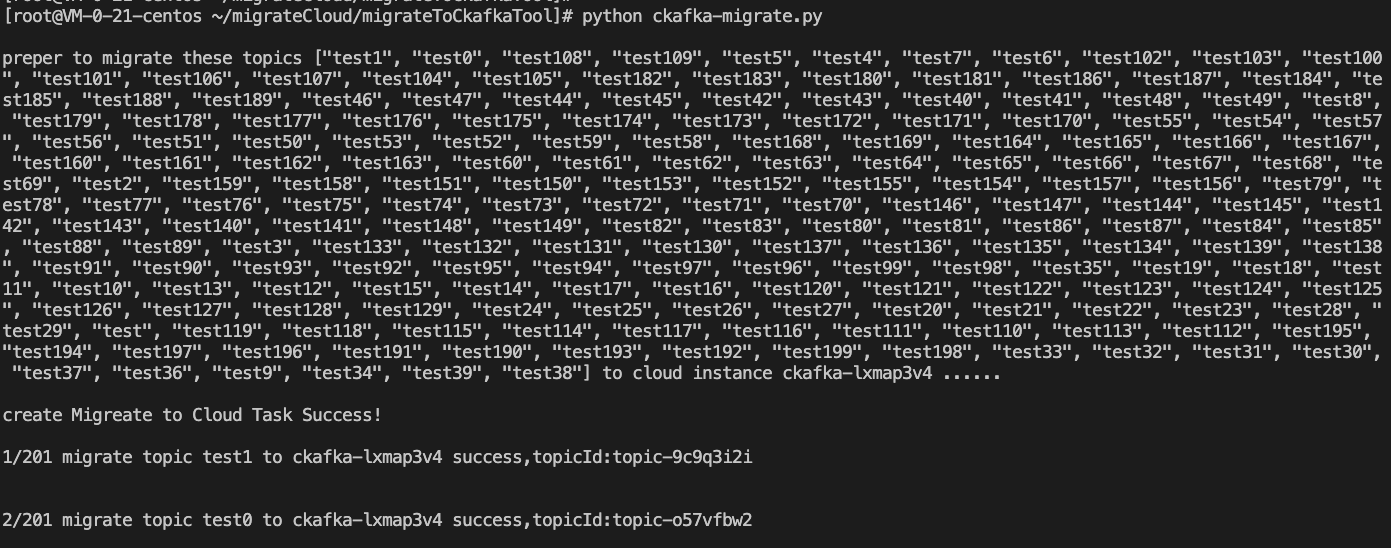
4. Set the checkFlag parameter of ckafka-migrate.py to 1 and run the ckafka-migrate.py script using Python to start topic migration.
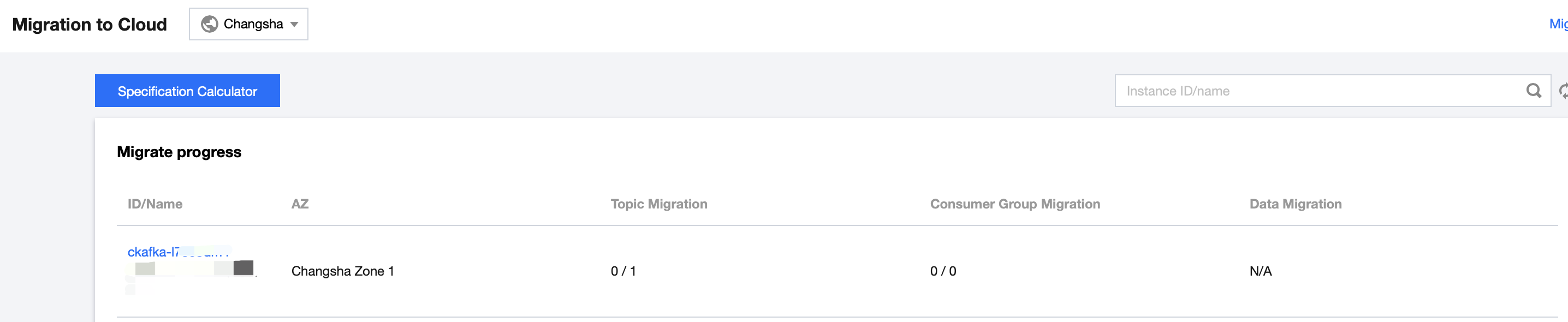
5. Log in to the CKafka console, view the task list on the Cloud Migration page, and wait for topic migration to complete.
The task list is as follows:
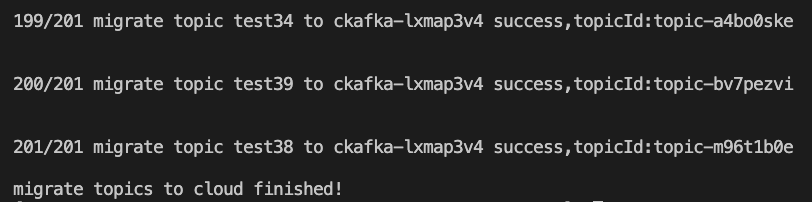
The page indicating successful migration is as follows: