Messages produced by the client are blocked mainly because they cannot be sent, or message sending is slower than message production.
If messages cannot be sent and a timeout error occurs, you can first run the command line for production and consumption to check the basic performance of the cluster. See Command Lines for Production and Consumption.
There are three causes why message sending is slower than production:
Producer instances are not enough. As the production performance of a single producer is limited, if there are insufficient producers while the traffic is high, message sending may be blocked.
The traffic is high, but the number of topic partitions is not enough, resulting in low write concurrency.
Another cause is low service quality. For example, the network quality is low, the broker load is high, or the client load is high (for example, GC occurs on the client). This will prolong message sending from the client to the server and reduce production efficiency, causing a heap in the local buffer of the client and eventually blocking messages.
Possible Causes
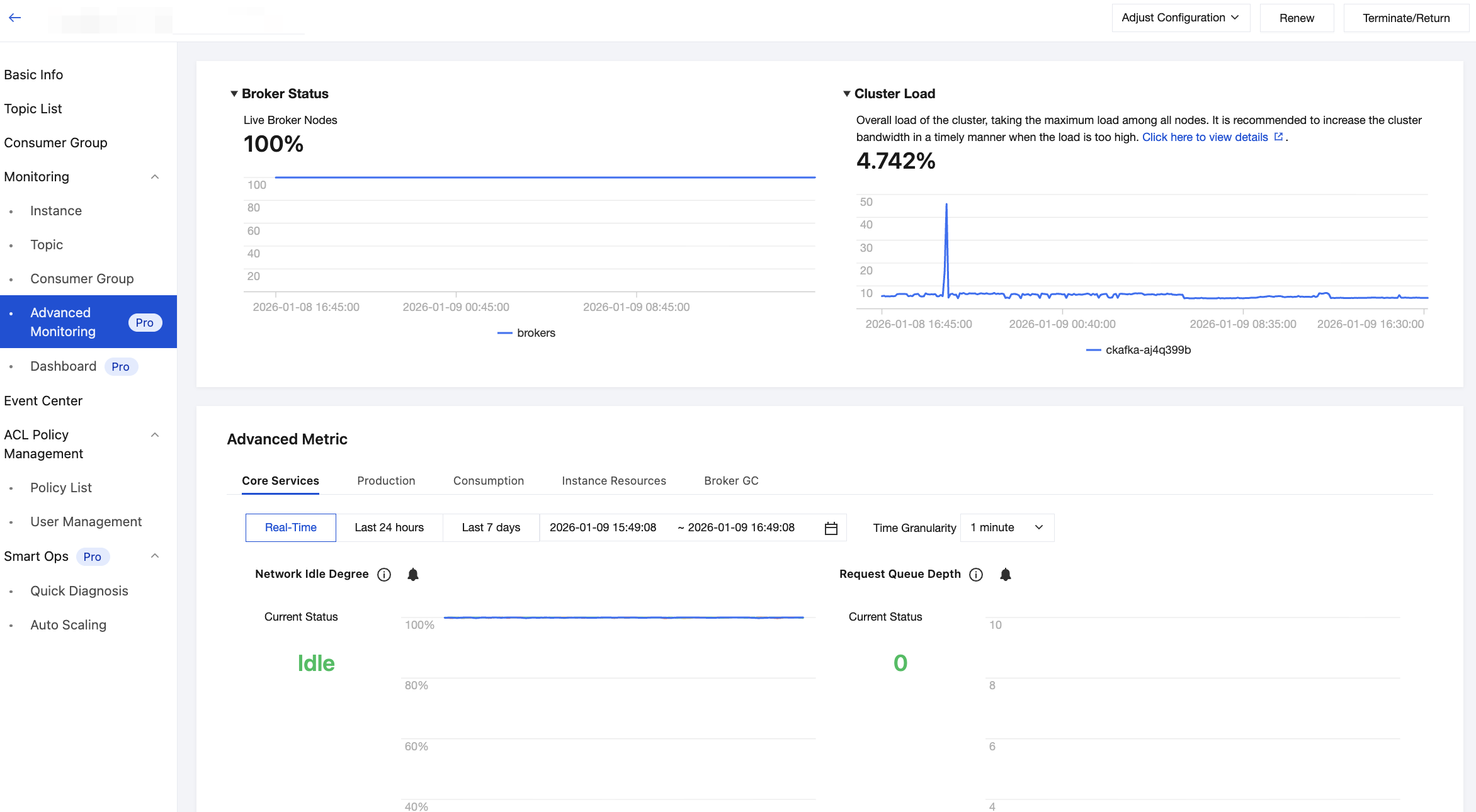
1. For Pro Edition instances, you can view Advanced Monitoring in the console and observe the overall server load, such as request queue depth and the production and consumption time on the server, to determine whether there is a performance issue with the server. For Standard Edition instances, you can submit a ticket to view these metrics.
2. Check the client load, such as the local server's CPU and memory utilization (if the client is in Java, you should pay attention to GC).
3. If blocking occurs occasionally, check whether the local network is stable, especially in a container network environment. Special attention is required.
4. Check whether the producers are not enough based on the traffic of a single server. If the throughput traffic of a single server is high while producers send messages in a single thread, you should pay attention to the number of producers.
Solutions
Try to solve the issue using the following solutions:
1. If the speed of producing messages is faster than the speed at which messages are sent by the sender thread to the broker, the memory configured by buffer.memory will be used up, blocking the sending operations by the producer. This parameter is used to configure the maximum blocking time. If a larger send buffer is required, you can increase the value of buffer.memory, which is 32 MB by default.
# Maximum blocking time
max.block.ms=60000
# Configure the memory that the producer uses to cache messages to be sent to the broker. The user should adjust it based on the total memory size of the process where the producer resides.
buffer.memory=33554432
2. If the topic traffic is high while the producer instances for client message sending are not enough, you can add more producer instances for production. For example:
KafkaProducer<byte[],byte[]> producer = new KafkaProducer<>(props);