To migrate a cluster to the cloud, you need to migrate unconsumed messages in it to the corresponding topic in the new cluster. You can operate as instructed in this tutorial to synchronize the unconsumed data from the original cluster to the new cluster.
Prerequisites
1. Ensure that all consumption/production in the original cluster has stopped.
2. Ensure that the retention period for messages to be migrated from the original cluster is long enough so that messages in the topic will not be automatically deleted upon expiration during the migration process.
3. The migration script is a Python script that requires the installation of Python 2. In addition, the Python 2 version should be later than version 2.7.1. Version 2.7.5 is recommended.
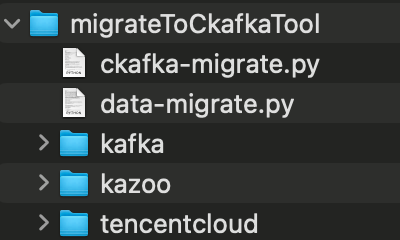
4. You have downloaded the migration tool migrateToCkafkaTool. The tool package directory is as follows. Go to the migrateToCkafkaTool directory, modify the configuration in the data-migrate.py file, and run data-migrate.py using Python.
How It Works
The script scans all group lists in the original cluster and extracts the topic lists that are subscribed to by groups and still contain unconsumed messages. Then, it extracts the group commit positions and topic end positions for topics that are subscribed to by groups and contain unconsumed messages (if a topic is subscribed to by multiple groups, the smallest group commit position will be used). Messages within these position ranges are then consumed and produced to the corresponding topic partitions in the new cluster.
Operation Steps
1. Creating Corresponding Topics in the Target Cluster
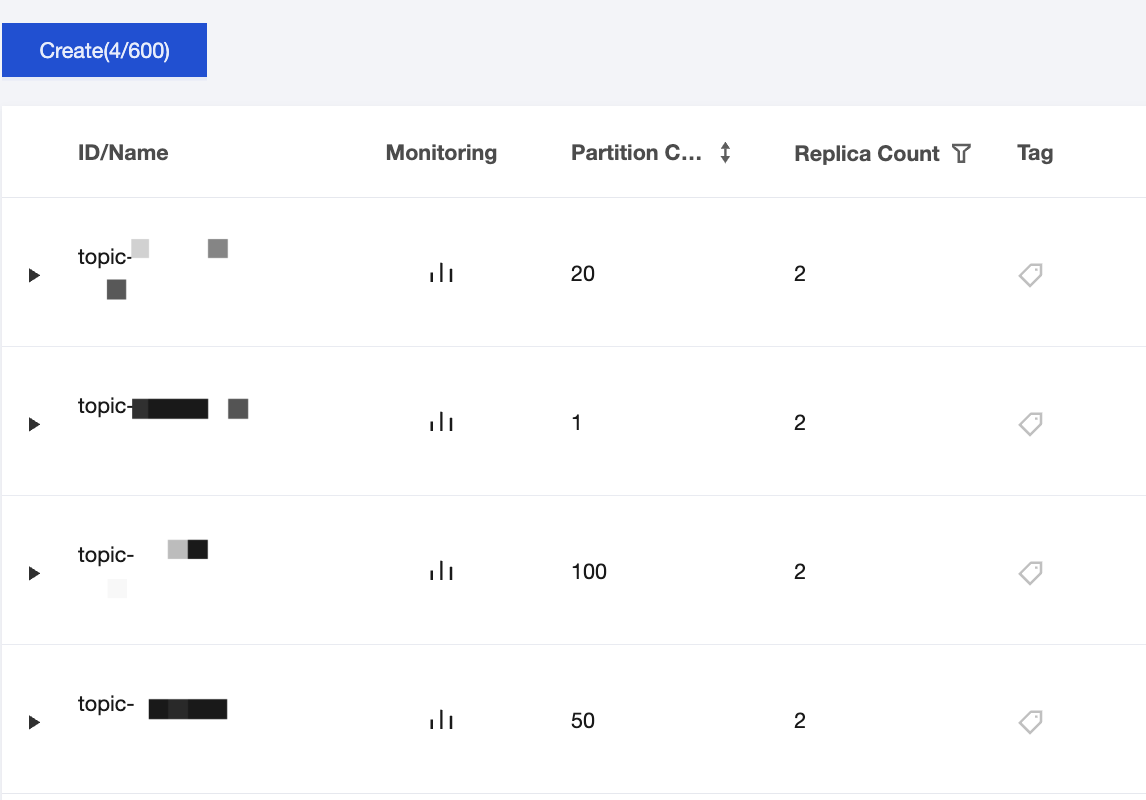
Assume the original cluster is ckafka-47bd7goz, and the target new cluster is ckafka-kzamzogr. As shown in the figure below, topics with the same number of partitions, namely test1, test2, test3, and test4, have been created for the new cluster.
The original cluster ckafka-47bd7goz has two groups: test123-group and test34-group. The former subscribes to topics test1, test2, and test3, while the latter subscribes to topics test3 and test4.
2. Downloading the Tool Package
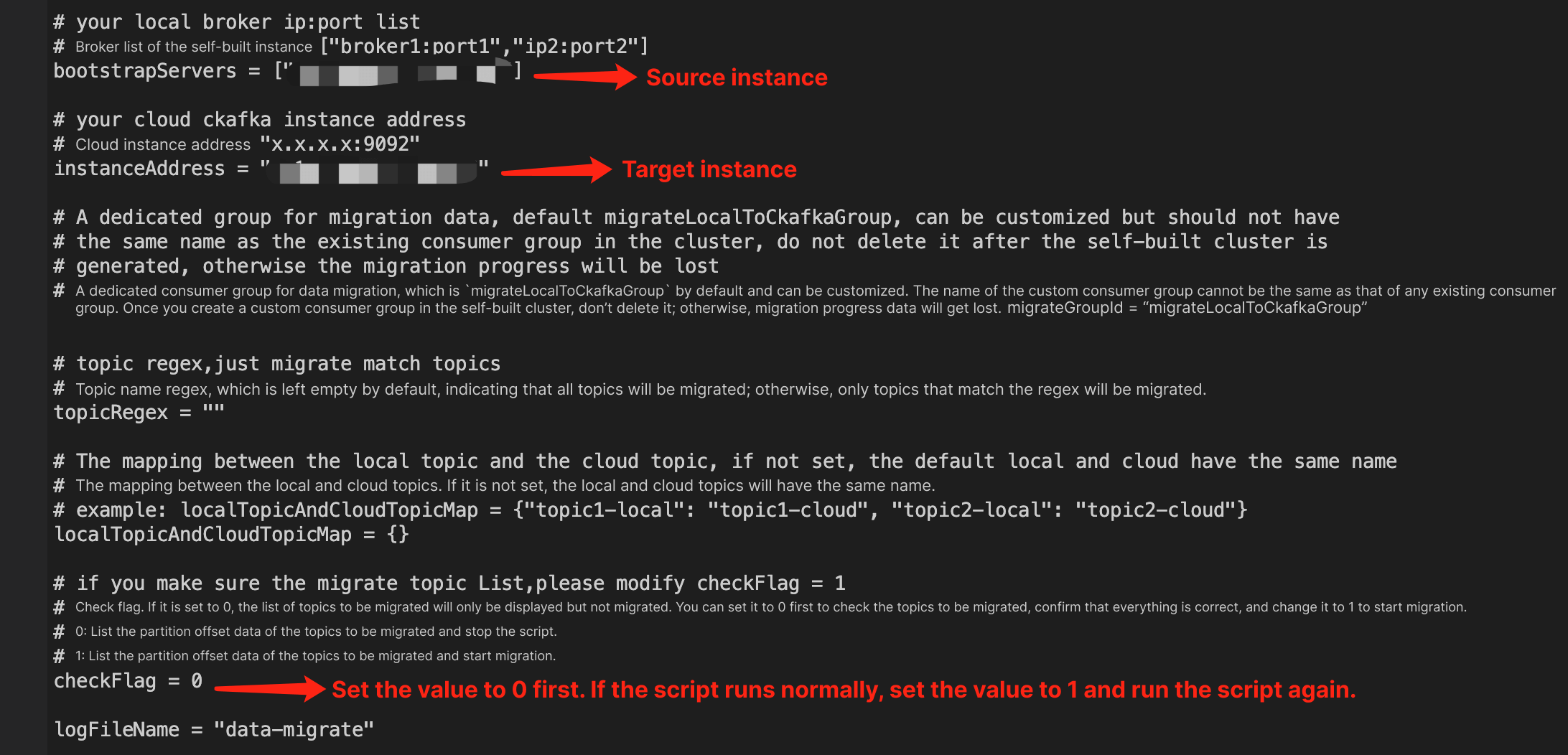
After downloading the migration tool, open the script and enter the address configurations for the original and new clusters. Set checkFlag to 0 and run the script to perform a pre-check on the topics to be migrated and target positions.
After you run the script, it will output certain information, and a text log file will be written to the current directory.
3. Viewing Output Information
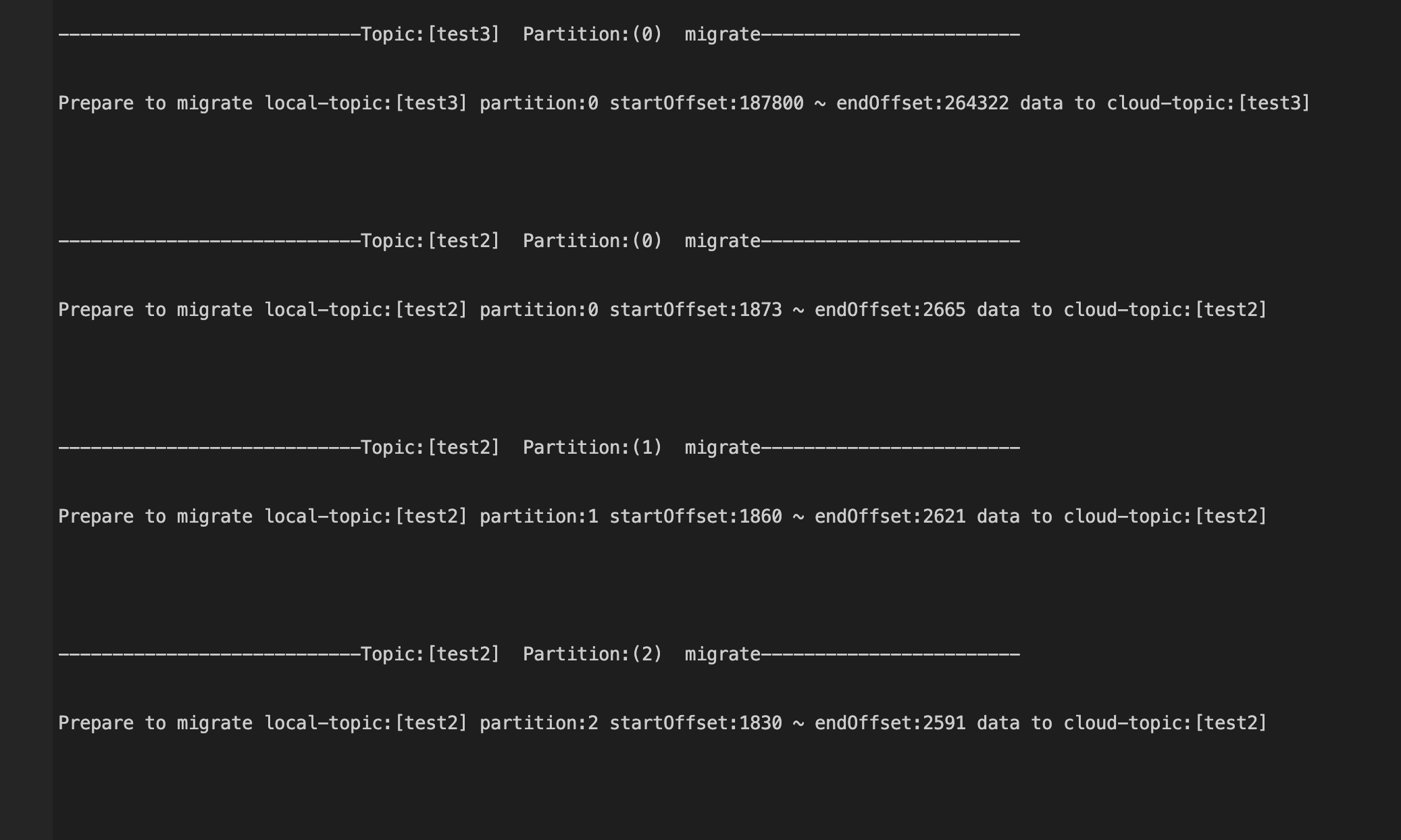
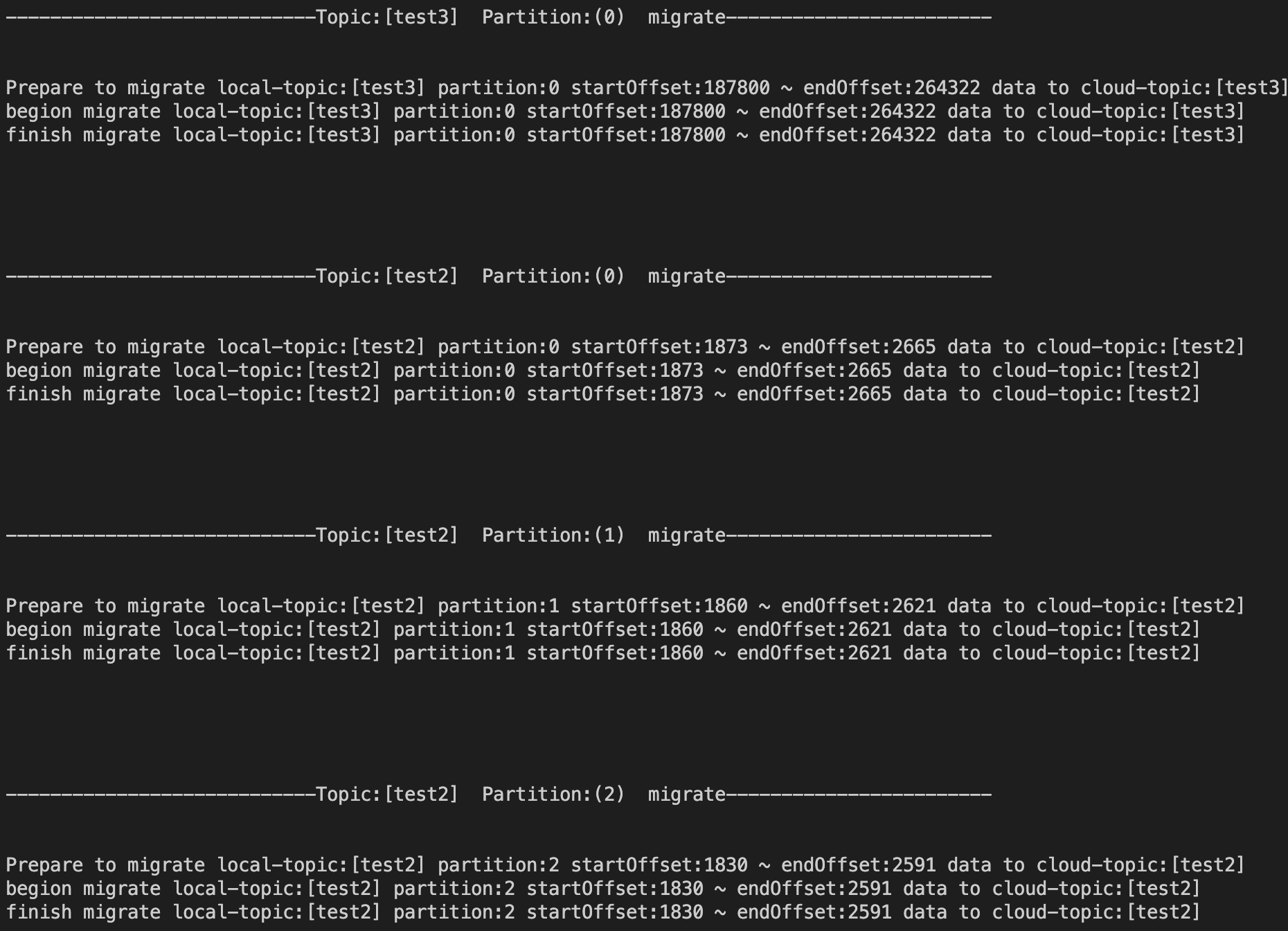
Check the screen output or text log file for the information of Prepare to migrate, namely the information of the target migration position.
Take test3 as an example. It is subscribed to by both test123-group and test34-group. Check the subscription status of the original cluster.
According to the predefined logic, when a topic is subscribed to by multiple groups, synchronization should start from the smallest commit position, namely 187800. Verify that the output information is consistent with expectations.
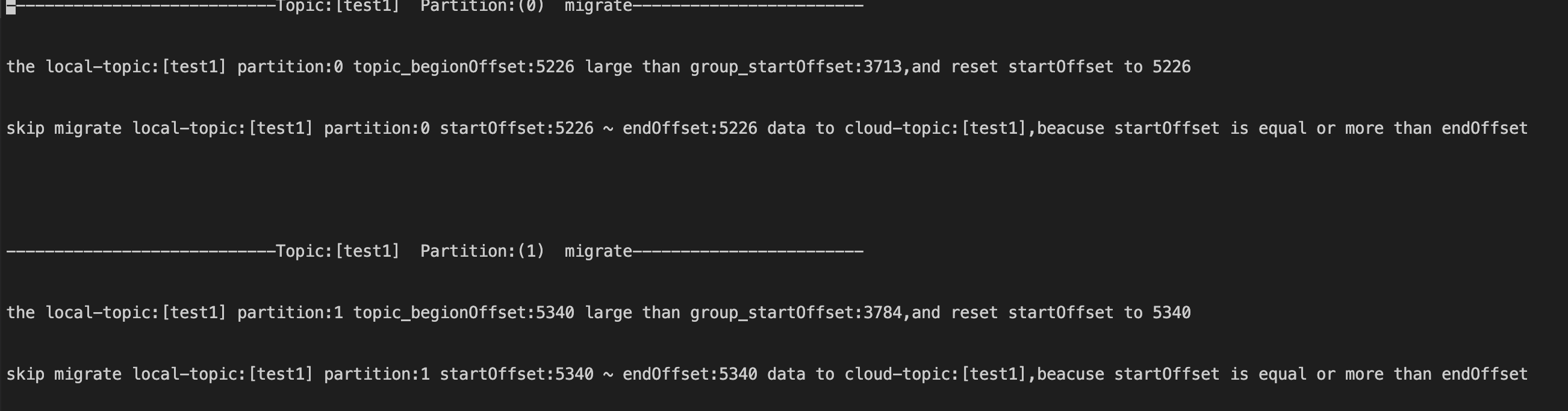
The other case is that messages in the topic test1 of the original cluster have expired, but the group's commit position falls within the range of the expired messages. Therefore, synchronization will start from the position of the earliest unexpired message in test1.
Take partition 0 of test1 as an example. The script will give a prompt indicating that position 5226 of partition 0 in topic test1 (the minimum position of live messages for the topic) has surpassed the position 3713 of the committed offset subscribed by the group (messages in this position have expired). Therefore, the starting position of synchronization is set to 5226. Since 5226 also represents the current maximum offset for this partition (the total number of messages in this partition is currently 0) and indicates that no messages can be migrated, the script outputs the text "skip migrate...", indicating that data migration for this partition is skipped.
4. Starting Migration
After confirming that the output information is correct through the above step, set checkFlag to 1 and start migration.
5. Checking Whether the Quantity of Migrated Data Is Consistent
Take test3 as an example. 76,522 unconsumed messages from test123-group are expected to be migrated, and all have been successfully written to the test3 topic in the new cluster. Data migration is completed.