This document describes the Domain List module of Web Application Firewall (WAF) connection management, where you can view domain details, create new domains, edit domains, and delete domains.
Operation Step
Add and View Domain
1. Log in to the WAF console, and at the top of the left sidebar, switch the console to the region where the instance is located (Chinese mainland/non-Chinese mainland).
2. In the left sidebar, choose Connection Management > Domain Onboarding.
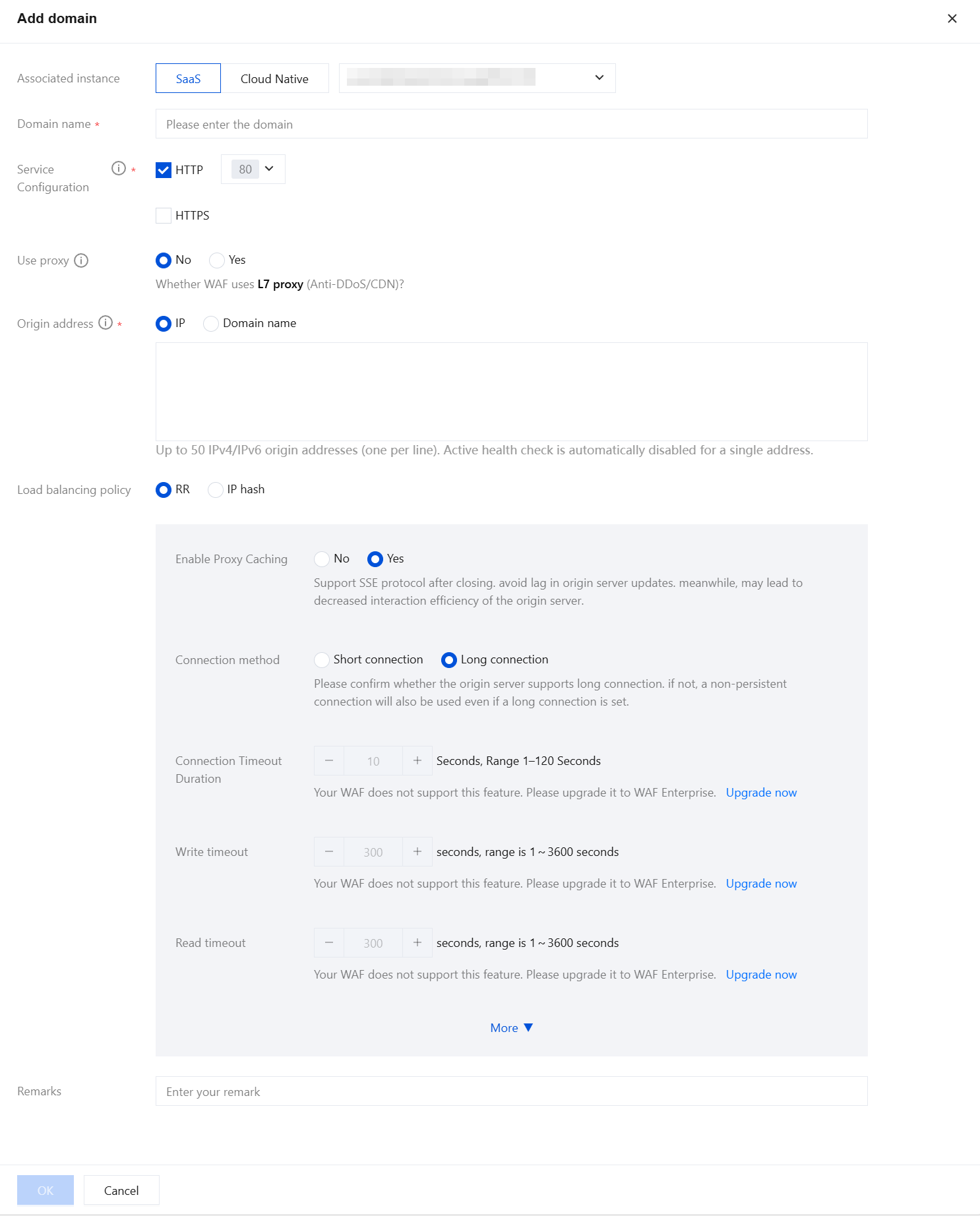
3. On the domain list page, click Add domain, and the Add domain page pops up on the right.
4. On the Add Domain page, configure the relevant information according to the page prompts, click OK to complete adding the domain.
5. On the domain list page, click domain to go to the domain details page, where you can view the basic information and content of the domain.
Enable Protection Wwitch
1. On the domain list page, click
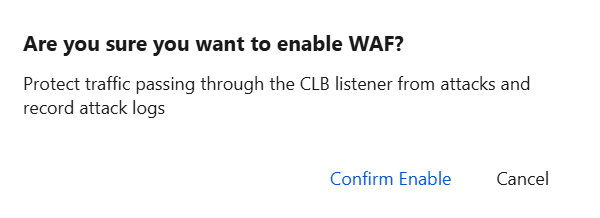
under the WAF switch, and a "Confirm Enable" dialog box pops up.
2. In the "Are you sure you want to enable WAF" dialog box, click Confrim Enable. After the WAF switch is enabled, the system will automatically provide WAF protection based on your custom policies and various attack settings.
3. On the domain list page, click
under the Access Logs, and a "Confirm Enable" dialog box pops up.
4. In the "Enable access logging" dialog box, click OK. After the Access Logs switch is enabled, WAF will log access traffic for this domain.
Edit Domain Name
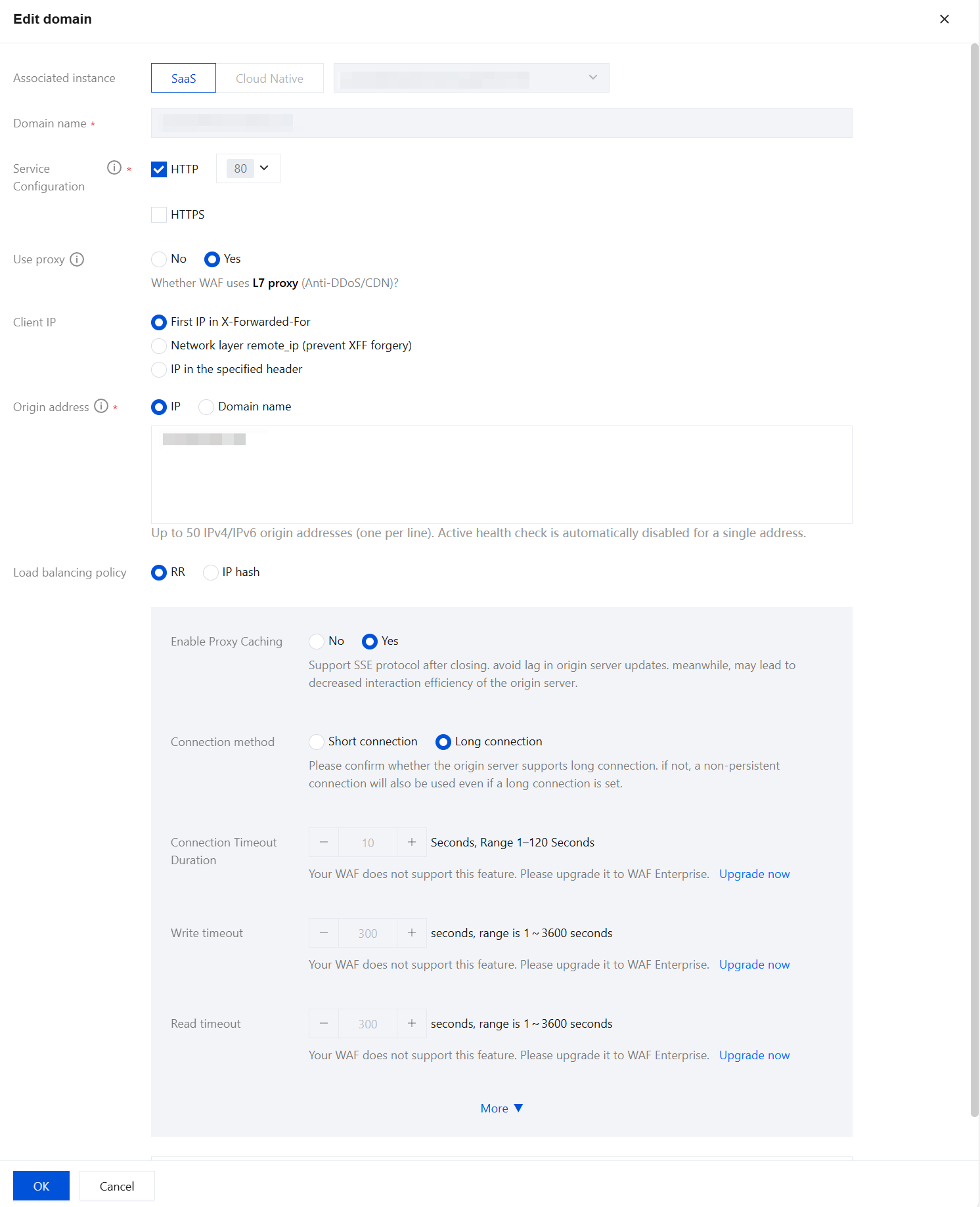
1. On the domain list page, click Edit to go to the Edit Domain page.
2. On the Edit domain page, you can modify information such as service configuration, proxy status, and origin server address. Click OK to save the changes.
Deleting Domain Name
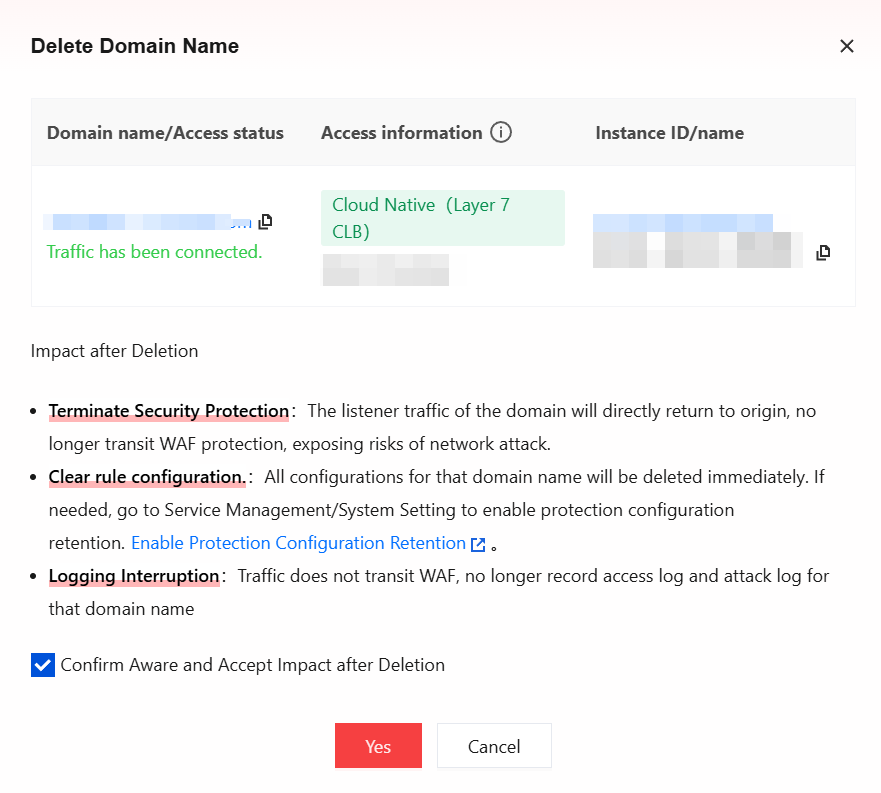
1. On the domain list page, click Delete, and a "Confirm Delete" dialog box pops up.
2. In the "Delete Domain Name" dialog box, click Yes to delete the domain.
Note:
After the "Delete Domain" action is performed, the domain's configuration items in the backend will be removed. To avoid affecting your business, deleting a domain in SaaS-WAF requires you to first switch DNS resolution to the origin server or business-related record value. For CLB-WAF, you need to unbind the corresponding listener in the console before performing the deletion.
Batch Operation
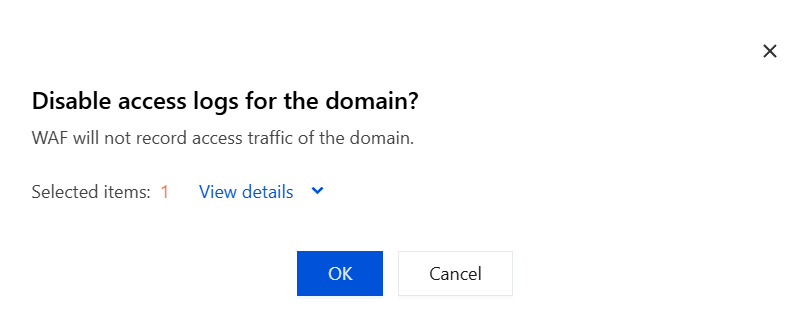
1. On the domain list page, select multiple domains to batch-enable or batch-disable API protection, BOT protection, and Access Logs with one click, and a confirmation dialog box pops up.
2. In the "Confirm Enable" or "Confirm Disable" dialog box, click OK to enable or disable the switch for the corresponding domain.
Note:
Batch operation supports selecting up to 20 domains each time. After OK is clicked, the result is returned.
View Domain Name Access Status
Under each domain, users can view the current connection status of the domain and promptly adjust configurations based on status prompts to ensure continuous protection by WAF for business operations. The following provides a detailed explanation of connection statuses.
Access SaaS WAF
DNS Status
Description
Related Documentation
DNS resolution is normal.
The domain name DNS resolves normally to WAF. This connection status will be displayed when the certificate status is normal, expiring soon, or expired. Click "Edit Domain" in the certificate configuration to view the domain certificate status.
WAF is normally protecting the current domain.
DNS resolution is abnormal. Use A records to connect to the WAF IP address.
DNS resolution using A records to connect to the WAF VIP address may cause business interruption.
Delete the A record, re-add a CNAME record, and point the domain's DNS resolution to the CNAME address provided by WAF. For specific operations, see Modify Domain DNS Resolution settings.
DNS resolution is abnormal due to using an incorrect WAF IP address.
DNS resolution using A records and pointed to an incorrect WAF IP address may cause business interruption.
Delete the A record, re-add a CNAME record, and point the domain's DNS resolution to the CNAME address provided by WAF. For specific operations, see Modify Domain DNS Resolution settings.
DNS resolution is unknown, and the domain has enabled proxy.
WAF is enabled with a Layer-7 proxy in front, but the domain name origin-pull address configured for its proxy may not be the WAF CNAME address.
Check whether the domain name origin-pull address configured on the proxy is the WAF CNAME address.
No DNS resolution record exists. Please connect to WAF.
No DNS resolution record exists. You need to add a CNAME record to point DNS resolution to WAF.
Add a CNAME record to point DNS resolution to WAF. For specific operations, see Modify Domain DNS Resolution settings.
DNS is not resolved to WAF. Please connect to WAF.
DNS is not resolved to WAF. You need to modify the CNAME record to point DNS resolution to WAF.
Modify the CNAME record to point DNS resolution to WAF. For specific operations, see Modify Domain DNS Resolution settings.
Access cloud-native WAF
Access Status
Description
Related Documentation
Configuration deployment in progress
After users complete and save the domain connection configuration in CLB-WAF, the system will trigger the configuration deployment process. During this process, the console will display the "Configuration deployment in progress" status while waiting for the final results from CLB and Stgw.
Please wait for the configuration deployment results. Auto-refresh of the current status is supported.
Configuration deployment failed
If traffic scheduling fails, the console will display "Configuration deployment failed". Users can hover over the attention icon to view specific reasons.
Users can view detailed failure reasons and re-edit the domain connection.
No traffic access
If the configuration is successfully deployed but the WAF switch is not enabled, traffic is not yet routed to WAF.
Enable the WAF switch.
Traffic has been accessed
Indicates that the domain business traffic has been successfully routed to WAF protection.