The API Asset Management feature is designed to analyze the current status of API assets, activity levels, sensitive data involvement, and asset handling, providing a comprehensive understanding across various dimensions of API assets.
1. Log in to WAF console, in the left sidebar, click API security.
2. On the API security page, select the Asset Management tab.
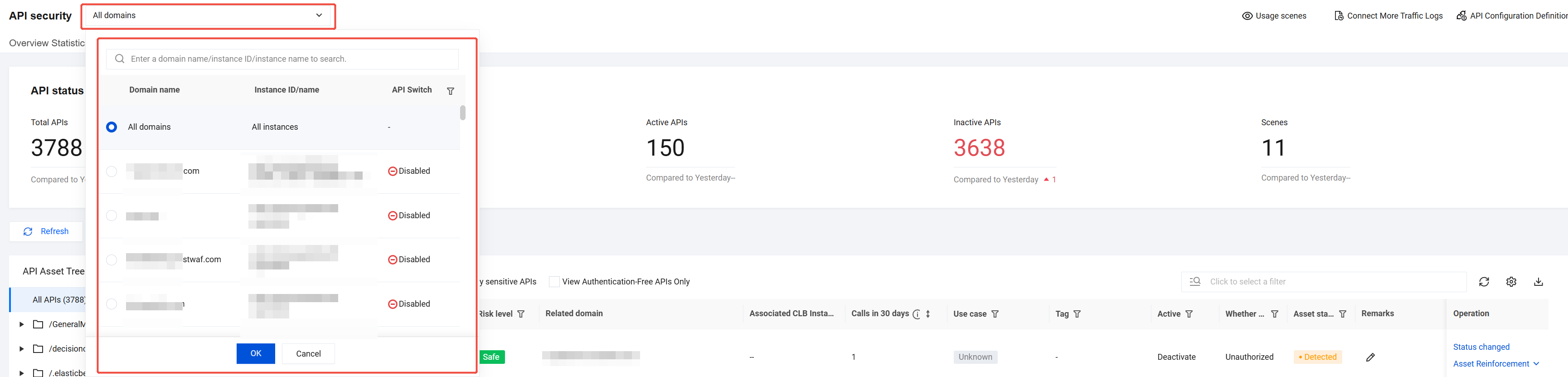
3. Click the All domains dropdown in the top-left corner, select the domain to view, and the right side displays whether API security is enabled for the current domain.
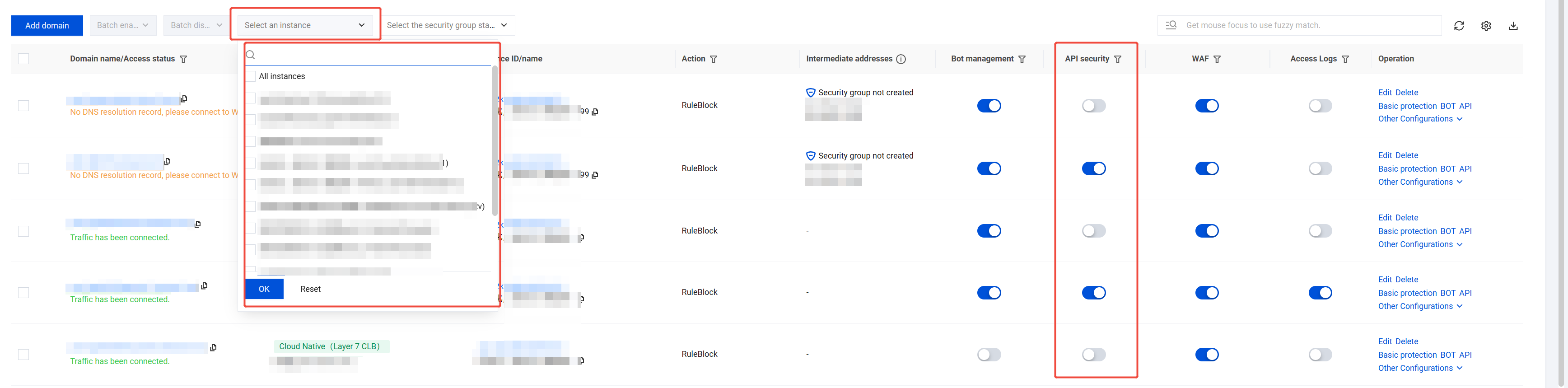
If the API security switch is not enabled, go to the Connection Management page, filter domains that require API security to be enabled under the purchased API security instances, and click
to enable it.
Note:
After the API security feature is enabled, traffic analysis will begin and is expected to be completed in 30 minutes. The API asset list and related statistics will then be displayed.
4. On the API Asset Management page, the top section displays both the API asset overview and the API processing status.
Field Name
Description
Total APIs
Total APIs under the current domain.
Newly discovered APIs
Total number of newly discovered API assets under the current domain.
Discovered APIs
Total number of API assets accessed under the current domain in the last 7 days.
Active APIs
Total number of API assets not accessed under the current domain in the last 7 days.
Scenes
Total number of scenarios associated with API assets under the current domain.
Confirmed
Total number of API assets in confirmed status under the current domain.
In progress
Total number of API assets in pending confirmation status under the current domain.
Ignored
Total number of API assets in ignored status under the current domain.
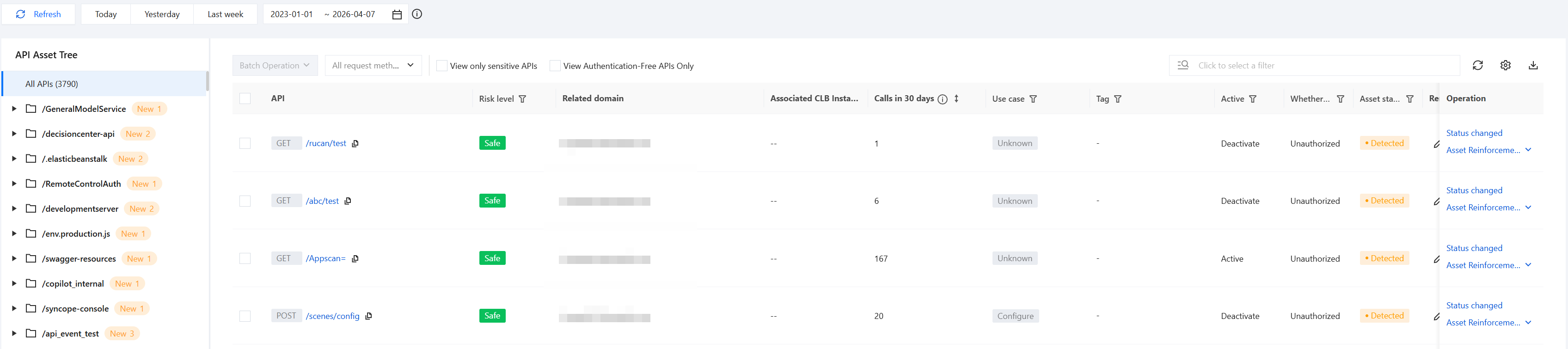
5. On the API Asset Management page, API data for a specific domain can be searched by asset directory, time range, viewing only sensitive APIs, or viewing only APIs without authentication mechanisms.
Using the API Asset Tree, filter API assets under a specified directory.
Search for API data with last updated time within the specified time range.
Click View only sensitive APIs or View Authentication-Free APIs Only to filter the corresponding API data list.
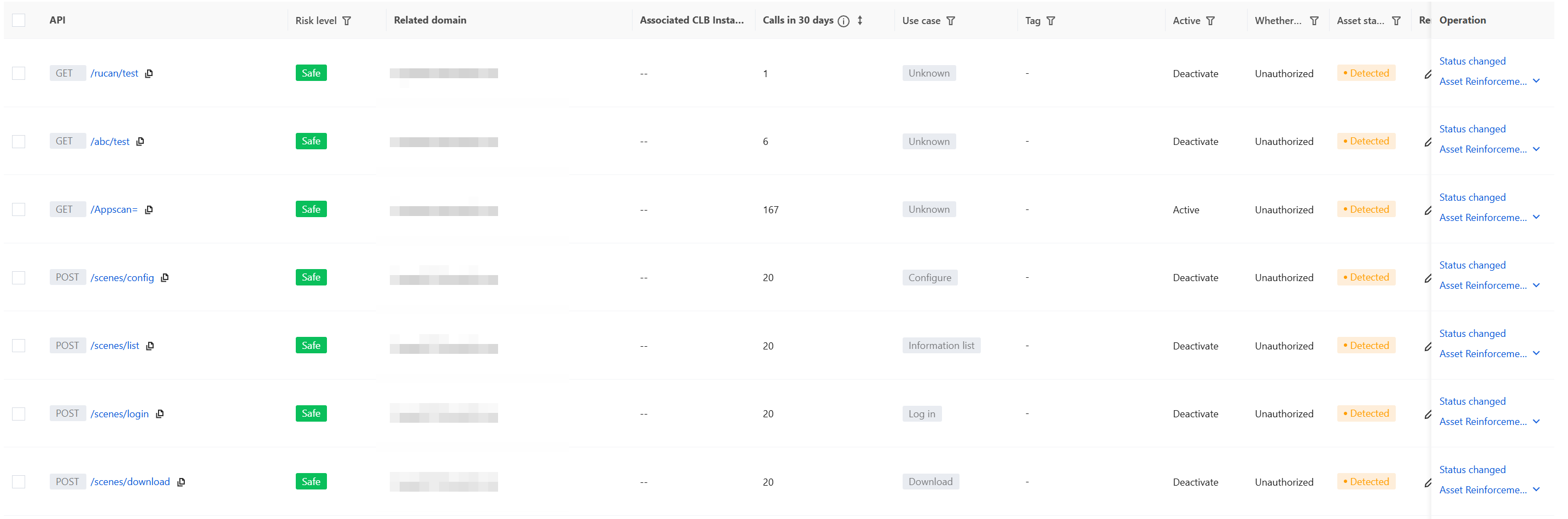
6. In the asset list area, it mainly includes features such as API asset data list, API asset status change, API asset detail display, API asset reinforcement, API asset search, and API asset download.
API Asset Data List: allows you to view the list of API assets identified within the selected domain and time range.
Field Name
Description
API
API request method and API name.
Risk level
Risk Level, which is determined based on sensitivity involvement and asset risk events.
Related domain
Domain.
Associated CLB Instance ID
The CLB instance ID to which the API belongs.
Calls in 30 days
The API's invocation volume in the last 30 days since its discovery is updated every 30 minutes.
Use case
The Tag for the feature scenario to which the API belongs, including built-in and custom scenarios.
Tag
The Tag for sensitive-involved data of the API, including built-in rules and custom rules.
Active
Whether the API has been active in the last 7 days.
Whether to Authenticate
Whether the API has an authentication mechanism, including built-in rules and custom rules.
Asset status
The current asset status of the API.
Asset Status includes: Newly Discovered; Under Verification; Confirmed; Offlined; Marked as Ignored.
Remarks
The remarks of the API asset.
Last update
The last update time of the API asset information.
Detection time
The first update time of the API asset information.
Operation
Supports Status changed and Asset Reinforcement operations for assets.
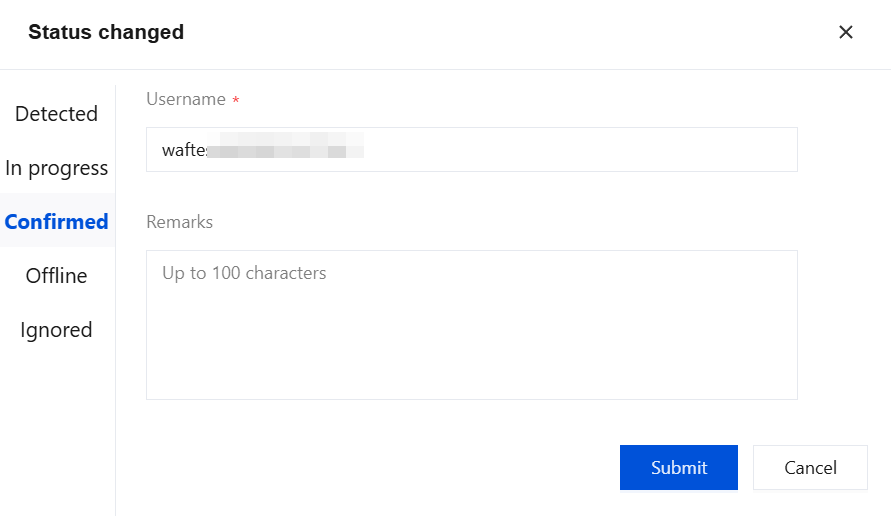
Status Change: Click Status Change to process status changes for the current API asset.
Username: non-empty, populated by default with the current console account name.
Remarks: You can fill in the corresponding remarks information.
API Asset Hardening: Allows rapid configuration of input parameter detection rules and rate limiting rules for APIs to enhance protection effectiveness.
API Asset Search: You can search by keywords such as "API name, Related domain, Asset status" and other keywords.
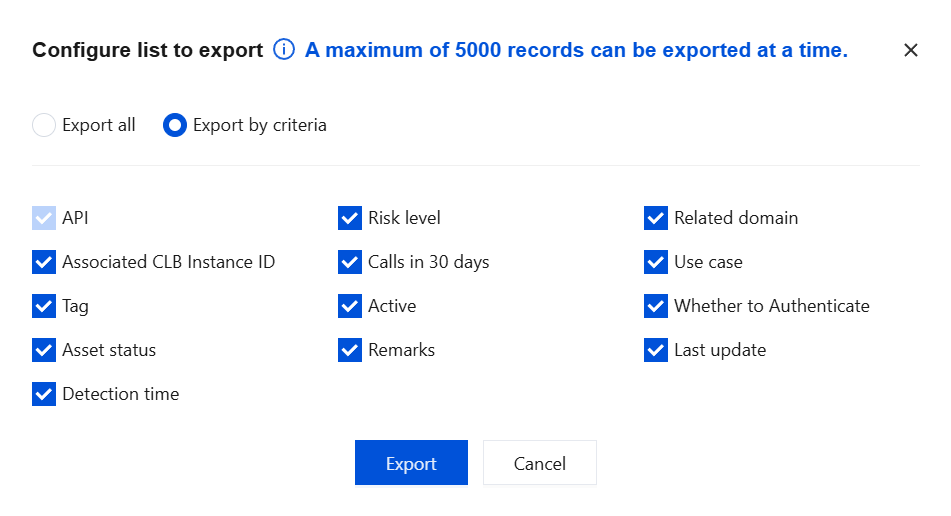
API Asset Download: Click
, select the required fields, and click Export to download the data list.
API Asset Details
1. Log in to the WAF console, and click API Asset Management in the left sidebar.
3. On the API details page, you can view the following details of the current API.
On the API details page, you can view the API details in the top section.
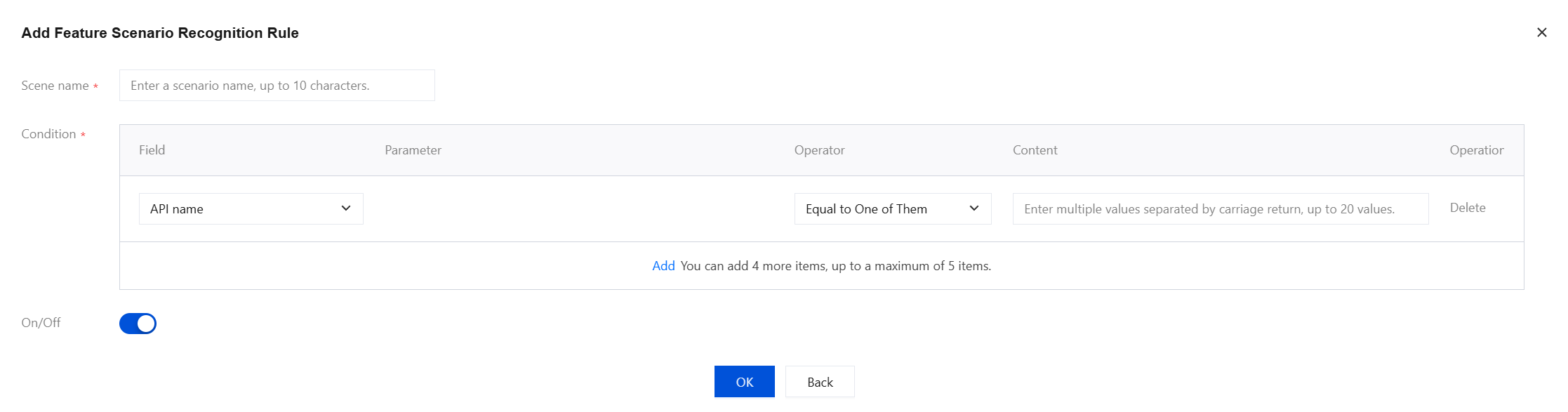
Scene: Click the
next to Scene to add feature scenario identification rules.
Field description:
Scene name: The scene name, up to 10 characters.
Condition: At least one matching condition must be added, with a maximum of five allowed.
Field
Parameter
Operator
Content
API name
-
Supports selecting matching conditions including any one (OR), all (AND), or regular expression matching (whether it matches a specific regular expression).
You can separate multiple values by pressing Enter and enter up to 20 values.
GET parameter name
-
GET parameter value
Please enter the parameter name.
POST parameter name
-
POST parameter value
Please enter the parameter name.
Cookie parameter name
-
Cookie parameter value
Please enter the parameter name.
Header parameter name
-
Header parameter value
Please enter the parameter name.
Response parameter name
-
Response parameter value
Please enter the parameter name.
On/Off: supports enabling or disabling this rule.
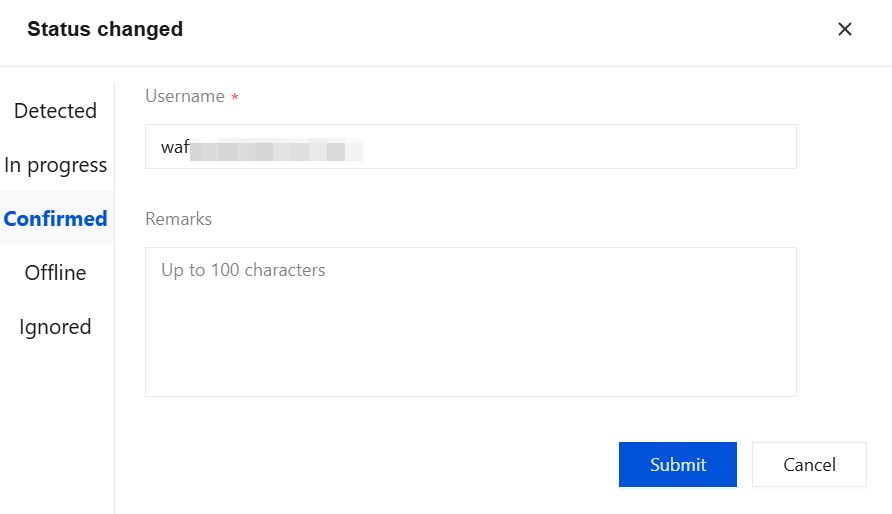
Status changed: Click Status changed to process status changes for the current API asset.
Username: non-empty, populated by default with the current console account name.
Remarks: You can fill in the corresponding remarks information.
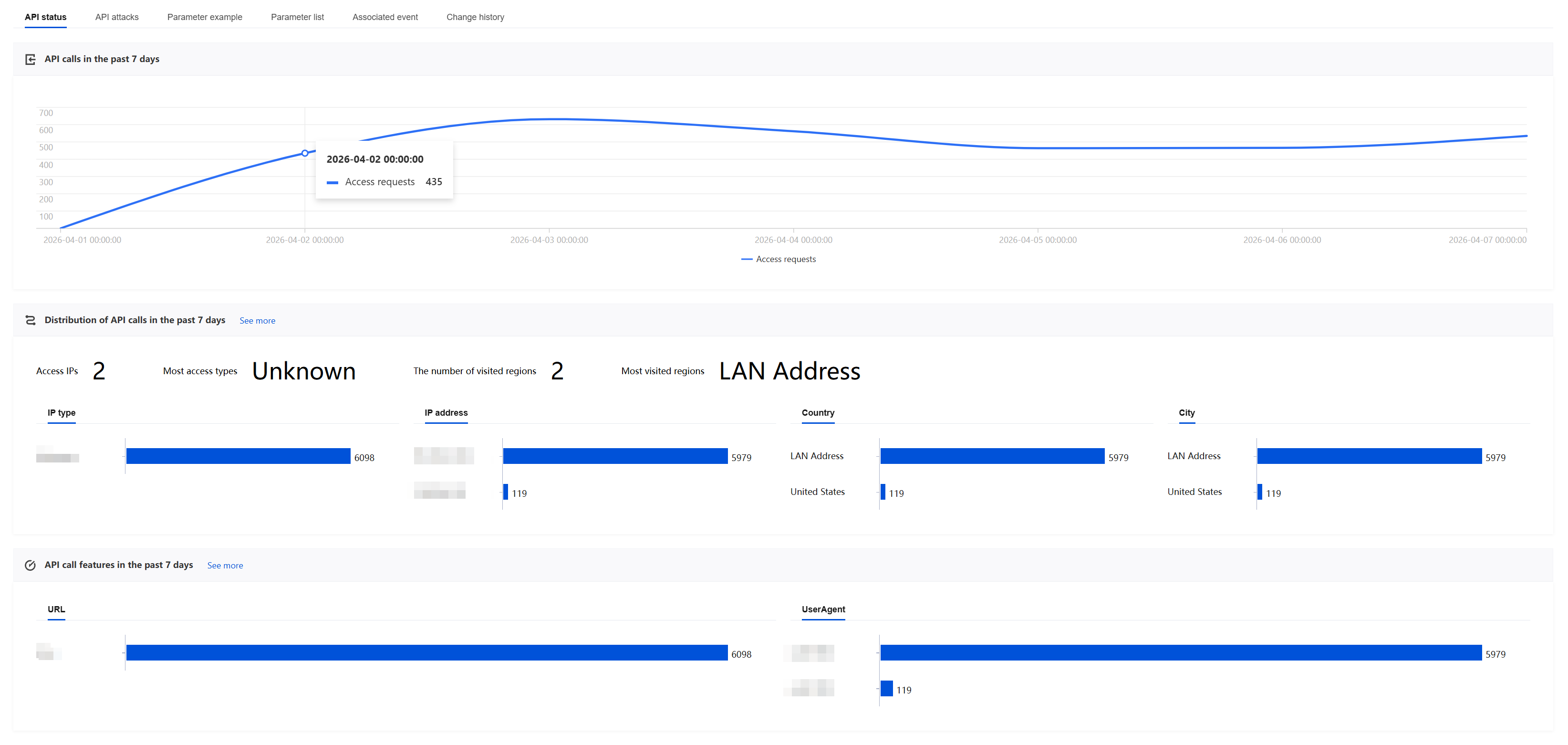
Click API status to view the API access trends, access source distribution, and access request characteristics over the last 7 days.
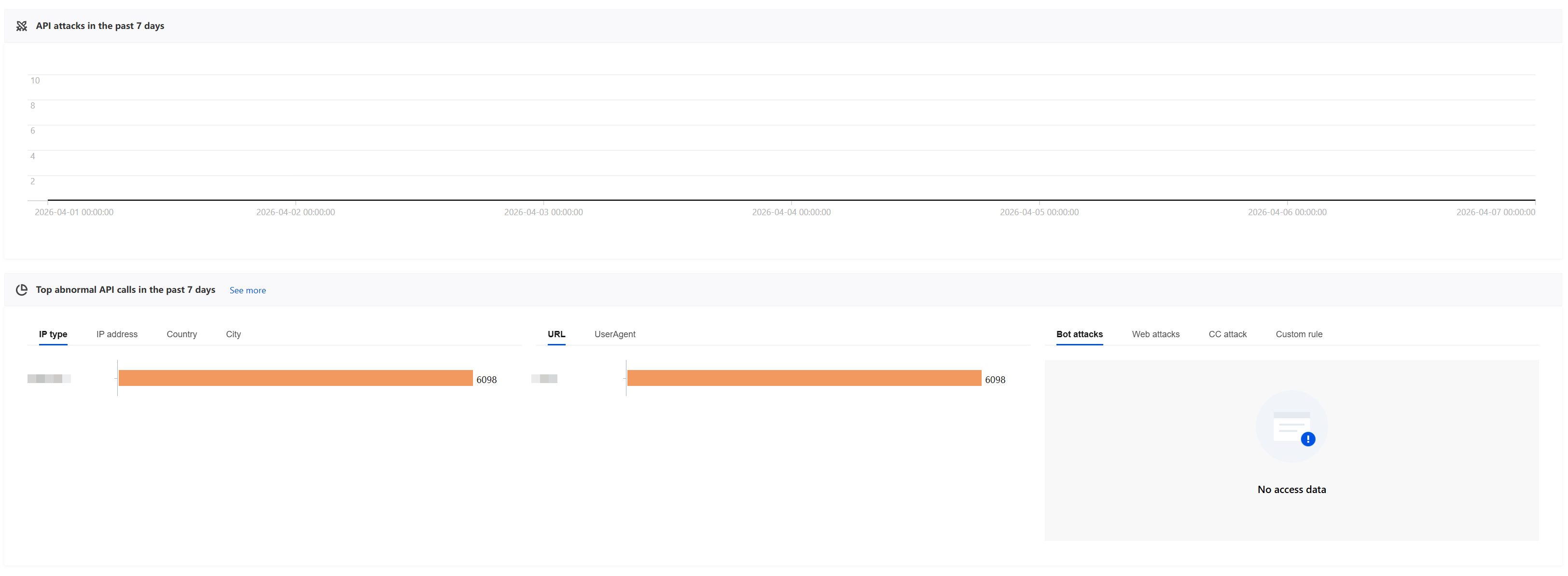
Click API attacks to view the API attack trends over the last 7 days, TOP statistics of abnormal access requests over the last 7 days, and so on. Among them, BOT attacks, Web attacks, CC attacks, and custom policy attacks respectively display the quantity and trends of corresponding risk types in the attack logs for this API.
Click Parameter example to view request and response information for the current or other samples, supporting filtering to display only sensitive parameters or generalized parameters.
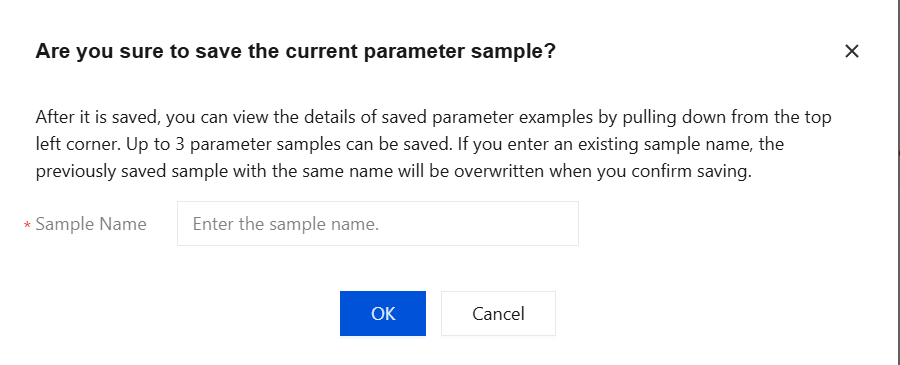
Save Sample: Click Save Sample, enter the sample name, and click OK to save the current parameter sample. After saving, you can view details of saved parameter samples via the drop-down menu in the upper-left corner. The system supports saving up to three parameter samples. If you enter an existing sample name, clicking OK will directly overwrite the previously saved sample with the same name.
Click
to switch between JSON view and parameter view for request and response information.
Click Parameter list to view parameter names, types, locations, sensitivity status, and remarks in requests and responses, and to generalize parameters or edit parameter tags.
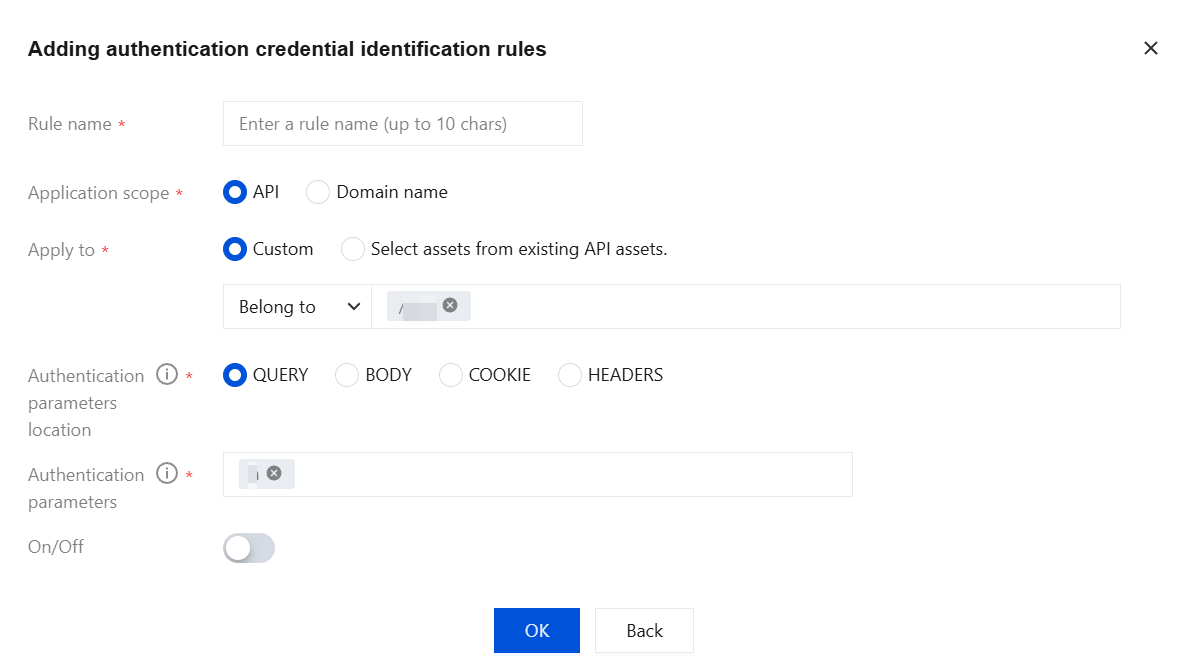
Whether to authenticate: After
is clicked, supports adding authentication credential identification rules to set specified fields as authentication parameters for this API asset.
Parameter general: After generalization is selected, the parameter value in the corresponding API asset parameter sample will display generalized data.
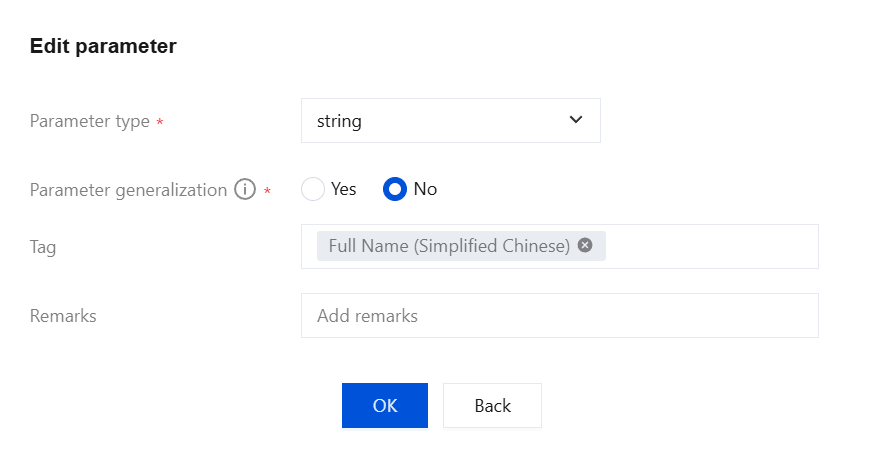
Edit Parameters: After clicking Edit, you can modify the parameter type, whether the parameter is generalized, parameter data tags, remarks, and so on.
Click Associated event to view risk events related to this API and handle them.
Click Asset Change History to view the change timestamp, operator, and details for this API, and trace the change history.
Issues and Handling Recommendations
When using the API Asset Management feature, if you encounter the following issues, see the corresponding troubleshooting recommendations for investigation and resolution:
Issue Description
Problem 1: Access requests have been initiated to an API, but the API is not displayed in the asset list.
Problem 2: An API is not displayed in the asset list.
Possible Causes
Insufficient access frequency: The number of API accesses has not reached the trigger threshold for system asset refresh.
Refresh cycle not reached: The current time has not met the system-default fixed 20-minute refresh cycle.
Access source restricted: The source IP address initiating the access is in the precise allowlist, IP address allowlist, or IP address blocklist, resulting in the request not being detected by the API security module.
Problem-solving Ideas
API Security provides multi-faceted and continuous API asset discovery capabilities. If an API is missing from the asset list, you can adjust the asset refresh policy, wait for the system to complete the refresh cycle, or optimize source IP address configuration to ensure API access requests are properly monitored and included in the asset list.
Handling Recommendation
If not displayed due to insufficient access frequency: Lower the trigger threshold for API asset refresh to increase detection sensitivity. For example, on the API Security > Asset Management page, click API Configuration Definition in the upper-right corner and adjust the asset refresh cycle to once every 20 minutes.
If it is not displayed due to the refresh cycle not being reached: Wait for the system to complete the fixed-cycle asset refresh. For example, if you have initiated an API access request but less than 20 minutes have passed, wait until 20 minutes after initiating the request to check the asset list and confirm whether the API is displayed.
If not displayed due to restricted access source IP address: Adjust the allowlist/blocklist configuration or change the source IP address and retry. For example, if the source IP address is in the IP address allowlist, requests will be bypassed by the API security module. The recommended solution is to remove the IP address from the allowlist, configure a precise allowlist instead, and deselect API Security in the allowlisting module.